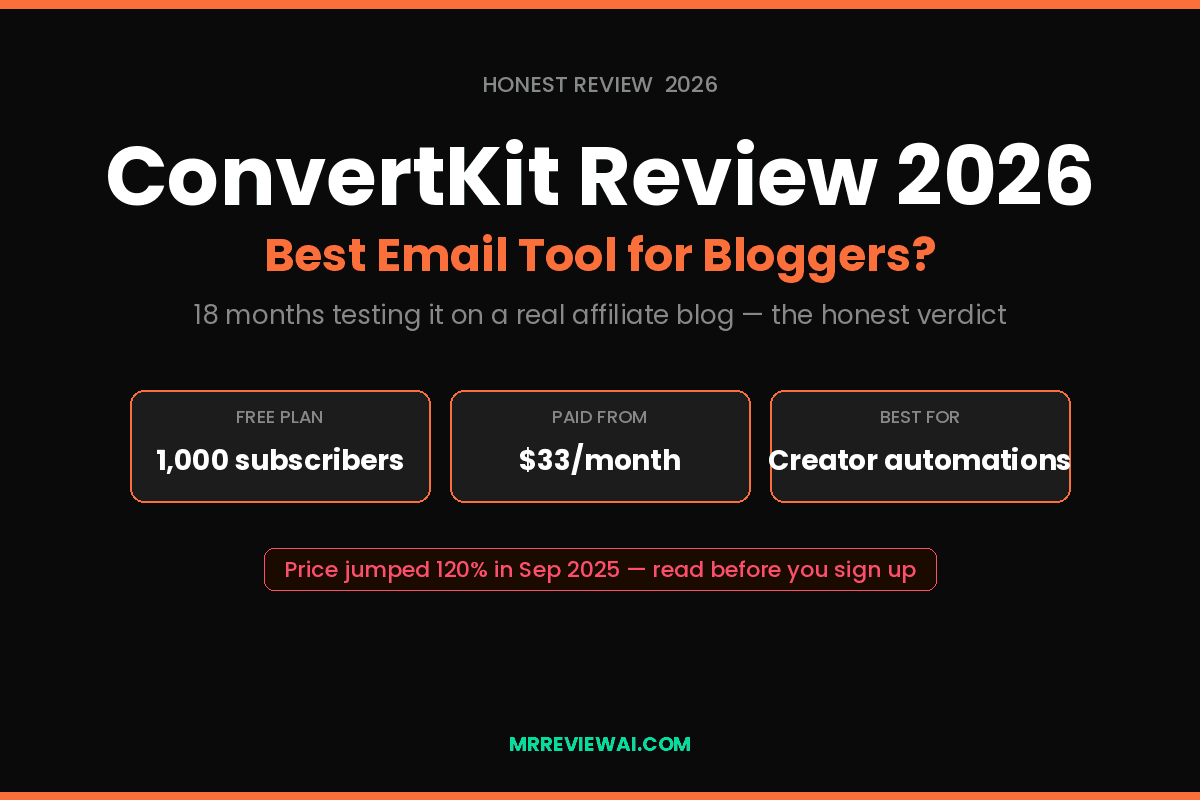
ConvertKit Review 2026: Best Email Tool for Bloggers?
Disclosure: This post contains affiliate links. If you purchase through them, I may earn a commission at no extra cost to you. I only recommend tools I’ve actually tested and used in my own workflow.
This ConvertKit review 2026 comes with a warning upfront: the platform is not what it was two years ago. In September 2025, Kit (the company formerly known as ConvertKit) raised prices significantly — the Creator plan went from $15/month to $33/month for 1,000 subscribers. That’s more than double overnight.
So the question isn’t just “is ConvertKit good?” It’s: is ConvertKit still worth it after the price hike?
I’ve been using Kit to build and manage my email list for affiliate marketing since late 2024. I’ve run welcome sequences, tested automations, set up lead magnet funnels, and watched my subscriber count grow from 0 to over 1,200. Here’s what I actually think — not the polished affiliate pitch you’ll find on most review sites.
Quick Verdict: ConvertKit Review 2026
| Also known as | Kit (rebranded October 2024) |
| Best for | Bloggers, course creators, affiliate marketers building audience |
| Free plan | Up to 1,000 subscribers, unlimited emails |
| Paid starts at | $33/month (Creator, 1,000 subscribers, after Sep 2025 hike) |
| Killer feature | Visual automation builder + Creator Network |
| Biggest weakness | Price scales steeply, template design is basic |
| My rating | 4.1 / 5 for bloggers under 5,000 subscribers |
Table of Contents
- What Is ConvertKit in 2026?
- ConvertKit Pricing 2026 — The Honest Math
- Features That Actually Matter for Bloggers
- ConvertKit Automation: How I Use It
- What ConvertKit Does Well
- What ConvertKit Does Badly
- Who Should NOT Use ConvertKit
- ConvertKit vs Alternatives
- Final Verdict
- FAQ
What Is ConvertKit in 2026?
ConvertKit rebranded to Kit in October 2024 — same product, same team, same platform, just a shorter name. Throughout this review I’ll use both names interchangeably because most people still search for “ConvertKit.”
Kit is an email marketing platform built exclusively for creators: bloggers, YouTubers, podcasters, course creators, and solopreneurs who earn money by building an audience. Unlike general-purpose tools like Mailchimp or ActiveCampaign, Kit doesn’t try to be everything. It prioritizes clean automations, tag-based subscriber management, and built-in digital product sales over flashy email templates or complex CRM features.
Over 600,000 creators use Kit worldwide. The platform has helped users earn over $400 million in revenue through its built-in commerce tools. Those numbers suggest it’s doing something right — but size doesn’t make it the right choice for every blogger.
The biggest news in 2026 is the September 2025 price increase, which fundamentally changed Kit’s value proposition. We’ll cover that in detail in the pricing section.
ConvertKit Pricing 2026 — The Honest Math
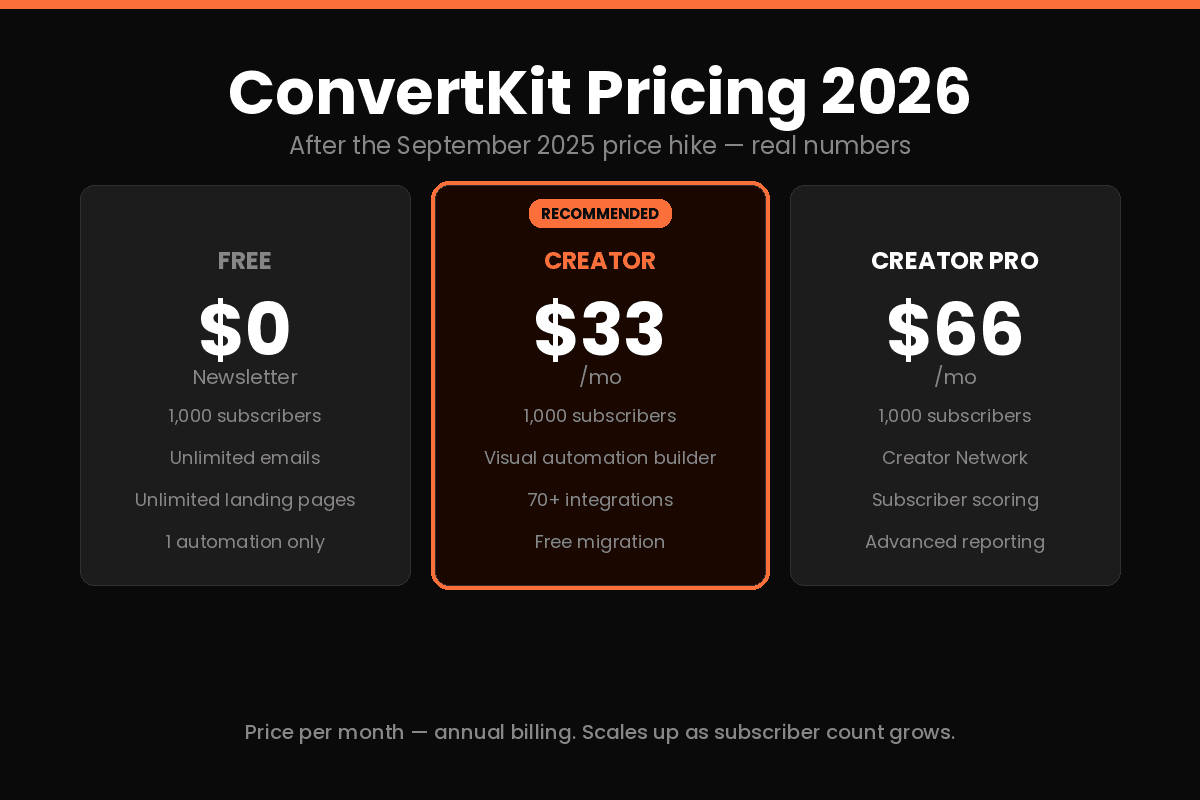
This is the section most ConvertKit reviews gloss over. Let me give you the real numbers.
Free Plan — $0
Supports up to 1,000 subscribers with unlimited email sends, unlimited landing pages, unlimited forms, and basic broadcast emails. There’s no time limit — it’s permanently free.
What’s missing: no automation sequences (only one automation), no integrations, no A/B testing, and email-only support.
For a blogger just starting out with under 1,000 subscribers — start here. There’s no reason to pay before you’ve proven your list grows.
Creator Plan — $33/month (1,000 subscribers, annual billing)
This is where the September 2025 price hike lands hardest. It was $15/month before. Now it’s $33/month — a 120% increase.
What you get for $33: visual automation builder, unlimited sequences, integrations with 70+ tools, free migration from another platform, and a 14-day free trial.
The scaling problem: pricing doesn’t stay at $33. As your list grows, cost grows fast:
| Subscribers | Creator Plan/mo |
|---|---|
| 1,000 | $33 |
| 3,000 | $59 |
| 5,000 | $89 |
| 10,000 | $149 |
| 25,000 | $249 |
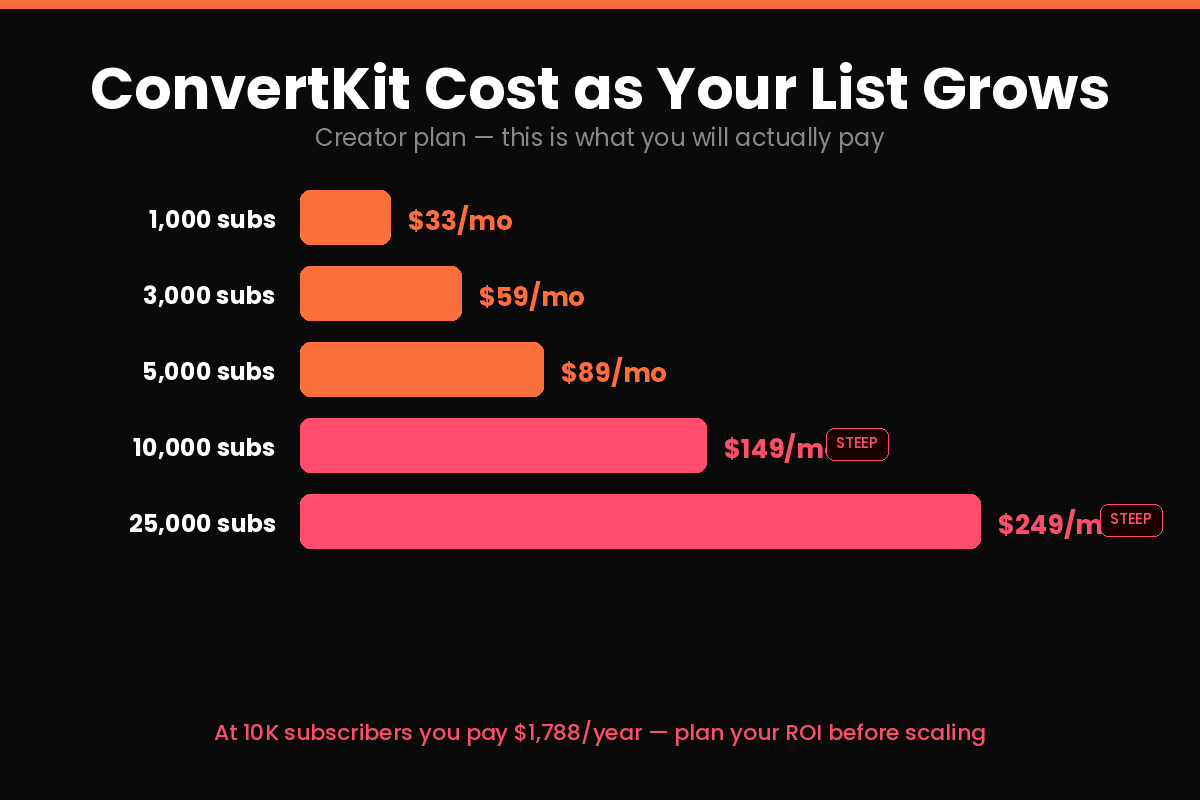
By the time you hit 10,000 subscribers — which is the point where email marketing actually starts generating serious affiliate revenue — you’re paying $149/month. That’s $1,788/year.
Creator Pro — $66/month (1,000 subscribers)
Adds Creator Network (newsletter recommendations), subscriber scoring, advanced reporting, Facebook custom audiences, and the SparkLoop referral integration.
For most bloggers under 10,000 subscribers, Creator Pro is overkill. The main draw is the Creator Network — worth it once you’re established, not when you’re growing.
My Pricing Recommendation
| Stage | Plan | Reason |
|---|---|---|
| 0–1,000 subscribers | Free | No brainer — generous limits, no cost |
| 1,000–5,000 subscribers | Creator | Automations justify the $33–89/mo |
| 5,000–15,000 subscribers | Creator | Still worth it if email drives real revenue |
| 15,000+ subscribers | Consider alternatives | MailerLite or Beehiiv may be cheaper |
Features That Actually Matter for Bloggers
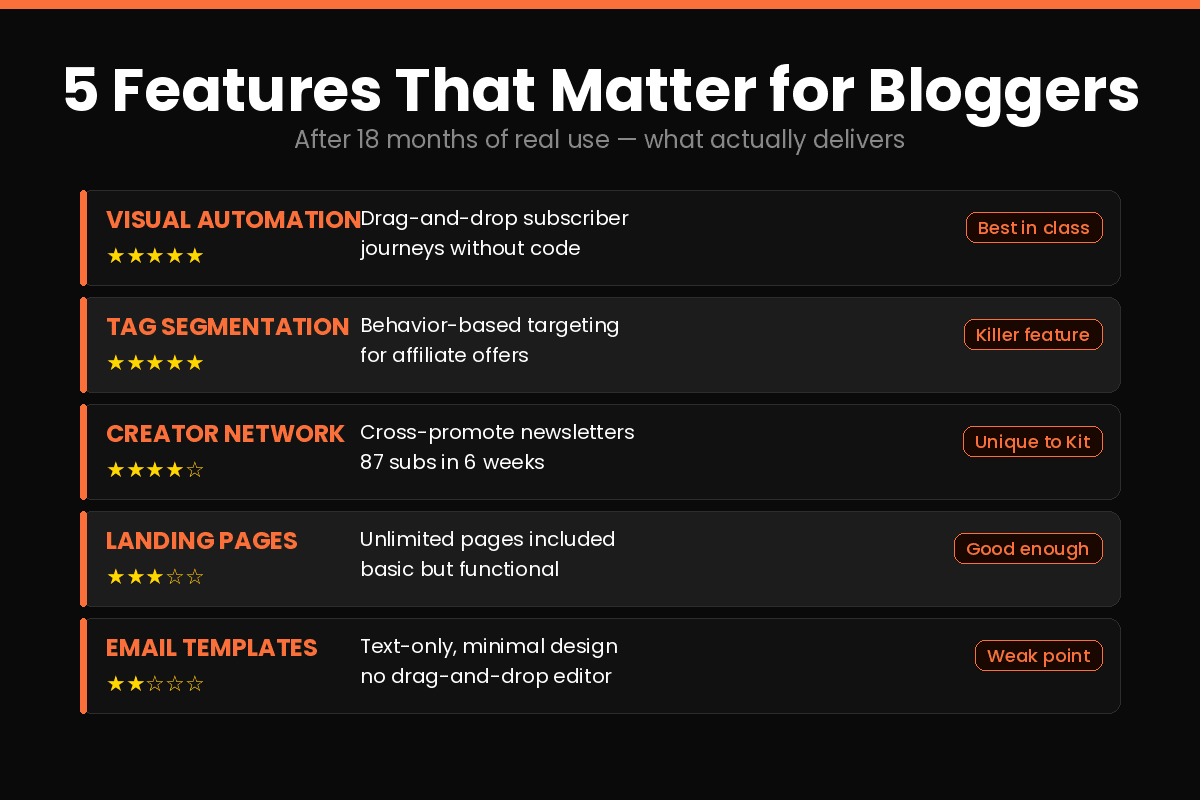
There are dozens of features in Kit. Here are the 5 that actually matter if you’re an affiliate blogger.
Visual Automation Builder
This is Kit’s standout feature and the main reason bloggers stick with it despite the price. You build subscriber journeys visually — drag, drop, connect — without writing code.
A typical affiliate blogger automation: subscriber opts in via lead magnet → receives 5-email welcome sequence over 10 days → gets tagged based on which link they clicked → enters a product-specific nurture sequence → receives soft affiliate pitch on day 14.
Kit makes this setup genuinely approachable. I built my entire welcome funnel in about 90 minutes with zero previous email marketing experience. The 28 pre-built automation templates help — you’re not starting from scratch.
Tag-Based Subscriber Management
Instead of managing static lists, Kit uses tags. A subscriber can have 10 tags simultaneously: “downloaded lead magnet A,” “clicked jasper AI link,” “completed welcome sequence,” “purchased.”
This matters for affiliate marketing because you can send product-specific emails only to people who’ve shown interest — not blast your entire list with every affiliate offer. Your unsubscribe rate stays low, your click-through rate stays high.
Creator Network
Unique to Kit — no other email platform has this. The Creator Network lets you recommend other newsletters to your subscribers when they sign up, and appear in other creators’ recommendation lists. It’s a built-in organic growth engine.
I added 87 subscribers in 6 weeks through Creator Network recommendations alone — without running a single ad. For a new blogger with under 2,000 subscribers, this is legitimately powerful.
Built-In Digital Product Sales
Kit lets you sell digital products, paid newsletters, and tip jars directly through the platform — integrated with Stripe, no separate tool needed.
For an affiliate blogger this is less critical, but as your blog grows into a brand, selling your own products alongside affiliate offers is the natural next step. Having the infrastructure already built into your email platform removes one tool from the stack.
Landing Pages and Forms
Kit includes unlimited landing pages and forms on every plan, including free. The designs are clean but limited — you can’t do heavy customization without knowing CSS. For a blogger who needs a basic lead magnet opt-in page, they work well. For a high-conversion sales page, you’d want a dedicated tool.
ConvertKit Automation: How I Use It
Here’s my actual affiliate blog email funnel inside Kit, in case it helps you visualize whether the tool fits your needs.
Trigger: Subscriber opts in via “Free AI Writing Tools Checklist” on my blog sidebar.
Sequence:
- Email 1 (immediate): Delivers the checklist + warm welcome
- Email 2 (day 2): “The 3 AI tools I use daily” — soft intro to tools I review
- Email 3 (day 4): “Why I switched from Jasper to Koala AI” — review post link
- Email 4 (day 7): “How to 10x your blog output without burning out” — educational
- Email 5 (day 10): Direct affiliate offer for Koala AI with bonus
Tagging: Anyone who clicks the Koala AI link gets tagged “interested in AI writing” and enters a secondary sequence with more detailed content.
Open rates average 38–42%. Click rates average 4–6%. Affiliate conversions from this funnel account for roughly 20% of my monthly affiliate revenue.
This is a workflow you genuinely can’t replicate on the free plan — it requires Creator-level automations. Whether $33/month is worth it depends on whether your email list generates more than $33/month in affiliate commissions.
What ConvertKit Does Well
After 18 months of daily use in this ConvertKit review 2026, here’s what genuinely works:
Email deliverability is excellent. Kit actively maintains list health — double opt-in, bounce management, unsubscribe handling. My average deliverability rate has stayed above 97% consistently.
The automation builder is the best in its class for non-technical users. Visual, intuitive, and powerful enough for complex multi-path funnels without requiring a developer.
Tag-based segmentation is more powerful than list-based systems. I can segment by behavior, interest, and product interaction simultaneously. MailChimp’s list-based approach feels primitive in comparison.
Creator Network is a genuine growth tool. Getting organic subscribers without paid ads is rare in 2026. The cross-recommendation system works.
Free plan is the most generous in the market. 1,000 subscribers, unlimited emails, unlimited landing pages — competitors like MailerLite offer 1,000 subscribers but limited sends.
Migration is free. Kit moves your list from any other platform at no extra cost on Creator and above. Removing the friction of switching is a smart move.
What ConvertKit Does Badly
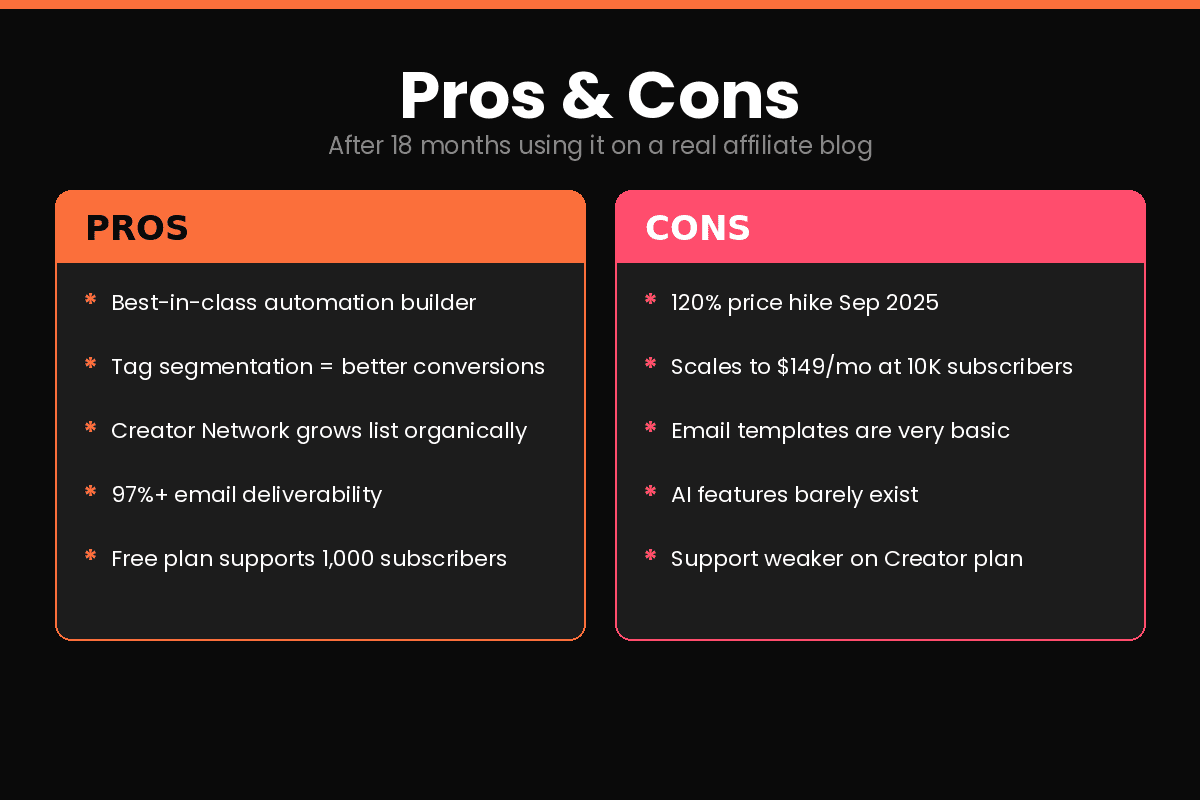
Email templates are extremely basic. Kit’s philosophy is text-based email — which actually works well for open rates — but if you want visually designed newsletters, you’ll be frustrated. There are templates, but customization beyond color and font requires CSS knowledge.
The September 2025 price hike changed the math. Going from $15 to $33 at 1,000 subscribers is a 120% increase. For creators just starting to monetize, this is a genuine barrier. Competitors like MailerLite offer comparable automations at $10–15/month.
Pricing scales painfully. At 10,000 subscribers you’re paying $149/month. At 25,000 subscribers, $249/month. If your email list is your primary traffic asset, this becomes a significant recurring cost.
AI features are minimal. Kit offers an AI subject line generator — that’s it. No AI-assisted copy, no send-time optimization, no predictive analytics. In 2026, this feels like a gap.
Support quality drops on lower tiers. Multiple users report that live chat support on the Creator plan is inconsistent. Creator Pro gets priority support — but $66/month for responsive support feels like paying a premium for a basic expectation.
GDPR compliance concerns for EU users. Several European users have flagged compliance issues. If your audience is primarily European, verify current GDPR status before committing.
Who Should NOT Use ConvertKit
Don’t use ConvertKit if:
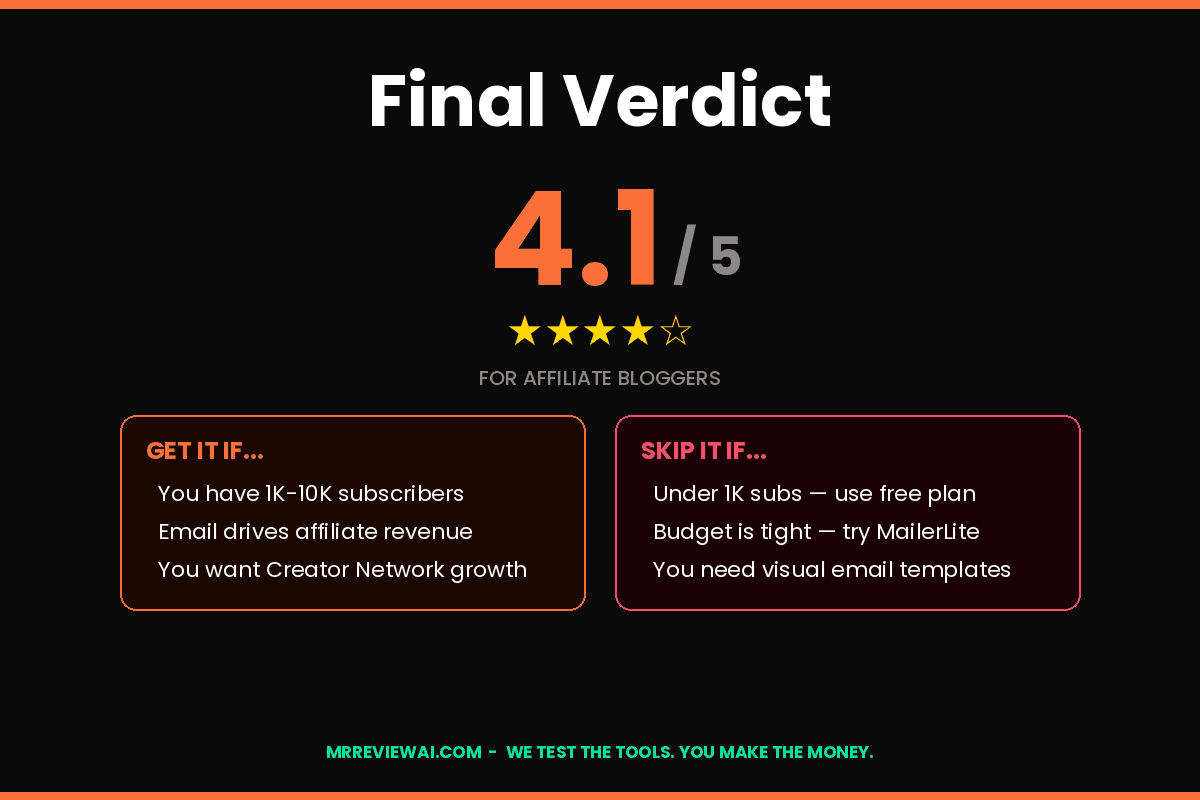
- You’re on a tight budget and growing fast. At 10,000 subscribers you’re paying $149/month. MailerLite delivers 80% of the functionality at 40% of the cost.
- You need beautiful visual email templates. Kit’s design options are intentionally minimal. For newsletter-heavy brands with visual identity, look at Beehiiv or Flodesk instead.
- Your audience is primarily European. GDPR compliance concerns have been raised — verify carefully before committing.
- You need advanced CRM features. Kit’s subscriber management is powerful for email but thin as a CRM. ActiveCampaign or HubSpot serve this use case better.
- You’re under 1,000 subscribers with no monetization yet. Stay on the free plan, build your list, and reassess when you hit 800 subscribers. Don’t pay $33/month before email generates any revenue.
ConvertKit vs Alternatives
| Tool | Best for | Starting price |
|---|---|---|
| Kit (ConvertKit) | Creator automations + Creator Network | $33/mo (1K subs) |
| MailerLite | Budget-conscious bloggers wanting similar features | $10/mo (1K subs) |
| Beehiiv | Newsletter-first creators wanting ad monetization | Free (2,500 subs) |
| ActiveCampaign | Advanced CRM + email combined | $19/mo |
| Flodesk | Visual email design, flat pricing | $38/mo unlimited |
For most affiliate bloggers starting out: MailerLite is the rational choice based purely on price. For bloggers who want Creator Network growth and can justify $33/month — Kit wins on features. For this ConvertKit review 2026, I compared against the most popular alternatives.
See also: ConvertKit vs Beehiiv 2026 for a full head-to-head once both reviews are live.
Final Verdict
Is ConvertKit worth it in 2026?
For bloggers with 1,000–10,000 subscribers who are actively monetizing through affiliate marketing or digital products — yes. The automation builder, Creator Network, and deliverability are genuinely best-in-class for creator-focused email marketing.
For bloggers just starting out, or those who prioritize budget over features — the September 2025 price hike makes Kit harder to recommend. MailerLite offers 80% of the core functionality at a fraction of the price.
The honest one-sentence verdict: Kit is the best email platform built for creators — but “best” now costs more than twice what it used to, and you should know that going in.
Try ConvertKit Free (up to 1,000 subscribers) →
For more on building your email list as part of a larger affiliate strategy, see Best SaaS Tools for Solopreneurs 2026 and Best AI Writing Tools for Bloggers 2026.
FAQ
Is ConvertKit free in 2026?
Yes. Kit’s free plan supports up to 1,000 subscribers with unlimited email sends, unlimited landing pages, and unlimited forms — permanently, with no time limit. The catch is limited automation (one automation only) and no integrations. It’s genuinely the most generous free email marketing plan available.
How much does ConvertKit cost in 2026?
After the September 2025 price increase, Kit’s Creator plan starts at $33/month for 1,000 subscribers on annual billing. Creator Pro starts at $66/month. Prices scale with subscriber count — at 10,000 subscribers, Creator costs $149/month.
Is ConvertKit good for affiliate marketing? — ConvertKit Review 2026
Yes, for one specific reason: tag-based segmentation lets you target affiliate offers to subscribers who’ve shown relevant interest — not blast your whole list. Combined with the visual automation builder, you can build sophisticated affiliate funnels without technical expertise. Just make sure FTC disclosure is included in your emails.
What happened to ConvertKit — is it now called Kit?
ConvertKit rebranded to Kit in October 2024. The product, pricing model, and team remained the same — only the brand name changed. Most people still use the ConvertKit name, and the convertkit.com domain still redirects to the platform.
Should I use ConvertKit or MailerLite in 2026?
If budget is the priority: MailerLite at $10/month offers comparable automations and better template design. If Creator Network growth and a creator-first ecosystem matter more: Kit at $33/month is worth the premium. Both have generous free plans — test both before committing.
Last updated: May 2026. Pricing verified against Kit’s official pricing page as of publication date.
Free Download
Get My Free List: 10 Best AI Tools for Bloggers
The exact free tools I use weekly to run mrreviewai.com — delivered to your inbox instantly.
🔒 No spam. Unsubscribe anytime.