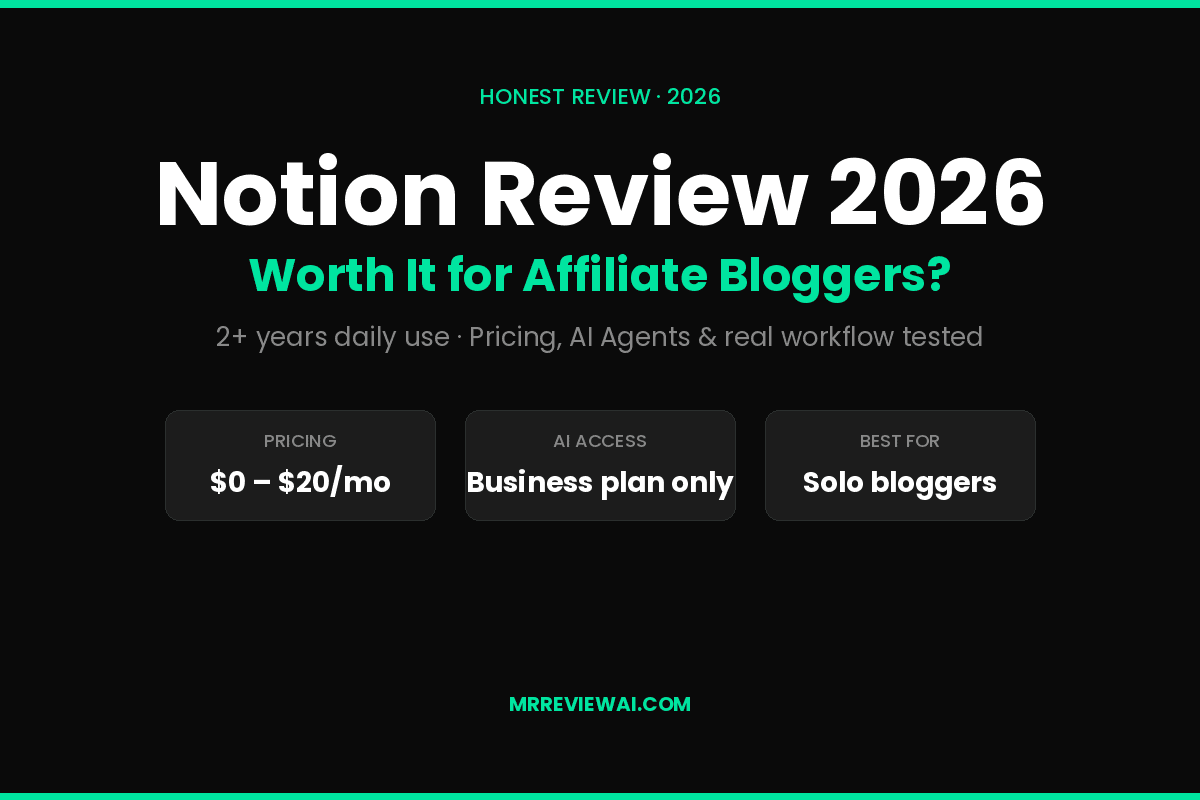
Notion Review 2026: Honest Look at Whether It’s Worth It for Affiliate Bloggers
This post contains affiliate links. If you purchase through them, we may earn a commission at no extra cost to you. We only recommend tools I’ve actually tested and used in my own affiliate workflow.
If you’re an affiliate blogger trying to keep your content workflow from collapsing into 47 open Chrome tabs, you’ve probably looked at Notion. Maybe you’ve even started building a workspace, gotten halfway through, and abandoned it because it felt like assembling IKEA furniture without instructions.
I get it. I’ve been there.
I’ve used Notion as my main content workspace for over two years — running editorial calendars, keyword research databases, affiliate program trackers, and AI-assisted draft pipelines. So instead of giving you another generic feature list, this Notion review 2026 focuses on one question that actually matters: is Notion worth it for someone running an affiliate blog?
In this Notion review 2026: short answer: yes — but only if you understand what you’re paying for after the May 2025 pricing shake-up. The full AI features that everyone hypes (AI Agents, Ask Notion, Custom Agents) now sit behind the $20/user/month Business plan, and that changes the math significantly.
Let’s break it down.
Quick Verdict
| Tested for | 2+ years as primary content workspace |
| Best for | Solopreneurs and bloggers who want one tool replacing Trello, Google Docs, and a CRM |
| Skip if | You only need a writing assistant — ChatGPT or Claude is better and cheaper |
| Pricing | Free / $10 Plus / $20 Business / Custom Enterprise |
| AI features | Locked behind Business plan ($20/user/mo) since May 2025 |
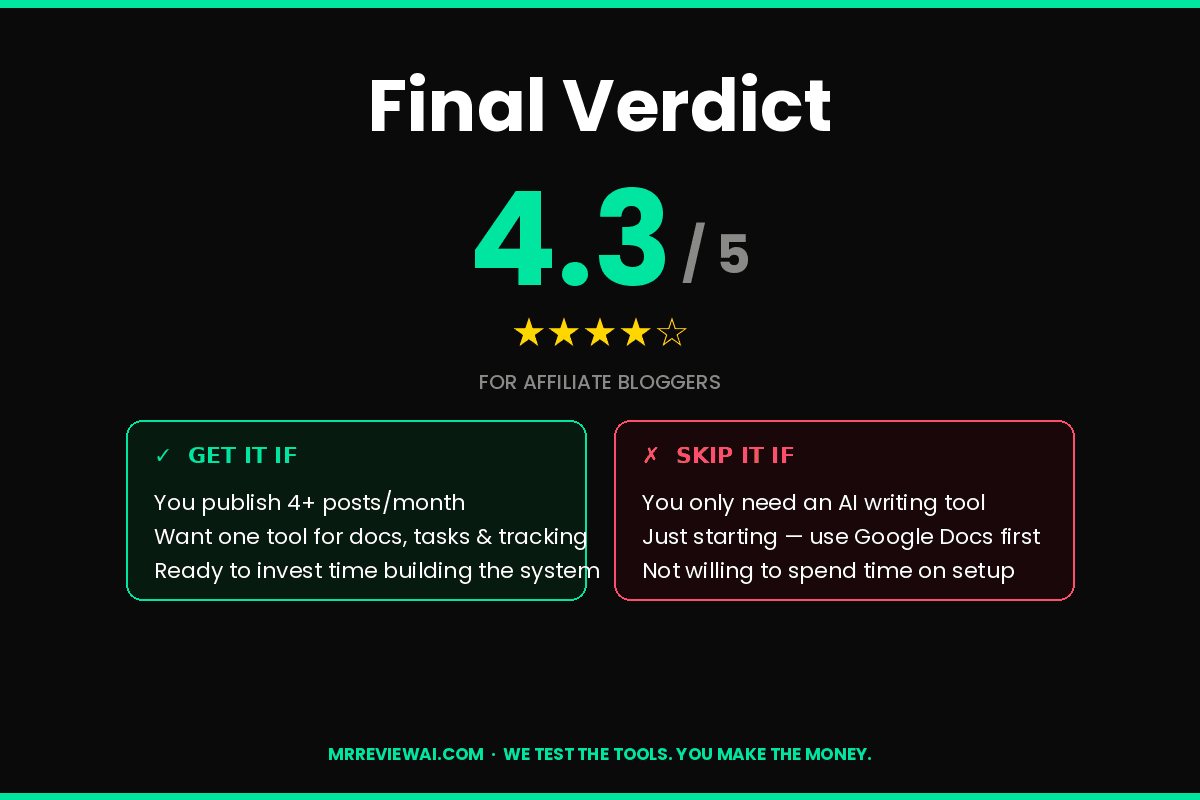
| My rating | 4.3 / 5 for content workflows, 3.5 / 5 if you only want AI writing |
Table of Contents
- What Notion Actually Is (in 2026)
- How I Use Notion for My Affiliate Blog
- Notion Pricing 2026 — The Honest Breakdown
- Notion AI Features Tested
- What Notion Does Well
- What Notion Does Badly
- Who Should NOT Use Notion
- Notion vs Alternatives
- Final Verdict
- FAQ
What Notion Actually Is (in 2026)
What does our Notion review 2026 reveal? Notion is a flexible workspace that combines docs, databases, wikis, and project management into one interface. In 2026, it’s also an AI platform — Notion 3.0 launched in September 2025 with AI Agents that don’t just suggest, they execute tasks across your workspace.
The platform now uses multiple AI models under the hood — GPT-5, Claude Opus 4.1, and o3 — routing different tasks to whichever model handles them best. That’s a meaningful upgrade from the single-model AI it shipped with two years ago.
But here’s what most reviews miss: Notion’s biggest strength isn’t any single feature. It’s the fact that everything talks to everything else. Your blog post draft can pull data from your keyword tracker, which connects to your affiliate program database, which feeds your monthly revenue dashboard. No Zapier, no copy-paste, no “wait, where did I save that?”
That said, this same flexibility is exactly why beginners bounce off Notion within a week. More on that below.
How I Use Notion for My Affiliate Blog
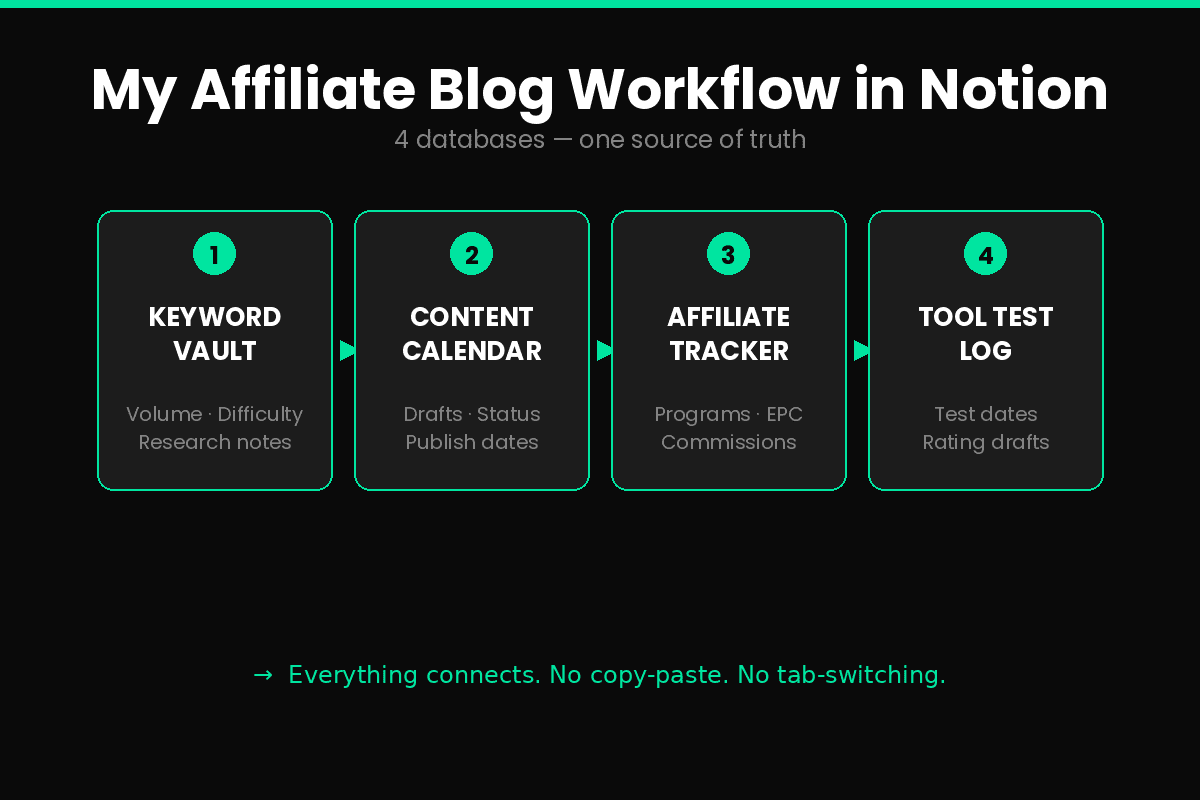
Before pricing and features, here’s the actual setup I run — because that’s what tells you whether Notion fits your workflow or not.
My core databases:
- Content Calendar — every blog post with status, target keyword, word count, publish date, and assigned pillar (AI Writing / SEO / SaaS)
- Keyword Vault — keywords I’ve researched with search volume, difficulty, and which articles target them
- Affiliate Program Tracker — every program I’m in with commission rate, cookie days, EPC, and approval status
- Tool Test Log — products I’m reviewing with hands-on test dates, screenshots, and rating drafts
My workflow looks like this: Keyword goes into the Vault → I drag it into the Content Calendar with a target date → The post page auto-pulls related programs from the Affiliate Tracker as link options → I draft inline → AI Agents help me check for missing sections or rewrite intros.
The thing is, you can’t replicate this in Google Docs + a spreadsheet. The relational part — where one database row “knows” about rows in another database — is what makes Notion sticky. Once you’ve built it, leaving feels like throwing away 6 months of context.
That’s the upside. It’s also the trap. Spend 3 weeks building a beautiful system instead of writing posts, and you’re not a blogger — you’re a Notion architect with no traffic.
Notion Pricing 2026 — The Honest Breakdown
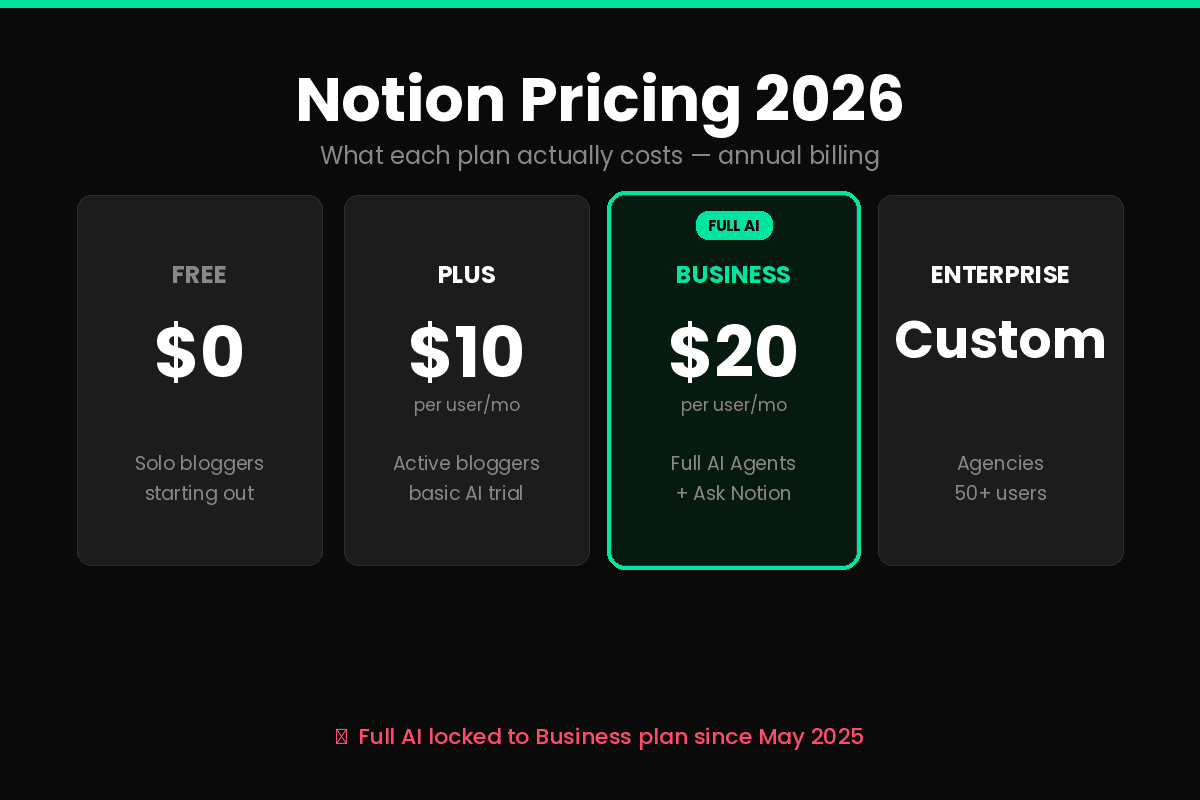
This is where most reviews get lazy. Let me walk through what each tier actually means for an affiliate blogger.
Free Plan — $0
Honestly the most generous free tier in productivity software. Unlimited blocks, unlimited pages, basic page sharing, and a limited trial of AI features. For a solo blogger who just wants to take notes, draft posts, and organize ideas — this works.
What’s missing: No collaborative team features, limited AI usage, no version history beyond 7 days, file uploads capped at 5MB.
Plus Plan — $10/user/month (annual) or $12/month
Adds unlimited file uploads, 30-day version history, more guests, and basic AI writing. Good for solo bloggers who want a real tool without the AI Agents commitment.
The catch: Plus only includes a limited trial of Notion AI features. Full access — AI Agents, Ask Notion, Custom Agents — requires Business.
Business Plan — $20/user/month (annual) or $24/month
This is where Notion AI becomes fully unlocked. You get AI Agents (the autonomous workflow ones launched September 2025), Ask Notion (queries your entire workspace including connected Google Drive and Slack), Custom Agents (added in Notion 3.3, February 2026), private teamspaces, SAML SSO, and 90-day version history.
The math: Going from Plus ($10) to Business ($20) is a 100% price increase, primarily for AI access. If you’re not going to use AI Agents weekly, that $120/year extra is wasted.
Enterprise — Custom Pricing
SCIM provisioning, audit logs, unlimited page history, dedicated support. Unless you’re running a 50+ person agency, ignore this tier.
Hidden Cost: Custom Agent Credits
Starting May 4, 2026, Notion is rolling out usage-based credits for Custom Agents — $10 per 1,000 credits as an add-on for Business and Enterprise. If you build heavy automation workflows, this stacks on top of your seat price. Worth knowing before you assume Business is “all-inclusive.”
My Pricing Recommendation for Affiliate Bloggers
| Stage | Plan | Reason |
|---|---|---|
| Just starting (0–10 posts) | Free | You don’t need AI Agents yet, focus on writing |
| Active blogger (10–50 posts) | Plus | Worth the $10 for unlimited storage and version history |
| Scaling solo (50+ posts) | Business | AI Agents save real hours weekly once you’ve systemized |
| Agency/team | Business + agents | Multiple writers + structured workflows justify the cost |
Notion AI Features Tested
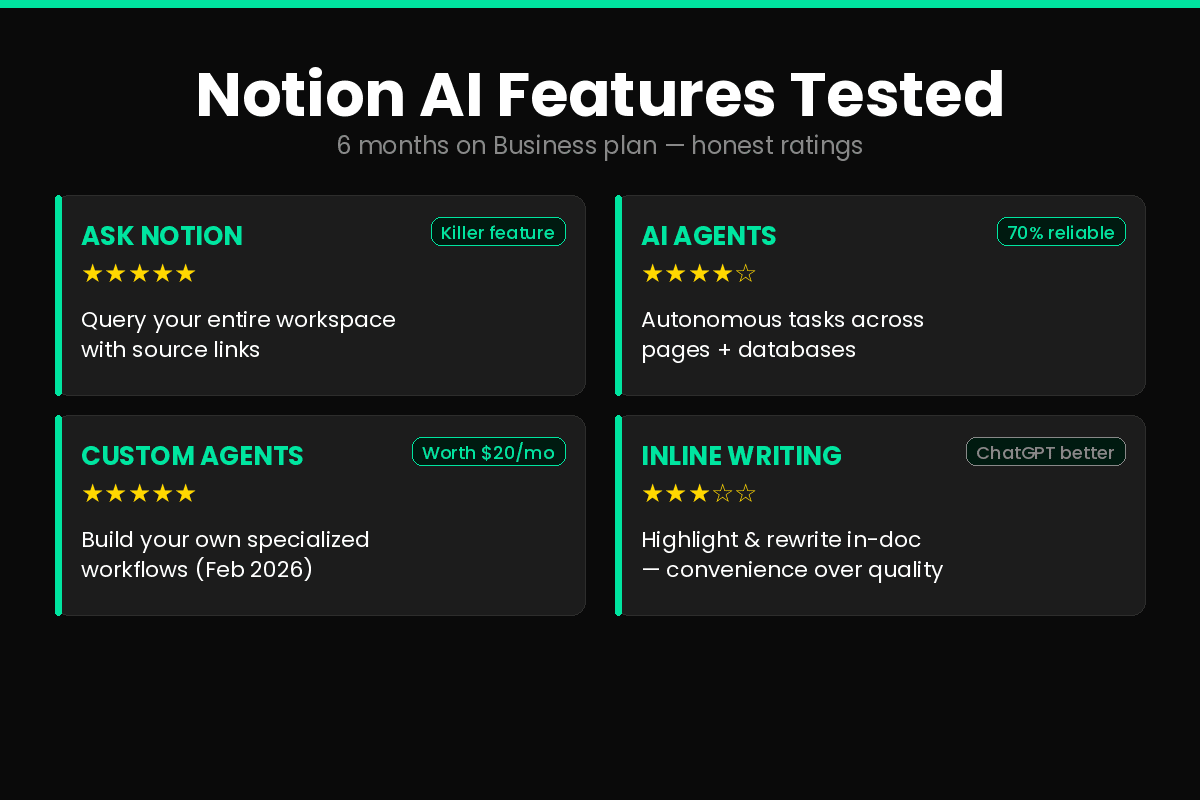
In this Notion review 2026: i’ve been running on the Business plan for the past 6 months, so here’s what each AI feature actually delivers — not the marketing version.
Ask Notion
This is the feature I’d pay for even if everything else disappeared. You ask a natural-language question across your entire workspace, and it surfaces answers with source links.
Real example: I asked “What’s my approval status with Surfer SEO?” and it pulled the row from my Affiliate Tracker, showed me the email I’d saved from the rejection, and linked to my reapplication notes — in about 4 seconds.
For a blogger with 6 months of accumulated docs, this is the difference between “I know I wrote that down somewhere” and actually finding it.
AI Agents (launched September 2025)
The autonomous version. You give it a task — “draft an outline for a Notion review based on my Content Calendar template” — and it executes across pages, databases, and properties.
Honest take: It works. It’s also unpredictable. About 70% of the time the output is useful. The other 30%, it does something weird like creating duplicate rows or filling properties incorrectly. Always review before accepting.
Custom Agents (Notion 3.3, February 2026)
Build your own specialized workflows. I built one called “Post Pre-Flight Check” that scans a draft and confirms: word count > 1,500, at least 2 internal links, FTC disclosure present, target keyword in H1. Saves me about 5 minutes per post.
This is the feature that makes Business worth the upgrade — if you’re willing to spend the time building agents.
Inline Writing Assistant
Highlight text, hit AI button, get rewrite suggestions. It’s fine. Honestly, ChatGPT and Claude both produce better writing in standalone tabs. The value here is zero context switching — not output quality.
Database Autofill
Point it at a column, tell it what to extract, and it fills properties from page content. Powerful for structured data (“extract product price from this review draft”) but inconsistent on complex properties. Plan to manually review.
What Notion Does Well
After 2+ years of daily use, here’s what this Notion review 2026 found genuinely works:
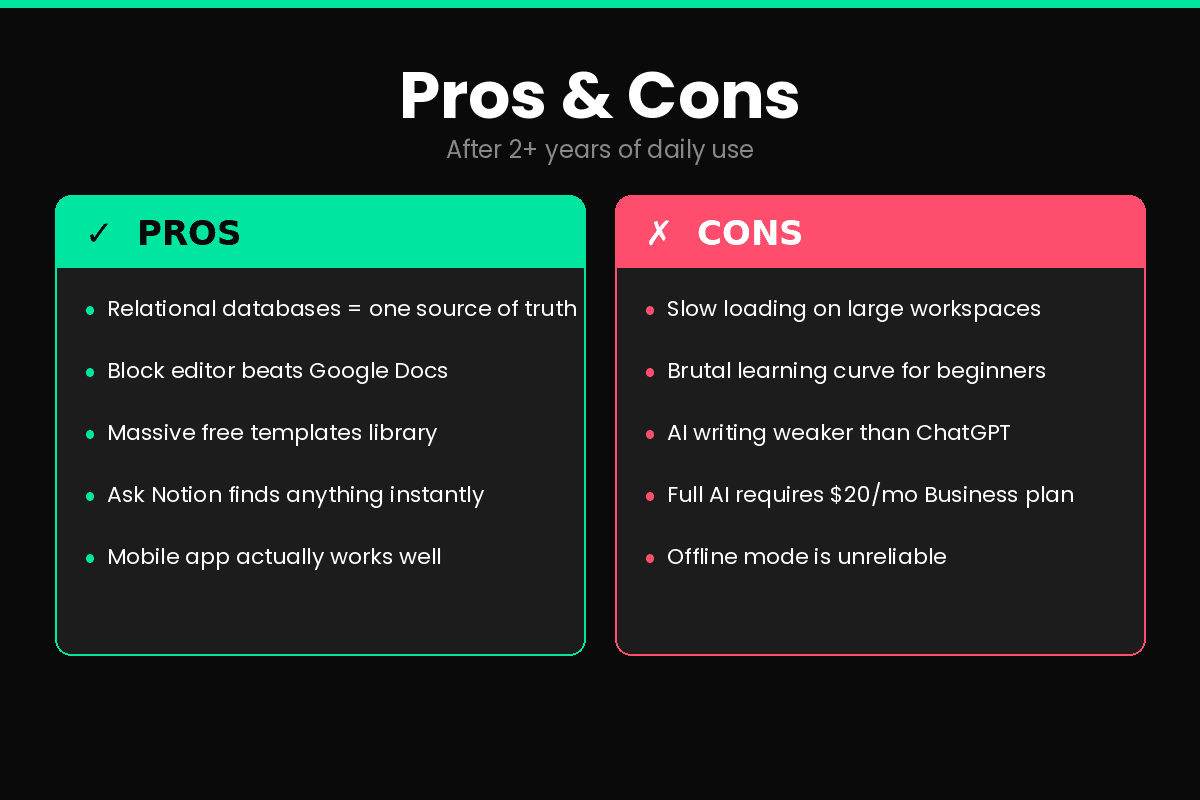
- Relational databases — the killer feature. One source of truth, multiple views, automatic cross-references. No other tool at this price point comes close.
- Block-based editing — you can drag any element anywhere. Sounds minor, restructuring drafts is dramatically faster than Google Docs.
- Templates ecosystem — thousands of free community templates. I bootstrapped my entire affiliate workflow from a $0 template I customized over 6 months.
- Connected sources — Ask Notion can search Slack, Google Drive, and Microsoft Teams alongside your Notion content. For solopreneurs juggling multiple tools, this is rare.
- Mobile app actually works — I’ve drafted post intros on my phone in coffee shops more times than I want to admit.
What Notion Does Badly
I’d be a hype-y reviewer if I stopped there. This Notion review 2026 covers the stuff that genuinely frustrates me:
- Loading speed on big workspaces — once your workspace passes ~500 pages, page-loads start to feel like dial-up internet. Search is fast, but opening cluttered databases lags.
- The learning curve is brutal — I’ve watched three friends quit Notion within a month because they couldn’t get it to “just work” the way Trello or Google Docs does. There’s no good in-app onboarding for the relational database concept.
- AI writing quality lags dedicated tools — Notion’s inline writing assistant produces noticeably worse drafts than Jasper AI or even ChatGPT. The convenience of inline editing is real, but the quality tradeoff is real too.
- Pricing pushed AI to Business-only — if you’re a solo blogger not ready for $20/month, you’re now locked out of the features Notion markets hardest. Feels like a bait-and-switch from earlier days when AI was an $8 add-on.
- Offline mode is half-broken — works for editing existing pages, fails on creating new ones. If you write on planes or in spotty wifi, this is a daily annoyance.
Who Should NOT Use Notion
This is the section every reviewer skips. Skipping it would be dishonest — Notion isn’t right for everyone, and pretending otherwise wastes your money.
Don’t use Notion if:
- You only need an AI writing assistant. Get Copy.ai, Koala AI, or just use ChatGPT/Claude. Paying $20/mo for Notion AI when 80% of your usage is generating blog drafts is bad math.
- You hate setup work. Notion rewards people who enjoy building systems. If you’d rather start writing in 60 seconds, use a simpler tool. WordPress + Google Docs gets you to “publish” faster.
- Your team is non-technical. I’ve onboarded freelance writers into my Notion workspace. Half of them struggled with database views and ended up emailing me Word documents anyway.
- You need true offline capability. Notion’s offline support is unreliable. If you frequently work without internet, look at Obsidian instead.
- You’re paying for AI on a Plus plan expecting full features. As of 2026, Plus only includes a limited trial. Plan for Business if AI is the primary draw.
Notion vs Alternatives
Quick honest comparison of tools that overlap with Notion for affiliate bloggers:
| Tool | Best For | Where it beats Notion |
|---|---|---|
| Obsidian | Personal knowledge management | Local-first, faster, much cheaper ($0 base) |
| ClickUp | Project management heavy users | Better Gantt, time tracking, lower price |
| Confluence | Larger teams already on Jira | Cheaper at scale |
| Google Docs + Sheets | Pure simplicity | Zero learning curve, free forever |
| Coda | Spreadsheet-database hybrid power users | More flexible formula engine |
If your bottleneck is writing more blog posts, Google Docs + a simple Trello board often beats a complex Notion setup. Tools should serve your goals, not become the goal.
Final Verdict: Is This Notion Review 2026 Worth Your Time?
Is Notion worth it for affiliate bloggers in 2026?
For the right user — yes, decisively. If you’re publishing more than 4 posts a month, juggling multiple affiliate programs, and value having one workspace that connects content, keywords, and revenue tracking — Notion earns the $10–$20/month. The AI Agents on the Business plan, used well, save real hours weekly. Based on this Notion review 2026, the platform delivers real productivity gains for established bloggers with consistent content workflows.
For the wrong user — no. If you’re new to blogging, only need AI writing, or hate building systems, you’ll spend more time configuring Notion than actually publishing. Start simpler. Come back when your workflow has outgrown Google Docs.
The honest take: Most affiliate bloggers fail not because they lack tools, but because they keep changing tools instead of writing. Notion is excellent — but only after your blog is producing real content. Build the habit first, then build the workspace around it. This Notion review 2026 gives you the honest framework to decide if the timing is right for your blog.
If you’re stacking your AI tool kit, see also: Best AI Writing Tools for Bloggers 2026, Jasper AI Review 2026, and the upcoming Best SaaS Tools for Solopreneurs 2026.
FAQ
Is Notion really free?
Yes — the Free plan is genuinely useful for solo bloggers. You get unlimited blocks, unlimited pages, and a limited AI trial. The catch is that full AI features (AI Agents, Ask Notion) require the Business plan at $20/user/month.
How much does Notion AI cost in 2026?
Notion AI is no longer a standalone add-on. As of May 2025, full AI access is bundled into the Business plan ($20/user/month annual, $24 monthly). The Plus plan ($10/month) only includes limited AI trial usage.
Is Notion better than ChatGPT for blog writing?
For pure writing quality — no, ChatGPT and Claude both produce better drafts. Notion’s advantage is workspace context: it can pull from your existing docs, databases, and connected tools (Slack, Google Drive) when generating content. If you live inside Notion, that beats tab-switching.
Can I run an affiliate blog entirely from Notion?
You can run the back end — content calendar, keyword research, affiliate program tracking, draft writing — entirely from Notion. You still need a separate publishing platform like WordPress, since Notion doesn’t host live blog pages.
Does Notion have an affiliate program?
Yes. Notion’s affiliate program pays 50% recurring commission for the first 12 months on referred Plus, Business, or AI plan upgrades. The cookie window is 180 days. As of 2026, the direct program is selective — you typically need an established audience to be approved.
Last updated: May 2026. Pricing and features verified against Notion’s official documentation as of publication.
FREE WEEKLY BRIEFING
Get AI tool insights before everyone else
One real story. One tested tool. One takeaway. Every week. No spam, no sponsored picks.
No thanks, I already know enough

About the Author
Mr Review AI Nguyen
This review was researched and tested hands-on by the Mr Review AI editorial team. We create real accounts, run actual campaigns, and document every limitation we encounter — no vendor demos, no copied spec sheets. For each review, we record setup time, what broke, and what surprised us. We have been actively testing email marketing and SaaS tools for mrreviewai.com since the platform launched (June 2026). Our reviews are editorially independent: no tool pays for a score or placement, ever. Where we have affiliate relationships, we disclose them transparently on each page.