I Tried beehiiv’s FREE Plan to Start a Newsletter — Here’s My Honest Walkthrough (2026)
Honest disclosure: this post has affiliate links to beehiiv. If you sign up through one of them, I earn a commission. You don’t pay anything extra. I’m only writing about what I actually tested on the beehiiv free plan, and I’ll tell you what I haven’t tried yet.
Here’s something I didn’t expect.
I sat down Saturday morning with my credit card out, ready to spend $49 on a newsletter tool. By Saturday night, I had one running for free.
And not “free trial” free. Real free. The kind that lasts until you grow past 2,500 subscribers, which for most people starting from zero is six to twelve months away (at least).
This is the tool: beehiiv. The same one Morning Brew alumni built after scaling that newsletter to a few million readers. I’d seen it mentioned in every “best newsletter platform” article for the last year. I just assumed the beehiiv free plan was the usual bait — sign up, hit a wall in two days, swipe the card.
I was wrong. So I want to walk you through exactly what I did, what I clicked, what surprised me, and (honestly) what didn’t work the way I expected.
If you’ve been telling yourself “I should start a newsletter, but maybe next month when I can afford the tools” — this might be the post that removes that excuse.
The 5-minute decision: why I picked beehiiv over the obvious names
Before I tell you about the setup, here’s the thinking that got me to beehiiv specifically. Because the question I had was the same one you probably have: why this and not Substack? Or Kit? Or Mailchimp?
I’ll be honest — I didn’t do a head-to-head test. I don’t have three identical newsletters running on three platforms to compare deliverability. What I did was look at the math.
Here’s what changed my mind:
Substack takes 10% of paid subscription revenue. Forever. If I’m wildly optimistic and assume one day this newsletter has 1,000 paid subscribers at $5/month, that’s $500/month gone to Substack instead of the $0 it would cost on beehiiv. (Sound familiar to anyone who’s done affiliate math? It’s the same logic — passive percentages compound brutally.)
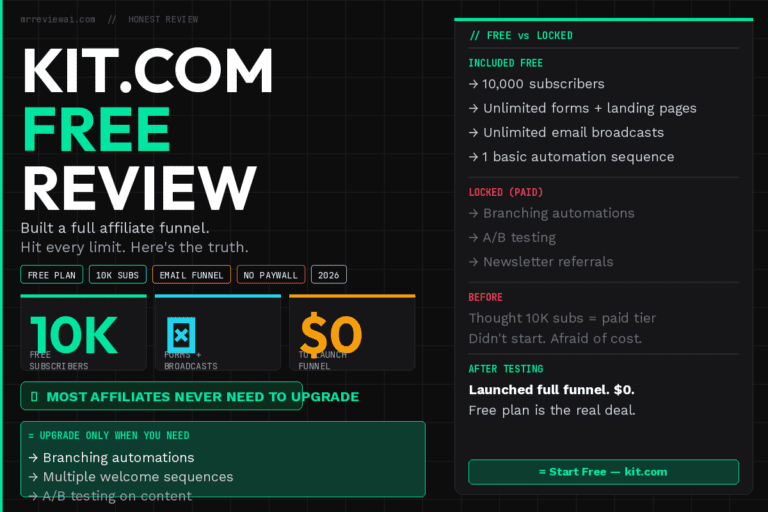
Kit (formerly ConvertKit) has a free tier, but the moment you cross 300 subscribers it starts charging based on your list size. Which is fine, but it means I’d be paying before I have a clue if this newsletter is even worth running.
Mailchimp capped their free tier at 500 contacts in 2024. And honestly, the editor never felt like it was built for newsletter writers — it feels like it was built for e-commerce blasts. Different vibe.
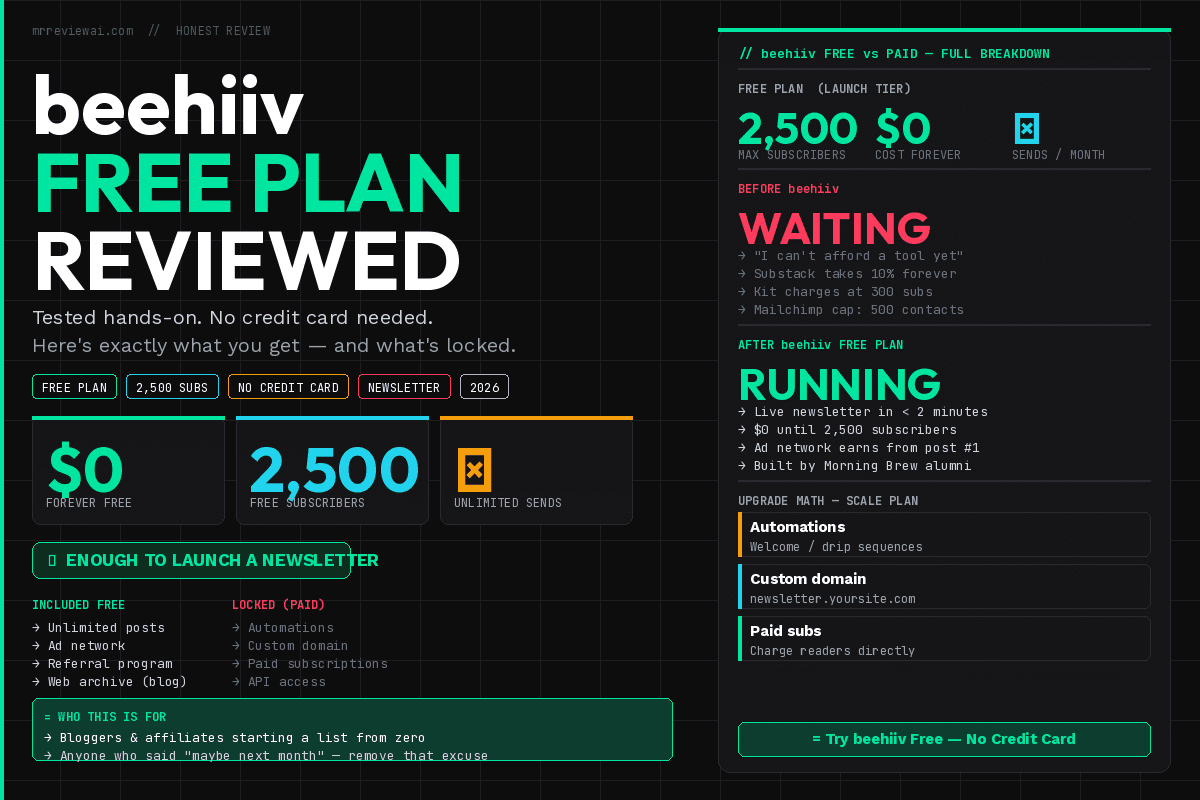
beehiiv gives you 2,500 subscribers free. Unlimited sends. Built by people who scaled a newsletter. The ad network is included even on free, which means you can earn money from your first post.
That last part was the actual deciding factor for me. If I’m going to spend evenings writing, I want a path where the tool starts paying me back instead of just costing me. The beehiiv free plan does that.
So I picked beehiiv to actually try. Not because I ran a controlled test — just because the math made sense for someone in my situation. Your math might be different.
Before I started building anything, I clicked through every option in the sidebar. I wanted to know what I was working with and what I wasn’t. Here’s the honest inventory.
What you get on the free plan (called “Launch”):
- Up to 2,500 active subscribers
- Unlimited posts and sends, no monthly cap
- A free subdomain like yourname.beehiiv.com
- The full post editor with images, polls, dividers, callouts, embeds
- A subscribe page (a basic landing page they host for you)
- A web archive — every post becomes a public URL automatically (basically a free blog)
- The Boosts network (pay other newsletters per subscriber they send you)
- The Ad Network (you earn when their ads run in your newsletter)
- A referral program
- Basic analytics (open rate, click rate, growth)
- CSV subscriber import and export
What’s locked behind paid plans (I checked):
- Automations — the Welcome email, drip sequences, branching logic. You can see the automation builder, but a banner reminds you it requires the Scale plan to activate. (More on this in a minute — it’s the one limit that actually stings.)
- Custom domain (like newsletter.yoursite.com) — Scale plan
- Paid subscriptions or paywalls — Scale plan
- Multiple publications under one account — Max plan
- API access — Max plan
For someone starting from zero, the beehiiv free plan covers everything that matters. The automations limit is real but workable. I’ll come back to it.
The setup: what I actually did, step by step
I’m going to walk you through this in the exact order I did it. Some of this is obvious. Some of it I figured out by clicking around. If you follow along, you’ll have a live newsletter in under an hour.
1. Sign up (under 2 minutes)
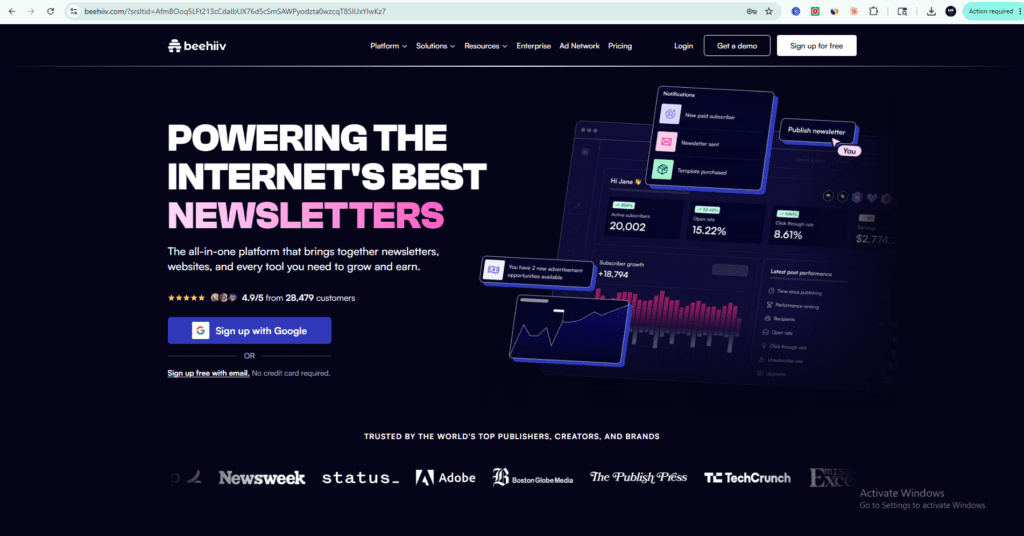
I went to beehiiv.com and clicked “Start for free.” It asks for an email, a password, and a name for your publication. No credit card. I picked a quick name for the publication knowing I could change it later (you can).
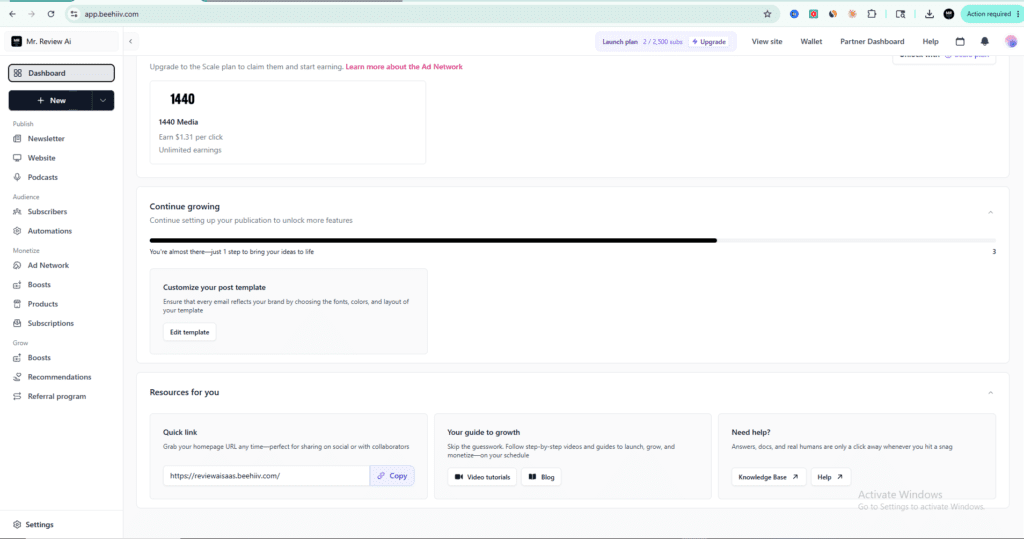
After email verification I was in the dashboard. That’s the whole signup. The fastest of any creator tool I’ve signed up for recently.
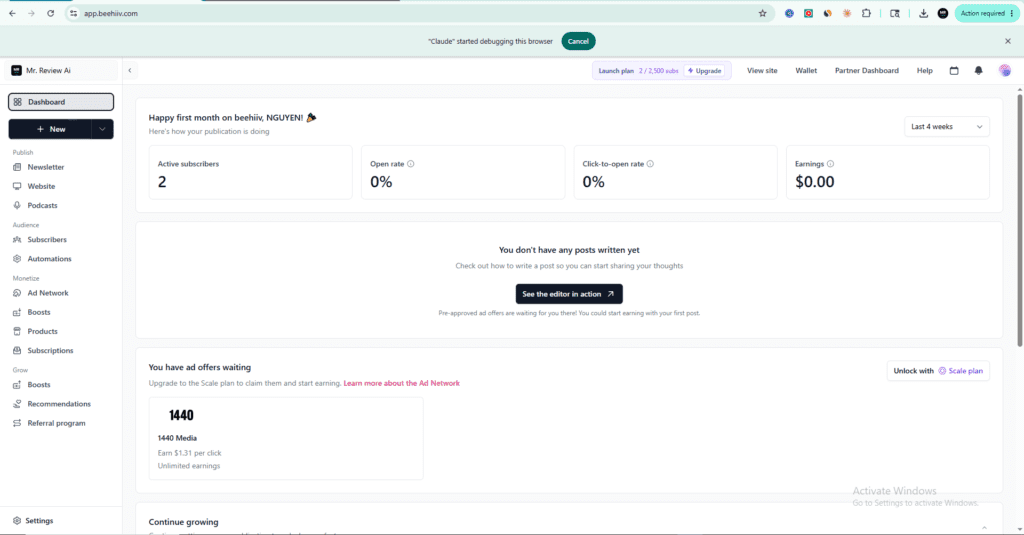
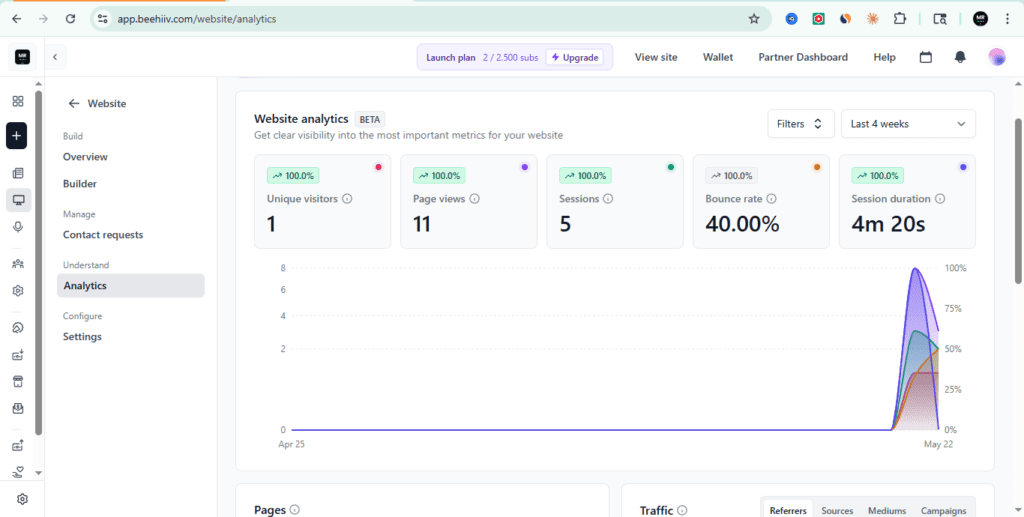
One thing I noticed later: beehiiv automatically tracks where each subscriber came from (embed form, website signup, referral, etc.) under an “Acquisition Source” column in the Subscribers panel. Useful for figuring out which channels actually convert when you start promoting the newsletter — though you obviously need more than 2 test signups before that data means anything.
2. Name the publication and write a one-line description
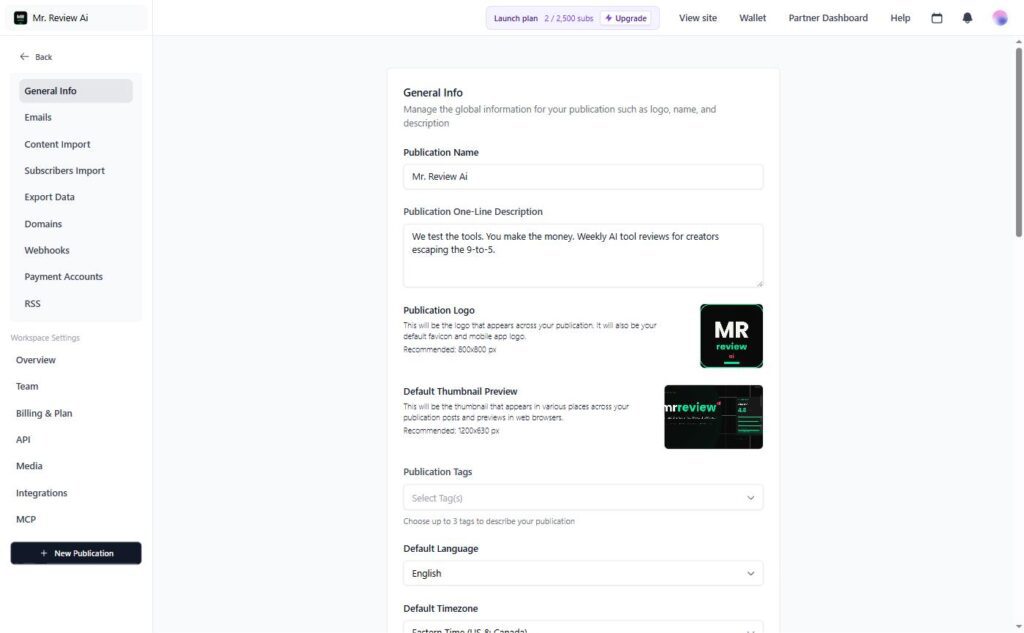
Inside the dashboard, I went to Settings → General Info. There’s a field for the publication name and a one-line description.
The description is the thing people will read when they land on your subscribe page. It needs to do one job: tell them in 8 seconds what they’ll get.
I’ll show you the difference. Compare these two:
- “Musings on the algorithmic age” — sounds cool, promises nothing
- “Honest AI tool reviews for bloggers, every Tuesday” — clear, specific, scheduled
Pick clarity over clever. Always.
3. Upload a logo, pick a color
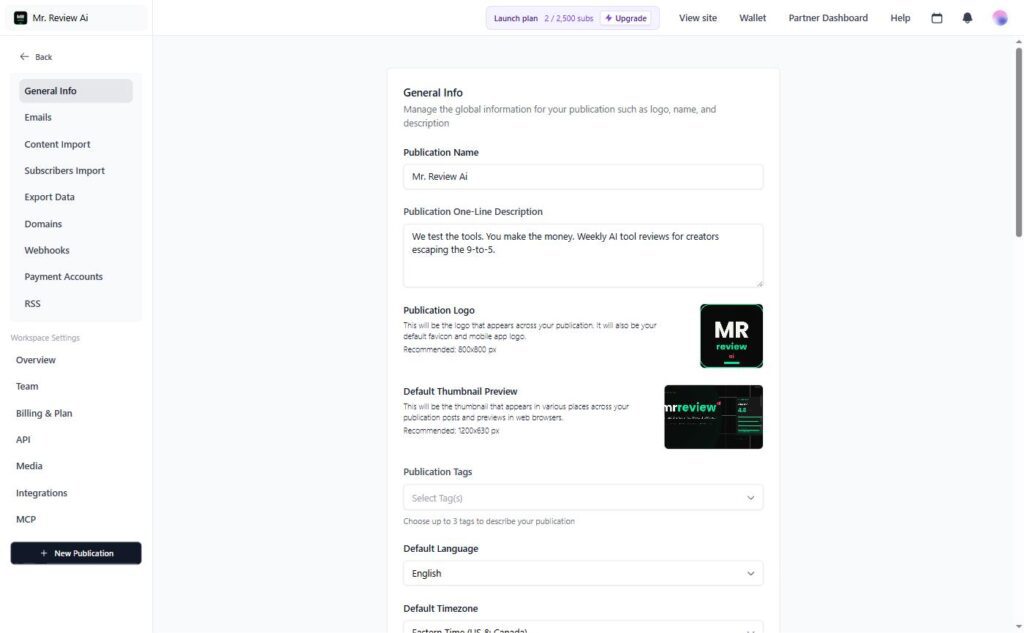
Same Settings page, scroll down. Recommended logo size is 800x800px. Default thumbnail (the image that shows up when someone shares your post on social) is 1200x630px.
I uploaded a simple logo I had lying around and picked a primary color in the theme settings. The whole branding step was maybe 5 minutes.
If you don’t have a logo, don’t let that stop you. Canva has free logo templates. You can ship the newsletter today with a placeholder and update it next week. Nobody is going to unsubscribe because your logo isn’t perfect.
4. Customize the subscribe page
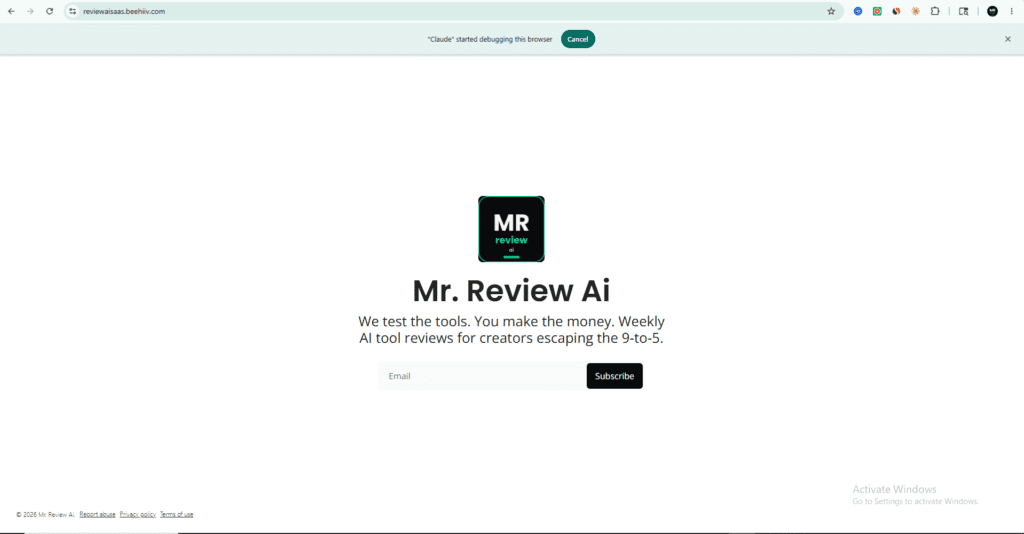
This is the page people land on when you share your newsletter URL anywhere. Twitter bio, Instagram bio, the bottom of a blog post. It needs to convert.
Under the Website menu, you can edit three things:
- The headline (one sentence answering “what will I get?”)
- The description (1-2 sentences with the actual benefit)
- The CTA button text
For headlines, the formula that works is: who it’s for + what they get + how often. “Free AI tools for bloggers, every Tuesday.” Eleven words. Tells you everything.
For the CTA button, replace the default “Subscribe” with something that suggests value:
- “Get the next issue free”
- “Send me weekly tools”
- “Start saving 10 hours a week”
Honestly, “Subscribe” is fine if you’re testing. You can A/B this later.
5. The automations limit (where I hit a credit card wall — twice)
I clicked into Automations in the sidebar planning to set up a welcome email — the one that auto-sends when someone subscribes. This is, in my opinion, the single most valuable email you’ll ever send. Welcome emails get 50-80% open rates compared to 20-30% for normal newsletter sends.
And here’s where the free plan reality hits. A banner showed up:
“This feature is part of the Scale plan. You can explore automations, but you’ll need to upgrade to the Scale or Max plan to publish and activate them.”
Personal moment, full honesty: I actually hit this same wall back in April. I’d built out an automation, clicked Activate, and got hit with the credit card + payment screen asking for the $49/month upgrade. I didn’t have the budget that month, so I closed the tab and walked away from the platform for a while. That’s not beehiiv’s fault — they put the paywall exactly where they said they would. But it stung, and I think it’s worth saying out loud: if you’re operating on a tight budget like I am, expect to hit this wall the moment you try to activate any automation. You won’t be charged unless you explicitly click Upgrade. The beehiiv free plan stays free. But you also can’t sneak around the limit.
So this time around (May), I’m building automations as drafts and leaving them dormant. I’ll send a manual “welcome” post once a week to anyone who signed up that week. It’s clunkier than automation, but it works until I have either real revenue from the list or a real reason to upgrade.
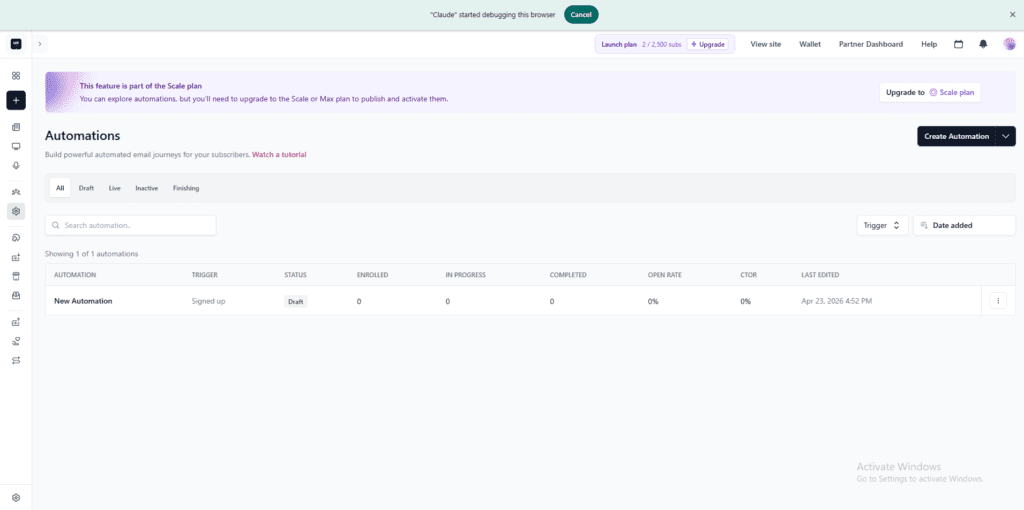
If you absolutely need automated welcome emails from day one (and there’s a real argument that you do), this is the reason — and the only reason at the start — to upgrade. For me, in week one with zero subscribers and zero revenue, I can live with manual.
6. Write the first post
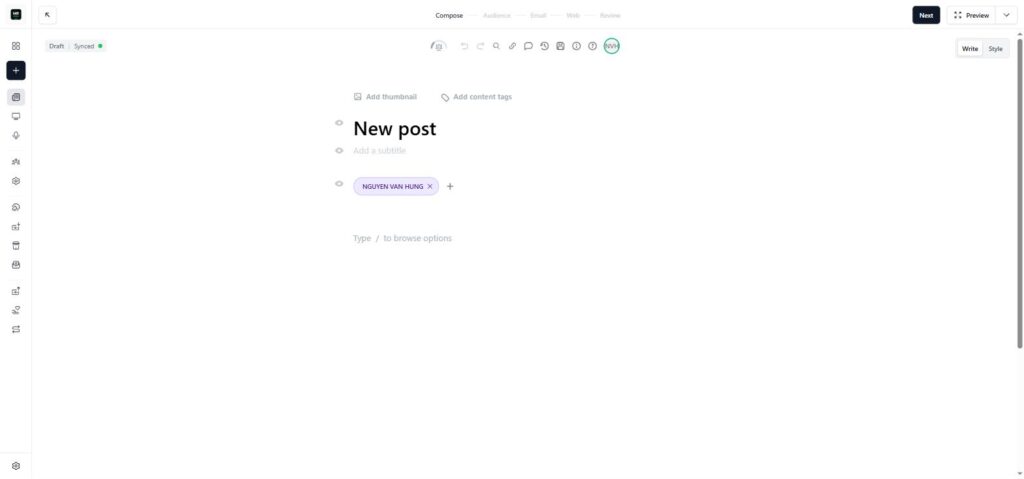
From the sidebar I clicked + New → Newsletter Post. The editor is clean. Title at the top, content area below, formatting toolbar on the side.
I kept my first post short and useful. Here’s the structure I used (steal it if you want):
- Two sentences on who I am and why this newsletter exists
- What you’ll get (cadence, topic, format)
- One useful tip immediately — don’t make people wait until issue #2 to get value
- A direct ask: “Reply and tell me one thing you’re trying to figure out right now.”
The reply ask matters. When subscribers actually reply, Gmail’s algorithm starts treating your sender address as a real person they want to hear from — which means future emails go to the Primary inbox instead of Promotions. This is one of those small things nobody tells beginners, and it’s the difference between a list that opens and a list that doesn’t.
7. Send a test email to yourself
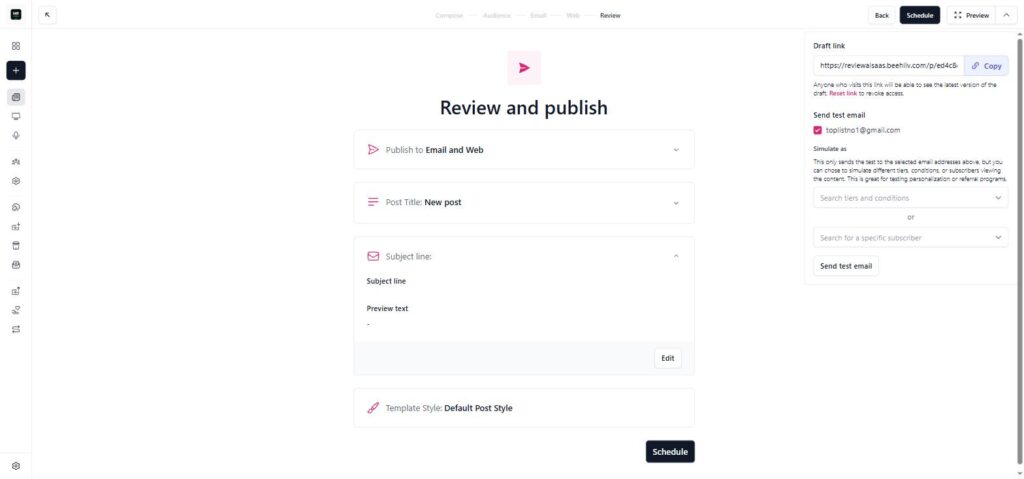
Before publishing anything, I clicked Send Test (top right of the editor) and sent the post to my own email. I checked on both phone and desktop. Things to verify:
- Subject line renders correctly (no broken merge tags)
- Logo loads
- Links are clickable and go to the right place
- Footer has an unsubscribe link — beehiiv adds this automatically, but verify it’s there because CAN-SPAM in the US makes this legally required
- Mobile formatting is clean — most opens happen on phones
8. Schedule (or send) the post
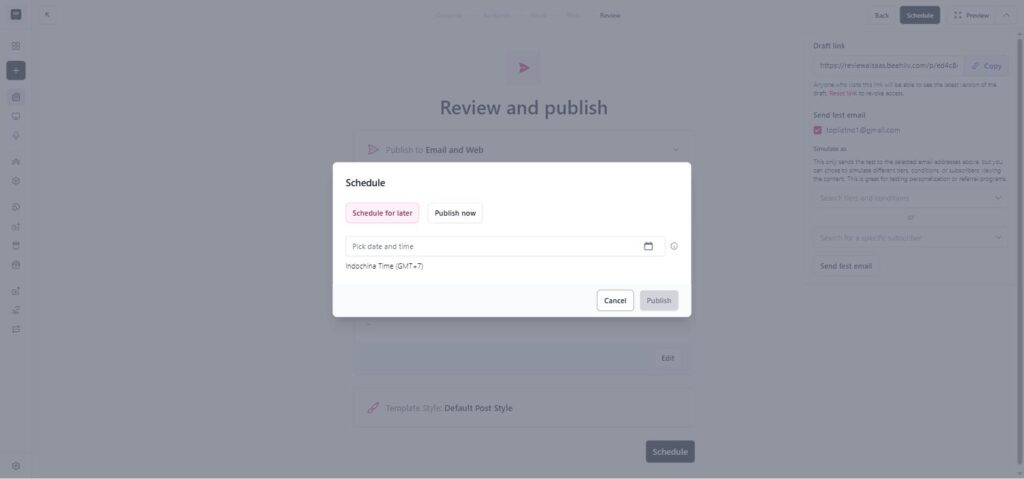
I don’t have real subscribers yet beyond my own test signups, so I scheduled the post for Tuesday at 9 AM US Eastern. (Tuesday and Thursday mornings are commonly cited as the best send times for English-language newsletters, though your audience’s actual behavior matters more than any rule of thumb.)
The scheduler is straightforward. Pick a date and time. Done.
What surprised me (in a good way)
A few things stood out after spending Saturday afternoon in the dashboard.
The Ad Network had offers waiting on day one. I’d barely set up the publication when a banner showed me a pre-approved ad from 1440 Media offering $1.31 per click. That’s not life-changing money, but it means even a 100-subscriber newsletter can pay for the eventual upgrade to the Scale plan. (Math: 100 subscribers, 20% open rate, 5% click rate = 1 click per send. Send twice a week, that’s ~$10/month from day one. Multiply by growth.)
The referral program is included in the free plan. Most platforms charge extra for this. The Hustle grew to 1.5 million subscribers largely through referrals — they made it famous as a growth tactic. Getting that built in on a free tier is unusual.
Every post becomes a public web page. So even subscribers who delete the email can find your archive on Google. This is basically a free blog running parallel to the newsletter. I didn’t expect that on a free tier.
What confused me
Two things to flag, in case you hit them too.
The Automations limit isn’t obvious until you click into the feature. I assumed welcome emails were standard on every modern email platform’s free tier. They’re not on beehiiv. Plan accordingly.
The default subscribe page is functional but pretty generic. Customizing it takes more clicking around than I expected — you have to dig into the Website menu and edit multiple sections. Not hard, just not the 30-second job I imagined.
What I haven’t tested yet (so I won’t pretend to know)
Honest list:
- How deliverability holds up across different email providers (Gmail vs Outlook vs corporate) at scale. I’ll know more when I have a few hundred subscribers across diverse providers.
- How automations actually perform when activated. I can see the builder but I can’t pull the trigger on the free plan.
- The paid subscription / paywall flow. Haven’t touched it.
- Custom domain setup. Also Scale plan territory.
- Whether beehiiv is genuinely better than Substack, Kit, or Mailchimp in real-world use. I picked beehiiv based on published features and the size of the free tier. I have not run a side-by-side test myself.
I’ll write a follow-up post once I’ve used this for 30, 60, and 90 days with real subscribers. If anything I said above turns out to be wrong, that’s where you’ll see me admit it.
The full pricing story (because beehiiv doesn’t show this on their pricing page)
Quick honesty check before I go on: I’m on the free plan. I have not paid beehiiv a single dollar. Everything below is me clicking through the upgrade modal in my dashboard and writing down what I see, plus some math about when an upgrade would make sense. Treat this as pricing transparency from a fellow beginner, not advice from a power user.
Here’s the thing nobody tells you when they recommend beehiiv: the Scale plan price changes based on how many subscribers you have. The $49/month entry point everyone quotes is only for the first 1,000 subscribers. Past that, it goes up — sometimes a lot.
I went into the upgrade modal in my dashboard and pulled every tier, both monthly and annual. This is the real cost of growing on beehiiv:
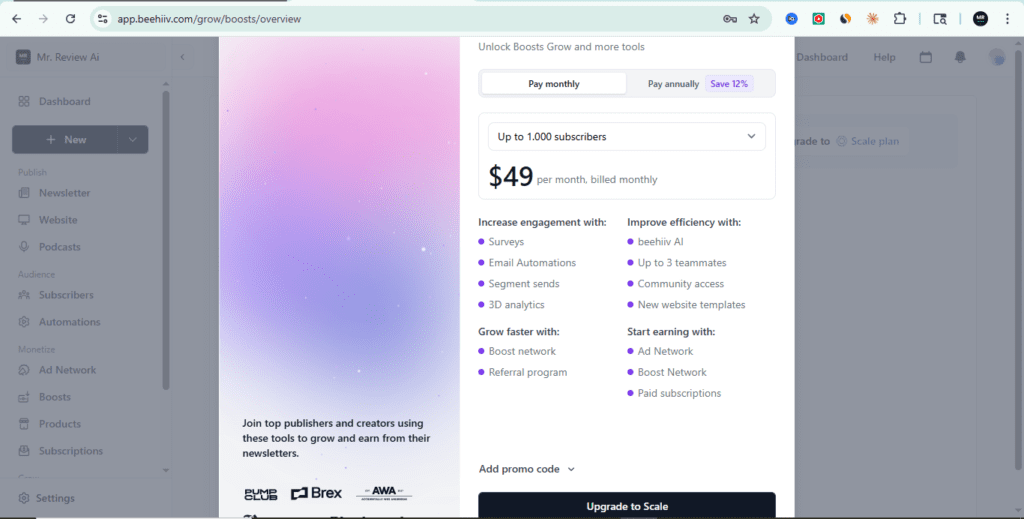
Up to 1,000 subscribers: $49/month, or $43/month if you pay annually ($517 billed yearly)
Up to 2,500 subscribers: $69/month, or $61/month annual ($729/year)
Up to 5,000 subscribers: $89/month, or $78/month annual ($940/year)
Up to 10,000 subscribers: $109/month, or $96/month annual ($1,151/year)
Up to 25,000 subscribers: $169/month, or $149/month annual ($1,785/year)
Up to 50,000 subscribers: $249/month, or $219/month annual ($2,629/year)
Up to 75,000 subscribers: $289/month, or $254/month annual ($3,052/year)
Up to 100,000 subscribers: $329/month, or $290/month annual ($3,474/year)
Annual billing saves you ~12% across the board. But it also locks you into a full year upfront — $517 minimum at the lowest tier.
And here’s the honest read: the free plan is generous BECAUSE the paid plans are real money at scale. beehiiv knows that once you cross 2,500 subscribers, you can’t easily migrate without disrupting your readers. So they make sure the free tier is enough to get you addicted to the platform — and then the price ramps up.
This isn’t a knock on beehiiv. It’s smart business. But it changes how you should think about starting.
When I’d think about upgrading (the math I’d run)
I’m staying on the beehiiv free plan. Here’s the math I’d run before pressing the upgrade button — share it for whatever it’s worth as someone in your shoes:
Upgrade to the $49/month tier (up to 1,000 subs):
- If I needed automations from day one (welcome emails get 50-80% open rates, which is the strongest argument)
- If I wanted a custom domain instead of the beehiiv.com subdomain (a branding question)
- If I was ready to launch paid subscriptions (the paywall unlocks at Scale)
My break-even logic: one paid signup at ~$50/month with 50% lifetime commission = $25/month recurring to me. Two of those covers the $49 cost. Three and I’m net positive. That math feels reachable from a small list, if the audience is right.
Bigger tiers ($69-329/month):
This is where I’d want hard proof first. The math I’d want to see before paying:
- At 10,000 subs ($109/month): I’d want the list earning at least $327/month before that upgrade feels safe
- At 25,000 subs ($169/month): at least $507/month
- At 50,000 subs ($249/month): at least $747/month
If a newsletter isn’t hitting numbers like that at scale, the issue probably isn’t the tool — it’s monetization or audience fit. A bigger plan won’t fix that. (Easy for me to say from the free tier, but the logic seems solid.)
Why I’d think twice about annual billing (as a beginner):
Yes, annual saves 12%. But it also commits you to $517-$3,474 upfront. I’m on free right now — if I ever upgrade, I’d start monthly and only switch to annual after 6+ months of consistent sending. Because if the newsletter doesn’t pan out in month 3, paying for 9 unused months is the kind of mistake I’d rather not make.
What I would NOT upgrade for:
Cosmetic features. “Premium” analytics I haven’t used the basic version of yet. Fancy email templates when my current ones convert fine. “AI assistance” when ChatGPT does the same job for free.
So what does this mean for you?
If the only thing stopping you from starting a newsletter was “I can’t afford the tools,” that excuse is gone. The beehiiv free plan lets you send your first issue tonight, for $0, on a platform that lets you earn money before you ever pay them.
The hardest part of newsletters isn’t the tool. It’s shipping the first 20 issues even when nobody’s reading. If you can get past that wall, the tool barely matters — you can switch anytime by exporting your list. The platform is the cheap part. Your attention is the expensive part.
The biggest mistake I see (and have made) is spending three months designing the perfect logo and writing the perfect first post. Meanwhile someone with a worse logo ships 12 issues in those three months and lapped you. Ship now. Iterate weekly. Fix the logo in month six when it actually matters.
If you want to try beehiiv, here’s the link: beehiiv.com. It’s an affiliate link. If you sign up and eventually upgrade, I get a commission. If you sign up and stay on free forever, I get nothing — and that’s fine, because the goal of this post is to remove the excuse, not to make a sale.
2,500 subscribers free • No credit card • The plan I’m on right now
One last honest note: I’m a beehiiv affiliate, which means I have a financial interest in you signing up. I tried to write this post the way I’d want someone to write about a tool I was considering — tell me what’s free, tell me what isn’t, tell me what you haven’t tested, and don’t oversell. If beehiiv stops working for me, I’ll update this post and tell you. That’s the deal.