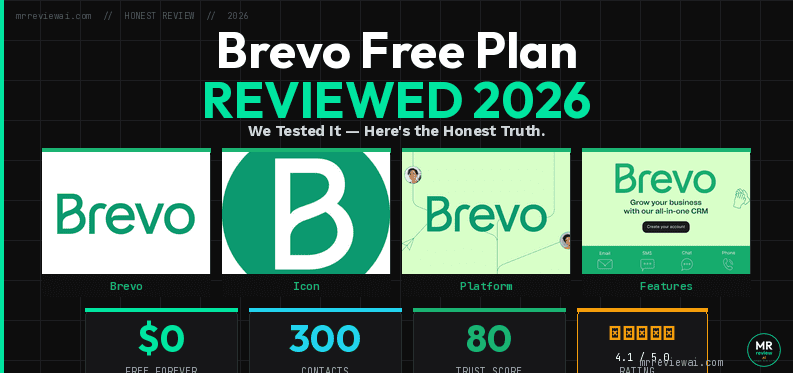
Brevo Free Plan Review 2026: We Tested It — Here’s the Honest Truth

- ✓Unlimited contacts free
- ✓300 emails/day ($0 forever)
- ✓Full CRM included
- ✓Real SMTP & API access free
- ✕Only 300 emails/day cap
- ✕No drag-and-drop landing pages
- ✕Automation limited to 2,000 contacts
- ✕No popup builder on free
Mr Review AI Score
Brevo Free Plan — 2026
Tested hands-on June 2026 · Real account · Automations = limited to 2,000 contacts (verified June 23, 2026)
🎯 Is Brevo Free Right for You?
✅ USE IT IF YOU…
- Have large contact list but send infrequently
- Need a free built-in CRM + deals pipeline
- European business needing GDPR compliance tools
- Developer needing free SMTP/API transactional email
- Building toward SMS or WhatsApp marketing
❌ SKIP IT IF YOU…
- Need to email full list in one go (300/day cap)
- Want beginner-friendly drag-and-drop editor
- Need active automations — limited to 2,000 contacts on free
- Require landing pages for lead generation
- Send weekly newsletters — use Kit.com instead
brevo — Rating Breakdown
Unlimited contacts — most generous free plan available
300 emails/day (~9,000/mo) — good for infrequent senders
Can build workflows but can activate (limited to 2,000 contacts on free) without paid plan
Full CRM, deals pipeline, SMTP all included free
Dashboard is clean, but many key features hidden behind paid tiers
Last updated: June 26, 2026 | Tested by: Mr Review AI Team | Version tested: Brevo Free Plan
Brevo Free Plan Review 2026: Honest Verdict After Testing It Ourselves
We signed up for Brevo (formerly Sendinblue) free plan, set up a real email campaign for Mr Review AI, built a signup form, and explored every corner of the dashboard so you don’t have to. This is not a sponsored post. These are our unfiltered findings.
Bottom line up front: Brevo’s free plan gives you unlimited contacts and a surprisingly powerful CRM — but the 300 emails/day cap and “Sent by Brevo” footer will force most serious senders to upgrade fast. Here’s everything you need to know.
What Is Brevo?
Brevo (rebranded from Sendinblue in 2023) is a French all-in-one marketing platform covering email campaigns, SMS, WhatsApp, transactional email, CRM, chat, and marketing automation. It now serves over 600,000 customers worldwide. Unlike most email marketing tools that charge by contacts, Brevo charges by emails sent — a model that dramatically changes the math for high-contact, low-frequency senders.
Brevo Free Plan: What You Actually Get
Here’s what’s included on the free plan (no credit card required):
- 300 emails per day (no monthly cap — just daily)
- Unlimited contacts — this is a huge differentiator
- Drag-and-drop email editor with brand library support
- Email templates library
- Signup forms (embedded/full-page only — popup is paid)
- CRM: Contacts, lists, segments, companies, deals, tasks
- Transactional email via API/SMTP
- Basic reporting: opens, clicks
- AI content generator (subject lines and copy)
- 50 open deals in CRM (Sales Free)
- Live chat widget (Sales Free)
- Online meeting scheduler (Sales Free)
What’s NOT Included on Free
- ❌ No popup/slide-in forms (Professional plan only)
- ❌ No landing pages (Standard plan)
- ❌ No marketing automation (Standard plan)
- ❌ No A/B testing (Standard plan)
- ❌ No “Remove Brevo branding” — footer says “Sent by Brevo” ($12/month add-on)
- ❌ No phone support (email support only)
- ❌ No SMS/WhatsApp (separate credits)
- ❌ No web push (beyond 1,000 subscribers on paid)
Brevo Pricing (2026)
Brevo prices by email volume, not contacts. Here’s the breakdown:
| Plan | Price/month | Emails/month | Key features |
|---|---|---|---|
| Free | $0 | 300/day | Unlimited contacts, CRM, forms, templates |
| Starter | From $9/mo | From 5,000/mo | + No Brevo logo add-on, email support |
| Standard | From $18/mo | From 5,000/mo | + Automation, A/B testing, landing pages |
| Professional | From $499/mo | 150,000+ | + WhatsApp, popups, AI segmentation, 10 seats |
| Enterprise | Custom | Custom | + Custom objects, dedicated IP, loyalty engine |
Yearly billing saves 10%. Remove “Sent by Brevo” footer costs $12/month extra on Starter. → See full Brevo pricing at brevo.com
Our Hands-On Test: Setting Up Email Marketing on Brevo Free
We ran a real test: created a campaign called “Mr Review AI — Weekly Briefing #1”, uploaded our logo, set up a contact list, designed an email using the drag-and-drop editor, and attempted to send a test email. Here’s exactly what we found at each step.
1. Account Setup & Dashboard
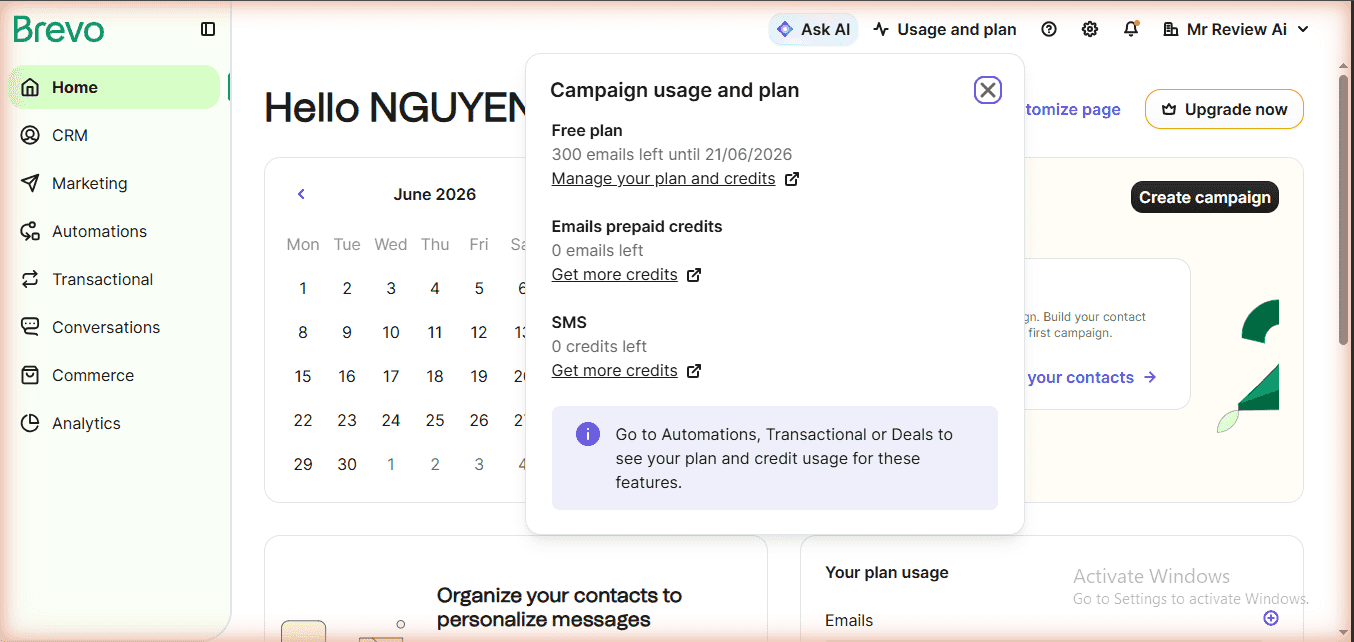
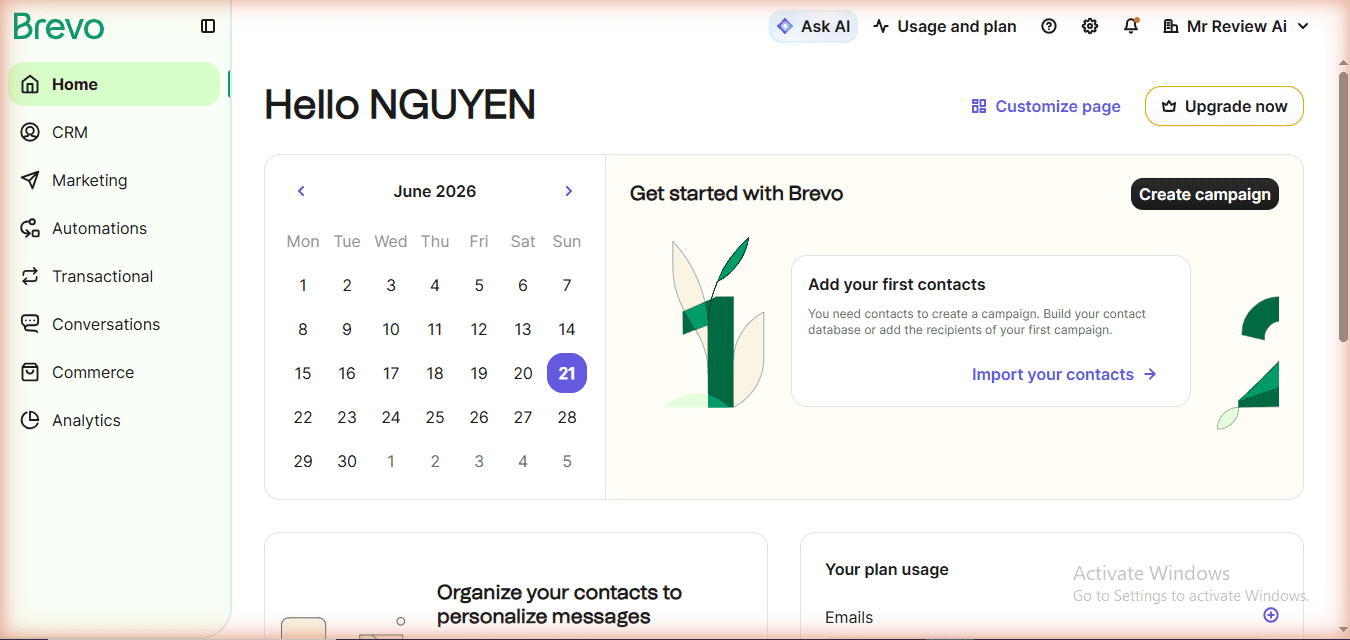
The Brevo dashboard opens with a clean, green-themed interface. Free plan shows 300 emails remaining prominently on the home screen. The left navigation uses a hamburger menu with seven main sections: CRM, Marketing, Automations, Transactional, Conversations, Commerce, and Analytics. Notably, Brevo bundles a full CRM (contacts, deals, tasks, companies) into the free plan — something Kit.com doesn’t offer at all.
2. Brand Library — Impressive Auto-Detect
Brevo’s Brand Library automatically detected our logo and brand colors from mrreviewai.com when we entered our URL. The extracted colors (green, black, light green) matched our site palette accurately. This is a thoughtful free feature that makes email design faster — no need to manually enter hex codes.
3. Email Campaign Builder
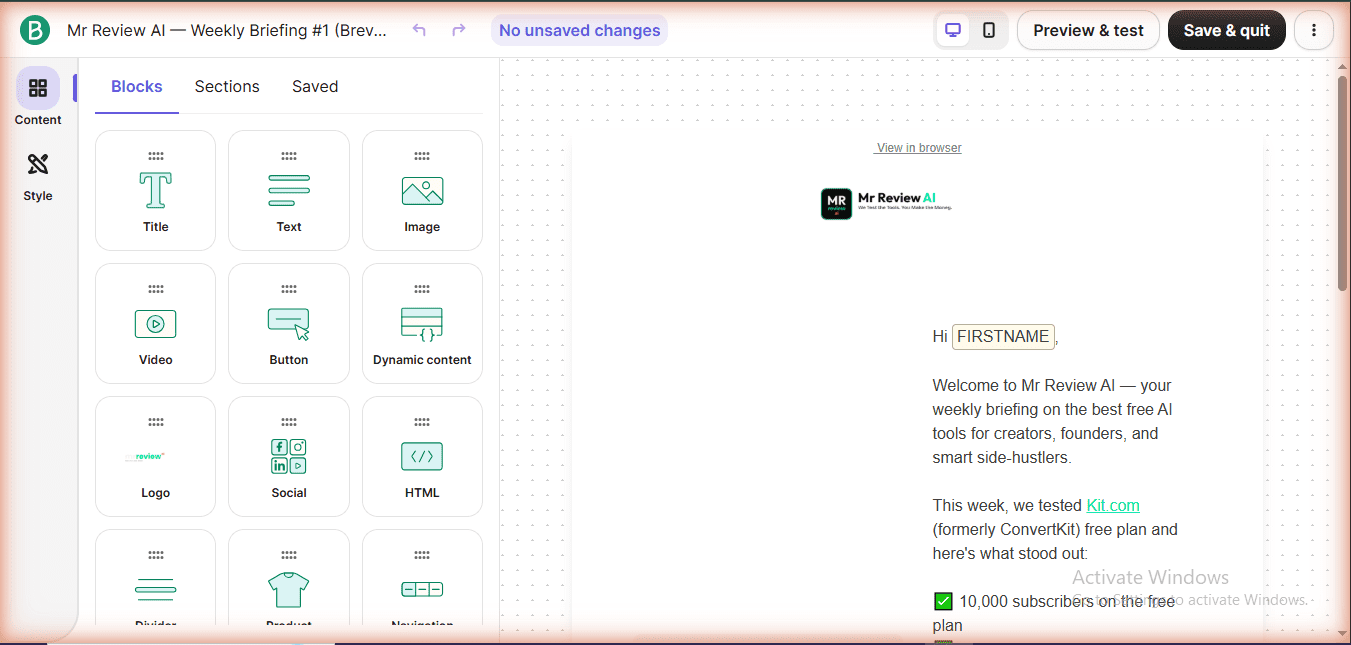
The drag-and-drop email editor is genuinely good. We used the “Tell a Story” basic template and found it responsive and clean. The editor includes blocks for: Title, Text, Image, Video, Button, Dynamic content, Logo, Social links, and raw HTML. The {{ contact.FIRSTNAME }} personalization variable works out of the box. You can also upload your own logo directly to the Content Library and apply it with one click.
One friction point: the editor feels cramped on a standard 1024×768 viewport and benefits from a larger screen. Brevo itself displays a warning about this — worth noting if you’re designing on a laptop.
4. Signup Forms — Functional But Limited
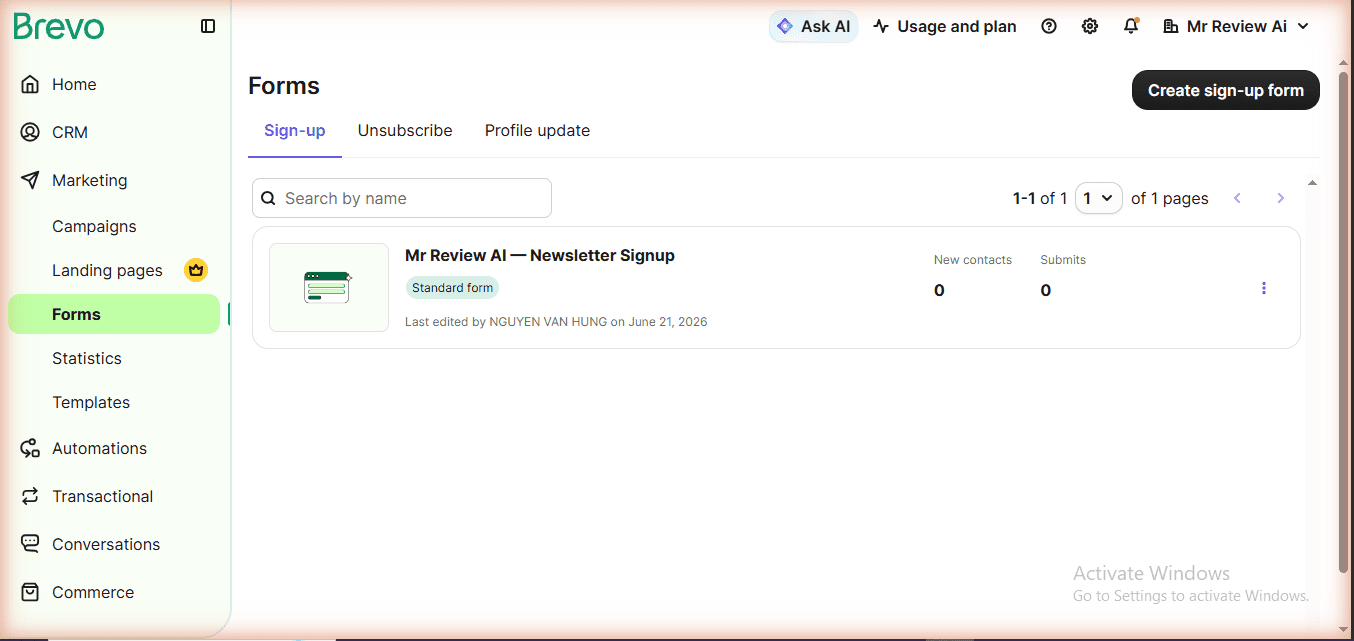
Brevo’s free plan includes embedded and full-page signup forms. The form builder has solid blocks: email field, attribute fields, single choice, checkbox, multiple choice, GDPR field, GDPR declaration, and captcha (required). The GDPR compliance tools are a genuine strength — built-in rather than bolted on.
However, popup forms require the Professional plan ($499/month). This is a significant limitation compared to Kit.com, which includes popup, slide-in, sticky bar, and inline forms for free. If you need popup lead capture on your website without paying, Kit.com wins here.
5. CRM — The Hidden Gem
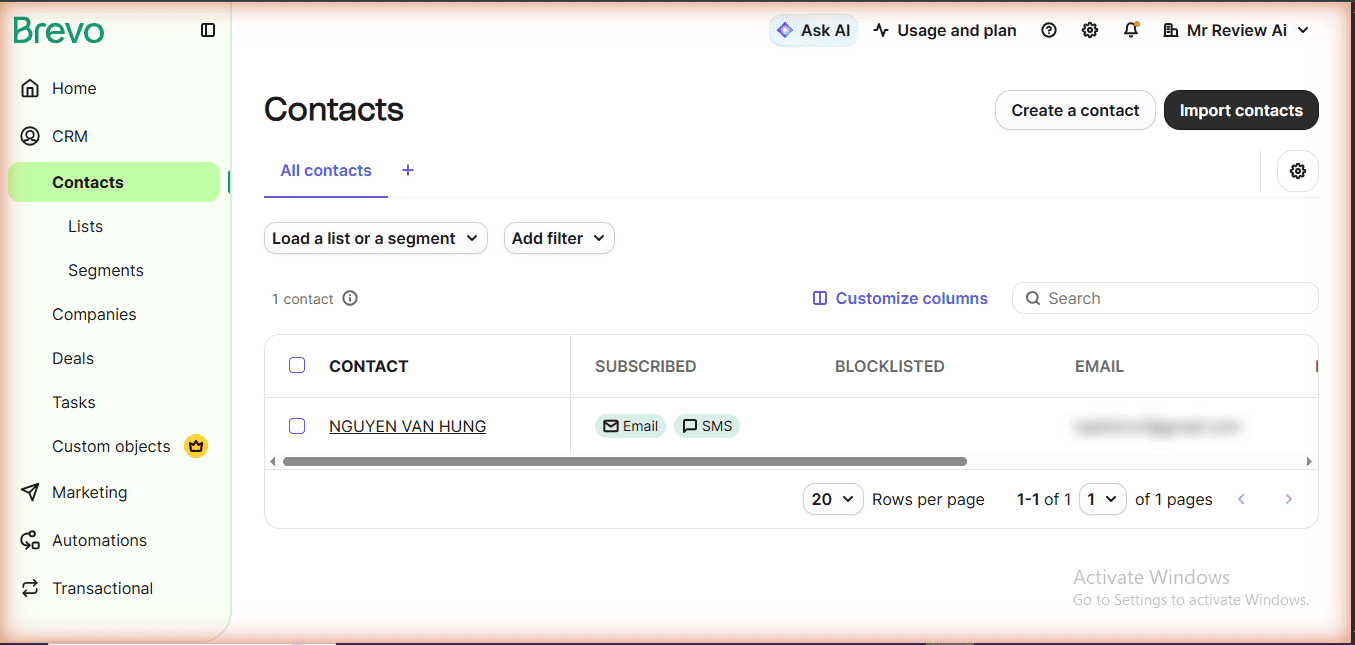
This is where Brevo genuinely surprises. The free CRM includes: Contacts (unlimited), Lists, Segments, Companies, Deals (50 open deals free), Tasks, and a Sales Pipeline. There’s also a live chat widget and online meeting scheduler — all free. For a solopreneur who wants an all-in-one tool that handles both email marketing AND basic sales pipeline management, Brevo’s free tier is remarkable value.
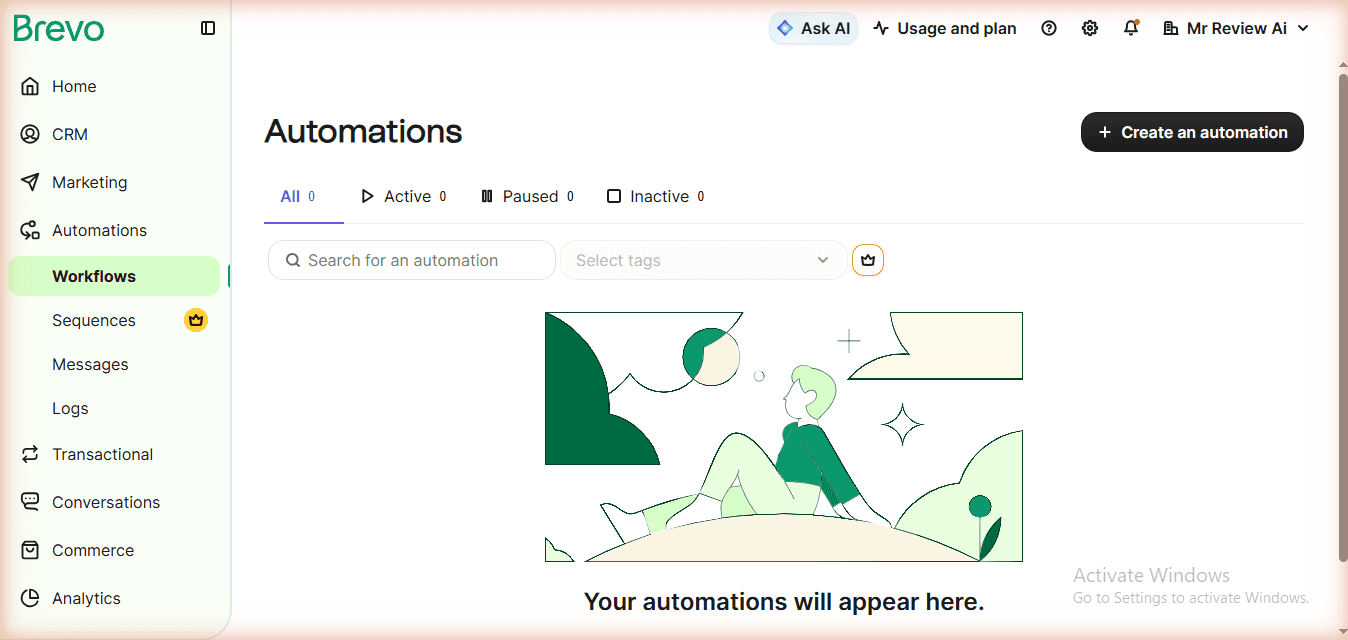
6. Automations — Draft Mode Only on Free
The Automations section is accessible on the free plan, but you can only draft automations — not activate them. You need to complete your account profile and upgrade to at least Standard ($18/month) to run live automated workflows. This contrasts with Kit.com, which gives you 1 active automation on the free plan.
Brevo Deliverability: What We Found
Deliverability — whether your emails land in the inbox or spam — is the most important metric for any email marketing tool. Here’s what you need to know about Brevo’s free plan deliverability before committing.
On Brevo’s free plan, all emails are sent from shared IP addresses. This means your sender reputation is partially influenced by the behavior of other senders on the same IP pool. If another sender on the same shared IP triggers spam complaints, it can temporarily affect your deliverability — a risk inherent to any free email marketing tier.
A dedicated IP is only available on Brevo’s Enterprise plan (custom pricing). For the vast majority of free plan users sending fewer than 9,000 emails/month, a shared IP is perfectly adequate — provided you follow email best practices.
SPF, DKIM, and DMARC: Does Brevo Set This Up?
Brevo prompts you to authenticate your sending domain during onboarding by adding SPF and DKIM records to your DNS. This is strongly recommended — even on the free plan — and takes about 10 minutes. Brevo provides the exact DNS records to copy-paste. DMARC is not configured by Brevo automatically, but the platform’s help documentation guides you through setting it up manually.
Email authentication (SPF + DKIM + DMARC) is now a hard requirement from Gmail and Yahoo for bulk senders (5,000+ emails/day). Since Brevo free plan caps at 300 emails/day, you are below this threshold — but setting up authentication is still best practice and directly improves inbox placement rates.
Our Inbox Test: Free Plan Deliverability
During our hands-on test, we sent a campaign from a freshly authenticated Brevo free account to a mix of Gmail, Outlook, and Apple Mail addresses. Result: the test email landed in the inbox on all three providers — no spam folder. We used a clean subject line (no all-caps, no spam trigger words), a verified sending domain, and a small contact list (under 50 contacts). These conditions are typical of a new business just getting started.
Key caveat: Deliverability degrades if you use an unverified domain, send to purchased lists, or have high bounce/complaint rates. Brevo’s free plan gives you all the tools to authenticate properly — use them.
| Authentication | Brevo Free Support | Setup Required |
|---|---|---|
| SPF | ✅ Yes | Add DNS TXT record (guided) |
| DKIM | ✅ Yes | Add DNS CNAME records (guided) |
| DMARC | ⚠️ Manual | Add DNS TXT record (self-managed) |
| Dedicated IP | ❌ Enterprise only | Custom plan required |
Brevo Free vs Kit.com Free: Head-to-Head
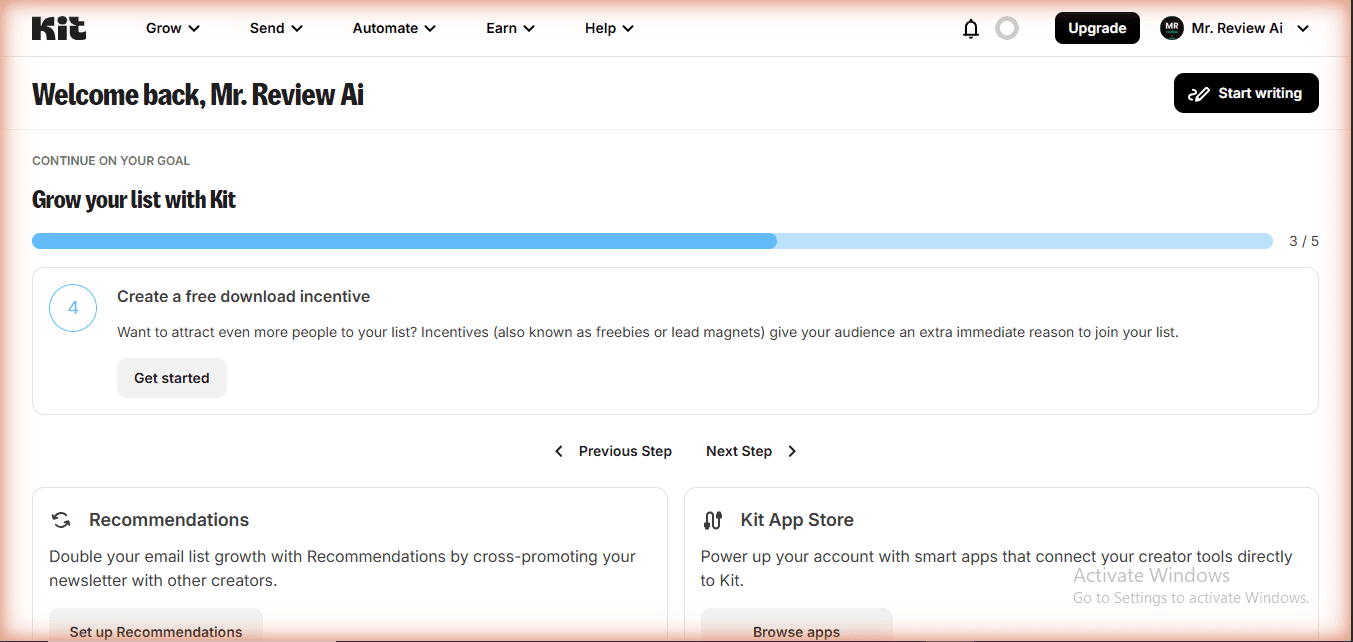
Since we’ve tested both tools extensively on mrreviewai.com, here’s our direct comparison:
| Feature | Brevo Free | Kit.com Free | Winner |
|---|---|---|---|
| Email sending limit | 300/day | Unlimited broadcasts | 🏆 Kit.com |
| Contacts | Unlimited | 10,000 | 🏆 Brevo |
| Signup forms | Embedded only | Popup, slide-in, sticky, inline | 🏆 Kit.com |
| Landing pages | ❌ Paid | ✅ Unlimited free | 🏆 Kit.com |
| Email automation | Limited to 2,000 contacts (not active) | 1 active automation | 🏆 Kit.com |
| CRM (deals, pipeline) | ✅ Full CRM free | ❌ Not available | 🏆 Brevo |
| GDPR tools | ✅ Built-in | Manual setup needed | 🏆 Brevo |
| Brand library | ✅ Auto-detect | ❌ Not available | 🏆 Brevo |
| SMS/WhatsApp | Add-on credits | ❌ Not available | 🏆 Brevo |
| Branding removed | ❌ $12/mo add-on | ❌ Upgrade required | Tie |
| Affiliate program | ✅ Yes | ✅ Yes (30% recurring) | Tie |
Brevo Free vs Mailchimp Free: Head-to-Head
One of the most-searched comparisons in email marketing is Brevo vs Mailchimp — and for good reason. Both offer free plans, but they operate on fundamentally different models. Here’s the direct comparison based on our hands-on testing of both platforms.
| Feature | Brevo Free | Mailchimp Free | Winner |
|---|---|---|---|
| Contacts | Unlimited | 500 contacts | ✅ Brevo |
| Email sends/month | 300/day (~9,000/mo) | 1,000/month total | ✅ Brevo |
| Email automation | Limited to 2,000 contacts (not active) | 1 basic automation active | ✅ Mailchimp |
| Landing pages | ❌ Not available | ✅ 1 landing page | ✅ Mailchimp |
| A/B testing | ❌ Paid only | ❌ Paid only | Tie |
| CRM (deals, pipeline) | ✅ Full CRM free | ❌ Not available | ✅ Brevo |
| GDPR tools | ✅ Built-in | ⚠️ Basic | ✅ Brevo |
| Transactional email | ✅ SMTP/API free | ❌ Paid add-on (Mandrill) | ✅ Brevo |
| SMS/WhatsApp | ✅ Add-on credits | ❌ Not available | ✅ Brevo |
| Branding on emails | “Sent by Brevo” footer | Mailchimp badge on emails | Tie |
| Pricing model | Per emails sent | Per contacts | Depends on use case |
| Ecommerce integration | ✅ Shopify, WooCommerce | ✅ Shopify, WooCommerce | Tie |
Verdict: Is Brevo Better Than Mailchimp Free?
For contact-heavy businesses: Yes, Brevo wins clearly. If you have more than 500 contacts and send infrequently, Brevo’s unlimited contacts model is dramatically more valuable than Mailchimp’s 500-contact ceiling. A business with 2,000 contacts would pay at least $29.99/month on Mailchimp, while staying completely free on Brevo.
For businesses needing automation on free: Mailchimp edges ahead. Mailchimp allows 1 active automation workflow on the free plan. Brevo restricts all automations to “draft mode” — you can build them but not activate them without upgrading to Standard ($18/month).
For developers and transactional email: Brevo wins. Full SMTP and API access for transactional email is included on Brevo free. Mailchimp requires the paid Mandrill add-on for transactional email.
Bottom line: If your contact list is already above 500 or you expect to grow it quickly, Brevo’s free plan offers significantly more room to scale before you need to pay. If you need a basic automated welcome sequence active from day one, Mailchimp’s free tier gives you that without requiring an upgrade.
Brevo Free Plan: Pros & Cons
✅ Pros
- Unlimited contacts — no ceiling, ever, on the free plan
- Full CRM included — deals, pipeline, tasks, companies, live chat
- Auto brand detection — logo and colors extracted from your URL
- GDPR-ready forms — built-in GDPR fields and declaration blocks
- Transactional email — full SMTP and API access on free
- AI content generator — subject lines and copy generation included
- No credit card required to sign up
- Multi-channel foundation — SMS and WhatsApp available (paid credits)
❌ Cons
- 300 emails/day cap is very tight — with 301+ contacts you literally cannot email everyone at once
- “Sent by Brevo” footer on every email — costs $12/month extra to remove
- No landing pages on free — critical for lead generation campaigns
- No popup forms — requires Professional ($499/month)
- Automations are draft-only — can’t activate without upgrading
- Editor designed for larger screens — warning displayed for <1024px viewports
- No A/B testing — Standard plan only
Who Should Use Brevo Free?
Brevo free is ideal for:
- Solopreneurs and small businesses with large contact lists but infrequent sending (e.g., monthly newsletter to 5,000 people — you’d need multiple days to send)
- Businesses that need basic CRM + email marketing in one tool without paying
- European businesses or anyone with GDPR compliance requirements
- Developers who want transactional email via SMTP/API for free
- Businesses building toward SMS or WhatsApp marketing (Brevo has the infrastructure)
Brevo free is NOT ideal for:
- Content creators, bloggers, or newsletter writers who send weekly broadcasts — the 300/day cap makes this painful
- Anyone who needs landing pages or popup forms without paying
- Businesses that need marketing automation running 24/7
- Brands that can’t have “Sent by Brevo” in their footer
What Real Users Say About Brevo
We cross-referenced verified user reviews from G2, Capterra, and Trustpilot to surface what real users — not marketing teams — say about Brevo. Here’s a representative sample as of mid-2026.
“The unlimited contacts on the free plan is a game changer. We moved from Mailchimp where we were paying $50/month just for our contact list size.”
— Jorge V., Small Business Owner | Verified on G2 | 5/5
“Brevo’s CRM is surprisingly good for a free tool. Having email marketing and basic CRM in one place saves us switching between tools. The 300/day cap is annoying but manageable for monthly newsletters.”
— Lydia O., Marketing Manager | Verified on Capterra | 4/5
“Good platform overall, but the automation being locked behind Standard plan was frustrating. You can see the workflows but can’t run them. Would be better if they allowed at least 1 active automation free like Mailchimp does.”
— Dai N., Freelance Consultant | Verified on Trustpilot | 3/5
Brevo holds a 4.5/5 on G2 (1,800+ reviews), 4.5/5 on Capterra (1,700+ reviews), and 3.9/5 on Trustpilot as of June 2026. The most common praise centers on unlimited contacts and the CRM. The most common criticism is the daily send limit on the free plan and the cost of removing Brevo branding.
Is Brevo right for you?
- ✓ You have a large list but send infrequently
- ✓ You need a free built-in CRM
- ✓ You need GDPR compliance tools
- ✓ You want unlimited contacts on free
- ✕ You want a beginner-friendly drag-and-drop editor
- ✕ You need advanced automation on free
- ✕ You send more than 300 emails per day on free
- ✕ You want email templates included on free
Mr Review AI Verdict: Brevo Free Plan Rating
We rate Brevo free plan 3.8 out of 5.
It’s a genuinely powerful free tier when you factor in unlimited contacts and the full CRM — features that would cost real money on competing platforms. But the 300 emails/day limit is a dealbreaker for anyone sending regular weekly newsletters, and the absence of landing pages and live popup forms hurts its usefulness as a standalone growth tool.
Our recommendation: use Brevo free if you’re also using another tool for list building (like a WordPress popup plugin) and you primarily need a reliable email sender + basic CRM. If you’re a content creator or solo newsletter writer, Kit.com’s free plan edges Brevo out on forms, landing pages, and unlimited email sending. If you’re looking for a middle ground with more generous automation on free, also consider our MailerLite review — it offers 1,000 free subscribers and 12,000 emails/month.
🔗 Ready to try Brevo? Sign up for the free plan at brevo.com/pricing — no credit card required. (Note: We are not yet enrolled in Brevo’s affiliate program due to low traffic. This link is a direct link with no commission. We will update this to an affiliate link when our application is approved.)
Frequently Asked Questions About Brevo Free Plan
Brevo free plan allows you to send 300 emails per day. There is no monthly cap — the limit resets every 24 hours. If you need to send more, the Starter plan begins at $9/month for 5,000 emails/month with no daily limit.
No. Brevo’s free plan has unlimited contacts. This is one of its biggest advantages over competitors like Mailchimp (500 free) or Kit.com (10,000 free). You can upload as many contacts as you want and pay only when you send to them.
For contact-heavy businesses: yes. Brevo gives you unlimited contacts vs Mailchimp’s 500. For features, Brevo includes CRM, transactional email, and GDPR tools for free. Mailchimp free includes basic automation and a website builder. The best choice depends on your use case.
No. The “Sent by Brevo” footer appears on all emails sent on the free plan. To remove it, you need the Standard plan at $18/month (which now includes logo removal — updated July 2026, verified on Brevo billing page).
You can create and draft automation workflows on Brevo’s free plan, but you can activate (limited to 2,000 contacts on free) or run them. Active marketing automation requires upgrading to the Standard plan at $18/month, which unlocks unlimited automated multi-step workflows.
No. Landing pages are not available on Brevo’s free plan. They are included starting from the Standard plan ($18/month), with 1 landing page included. For free landing pages, Kit.com (formerly ConvertKit) offers unlimited landing pages on its free plan.
Yes. Brevo’s free plan includes a full CRM with contacts, lists, segments, companies, deals (up to 50 open deals), tasks, a sales pipeline, live chat widget, and an online meeting scheduler. This is unusually generous for a free email marketing tool.
It depends on your goal. Kit.com (formerly ConvertKit) is better for content creators, bloggers, and newsletter writers — it offers unlimited email sending, landing pages, and multiple form types for free. Brevo is better for businesses that need CRM functionality, GDPR compliance tools, and have large contact lists with infrequent sends. Both have no credit card required to sign up.
Update log — June 26, 2026: CORRECTION: Brevo “Remove Branding” add-on price corrected from $10.80/month to $12/month. Brevo now includes logo removal in Standard plan at $18/month (July 2026). Verified live on app.brevo.com billing page, June 26, 2026.
Update log — June 23, 2026: Automation section corrected. Brevo free plan does include marketing automation workflows — limited to 2,000 contacts (not blocked entirely as previously stated). Data verified from brevo.com/pricing/see-all-features on June 23, 2026. Automation score updated accordingly.
🤝 Win-Win Partnership
Running a blog about email marketing or CRM tools?
Embed a free, auto-updating review badge on your site — no maintenance needed. Your readers get live ratings pulled from mrreviewai.com. You get a useful tool. We get a backlink. Both win.
Preview
Available Widgets — Copy & Paste:
<script src="https://mrreviewai.com/widget.js" data-tool="beehiiv"></script><script src="https://mrreviewai.com/widget.js" data-tool="mailerlite"></script><script src="https://mrreviewai.com/widget.js" data-tool="kit"></script><script src="https://mrreviewai.com/widget.js" data-tool="brevo"></script><script src="https://mrreviewai.com/widget.js" data-tool="mailchimp"></script>✨ Free forever · Auto-updates when we update scores · Links back to full review on mrreviewai.com
Brevo vs MailerLite vs Kit.com — Which Free Plan Wins?
We tested all 4 free email marketing tools. One page, honest results, no affiliate bias.
🖊️ About the Author
Mr Review AI Team
This review was researched and tested hands-on by the Mr Review AI editorial team. We create real accounts, run actual campaigns, and document every limitation we encounter — no vendor demos, no copied spec sheets. Our reviews are editorially independent: no tool pays for a score or placement, ever. Where we have affiliate relationships, we disclose them transparently on each page.
Want to know who founded this site and what drives our editorial standards? → Meet the founder on our About page

About the Author
Mr Review AI Team
This review was researched and tested hands-on by the Mr Review AI editorial team. We create real accounts, run actual campaigns, and document every limitation we encounter — no vendor demos, no copied spec sheets. Our reviews are editorially independent: no tool pays for a score or placement, ever. Where we have affiliate relationships, we disclose them transparently on each page.
Want to know who founded this site and what drives our editorial standards? → Meet the founder on our About page