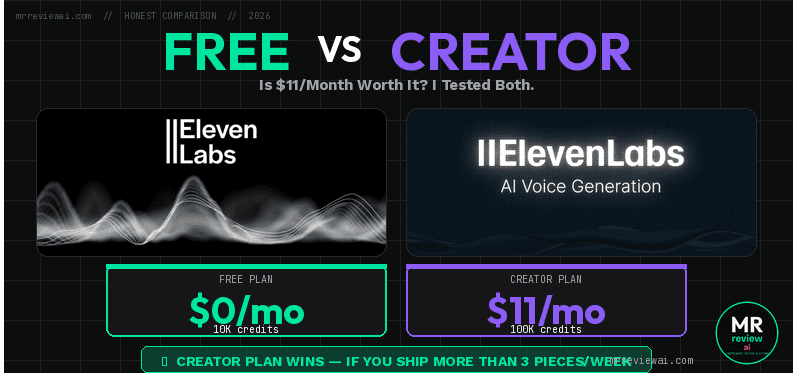
ElevenLabs Free vs Creator Plan: Is $11/Month Worth It? (I Tested Both)

- ✓121,267 credits/month (12x free plan)
- ✓Commercial license for all content
- ✓Professional Voice Clone unlocked
- ✓MP3 192kbps + Speaker Boost
- ✓Voice Remixing — brand new feature
- ✕Audiobooks downloads broken — only 33 sec exported
- ✕Regular price $22/mo (only $11 promotional)
- ✕WAV lossless only via API on Pro plan
- ✕Annual plan required to lock $11/mo rate
I’ve been using ElevenLabs on the free plan for months to create audio content for this blog. Then I paid for the Creator plan — $11 for the first month (with tax: $12.10). Before writing this, I logged into both accounts side by side to document every single difference.
This isn’t a pricing page dressed up as a review. I tested both plans hands-on and I’ll tell you exactly what you get, what you lose, and whether upgrading makes financial sense for your specific use case.
Quick Answer: Is ElevenLabs Creator Plan Worth $11/Month?
Yes — but only if you need commercial rights or plan to clone your own voice. If you’re just testing or creating personal content, the free plan’s 10,000 credits/month is enough to get started.
The real deciding factor isn’t the credit count. It’s whether you’re monetizing your content. I’ll explain the commercial rights trap below — it’s the #1 reason free plan users unknowingly violate ElevenLabs’ Terms of Service.
ElevenLabs Free vs Creator Plan: Side-by-Side Comparison
elevenlabs-creator — Rating Breakdown
121,267/mo = 12x free plan — enough for 20 podcast episodes
Full commercial rights for speech and AI music
MP3 192kbps + Speaker Boost — broadcast-ready audio
Requires 30 min clean audio — realistic personal branding
$11/mo beats Murf Creator ($19/mo) on cost per minute
| Feature | Free Plan | Creator Plan ($11/mo) |
|---|---|---|
| Monthly Credits | 10,000 (~10 min audio) | 121,267 (~121 min audio) |
| Commercial License | ❌ No | ✅ Yes (Speech + Music) |
| Professional Voice Clone | ❌ Locked | ✅ 1 slot (30 min audio needed) |
| Output Quality | MP3 128kbps only | MP3 192kbps (WAV via API/Pro+) |
| Speaker Boost | ❌ No | ✅ Yes |
| Voice Remixing | ❌ No | ✅ Yes (NEW feature) |
| Studio Projects | 3 projects | 1,000 projects |
| Extra Credits Cost | $0.36/min | $0.18/min (50% cheaper) |
| API Access | Limited | Full Developer API |
| Music Commercial Use | ❌ No | ✅ Yes |
The Commercial Rights Trap (Most Reviews Don’t Mention This)
Here’s the issue nobody talks about: the free plan has zero commercial license.
That means if you’re using ElevenLabs-generated audio in:
- YouTube videos with AdSense monetization
- Podcasts on Spotify or Apple Podcasts
- Affiliate marketing content
- Client work you’re paid for
- Any content you earn money from
…you are technically violating ElevenLabs’ Terms of Service on the free plan.
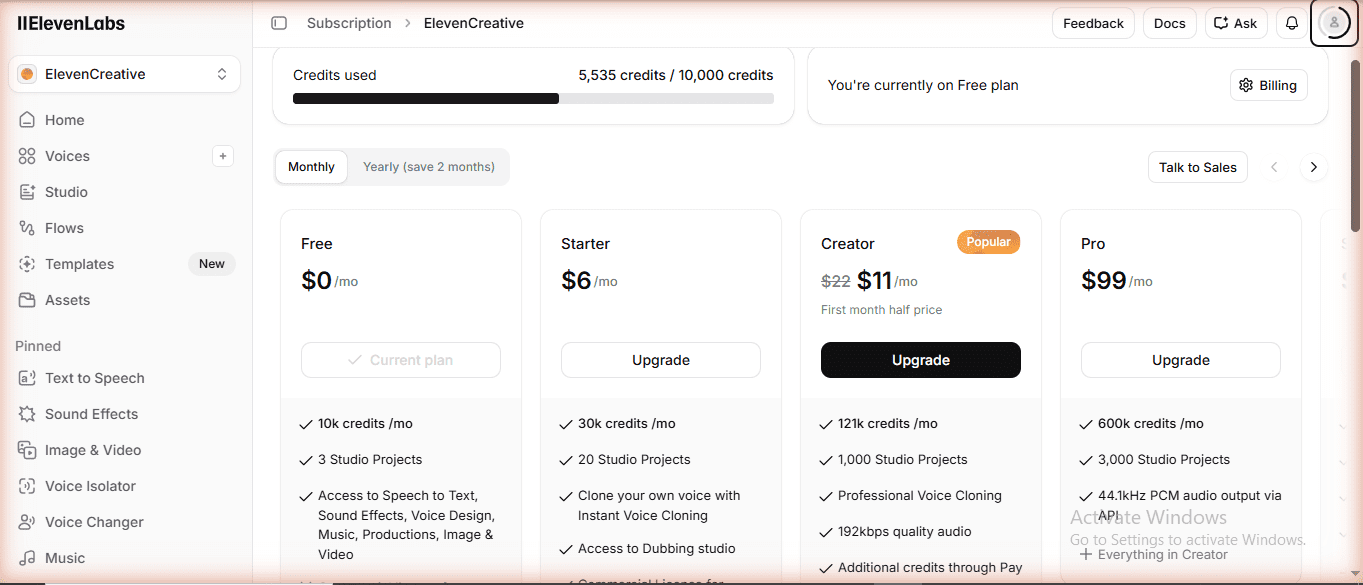
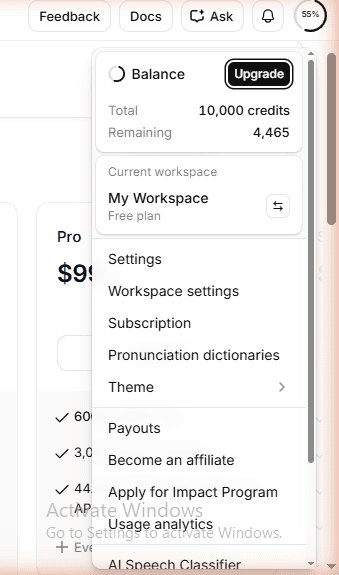
When I checked the subscription comparison page in my free account, the commercial license column was completely absent. The Creator plan lists “Commercial License: Speech Synthesis + AI Music” explicitly. This is worth $11/month alone if you’re a blogger or affiliate marketer.
Credit Math: How Far Does Each Plan Actually Go?
ElevenLabs measures usage in “characters” (which they rebrand as credits). Here’s what the numbers mean in practice:
Free Plan: 10,000 Credits/Month
- ~10 minutes of audio total per month
- A 1,500-word blog post read-aloud ≈ 10–11 minutes ≈ uses your entire monthly quota
- A typical 5-minute podcast intro segment ≈ ~5,000 credits
- Sound effects: 50 credits per generation (this is cheap)
- Music generation: 900 credits per minute (expensive!)
My free account had 4,465 credits remaining when I logged in — I had already used more than half just from testing and exploration. 10,000 credits disappears fast.
Creator Plan: 121,267 Credits/Month
- ~121 minutes of audio per month
- A full 20-episode podcast series (5 min each) ≈ 100,000 credits — still 21,267 leftover
- 10 full blog posts converted to audio ≈ 100,000 credits
- Plenty of room for experimentation without watching credits anxiously
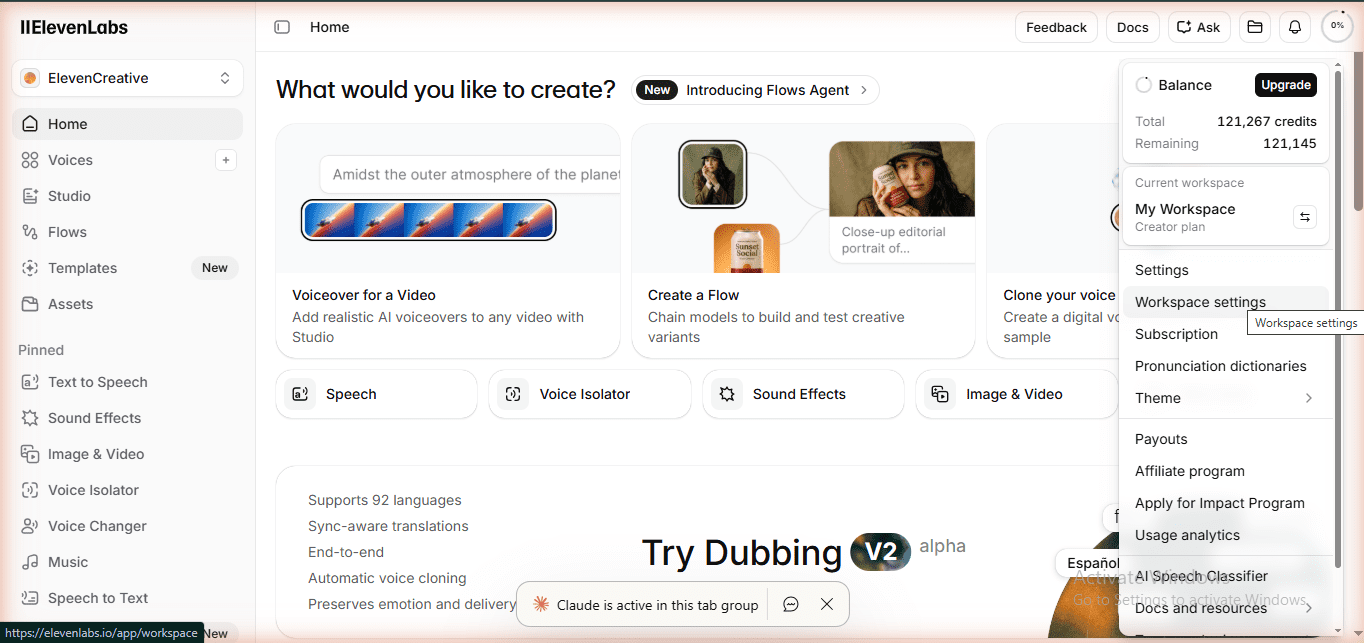
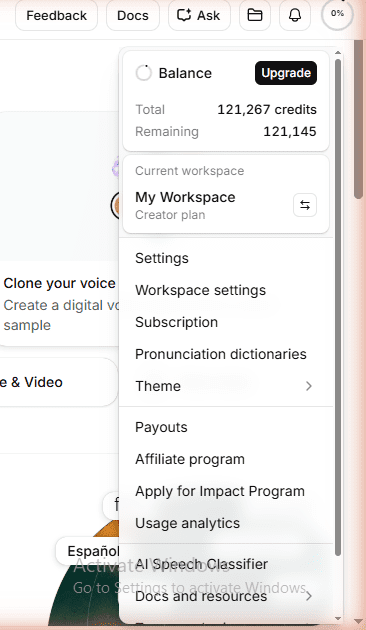
When I logged into the Creator account for the first time, it showed 121,267 credits — completely fresh. That’s 12x more than the free plan for $11/month. The math is hard to argue with if you’re producing content regularly.
Features Exclusive to Creator Plan (That I Actually Tested)
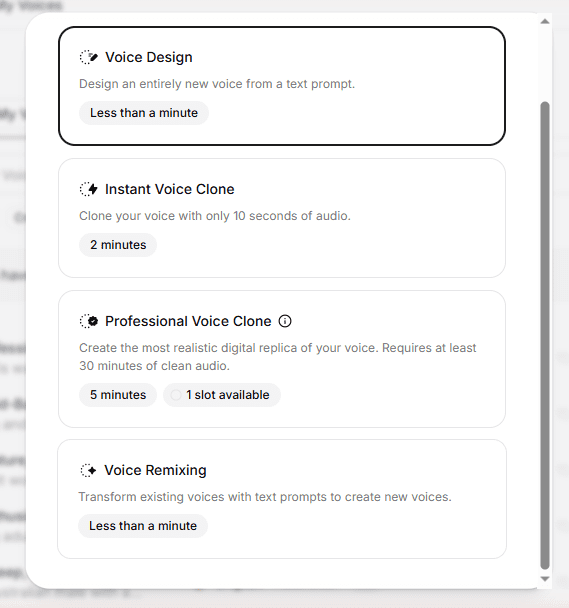
1. Professional Voice Clone
On the free plan, when I went to Voice Lab → Create Voice, the “Professional Voice Clone” option showed a lock icon with the message: “You need to be on at least Creator plan.”
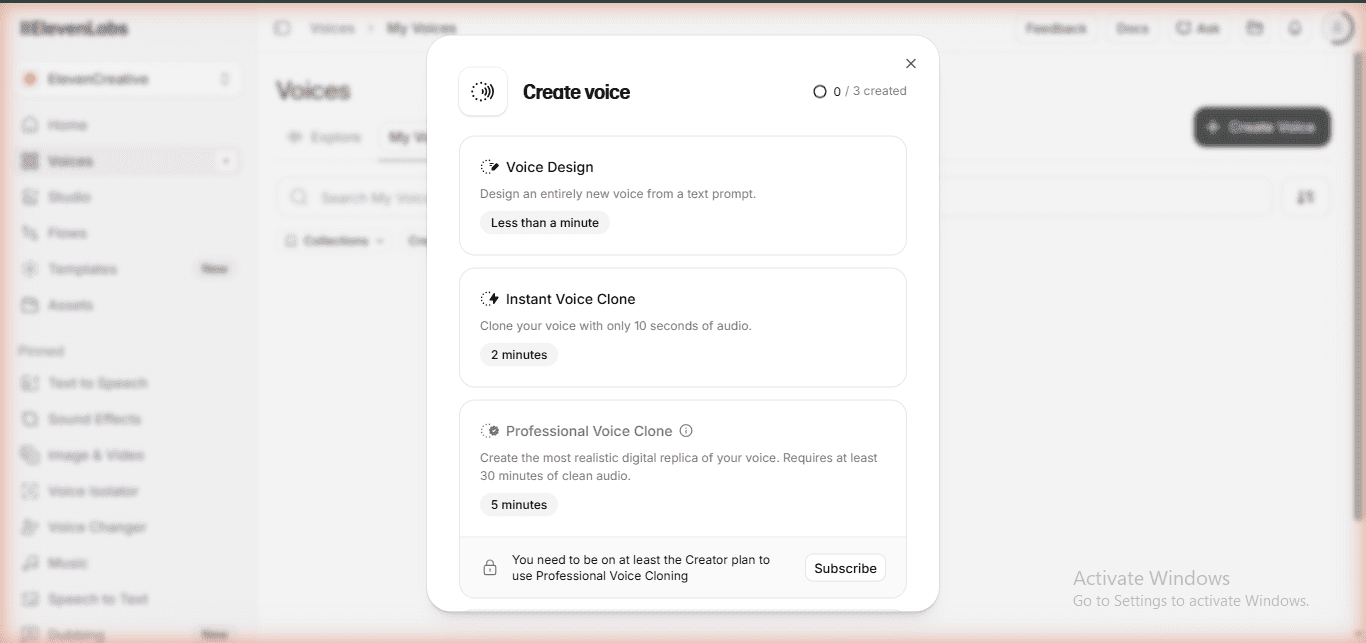
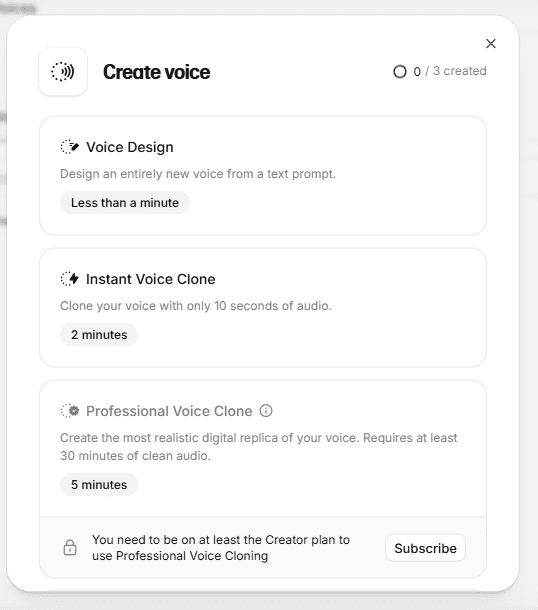
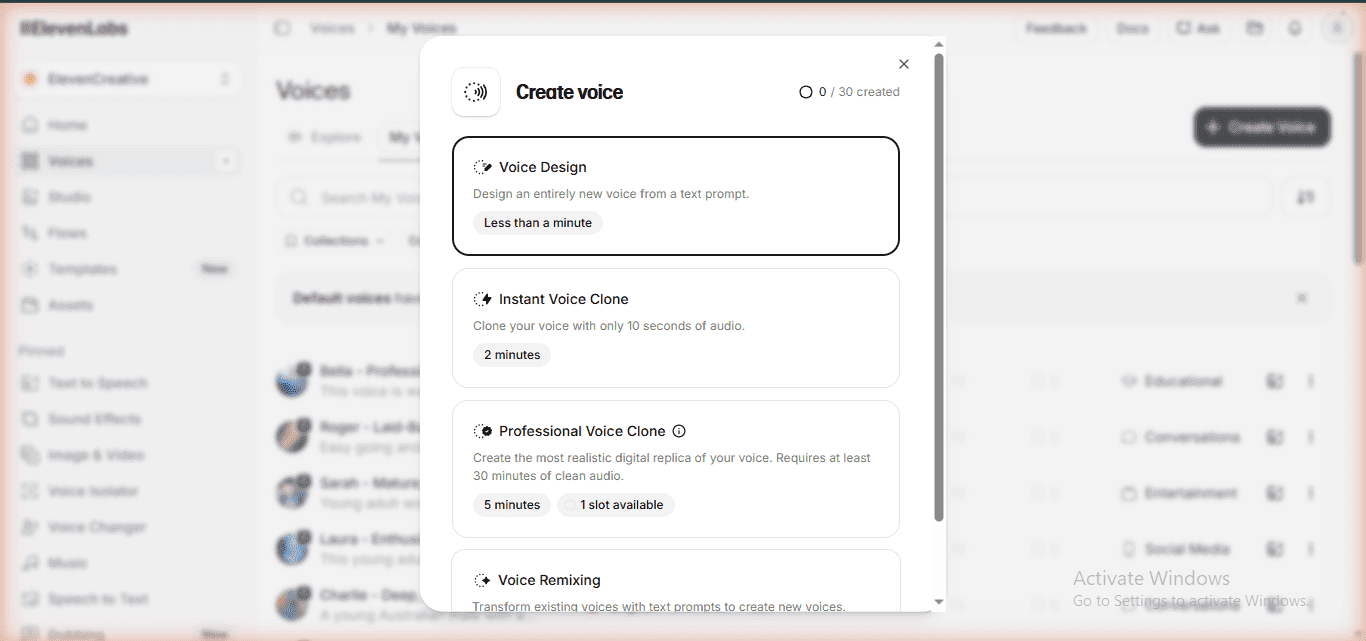
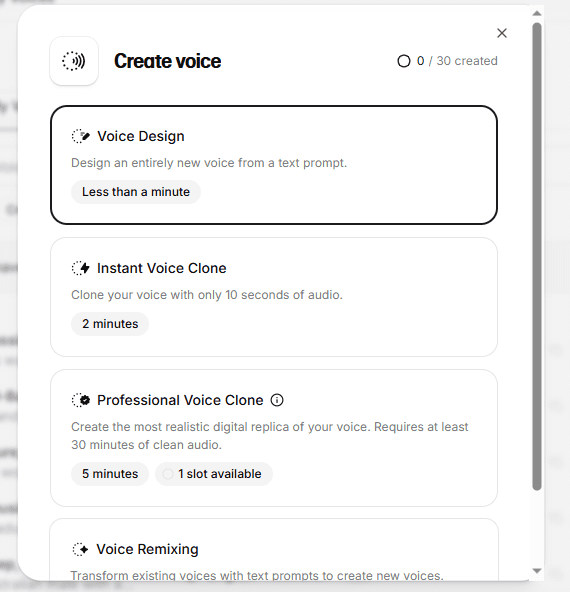
On the Creator plan, the same screen showed “1 slot available” — fully unlocked. To use it, you need to upload at least 30 minutes of clean audio of your voice.
For bloggers who want to build a recognizable audio brand — having your actual voice cloned means every piece of content sounds like you, not a generic AI voice. This is a significant differentiator for personal brand building.
2. Voice Remixing (Brand New Feature)
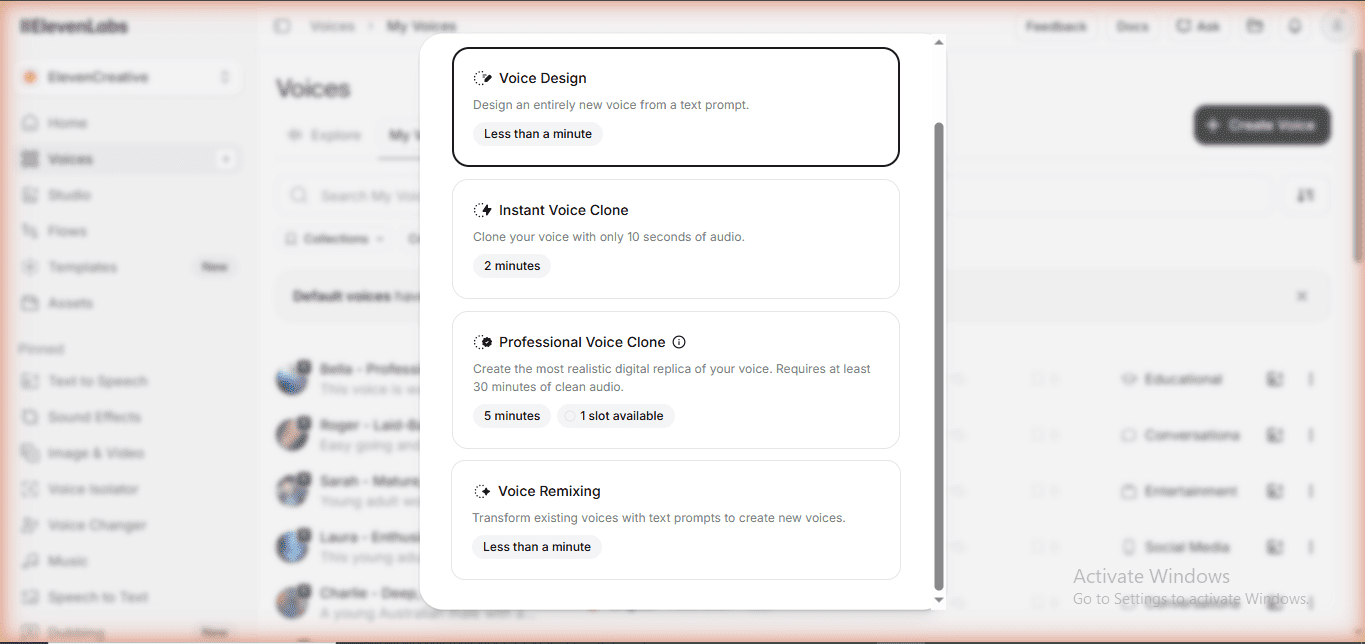
This wasn’t even on my radar until I toured the Creator plan. Voice Remixing lets you transform a voice using text prompts — change tone, add emotion, adjust speaking style — all non-destructively.
No competitor review I found during research has covered this feature yet. It appeared as a new addition in the Voice Lab section of the Creator account. I haven’t seen it mentioned on bigvu.tv, aistackpicks.com, or any other site ranking for ElevenLabs review queries.
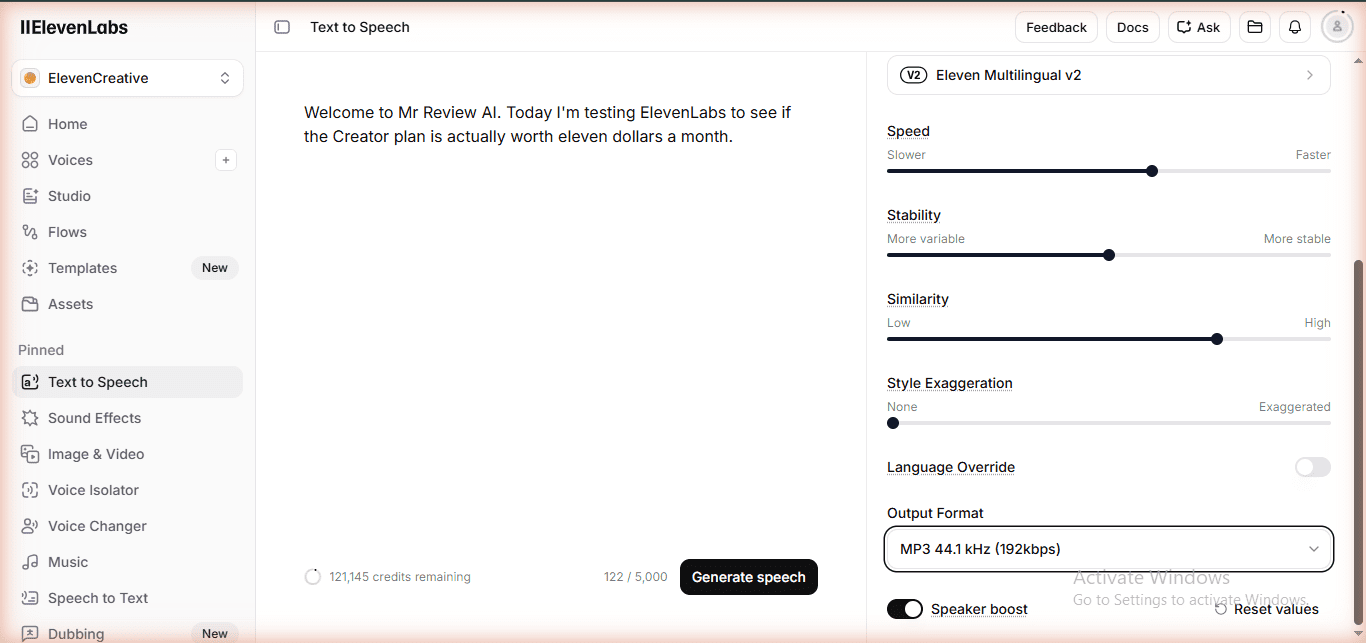
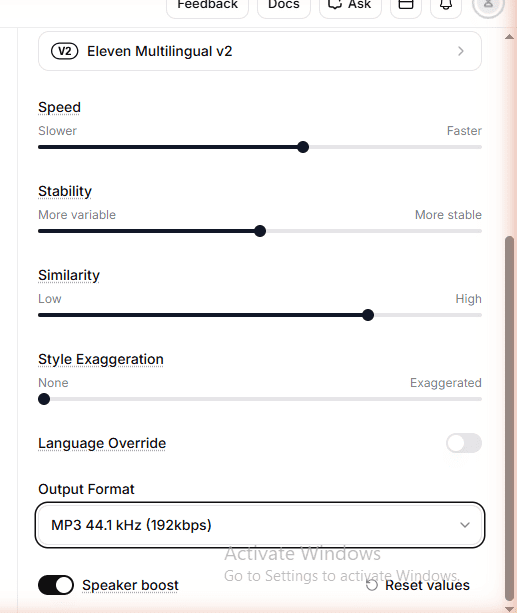
3. Output Quality: MP3 192kbps (50% Higher Than Free)
The free plan locks you at MP3 128kbps. That’s fine for casual listening but noticeable on good headphones or podcast platforms that compress audio further.
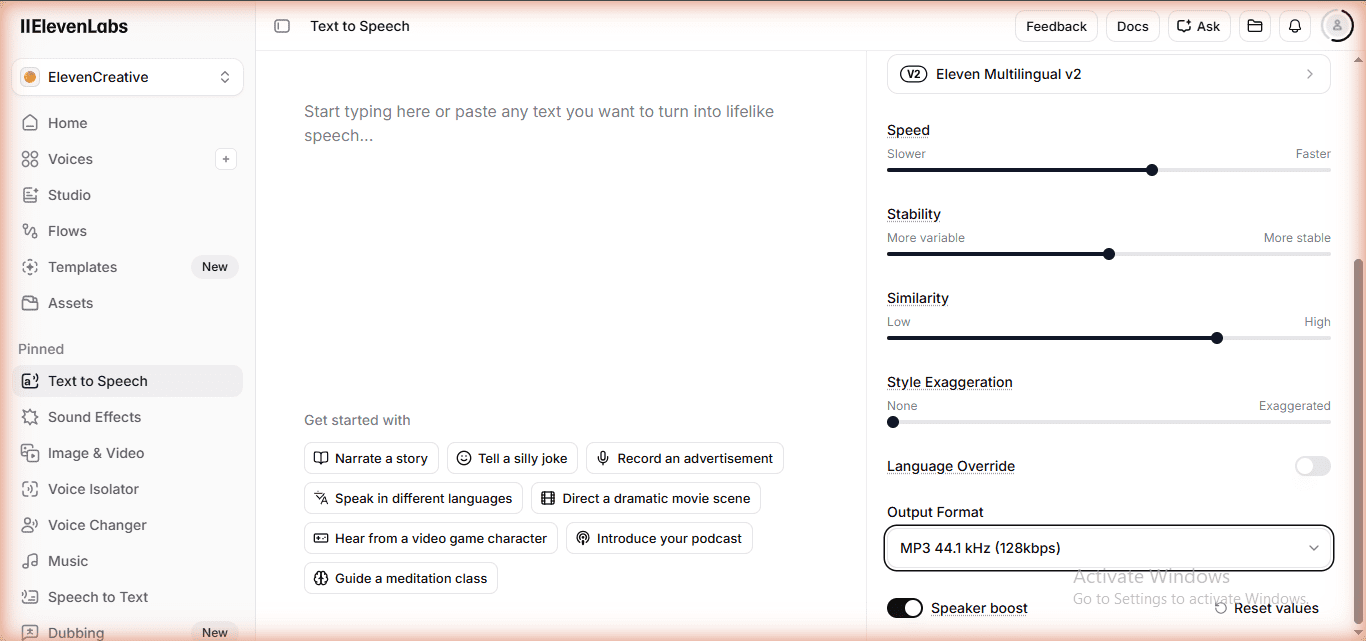
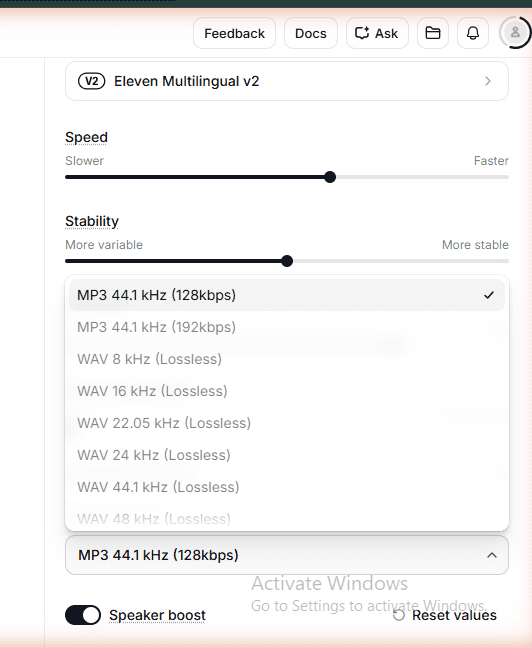
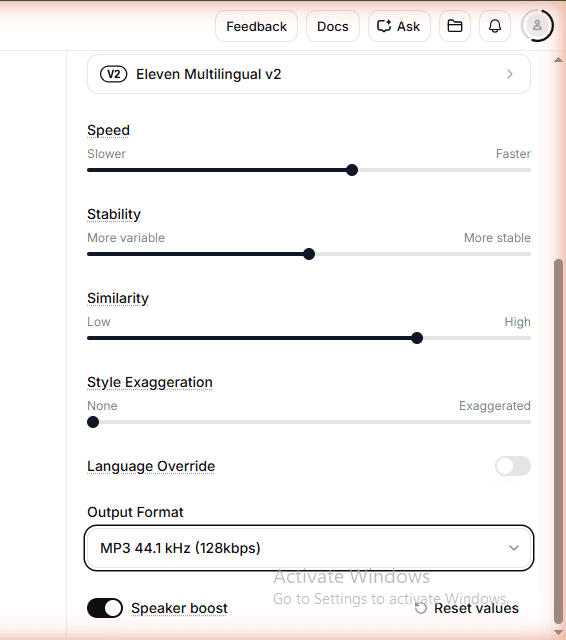
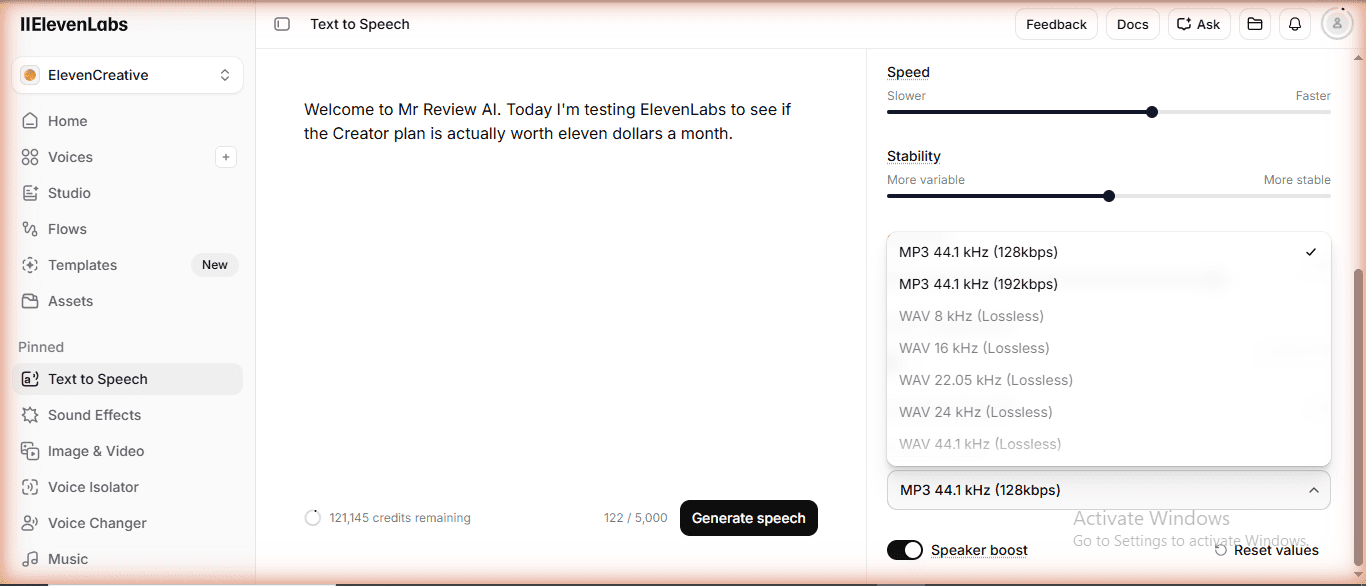
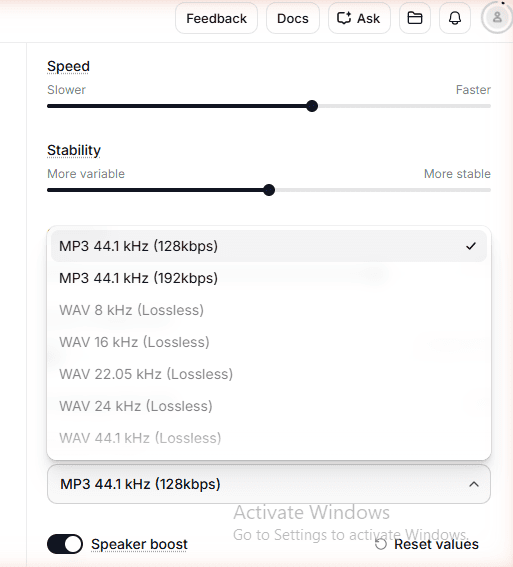
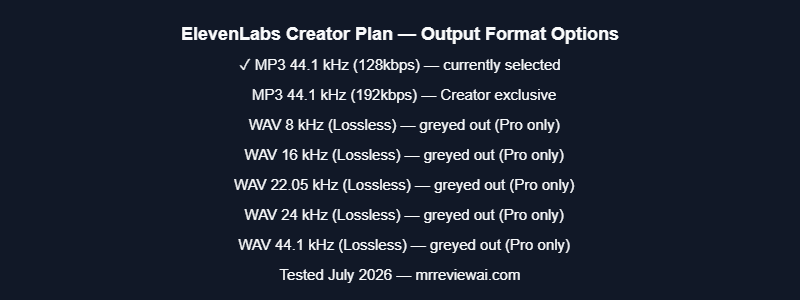
The Creator plan unlocks MP3 192kbps — 50% higher bitrate than the free plan’s 128kbps. In the web UI, WAV Lossless options (8kHz through 44.1kHz) appear in the Output Format dropdown but are greyed out on Creator plan.
I confirmed this directly during testing: WAV 44.1kHz PCM is only available via API on the Pro plan ($99/mo), as stated on ElevenLabs’ Subscription page. For Creator plan, MP3 192kbps is the highest quality available through the web UI.
In practice: MP3 192kbps is more than sufficient for podcasts, blog audio embeds, YouTube voiceovers, and Spotify submissions. The jump from 128kbps (free) to 192kbps (Creator) is clearly audible — and makes a real difference when platforms re-encode your audio.
4. Speaker Boost
This toggle didn’t even appear in the free plan’s TTS settings. On the Creator plan, Speaker Boost is a simple on/off toggle in the Advanced Settings of the Text-to-Speech editor.
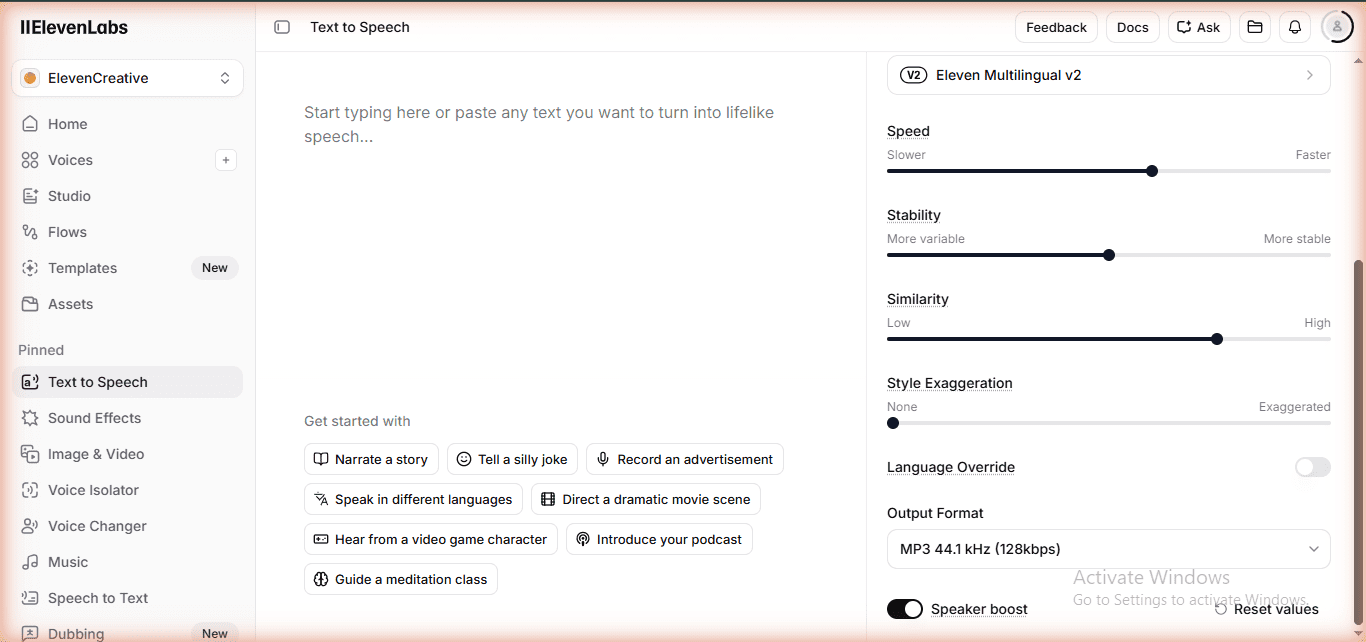
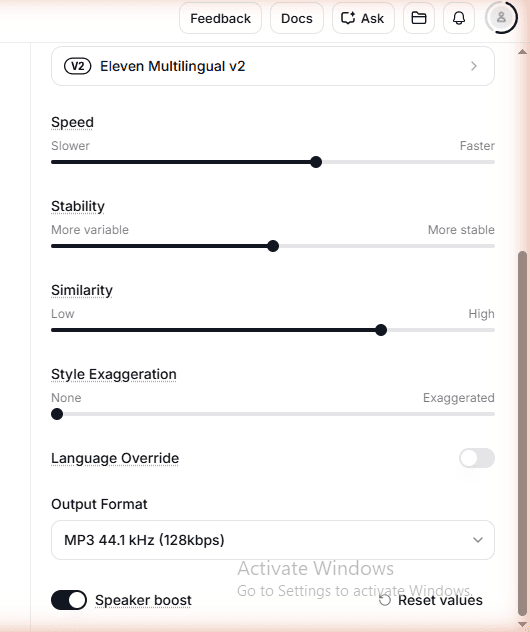
What it does: enhances voice clarity and presence, particularly for voices that sound thin or distant. Think of it as a “radio voice” effect that makes AI audio sound more broadcast-ready. For podcast intros or professional narration, this matters.
FREE WEEKLY BRIEFING
Get AI tool insights before everyone else
One real story. One tested tool. One takeaway. Every week. No spam, no sponsored picks.
No thanks, I already know enough
To be fair, the free plan isn’t useless. Here’s what you get on both:
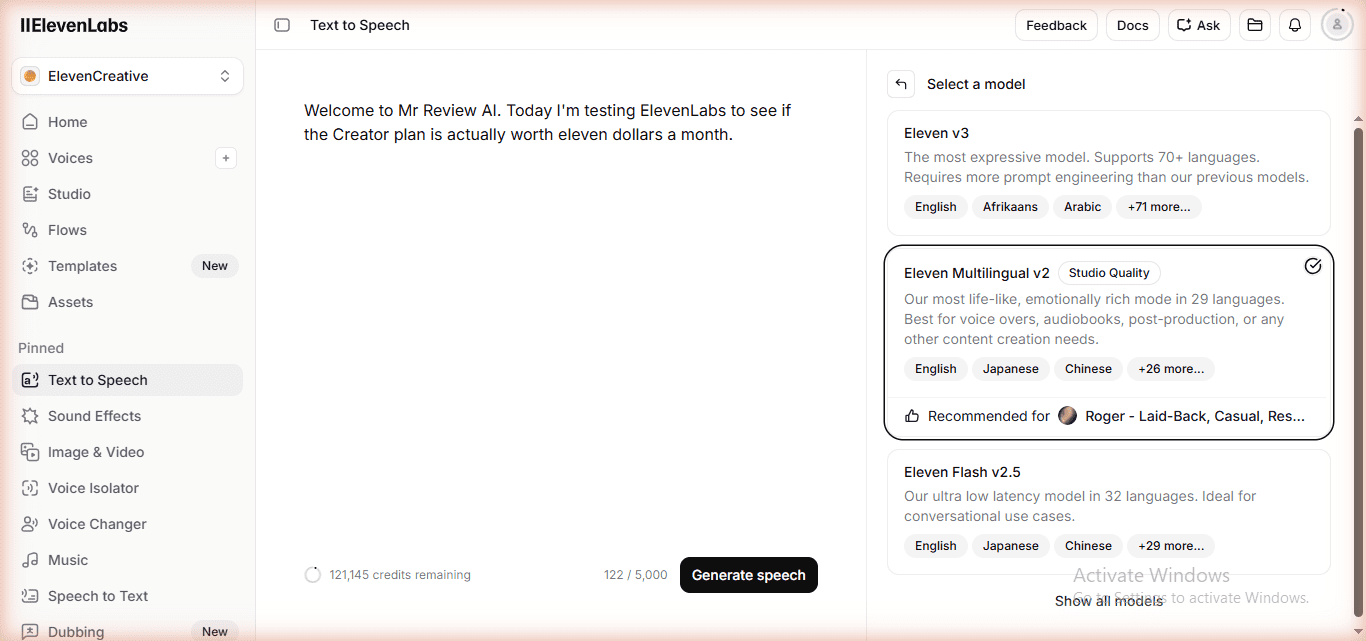
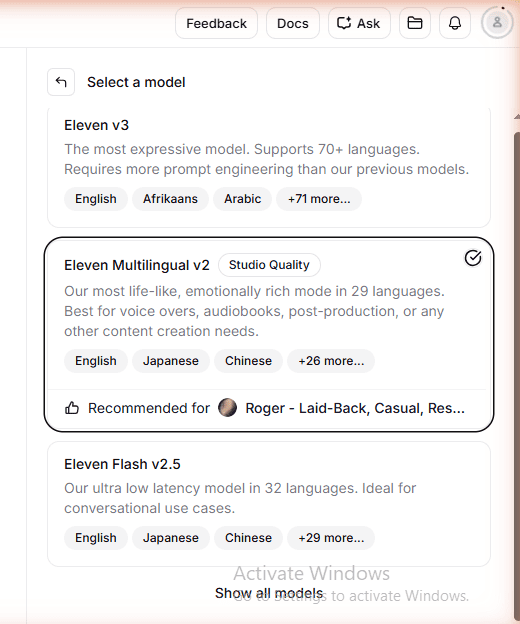
- All AI models: Eleven v3 (newest), Eleven Multilingual v2, Eleven Flash v2.5, Eleven Turbo v2.5 — 6 models total
- Same voice library: Access to ElevenLabs’ full voice marketplace
- Dubbing: Dubbing v2 Alpha with 92 languages, automatic voice clone + lip sync
- Sound Effects: 50 credits per generation (very affordable)
- Basic Voice Lab: Instant Voice Clone (not Professional) is available on free
- Stability/Similarity sliders: Full control over voice parameters
- Language Override: Force pronunciation in specific language
I covered all of these in my detailed ElevenLabs free plan review where I tracked every feature and every credit. If you’re evaluating the free plan specifically, start there.
Who Should Upgrade to Creator Plan?
Upgrade if you are:
- A blogger or affiliate marketer creating audio content for monetized pages — commercial license is non-negotiable
- A podcaster producing more than 10 minutes of content per month (that’s just one episode)
- A content creator on YouTube or social who monetizes views
- A freelancer creating audio for clients — you must have commercial rights
- Anyone building a voice brand — Professional Voice Clone is only on Creator+
Stay on free if you are:
- Just exploring and testing ElevenLabs before committing
- Creating content purely for personal use (no monetization)
- A developer building a prototype with low volume
- Using ElevenLabs for a school or personal project
Is elevenlabs-creator right for you?
- ✓ Content creator monetizing YouTube, podcasts, or blog
- ✓ Blogger who needs commercial rights for audio embeds
- ✓ Podcaster producing 2+ episodes per month
- ✓ Building a personal voice brand via Professional Voice Clone
- ✓ Creator who tested the free plan and loves the quality
- ✕ Casual user — 10,000 free credits/month may be enough
- ✕ Need WAV lossless output — requires Pro plan ($99/mo)
- ✕ Want to narrate full articles via Audiobooks download — broken on Creator
- ✕ On annual plan budget constraint — lock in $11/mo annual or it jumps to $22/mo
- ✕ Just testing ElevenLabs — start free first
ElevenLabs Creator vs Competitors Under $15/Month
Since you’re evaluating whether $11 is worth it, let’s put it in context with alternatives:
| Tool | Price | Monthly Audio | Voice Clone | Commercial |
|---|---|---|---|---|
| ElevenLabs Creator | $11/mo | ~121 min | Professional | Yes |
| Murf AI Basic | $29/mo | 24 hr/year | Limited | Yes |
| ElevenLabs Starter | $6/mo | ~30 min | No | Yes |
| MiniMax Audio Free | $0 | ~30 min | Basic | Limited |
I’ve tested Murf AI, MiniMax, and ElevenLabs head to head. ElevenLabs Creator at $11/month consistently wins on voice quality per dollar. I documented the quality differences in my Murf vs ElevenLabs head-to-head test and MiniMax vs ElevenLabs free plan test.
The $11 First Month Deal: What You Actually Pay
ElevenLabs offers the Creator plan at $11/month for the first month (regular price: $22/month when billed monthly, or $11/month when billed annually).
I paid $11 + tax = $12.10 total for my first month. The subscription compare table in-app confirmed “Creator — Current plan” at $22/mo regular rate — meaning the $11 is a promotional first-month price.
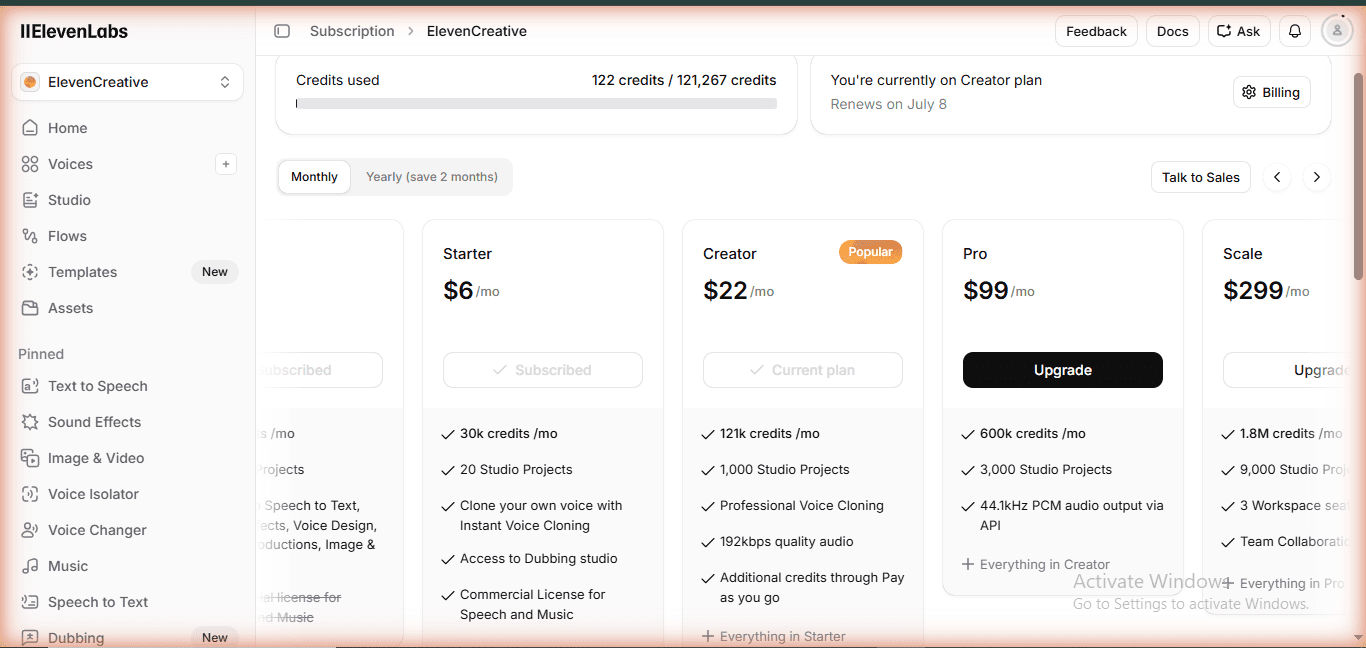
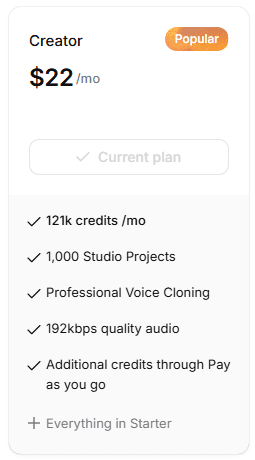
My recommendation: Use the $11 first month to test all Creator features thoroughly. If you’re producing content that earns money, the annual plan at $11/month locked-in is the smart move. If you only need it for a one-time project, cancel before renewal.
FREE WEEKLY BRIEFING
Get AI tool insights before everyone else
One real story. One tested tool. One takeaway. Every week. No spam, no sponsored picks.
No thanks, I already know enough
Real-World Test: Using the Creator Plan to Create Blog Audio (June 2026)
After writing this review, I actually put the Creator plan to work — creating an audio version of another article on mrreviewai.com (a Kit.com vs Brevo comparison). Here is what happened, and it is worth documenting honestly.
What I Tried First: ElevenLabs Audiobooks Feature
ElevenLabs has a dedicated Audiobooks tool that lets you import a URL and convert an entire article to audio automatically. I imported the article URL, selected Bella voice with Eleven Multilingual v2, and generated a 19-minute audio file — the entire article read aloud from start to finish. The generation itself took less than 30 seconds. Impressive.
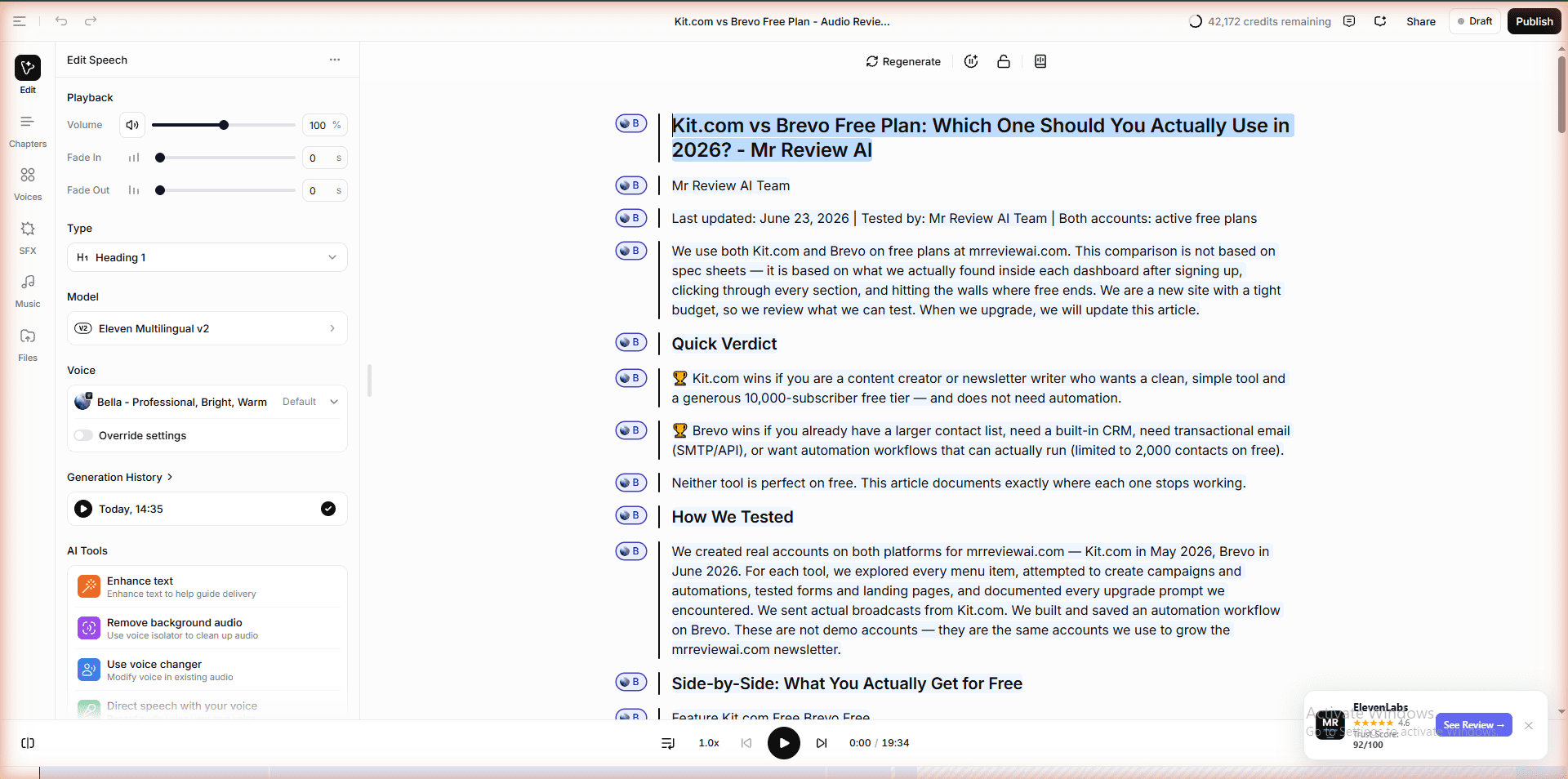
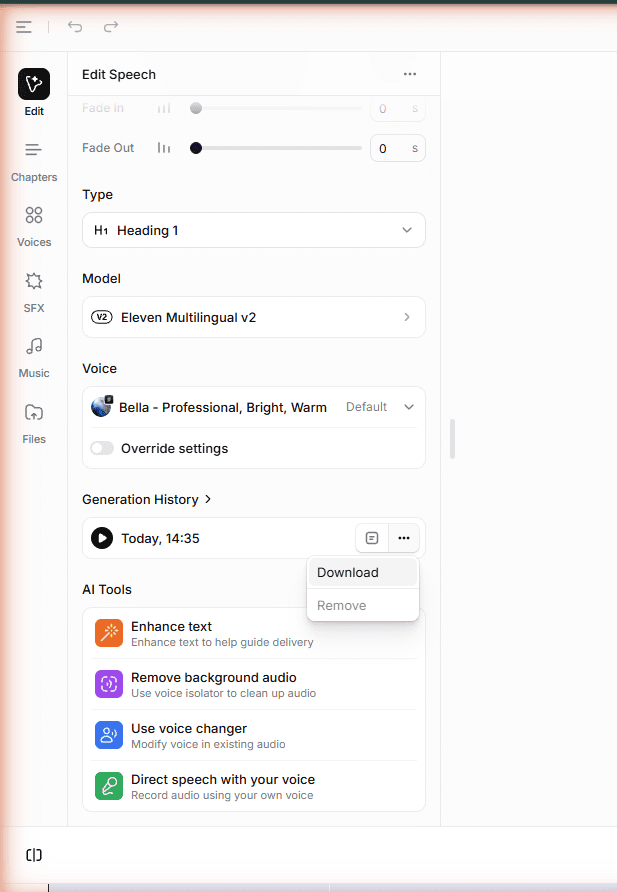
Then I tried to download the file. Every download option — from Generation History, from the “…” menu, from the Edit Speech panel — produced a file that was only 30–33 seconds long. Not 19 minutes. 33 seconds. After multiple attempts and testing every download path I could find, the result was the same: the Audiobooks feature on the Creator plan does not let you download the full audio file as an MP3 to your computer. It is designed for distribution to podcast platforms, not for hosting audio yourself.
This is a real limitation that I did not see documented anywhere before testing it. If your use case is: generate audio → download MP3 → upload to your website, the Audiobooks tool does not work for that workflow on the Creator plan.
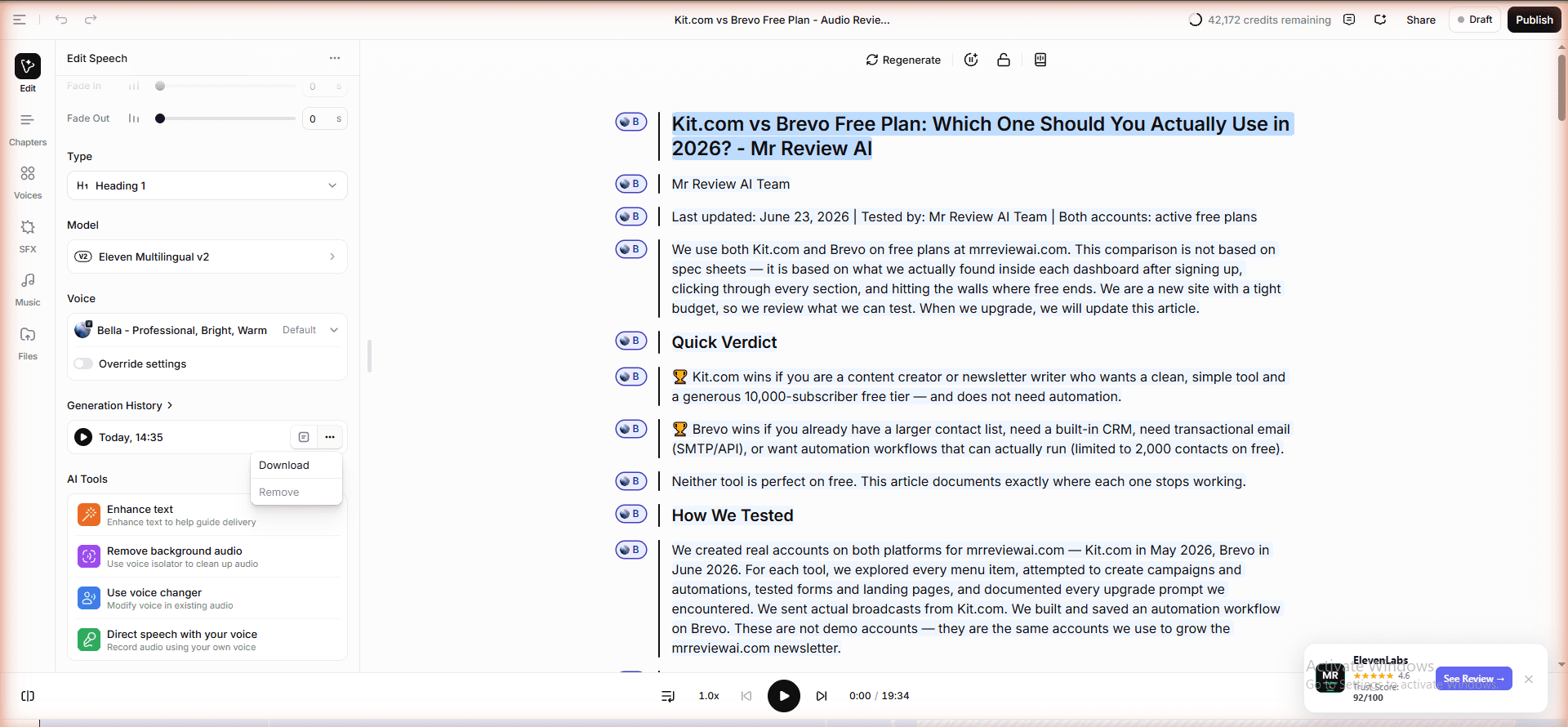
What Actually Worked: Text-to-Speech (5,000 Character Limit)
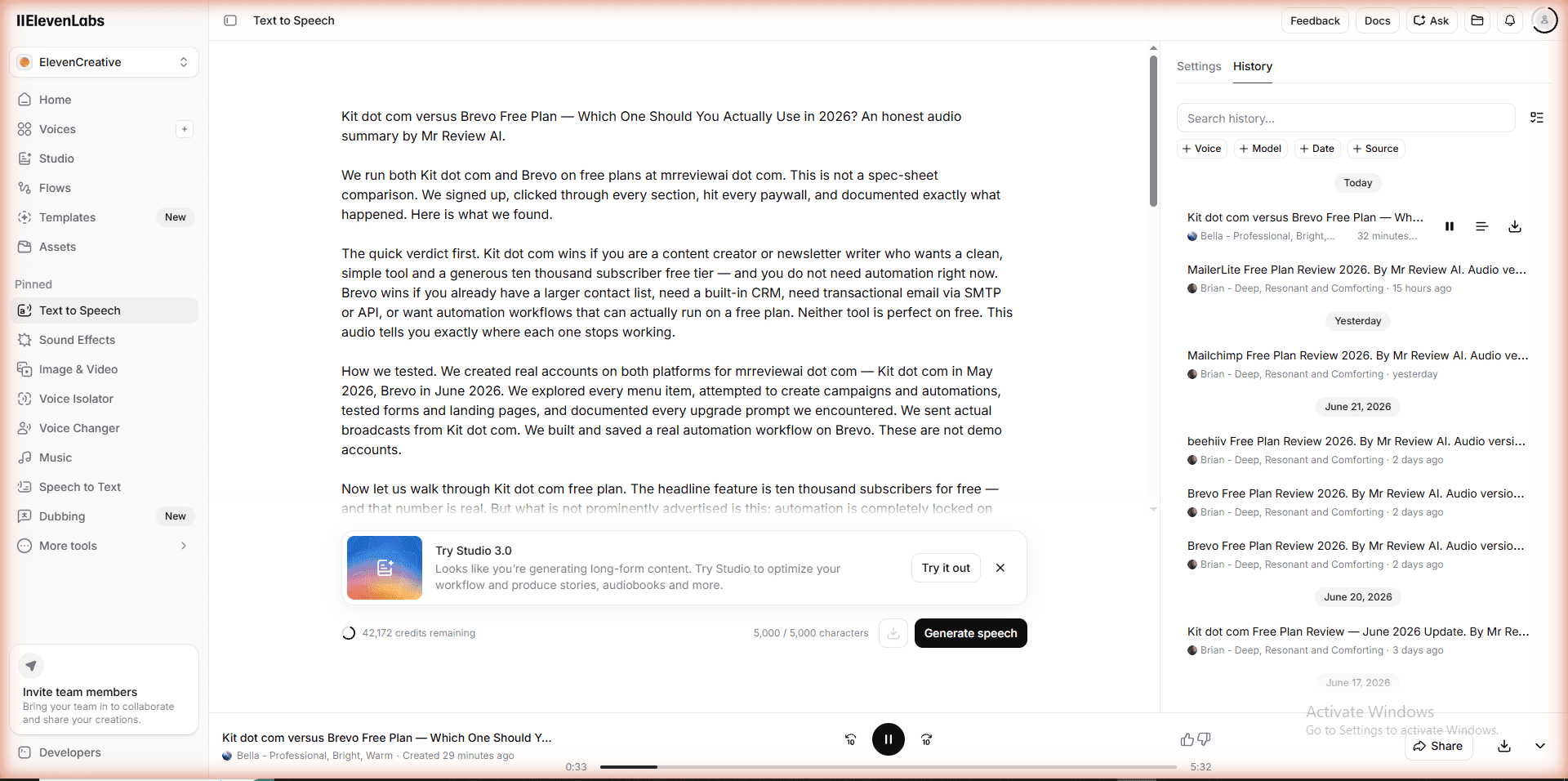
The solution was to use the standard Text-to-Speech tool instead — the same one available on the free plan. I wrote a 5,000-character summary of the article (the maximum TTS allows per generation), generated it with Bella voice, and downloaded a clean 5:32-minute MP3 at 192kbps. That file uploaded to WordPress without issues and now lives on the article page.
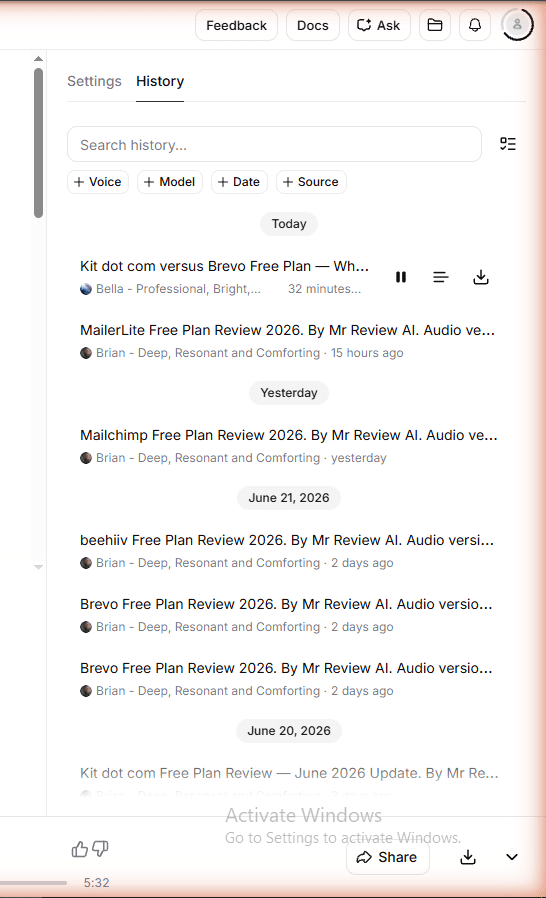
The TTS workflow is straightforward: write or paste text → generate → download. The download button in the TTS History panel works correctly and gives you the full file. For blog audio embeds, this is the right tool — not Audiobooks.
Credit Usage: What 50% of the Creator Plan Actually Buys
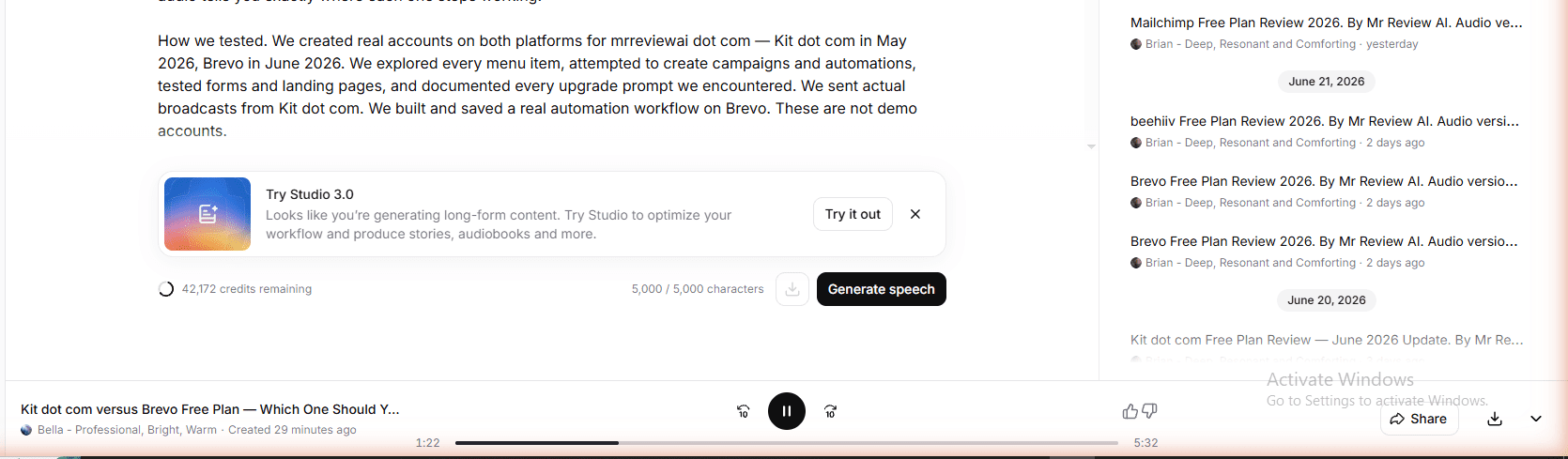
Starting from a fresh Creator plan with 121,267 credits, I used approximately 14,000–15,000 credits across this session. That includes: multiple Audiobooks generations (the tool regenerated several times during testing), a full 5,000-character TTS generation, and various shorter test clips. I ended the session with around 42,000–47,000 credits remaining — meaning one focused session of audio production for a blog post consumed roughly 50% of the monthly credit allowance.
The total cost for this session: $11 first-month price + $1.10 tax = $12.10. For one high-quality 5-minute audio file embedded on a published article, that math only works if you are producing audio regularly across multiple posts — not as a one-off. The annual plan at $11/month locked-in changes the economics significantly.
The Honest Bottom Line from Hands-On Use
The Creator plan delivers on voice quality, credit volume, and commercial rights. The Audiobooks feature is genuinely powerful for generating long-form audio — but the download limitation makes it unsuitable for the blog audio embed use case. Use Text-to-Speech for anything you plan to host yourself. Use Audiobooks only if you are distributing to Spotify, Apple Podcasts, or another platform directly from ElevenLabs.
My Verdict: Is ElevenLabs Creator Plan Worth It?
For content creators who monetize: Yes, absolutely. The commercial license alone justifies it. Add 121 minutes of audio (vs 10 on free), Professional Voice Clone, WAV lossless output, Speaker Boost, and Voice Remixing — and $11/month is a genuinely good deal in the AI voice space.
For casual users: Start free. See if you actually use 10,000 credits regularly before paying. Many people sign up, generate a few clips, and never return. Don’t pay for what you won’t use.
The way I think about it: I spent more than $11 on coffee this week. If ElevenLabs audio adds any value to content I’m already publishing — and it does, because audio versions of blog posts increase time-on-page and engagement — then it’s worth it.
ElevenLabs vs Murf AI — Which Paid Plan Is Worth It?
We tested both tools head-to-head on free and paid. See which one wins for your content workflow.
Real-World Bulk Usage: What Happens When You Make 8 Audio Files in One Day
After writing the original review above, we put the Creator plan through a much heavier real-world test — converting all 8 email marketing comparison articles on mrreviewai.com into audio files in a single session (July 2026). Here is what actually happened, documented in real numbers.
The Credit Reality: 121,267 Credits Can Disappear in One Day
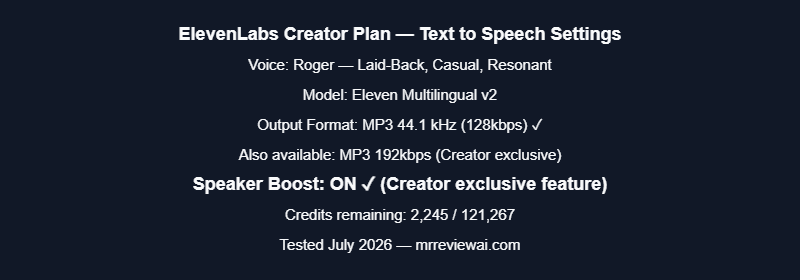
Starting credits: 121,267. Ending credits: 2,245. That is 119,022 credits consumed in one working session — making 8 audio files averaging 5 minutes each, plus regenerations when scripts needed adjusting.

The math per file: each ~4,500-character script (≈5 minutes of audio) costs approximately 14,000–15,000 credits. That is significantly more than the simple “1 character = 1 credit” marketing suggests, because regenerations, failed attempts, and adjusted scripts each consume a full credit allocation.
| Post | Duration | Script length | Est. credits used |
|---|---|---|---|
| Brevo vs MailerLite | 5:57 | ~4,800 chars | ~15,000 |
| Kit vs Mailchimp | 4:48 | ~4,400 chars | ~14,000 |
| Mailchimp vs MailerLite | 4:47 | ~4,400 chars | ~14,000 |
| Brevo vs beehiiv | 5:12 | ~4,337 chars | ~14,000 |
| Brevo vs Mailchimp | 5:36 | ~4,830 chars | ~15,000 |
| MailerLite vs beehiiv | 5:24 | ~4,403 chars | ~14,000 |
| Kit vs beehiiv | 5:35 | ~4,763 chars | ~15,000 |
| Mailchimp vs beehiiv | 5:30 | ~4,621 chars | ~14,000 |
Bottom line: If you plan to produce 8+ audio files per month at ~5 minutes each, the Creator plan’s 121,267 credits will be exhausted in one session. You will either need to purchase add-on credits ($0.18/min) or upgrade to the Pro plan (600,000 credits/month at $99/mo).
Three Things We Discovered That the Original Review Missed
- Voice resets on every page reload. Every time you navigate away from the Text-to-Speech page and return, the voice selection resets to “Select a voice.” You must re-select your preferred voice (e.g., Roger) each session. There is no “remember my voice” setting. Minor but annoying at scale.
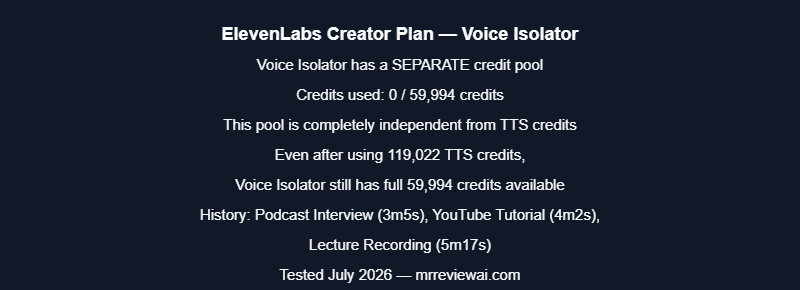
- Voice Isolator has a separate credit pool. The Voice Isolator tool does not draw from your main TTS credit balance — it has its own pool of 59,994 credits. This means heavy TTS usage does not affect your Voice Isolator capacity. This is not documented clearly anywhere in the interface. See screenshot below.
- Audio Native exists and most reviews miss it. ElevenLabs has a tool called Audio Native that automatically parses your blog post content and converts it to an embedded audio player — without you manually writing a script. It is found under the app menu. For bloggers who want audio on every post without manual scripting, this is worth testing first before using the manual TTS workflow.
For Foreign Vloggers in Vietnam: Using Creator Plan to Speak Vietnamese
One use case the ElevenLabs Creator plan is genuinely well-suited for: foreign content creators — travel vloggers, food bloggers, YouTubers — who visit Vietnam and want to connect with Vietnamese audiences without speaking the language themselves.
Here is the specific scenario: a foreign vlogger films street food content in Hanoi or Ho Chi Minh City. They speak English on camera. They want to add a Vietnamese voiceover so local viewers can understand the context, the dish, the story behind the food. With the Creator plan, this is straightforward.
1,459 Vietnamese Voices Available in the Library
The ElevenLabs Voice Library (accessible under Voices → Explore → filter by Language: Vietnamese) contains 1,459 Vietnamese voices as of July 2026. These are community-contributed and verified voices covering a wide range of styles and accents:
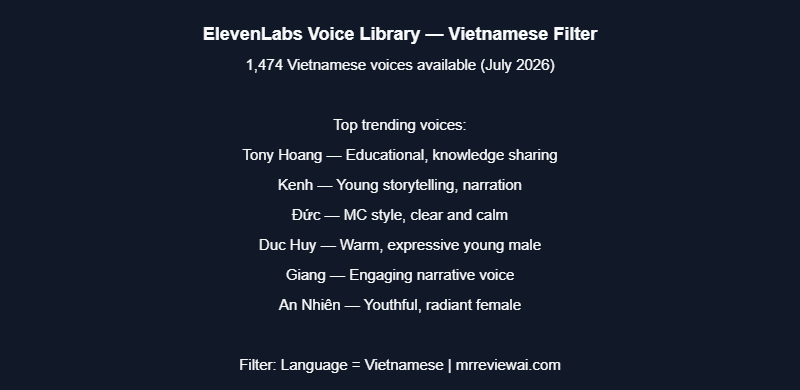
- Tony Hoang — Educational, great for sharing knowledge
- Kenh — Young storytelling voice, narration style
- Đức — MC style, clear and calm, ceremony hosting
- Duc Huy — Warm, expressive young male voice
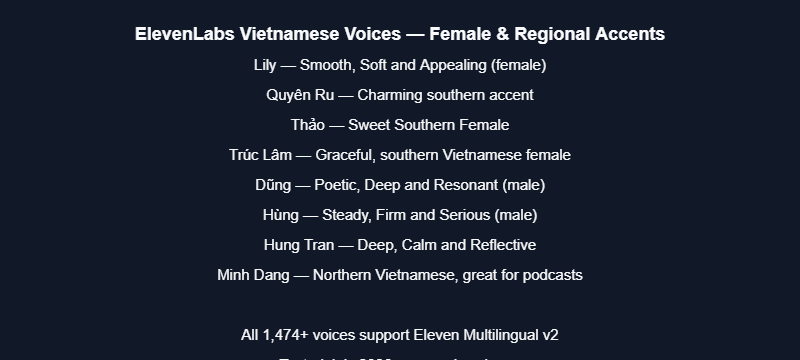
- Lily — Smooth, soft and appealing female voice
- Quyên Ru — Charming southern accent
- Thảo — Sweet southern female voice
- Trúc Lâm — Graceful, southern Vietnamese female
- Dũng — Poetic, deep and resonant male voice
- Hùng — Steady, firm and serious tone
Step-by-Step: How a Foreign Vlogger Creates Vietnamese Voiceover
- Write your script in English — describe the dish, the location, what you are experiencing.
- Translate to Vietnamese — use Google Translate or ChatGPT to convert the script. For food content, have a Vietnamese friend review it for natural phrasing.
- Go to ElevenLabs → Text to Speech — paste your Vietnamese script (up to 5,000 characters per generation).
- Select a Vietnamese voice — click Voice, go to Explore tab, filter by Language: Vietnamese, and choose a voice that matches your vlog’s tone. For food/travel content, Tony Hoang (educational) or Đức (MC style) work well.
- Select Model: Eleven Multilingual v2 — this model handles Vietnamese pronunciation accurately. Do not use English-only models.
- Generate and download — click Generate Speech, wait 15–30 seconds, then download the MP3 file.
- Add to your video — import the MP3 into your video editor (CapCut, Premiere, DaVinci Resolve) as a separate audio track. Adjust timing to match your footage.
Credit Cost for a 5-Minute Food Vlog Voiceover
A typical 5-minute food vlog script in Vietnamese is approximately 600–800 words, which translates to roughly 3,500–4,500 Vietnamese characters. At the Creator plan rate, this costs approximately 3,500–4,500 credits per generation. With 121,267 credits per month, you can produce approximately 25–35 voiceover segments per month — enough for one video per day, every day of the month, with credits to spare.
Important: The Creator plan includes a commercial license, which means you can legally use the generated Vietnamese audio in monetized YouTube videos, sponsored content, and paid brand collaborations. The free plan does not include commercial rights — a critical distinction for creators who earn money from their content.
One Limitation to Know Before You Start
The Text-to-Speech tool has a 5,000-character limit per generation. A 10-minute voiceover script will need to be split into two separate generations and two audio files, then joined in your video editor. For most food vlog segments (3–5 minutes), this is not an issue — but for longer documentary-style content, plan your script in chunks of 5,000 characters or less.
Related Reading
AI VOICE — FULL REVIEW SERIES
10K credits · 3 credit pools · Voice Isolator 60K free · Score: 4.6/5
Full scorecard across 7 categories · All 3 tested on same scripts
All tools ranked · Honest results · Updated June 2026
- ElevenLabs Free Plan Review: I Tested Every Feature and Tracked Every Credit
- Murf vs ElevenLabs Free Plan: Head-to-Head Test
- MiniMax Audio vs ElevenLabs Free Plan Test
- MiniMax vs ElevenLabs vs Murf AI: 3-Way Free Plan Test
- Murf AI Free Plan Review
- How to Build an AI Podcast with ElevenLabs

About the Author
Mr Review AI Team
This review was researched and tested hands-on by the Mr Review AI editorial team. We create real accounts, run actual campaigns, and document every limitation we encounter — no vendor demos, no copied spec sheets. Our reviews are editorially independent: no tool pays for a score or placement, ever. Where we have affiliate relationships, we disclose them transparently on each page.
Want to know who founded this site and what drives our editorial standards? → Meet the founder on our About page