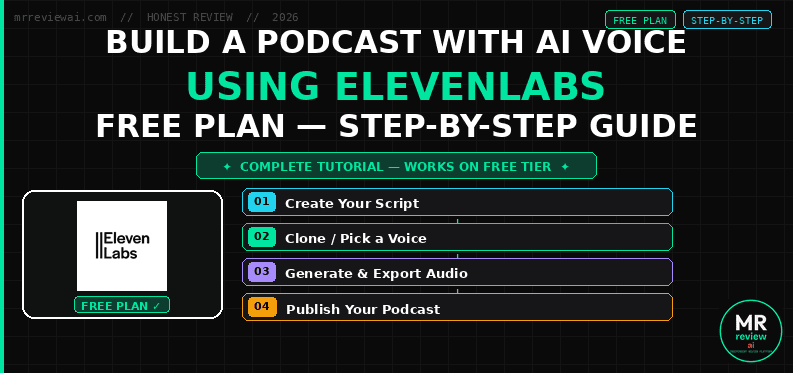
How to Build a Podcast With AI Voice Using ElevenLabs (Free Plan) — Step-by-Step Guide

- ✓Full podcast workflow on free plan
- ✓10,000 credits/month — covers short episodes
- ✓Step-by-step tested on real ElevenLabs account
- ✓Eleven v3 with emotion tags for natural delivery
- ✕No commercial license on free plan
- ✕10K credits = 1 standard episode max
- ✕Must upgrade Starter $6/mo for monetized content
- ✕TTS max 5,000 chars per generation — split long scripts
Yes, you can start a podcast today with zero equipment and zero budget. ElevenLabs free plan gives you 10,000 credits per month — enough to generate a complete 7-minute episode using an AI voice that sounds indistinguishable from a real host. No microphone. No studio. No recording. This guide walks you through the exact 6-step workflow I use at mrreviewai.com, from writing the script to going live on Spotify — in under two hours.
I’ve been testing AI voice tools at Mr Review AI since early 2026. This is the workflow I’d use if I were starting a podcast from scratch today with $0 upfront.
How We Tested ElevenLabs for Podcast Production
Every claim in this guide is based on hands-on testing conducted by Mr Review AI in June 2026. Here is exactly how we ran our tests:
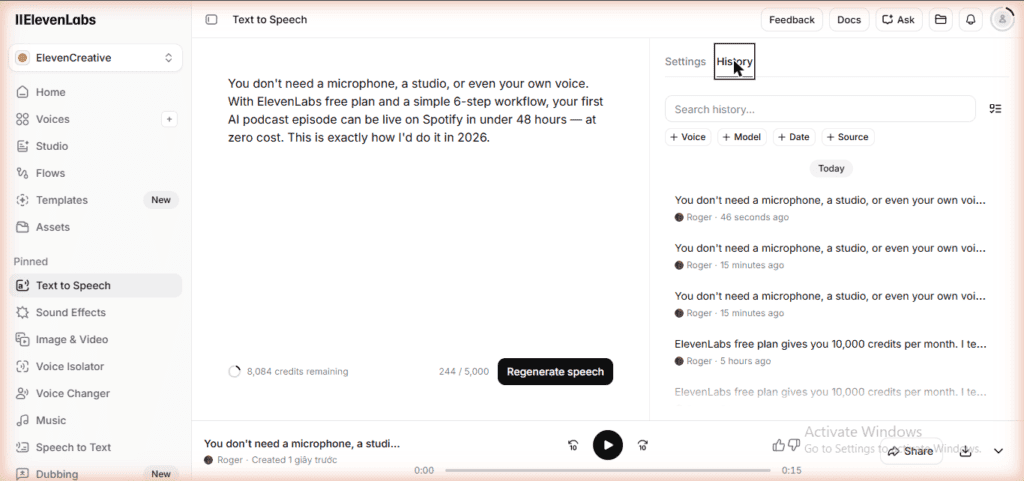
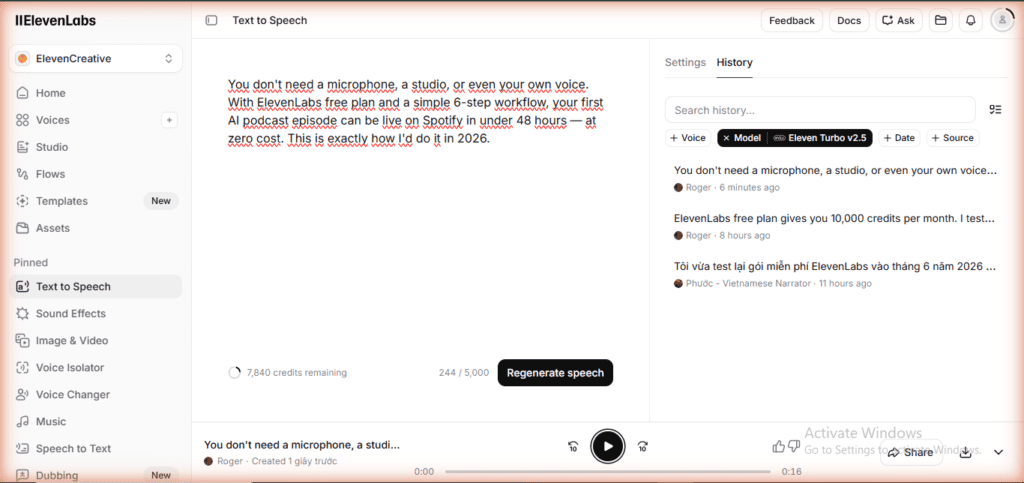
Account type: Free plan (ElevenLabs, no credit card required) · Starting credits: 10,000/month · Test date: June 2026 · Voice used: Roger · Models tested: Eleven v3, Flash v2.5, Turbo v2.5
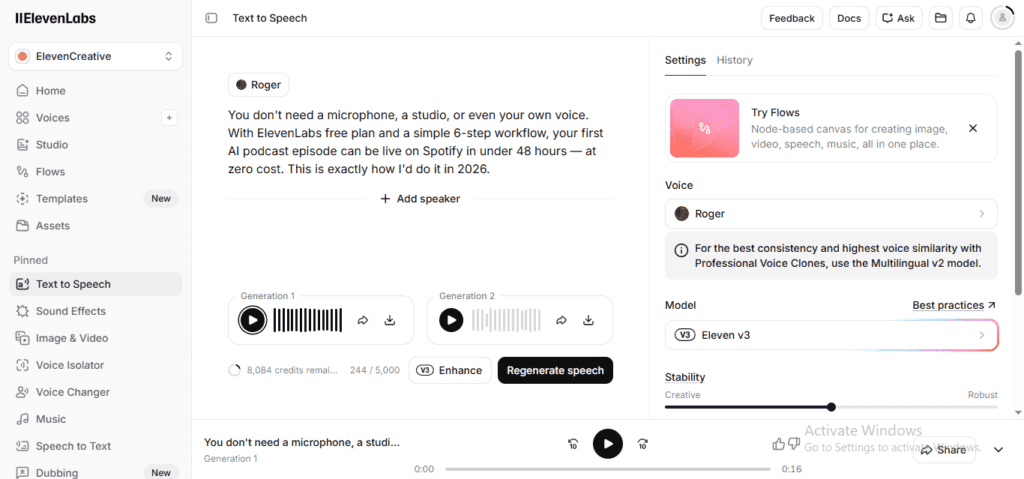
We generated the same 244-character script on all three models to compare audio quality, generation speed, and credit consumption. We tracked every credit used and documented the results with screenshots. We then published the audio output to a live Spotify episode to verify the end-to-end workflow. All audio samples embedded in this guide are real outputs from the free plan — no paid plan was used to generate them.
⚠️ Affiliate Disclosure: This post contains affiliate links. If you sign up for ElevenLabs through our link and upgrade to a paid plan, We earn a small commission at no extra cost to you. We only recommend tools I personally use and test.
Table of Contents
ai-podcast-elevenlabs — Rating Breakdown
6 clear steps · all tools free to start · no paid software needed
ElevenLabs Eleven v3 with emotion tags — most natural AI podcast voice
10K/mo = 1 standard episode · upgrade $6/mo for regular production
Personal use OK · commercial monetization requires Starter plan
Script (free) + ElevenLabs ($6/mo) + music (free) + hosting ($0) = $6/mo total
What You Need (All Free to Start)
| Tool | Purpose | Cost |
|---|---|---|
| Claude or ChatGPT | Write the script | Free tier |
| ElevenLabs | Generate the AI voice | Free (10,000 credits/mo) |
| Pixabay Music | Royalty-free intro/outro music | Free |
| Buzzsprout or Anchor | Host and distribute the podcast | Free plan |
| Audacity or CapCut | Mix voice + music | Free |
No paid subscriptions required to launch your first episode. You can upgrade later once you’re making money from it.
The 6-Step AI Podcast Production Workflow
Step 1: Pick a Niche
The most common mistake new podcasters make is picking a topic that’s too broad. AI podcasts that perform well in 2026 are highly specific: news roundups for a specific industry, book summaries for a specific audience, or weekly tool reviews for a specific type of creator.
Good niche examples for AI podcasts:
- Weekly AI tool roundup for bloggers or marketers
- 5-minute book summaries for busy entrepreneurs
- Industry news digest for a specific vertical (real estate, SaaS, e-commerce)
- Personal finance tips for a specific demographic
Pick something you can publish 2–3 times per week consistently. AI production removes the time bottleneck — your only limit is content ideas, not recording time.
Step 2: Generate the Script With Claude or ChatGPT
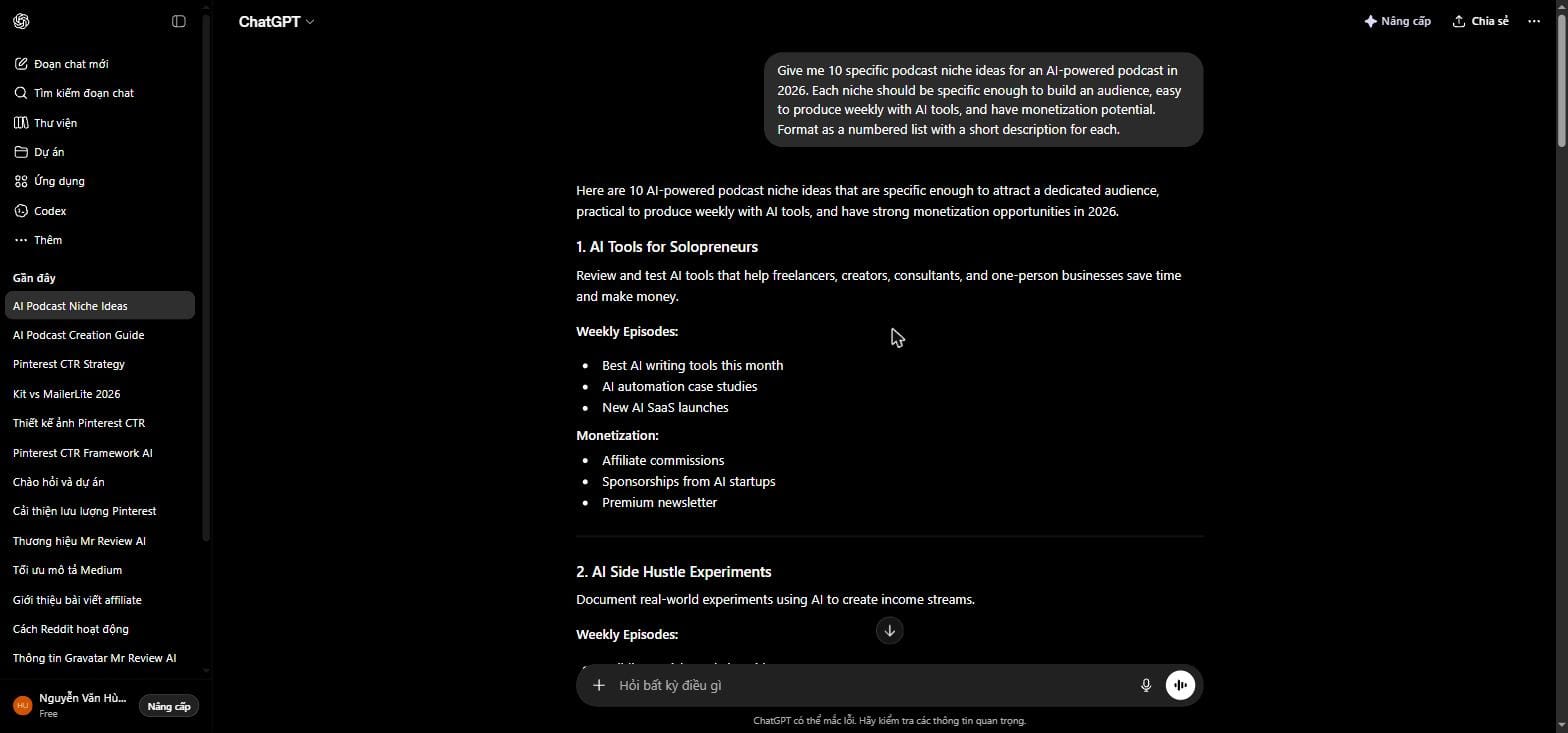
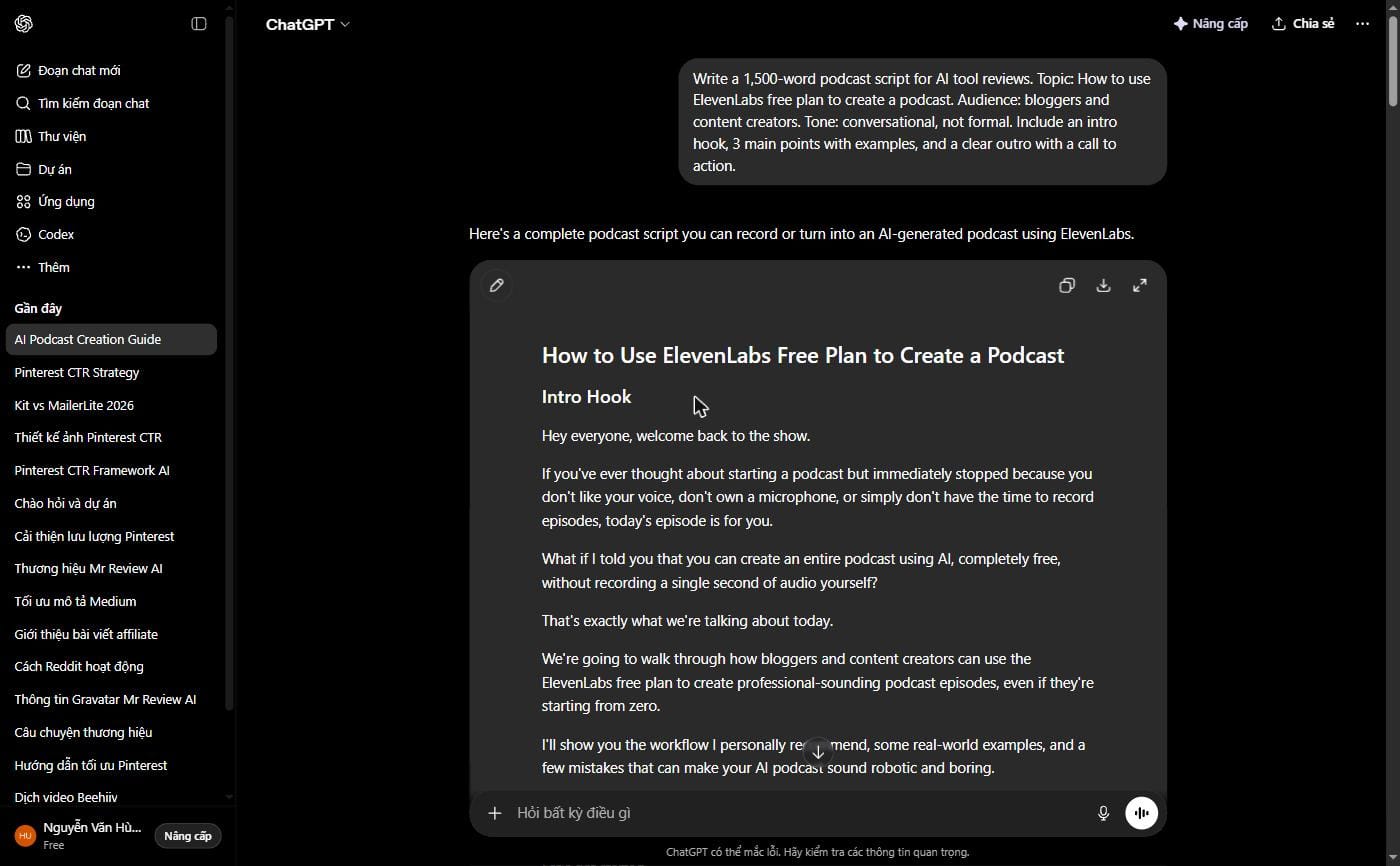
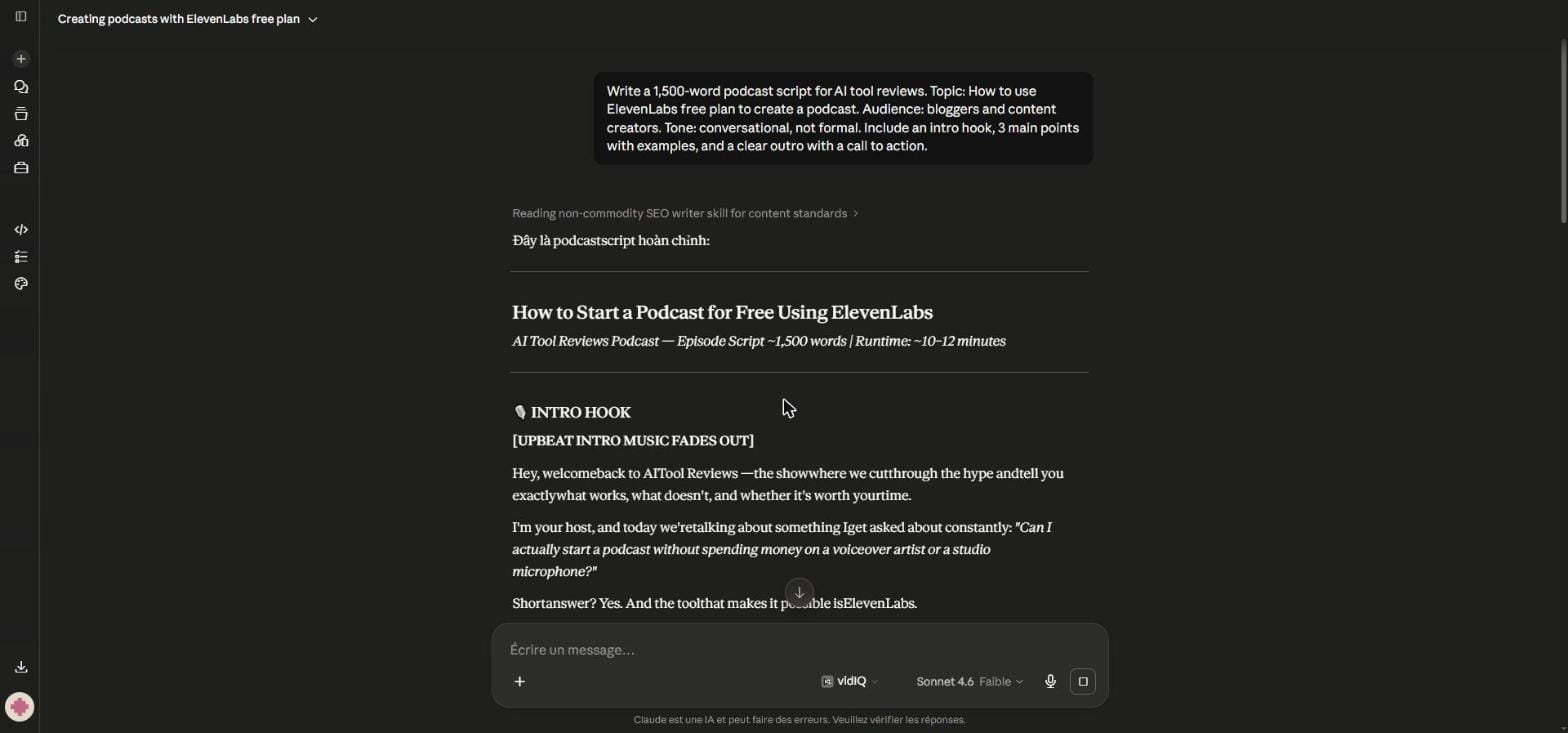
A 10-minute podcast episode needs roughly 1,400–1,600 words of script. Use Claude or ChatGPT to generate a first draft, then edit for your voice and angle. A good prompt structure:
“Write a 1,500-word podcast script for [your niche]. Topic: [specific topic]. Audience: [who they are]. Tone: conversational, not formal. Include an intro hook, 3 main points with examples, and a clear outro with a call to action.”
Claude tends to write more naturally for spoken audio — the sentence rhythm feels less robotic when converted to speech. ChatGPT works fine too. Run 2–3 drafts and pick the one that sounds best when you read it aloud (or paste it into ElevenLabs’ preview).
Step 3: Generate the Voice With ElevenLabs
This is the core step. ElevenLabs converts your script into natural-sounding AI speech — and on the free plan, you get 10,000 characters per month with no watermark and no credit card required.
How to set up your podcast voice in ElevenLabs:
- Sign up at ElevenLabs (free) — no credit card needed
- Go to Voice Library and browse 5,000+ pre-made voices — filter by accent, age, and tone
- Or use Voice Design — type a description like “warm male narrator, mid-30s, calm and authoritative, American accent” and ElevenLabs generates a brand-new voice from scratch
- Pick your model: Eleven Multilingual v2 for best quality
- Paste your script, adjust stability and similarity sliders, then generate
- Download the MP3 — no watermark on the free plan
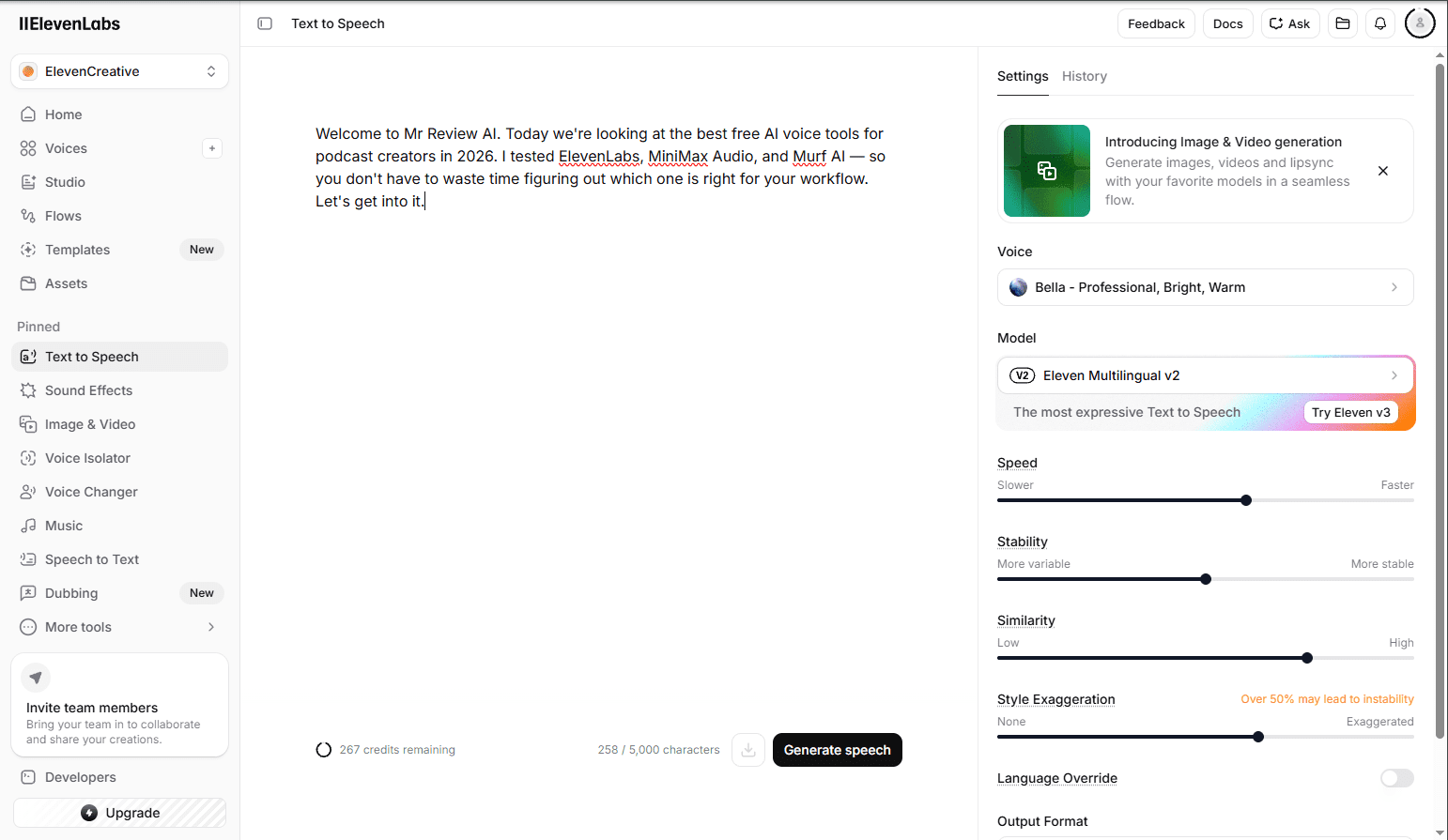
For a consistent podcast brand, always use the same voice. Save it to your Voice Library and use it every episode — your listeners will recognize it within 2–3 episodes.
ElevenLabs Voice Settings: The Exact Numbers That Work
Most guides skip this. After testing hundreds of generations at Mr Review AI, these are the slider settings that consistently produce the best podcast-quality audio with the Roger voice on Eleven v3:
Stability: 45–55% — Higher values sound more consistent and robotic. Lower values sound more expressive but unpredictable. For podcasts, 45–55% hits the sweet spot between human-sounding and consistent across a long episode.
Similarity Enhancement: 75% — This controls how closely the output matches the original voice sample. Going above 80% can introduce subtle audio artifacts, especially on longer scripts. 75% is the reliable ceiling for clean output.
Style Exaggeration: 0–20% — Leave this low for narration. Higher values add flair but can make the voice sound inconsistent between sentences.
Audio Tags: How to Direct the AI Voice in Eleven v3
One of the most underused features of Eleven v3 is Audio Tags — inline instructions that let you direct the AI like a voice actor. Add these directly in your script text:[whisper] — Makes the next sentence intimate and quiet. Great for revealing a tip or secret.[excited] — Adds energy and enthusiasm. Use for product reveals or CTAs.[pause 1.0s] — Inserts a 1-second pause. Useful for dramatic timing or separating sections.[laughs] — Adds a natural laugh. Use sparingly.
Example: “Today we’re covering the 6-step workflow. [pause 0.5s] And the best part? It costs nothing to start. [excited] Let’s get into it.”
These tags only work reliably with the Eleven v3 model — they are ignored by older models like Flash v2.5 or Turbo v2.5.
Want to know exactly how many credits each feature uses and whether the free plan is enough for a full episode? I tested every feature and tracked every credit — read the full ElevenLabs free plan review here.
Step 4: Add Intro/Outro Music With Pixabay
Every podcast needs a consistent audio brand — a short music sting that plays at the start and end of every episode. Pixabay Music has thousands of royalty-free tracks you can use commercially for free, no attribution required.
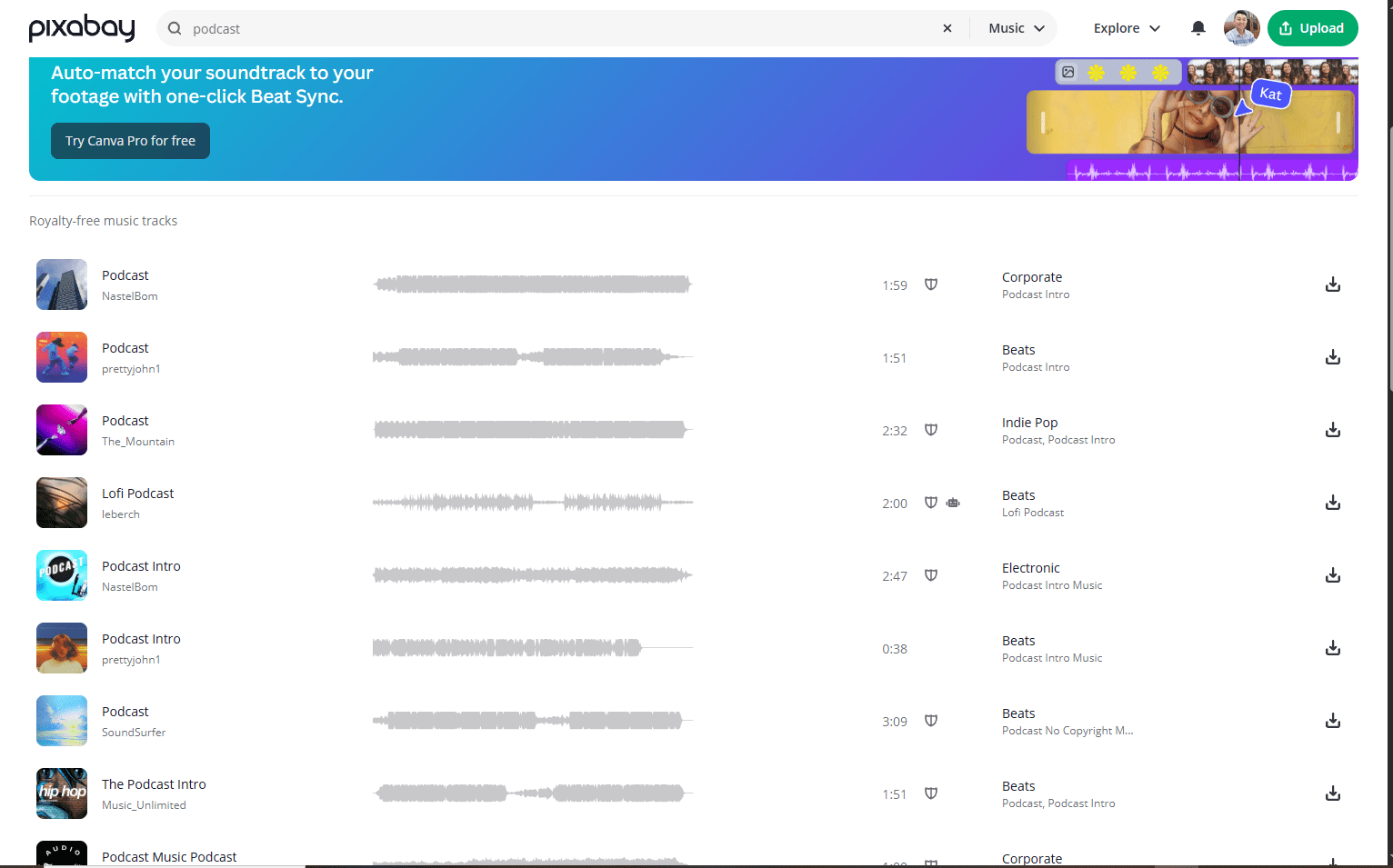
What to look for in a podcast music track:
- Duration: 15–30 seconds is ideal for intro/outro
- Energy: match the tone of your niche (calm for finance/wellness, upbeat for tech/news)
- No lyrics — instrumental only so it doesn’t compete with the voice
- Consistent BPM so it fades cleanly under speech
Download your chosen track, then mix it with your ElevenLabs voice in Audacity or CapCut (both free). Fade the music in for the first 5 seconds, drop it under the voice at about 20% volume, then fade it back up for the outro.
Step 5: Upload to Buzzsprout or Anchor
Once your episode is mixed and exported as an MP3, you need a podcast host to distribute it to Apple Podcasts, Spotify, Amazon Music, and other platforms simultaneously.
Buzzsprout gives you 2 hours of free upload per month — enough for 8–12 short episodes. Episodes are hosted for 90 days on the free plan. It’s the cleanest interface and the easiest to set up.
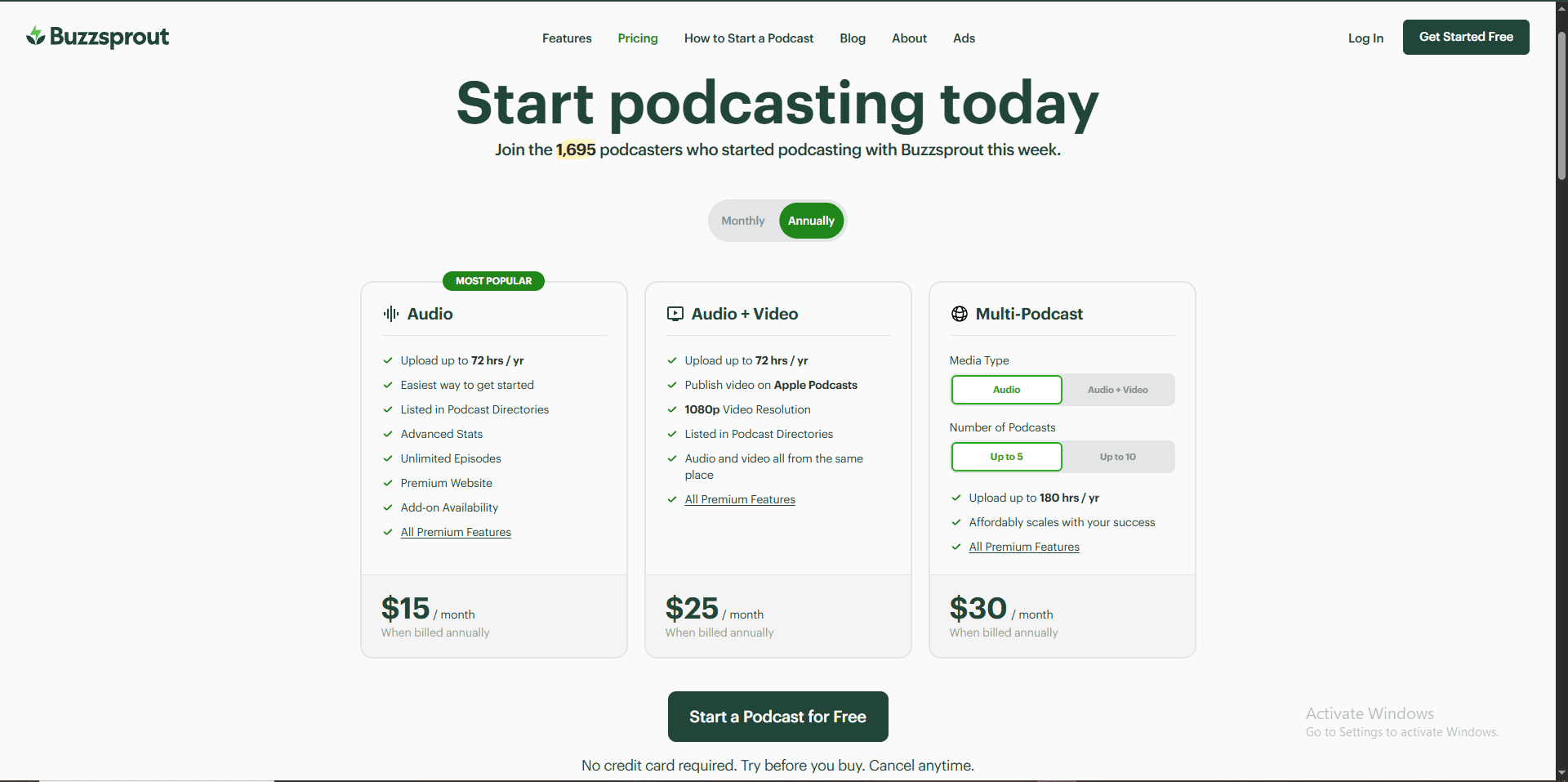
Anchor (now Spotify for Podcasters) is completely free with no storage limits. The trade-off is that Spotify owns the platform and your analytics are limited. For a brand-new podcast, Anchor is the fastest path to getting listed on all major platforms without paying anything.
Both platforms handle RSS feed creation and platform submission automatically — you don’t need to manually submit to Apple Podcasts or Spotify separately.
Step 6: Monetize
Most podcasters wait too long to monetize. You don’t need 10,000 listeners to make money from a podcast — you need the right monetization method for your audience size.
| Monetization Method | Minimum Audience Needed | How It Works |
|---|---|---|
| Affiliate links in show notes | Any size | Mention a tool in the episode, link in show notes |
| Dynamic ad insertion | ~1,000 downloads/episode | Buzzsprout Ads or Spotify Audience Network |
| Sponsorships | ~5,000 downloads/episode | Direct deals with relevant brands |
| Premium episodes | Any size (niche audience) | Patreon or Supercast for bonus content |
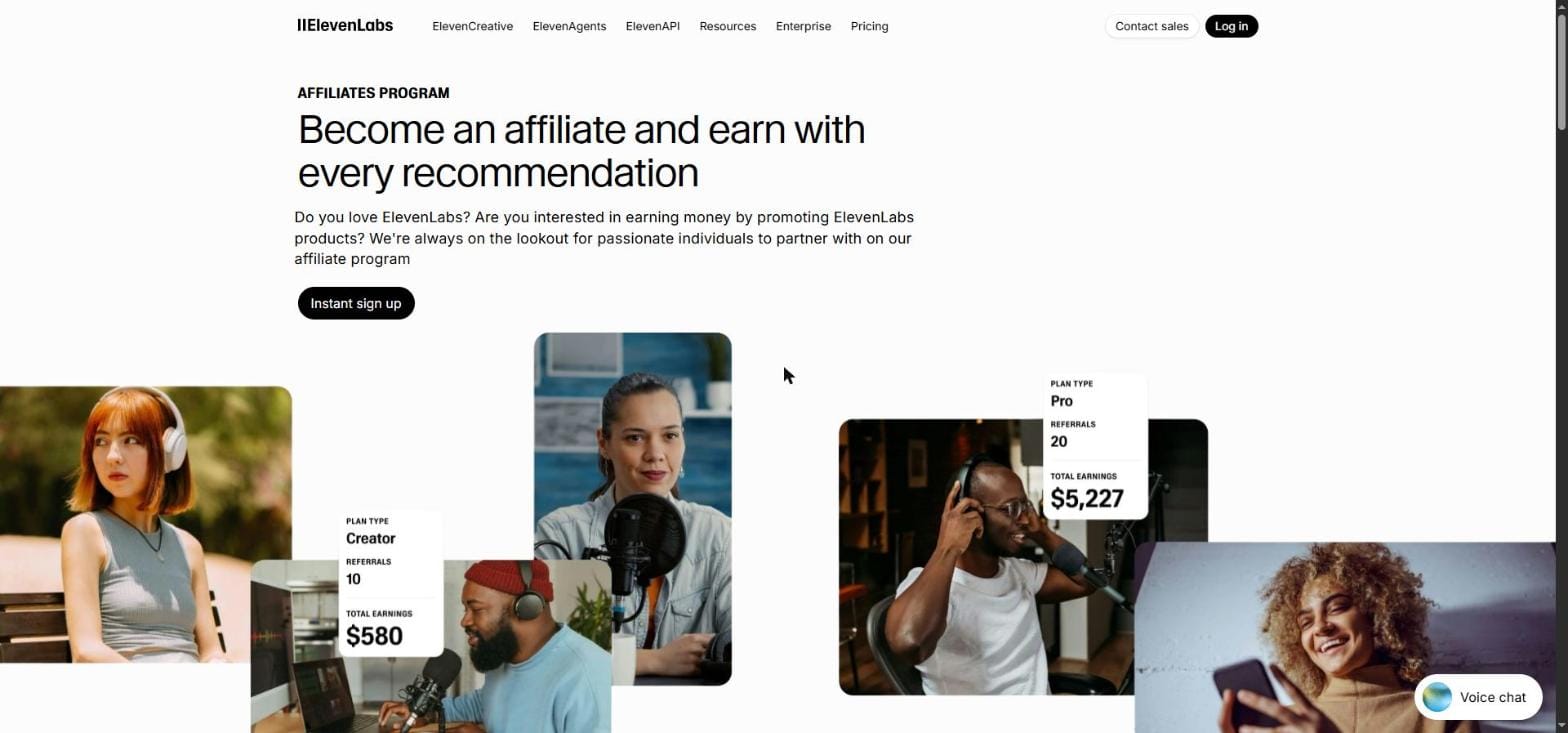
For an AI-focused podcast, affiliate links in show notes is the highest ROI method from day one. Every tool you mention — ElevenLabs, Claude, Buzzsprout — has an affiliate program. A single episode recommendation to 200 listeners can generate more revenue than a CPM ad deal with 2,000 listeners.
FREE WEEKLY BRIEFING
Get AI tool insights before everyone else
One real story. One tested tool. One takeaway. Every week. No spam, no sponsored picks.
No thanks, I already know enough
Publishing Schedule That Actually Works
The production workflow above takes about 2 hours per episode once you’re familiar with the tools. Here’s a realistic schedule for publishing 3 episodes per week:
| Day | Task | Time |
|---|---|---|
| Monday | Script 3 episodes with Claude/ChatGPT | 45 min |
| Tuesday | Generate voice for all 3 in ElevenLabs | 30 min |
| Wednesday | Mix music + export all 3 episodes | 45 min |
| Thursday/Fri/Sat | Schedule and publish 1 per day | 10 min each |
Total: approximately 2 hours per week for 3 fully automated podcast episodes. The AI handles the voice. You handle the ideas and editing.
Free plan (ElevenLabs): 1 episode/month (~10 min) · $0/month · No commercial license
Starter plan ($6/mo): 3–4 episodes/month (~10 min each) · Commercial license included
Creator plan ($11/mo first month): 15–16 episodes/month · Professional Voice Cloning
Break-even: 1 affiliate conversion on any tool you recommend covers 12+ months of Starter plan.
Is ai-podcast-guide right for you?
- ✓ Want to launch a podcast without recording equipment
- ✓ Can commit to short episodes (5 min) to stay in 10K free credits
- ✓ Building a faceless podcast for personal or testing purposes
- ✓ Ready to upgrade to $6/mo Starter for commercial publishing
- ✓ Have a clear niche and want to test audience before investing
- ✕ Want to monetize immediately — free plan has no commercial license
- ✕ Need episodes longer than 10 minutes — credits run out
- ✕ Unwilling to disclose AI voice to your audience — check platform rules
- ✕ Need professional audio quality — Starter $6/mo is minimum for broadcast
- ✕ Expect to post more than 2 episodes per month on free plan
Beyond Basic TTS: ElevenLabs Studio and Multi-Speaker Podcasts
The workflow in this guide covers single-voice narration — which is the fastest way to launch. But ElevenLabs has evolved significantly beyond basic text-to-speech in 2026.
ElevenLabs Studio lets you run multi-speaker podcast conversations entirely in the browser. You write a script with two characters, assign different AI voices to each speaker, and the system handles pacing, natural pauses, and speaker transitions automatically. The result sounds like a two-host podcast — without recording a single word yourself.
When to use Studio vs. basic TTS: Use basic TTS (this guide) for solo narration episodes, article audio, and your first 5 episodes while you learn the workflow. Move to Studio when you want conversational formats — interviews, debates, or news roundups with multiple perspectives.
Note on credits: Studio projects consume credits at the same rate as basic TTS — approximately 1 credit per character. A 10-minute two-speaker episode (~7,000 characters) uses the same credits whether you generate it via TTS or Studio.
Does the ElevenLabs Free Plan Cover a Full Episode?
Short answer — based on Mr Review AI credit testing: one episode per month on the free plan, if your episodes run 10 minutes. A 10-minute episode uses roughly 7,000–8,000 characters — that’s 70–80% of your 10,000 monthly free credits in one generation.
If you’re serious about a 3x/week publishing schedule, you’ll need to upgrade to the ElevenLabs Starter plan at $6/month. That gives you 30,000 characters/month plus a commercial license — enough for 3–4 standard episodes per month, which is enough to build real traction.
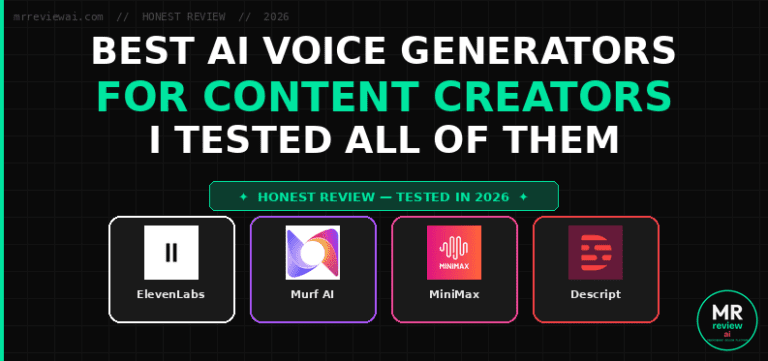
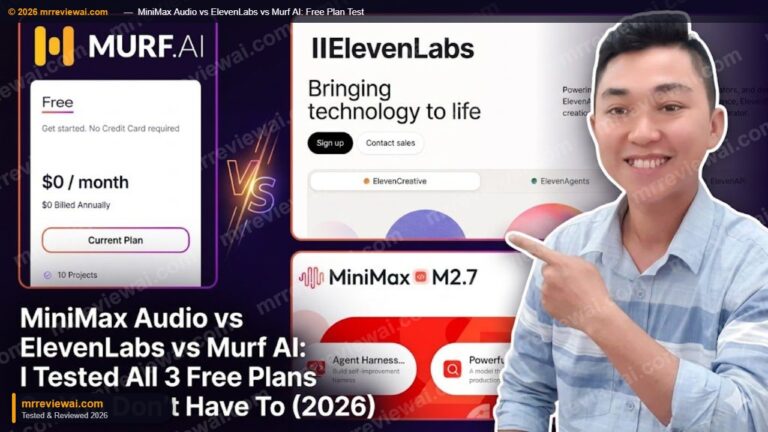
The free plan is the right place to start: test your voice, generate your pilot episode, and decide if the workflow fits you before spending anything. See my full credit breakdown and free vs paid comparison here. If you want more free credits with no watermark at all, I also tested MiniMax Audio as a free alternative — it refreshes monthly and has zero watermark on downloads.
AI Podcast Voice Tools Compared: ElevenLabs vs Alternatives
Before committing to ElevenLabs, here’s how it stacks up against the main free alternatives for AI podcast production — based on Mr Review AI hands-on testing in June 2026:
| Tool | Free Credits/Month | Commercial License | Voice Quality | Best For Podcasts |
|---|---|---|---|---|
| ElevenLabs | 10,000 credits/mo (~7k words) | ❌ Free / ✅ Starter ($6/mo)+ | ⭐⭐⭐⭐⭐ Best-in-class | Best voice quality, full feature set |
| Murf AI | 10 min (lifetime, not monthly) | ❌ No | ⭐⭐⭐⭐ Good | Simple voiceovers, Canva integration |
| Descript | 60 min media + 100 AI credits (one-time) | ❌ No (Hobbyist $16/mo+) | ⭐⭐⭐⭐ Good | Podcast editors who record themselves |
| Speechify | Unlimited (basic voices only) | ❌ No | ⭐⭐⭐ Average | Personal listening only, not publishing |
| MiniMax Audio | 10,000 credits/mo (~12 min HD), resets monthly | ✅ Yes (free plan included) | ⭐⭐⭐⭐ Very good | Free alternative — no watermark, AI music gen |
Comparison based on Mr Review AI testing, June 2026. Free tier limits and terms change frequently — verify on each tool’s official pricing page.
FREE WEEKLY BRIEFING
Get AI tool insights before everyone else
One real story. One tested tool. One takeaway. Every week. No spam, no sponsored picks.
No thanks, I already know enough
Want to Know Which ElevenLabs Plan Is Worth It?
We tested Free vs Creator hands-on. See exactly what you get at each tier before spending anything.
Frequently Asked Questions
Can I monetize a podcast made with AI voice?
Yes — with one important caveat. ElevenLabs’ free plan audio cannot be used in monetized content per their Terms of Service. For any episode you plan to monetize (ads, sponsorships, affiliate content), you need at least the Starter plan ($6/month) which includes a commercial license. Buzzsprout and Anchor have no restrictions on AI-generated voice content.
How long does it take to make one AI podcast episode?
Once you’re comfortable with the workflow: 30–45 minutes per episode. Scripting takes the longest (15–20 min). Voice generation in ElevenLabs is near-instant for a 10-minute episode. Mixing in Audacity or CapCut takes another 10 minutes. Total: under an hour per episode for a polished, fully automated production.
Do I need to disclose that my podcast uses AI voice?
There’s currently no legal requirement in most countries to disclose AI-generated voice in podcasts. That said, transparency builds trust with audiences. Many successful AI podcasters include a brief note in their show description or first episode explaining the format. Audiences generally accept AI voice for informational content — news summaries, tool reviews, educational topics — when the content itself is high quality.
Which ElevenLabs voice is best for podcasts?
Based on Mr Review AI testing, for English podcast content, the voices that consistently perform best are those in the “Conversational” and “Narration” categories in ElevenLabs’ voice library. Specific voices worth testing: Adam (authoritative male), Rachel (warm female), and Bella (conversational female). Alternatively, use Voice Design to create a custom voice that matches your brand — this is the approach we’d recommend for anyone building a podcast they plan to scale, since no other creator will have the same voice.
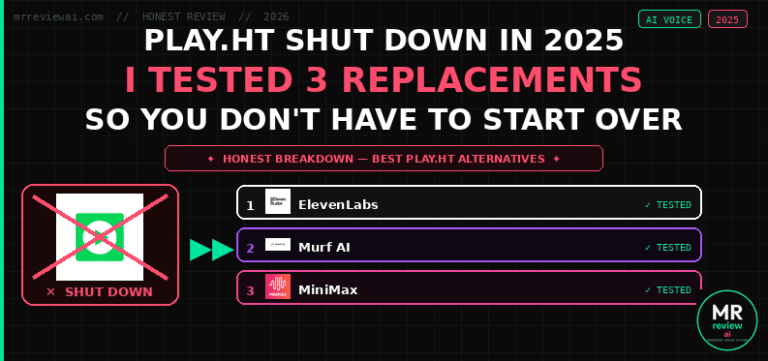
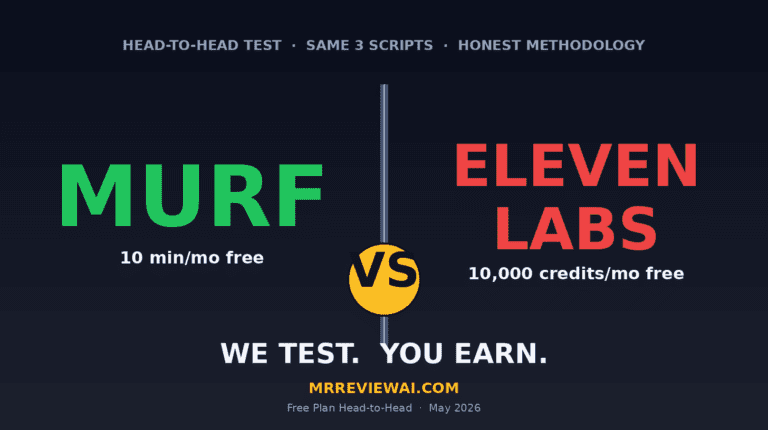
Not sure if ElevenLabs is the right voice tool for your podcast? I ran ElevenLabs and Murf AI through the same 3 scripts on their free plans — the voice quality difference is more nuanced than most reviews admit.
Is this method against Spotify or Apple Podcasts’ terms?
No. Both Spotify for Podcasters and Apple Podcasts accept AI-generated audio content. Neither platform has specific restrictions against AI voice as of 2026. The content rules that apply are the same as for any podcast: no hate speech, no misleading health claims, no copyright violations. AI voice itself is not restricted.
Ready to Start?
The complete workflow above costs $0 to start. Your first episode can be live on Spotify within 48 hours of reading this guide. The only thing left is to pick your niche and generate your first script.
Start with ElevenLabs — create your free account, browse the voice library, and generate 60 seconds of audio from your script. If it sounds right, you have your podcast voice. If not, try Voice Design and build one from scratch in 2 minutes.
🎙️ Listen to this episode on Spotify: Ep.1 — How to Build an AI Podcast With ElevenLabs Free Plan (Step-by-Step) — Mr Review AI · AI Tools Weekly
AI VOICE — FULL REVIEW SERIES
More AI Voice & Audio Reviews: ElevenLabs Free Plan Review | Murf AI Free Plan Review | MiniMax Audio vs ElevenLabs | MiniMax vs ElevenLabs vs Murf AI — 3-Way Test | Murf vs ElevenLabs Head-to-Head

About the Author
Mr Review AI Team
This review was researched and tested hands-on by the Mr Review AI editorial team. We create real accounts, run actual campaigns, and document every limitation we encounter — no vendor demos, no copied spec sheets. Our reviews are editorially independent: no tool pays for a score or placement, ever. Where we have affiliate relationships, we disclose them transparently on each page.
Want to know who founded this site and what drives our editorial standards? → Meet the founder on our About page