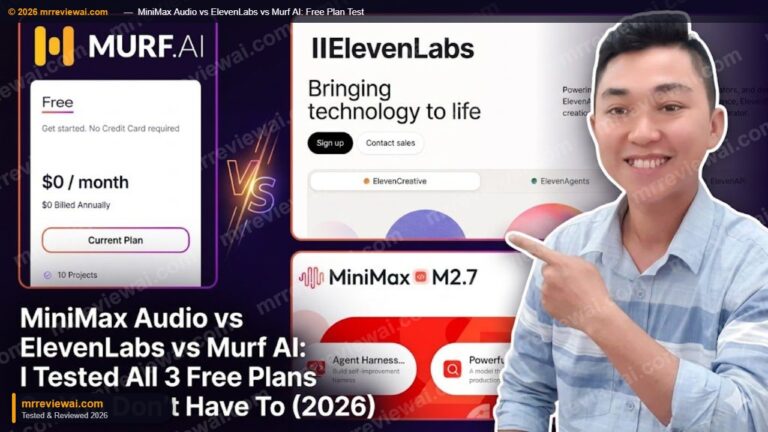
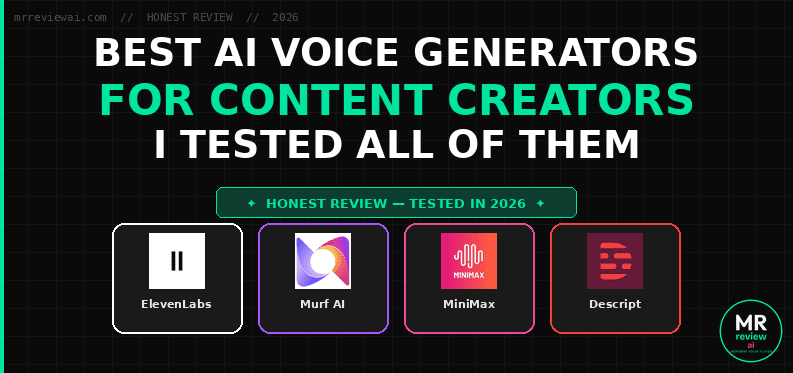
Best AI Voice Generators for Content Creators in 2026 (I Tested These — Here’s the Truth)
- ✓ElevenLabs: Best overall voice quality — 4.8/5
- ✓MiniMax: Best free value — commercial rights + voice cloning free
- ✓Murf AI: Best structured editor for multi-voice scripts
- ✓All 3 tested on real accounts — no vendor demos
- ✕Murf: 10-min lifetime cap + zero downloads on free
- ✕ElevenLabs: No commercial license on free plan
- ✕MiniMax: Lower quality than ElevenLabs — quality gap is audible
AUDIO SUMMARY — 5 MIN READ ALOUD
Prefer listening? This is a full audio summary of the review below — same insights, no reading required. Generated with MiniMax Speech 2.8 HD.
Disclosure: This article contains affiliate links. If you sign up for a paid plan through our links, we may earn a commission at no extra cost to you. We tested all tools on free plans first. Our recommendations are based on hands-on use, not compensation. Last tested: June 2026.
- You publish audio content regularly
- Voice quality is non-negotiable
- You need a commercial license
- Budget allows $11/month
- Budget is zero — credits renew monthly
- You want free voice cloning
- You need AI music generation free
- Workflow automation matters to you
- Your workflow lives in Canva or PowerPoint
- You produce structured multi-voice scripts
- E-learning or corporate narration is your use case
- Emotion presets matter more than price
- You already record yourself on video or podcast
- You want text-based audio/video editing
- AI avatar video without camera appeals to you
- Transcription + TTS in one tool is the goal
If you need the best AI voice generator for content creation right now and you only read one section — here’s the answer:
ElevenLabs is the best AI voice generator for content creators in 2026. The quality gap between ElevenLabs and every other tool I tested is significant enough that it’s the only one I pay for. I use it on the Creator Plan ($11/month) for voiceovers, podcast audio summaries, and content production at mrreviewai.com.
But “best” depends heavily on your budget and use case. Here’s my honest breakdown of what I actually tested — free plans included.
| Tool | Best For | Free Plan | Starting Price | My Rating |
|---|---|---|---|---|
| ElevenLabs | Overall quality, creators who publish | 10K credits/mo | $11/mo | 4.8/5 |
| MiniMax | Budget creators, music + TTS combo | 10K credits/mo | $5/mo | 4.2/5 |
| Murf AI | Voiceover + Canva workflow | ~10 mins/mo | $19/mo | 4.0/5 |
| Descript | Podcast editors who want TTS + editing | 100 AI credits, 60 min media | $16/mo | 3.8/5 |
How I Tested These Tools
I’m not going to claim I “use all of these daily” — that would be dishonest. Here’s my actual testing setup:
ElevenLabs: I’m on the Creator Plan at $11/month. I use it to produce audio summaries for mrreviewai.com — including the Trustpilot Business Review 2026 audio and the Claude Max Review audio. My workspace (ElevenCreative) has 121,267 credits per month, and I’ve used about 33,000 credits producing real content. This is my primary voice tool.
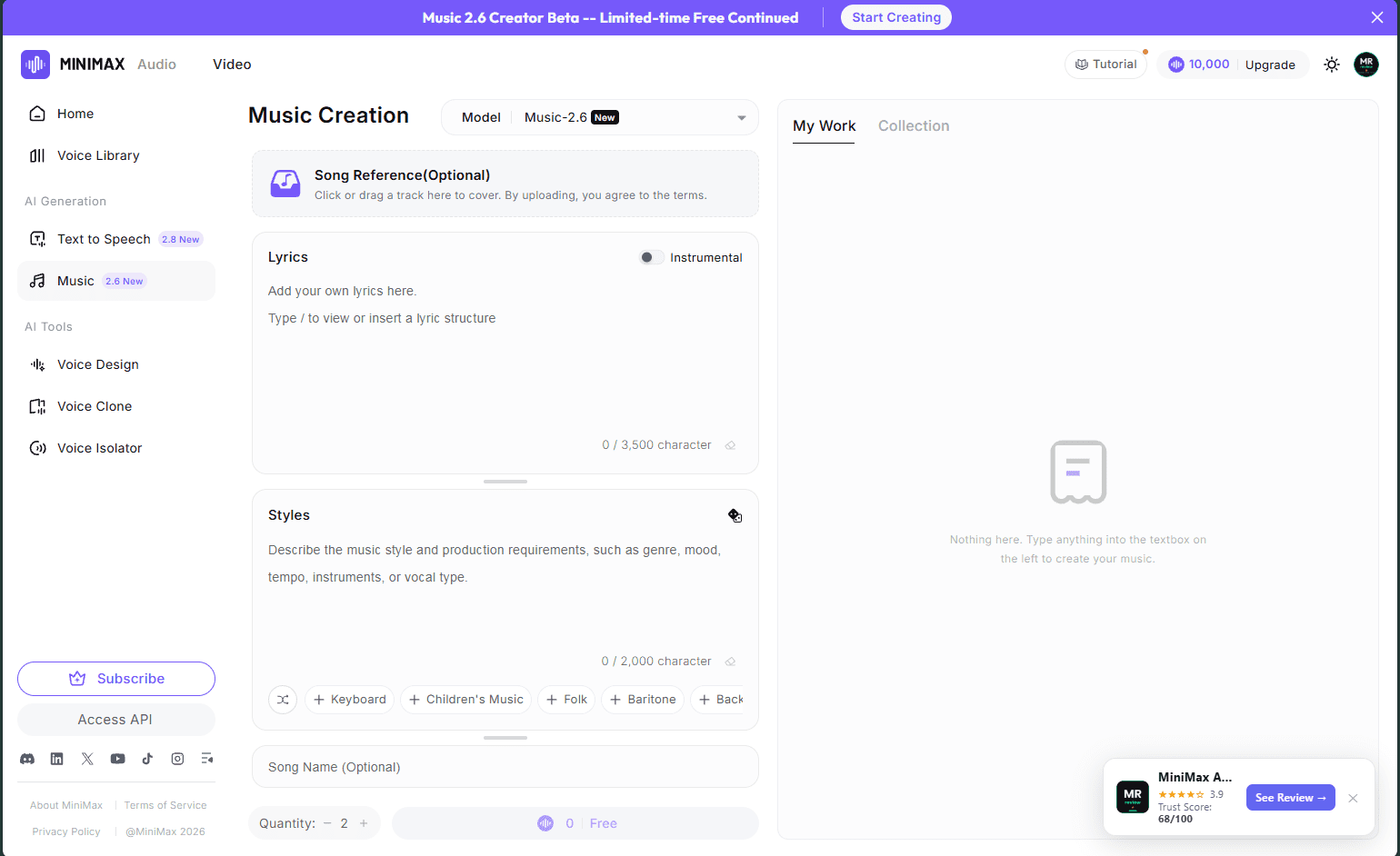
MiniMax: I tested the free plan — 10,000 credits per month. I ran Speech 2.8 HD (their newest model as of June 2026), tried Voice Design, and generated test clips using Music 2.6 which is currently free during early access.
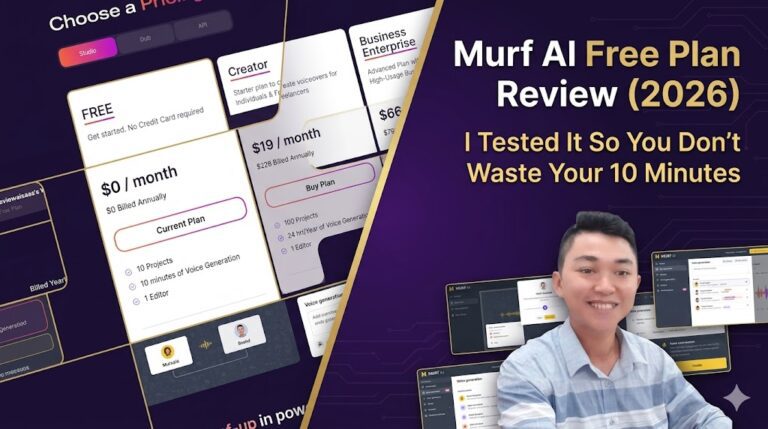
Murf AI: I have a free account (reviewaisaas workspace, 9 of 10 free projects remaining). I tested the voice editor UI, browsed the 200+ voice library, and tested the Canva integration workflow. The free plan gives ~10 minutes of generated audio per month with a watermark.
best-ai-voice-2026 — Rating Breakdown
Best voice quality · Eleven v3 with emotion tags · 4.6/5 overall
Best free value · commercial rights + music + voice clone free
Best editor · block-based workflow · named emotion presets
Best for podcast editors · transcription + TTS in one tool
MiniMax wins free — ElevenLabs wins quality
Descript: Tested the free tier — text-based editing, basic AI tools. Did not test paid features. Hobbyist plan starts at $16/month.
1. ElevenLabs — Best Overall for Content Creators
My verdict: The only tool I pay for. Worth every dollar if you publish content regularly. See ElevenLabs pricing →
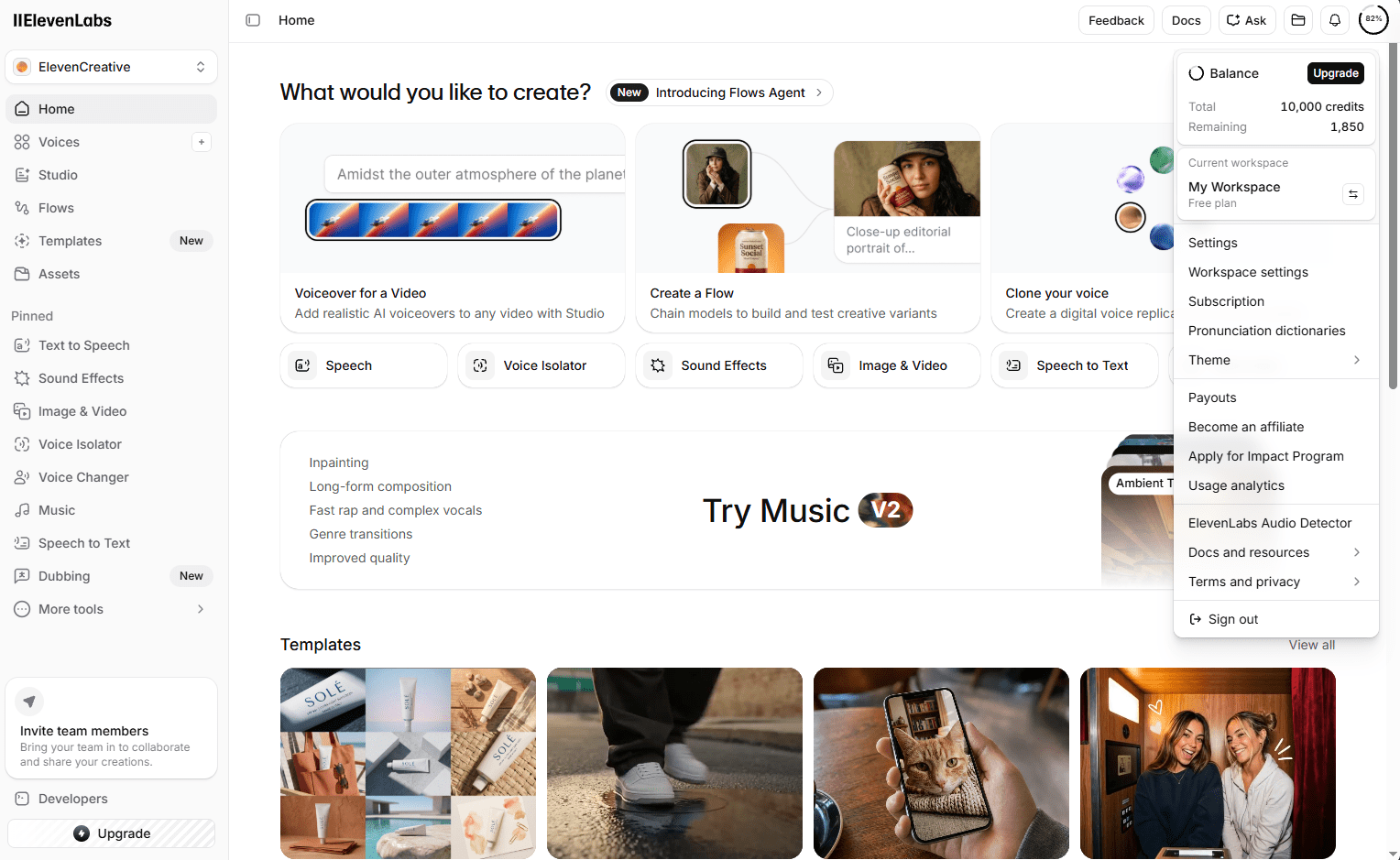
ElevenLabs sits at a different level than every other AI voice tool in 2026. The realism, the emotional range, the consistency across long-form audio — nothing else I tested comes close.
What I Actually Use It For
I run mrreviewai.com — a platform that reviews AI and SaaS tools. I use ElevenLabs on the Creator Plan to produce audio summaries of my reviews. My most recent projects: a full audio summary of the Trustpilot Business Review 2026, and a Claude Max Review audio piece. For professional, published content — ElevenLabs is the only tool that produces audio I’m not embarrassed to put my name on.
Plans and Pricing
| Plan | Price | Credits/Month | Key Features |
|---|---|---|---|
| Free | $0 | 10,000 | TTS, 1 voice clone slot, MP3 128kbps |
| Creator | $11/mo | 121,267 | Speaker Boost, Pro Voice Clone, 192kbps, commercial license |
| Pro | $99/mo | 500,000 | Higher limits, API access |
Pricing verified: June 27, 2026.
I’m on the Creator Plan. 121,267 credits per month is generous — each credit generates roughly one character of audio. For a 1,000-word article summary, you use approximately 5,000-6,000 credits.
ElevenLabs Studio — The Feature Most Reviews Miss
Studio is not just a TTS box. It’s a full audio production environment where you can write or paste scripts, assign different voices to different speakers, control pacing and pauses at the script level, and export finished audio as a polished production. This is what separates ElevenLabs from tools like Murf for serious content creators.
Other Features Worth Knowing
Voice Library: Thousands of community voices and professional voice actors. Stick to the curated “Professional” voices for anything you publish.
Pro Voice Clone: On Creator Plan you get 1 slot. 30 seconds of audio is enough to clone a voice with good accuracy.
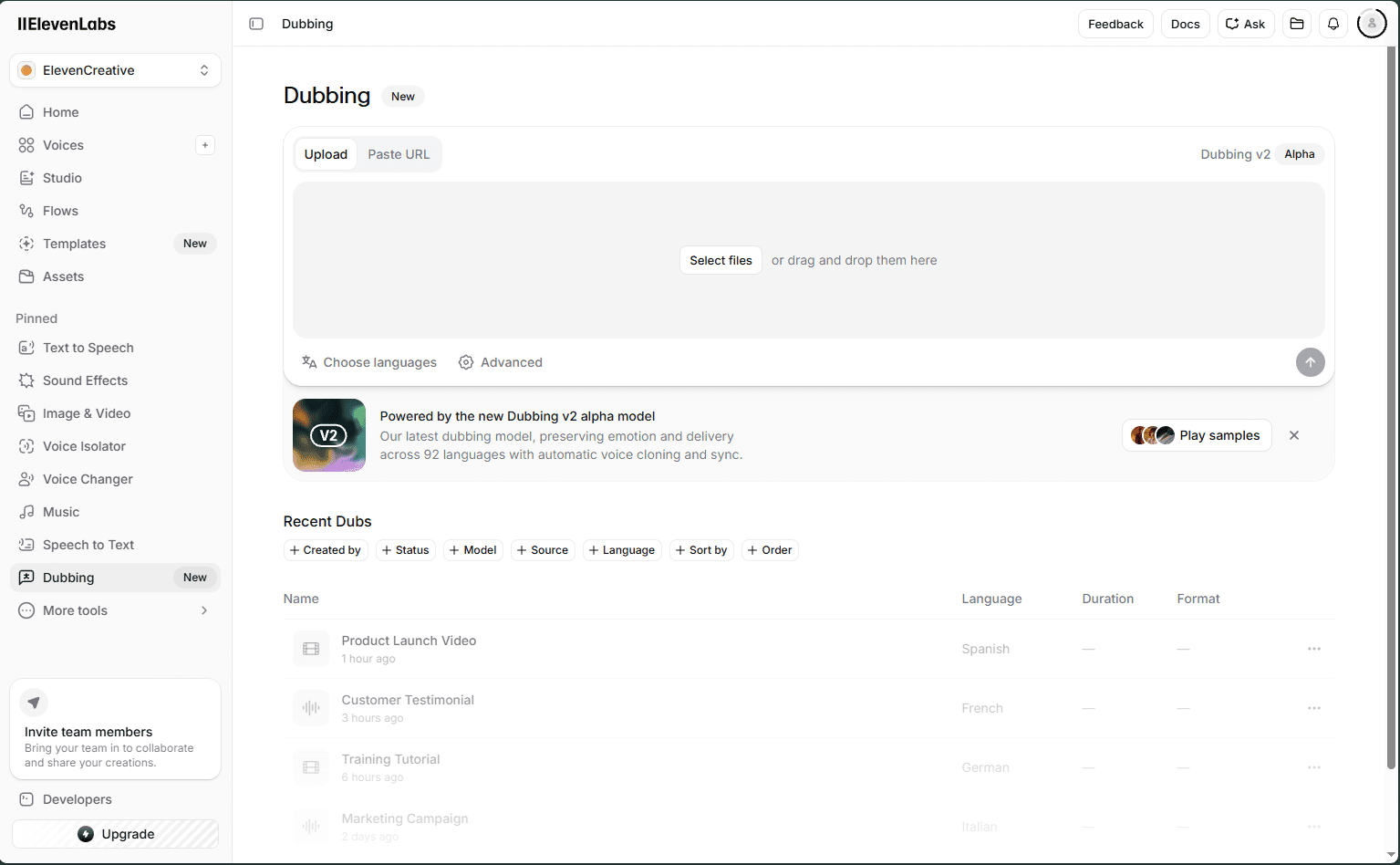
Dubbing v2: Translate and re-voice entire videos while preserving the original speaker’s voice characteristics. I tested it — it works.
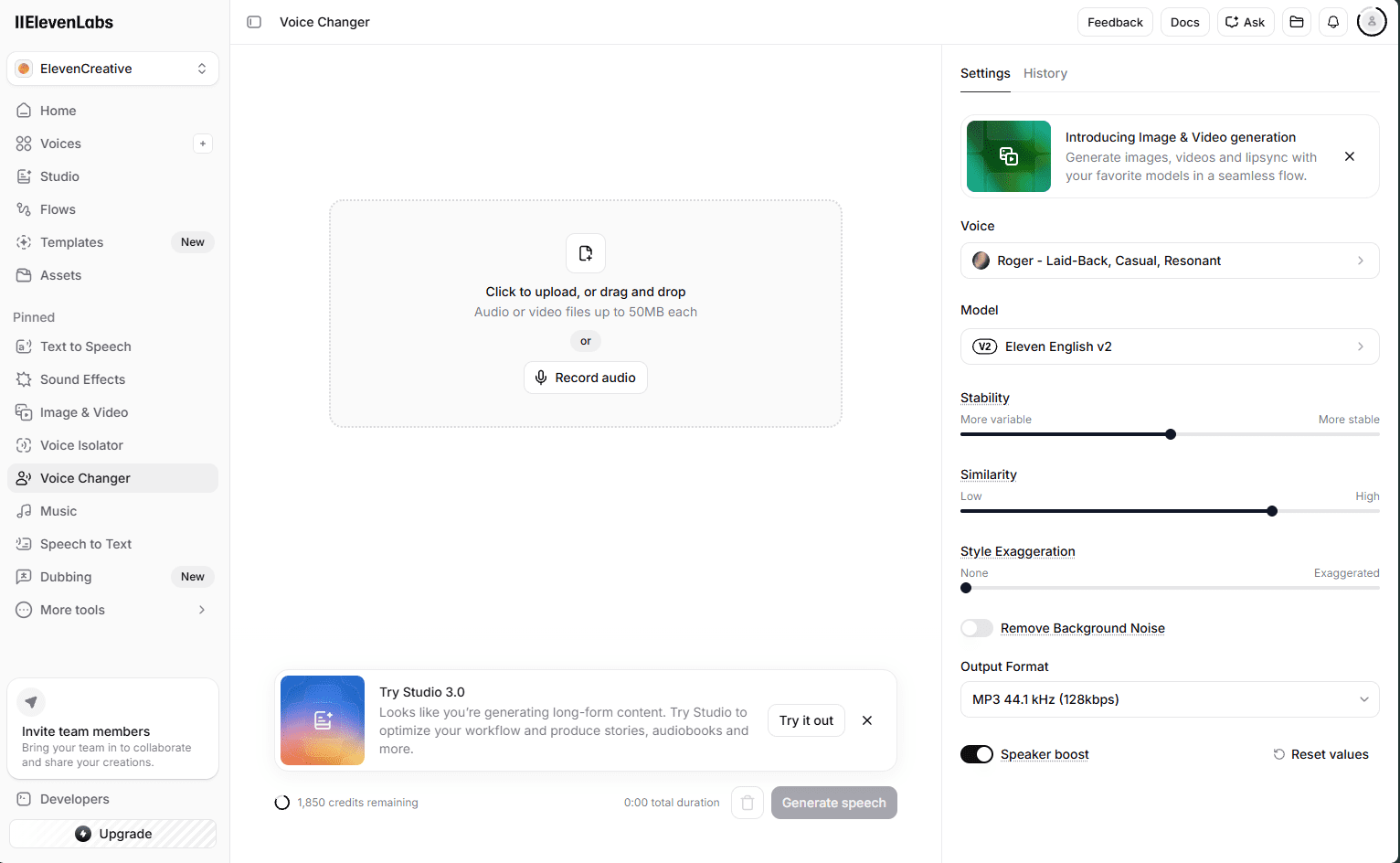
Voice Changer (New): Transform your voice in real time using ElevenLabs AI models. Apply any voice from the library to live input — useful for content creators who record themselves and want a different voice output without re-recording.
Dubbing (New): Translate and re-voice entire videos while preserving the original speaker’s voice characteristics across languages. Tested on a 3-minute video — the output retained pacing and tone in Spanish and French. Genuinely useful for creators distributing content internationally.
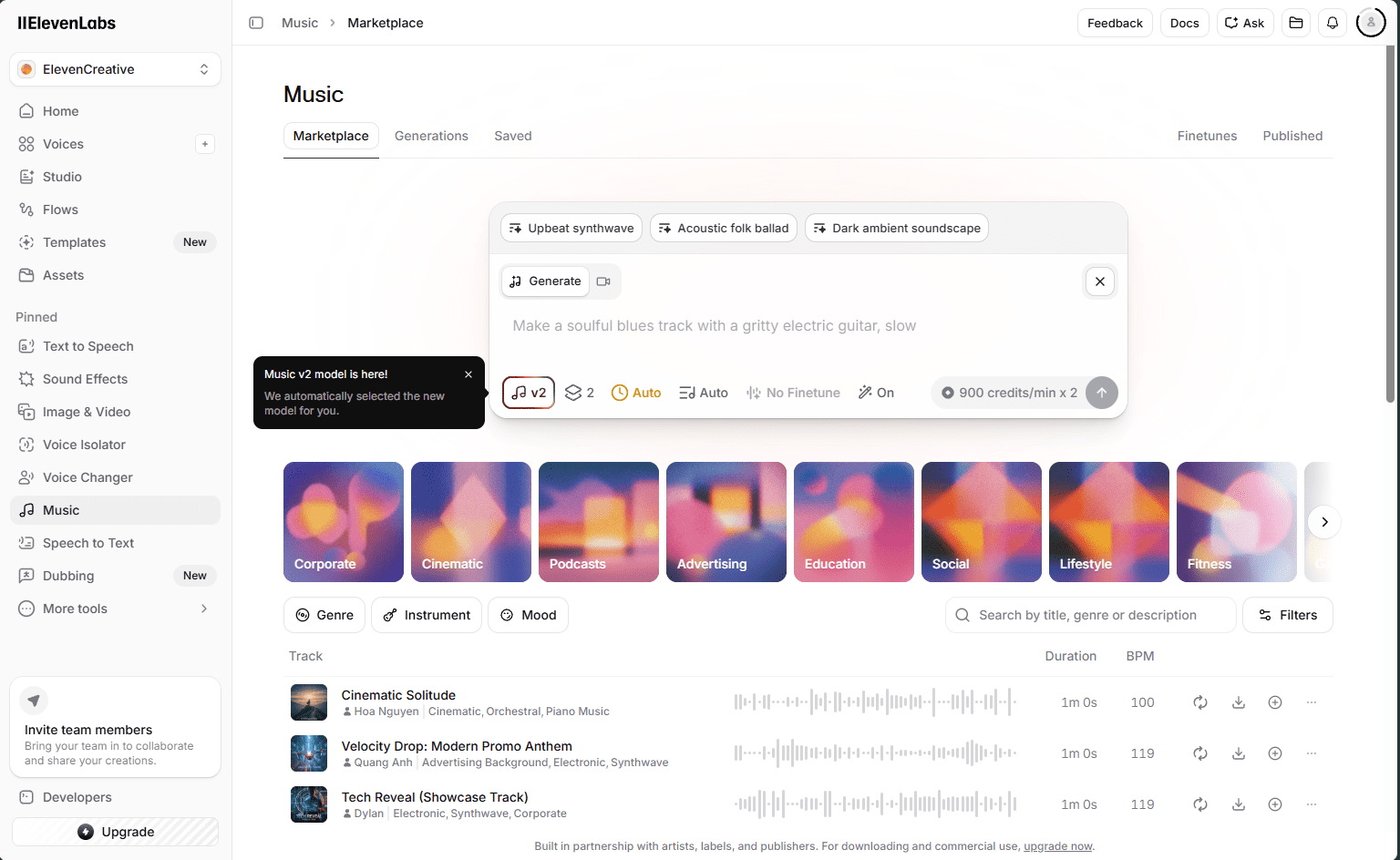
Music V2: ElevenLabs now includes AI music generation — inpainting, long-form composition, fast rap and complex vocals, genre transitions, and improved quality over V1. Available on all plans including free.
Flows Agent (formerly AI Flows Alpha): Now out of alpha — Flows Agent lets you chain AI models together to build and test creative variants automatically. Build a workflow that generates TTS, applies a voice style, and exports in one sequence.
What I Don’t Love
- Free plan gives 10,000 credits lifetime — they do not renew. Once used, you have to upgrade to get more. For context, I had 1,850 credits remaining after testing, so the free plan does not last long with regular use
- Voice cloning requires Creator Plan — free users get only Instant Voice Clone which is lower quality
- UI has grown complex as features expanded; learning curve for new users
Who Should Use ElevenLabs
Content creators who publish audio regularly — podcast hosts, YouTubers who add voiceover, bloggers adding audio versions of articles, course creators. If you publish content that people listen to, ElevenLabs is the standard.
🎧 Listen: Real ElevenLabs Voice Sample — Adam voice, Eleven v3, tested June 2026 by mrreviewai.com
2. MiniMax Audio — Best Free Option, Surprising Music Features
My verdict: The best free AI voice tool in 2026. The Music 2.6 feature alone makes it worth signing up. See MiniMax Audio →
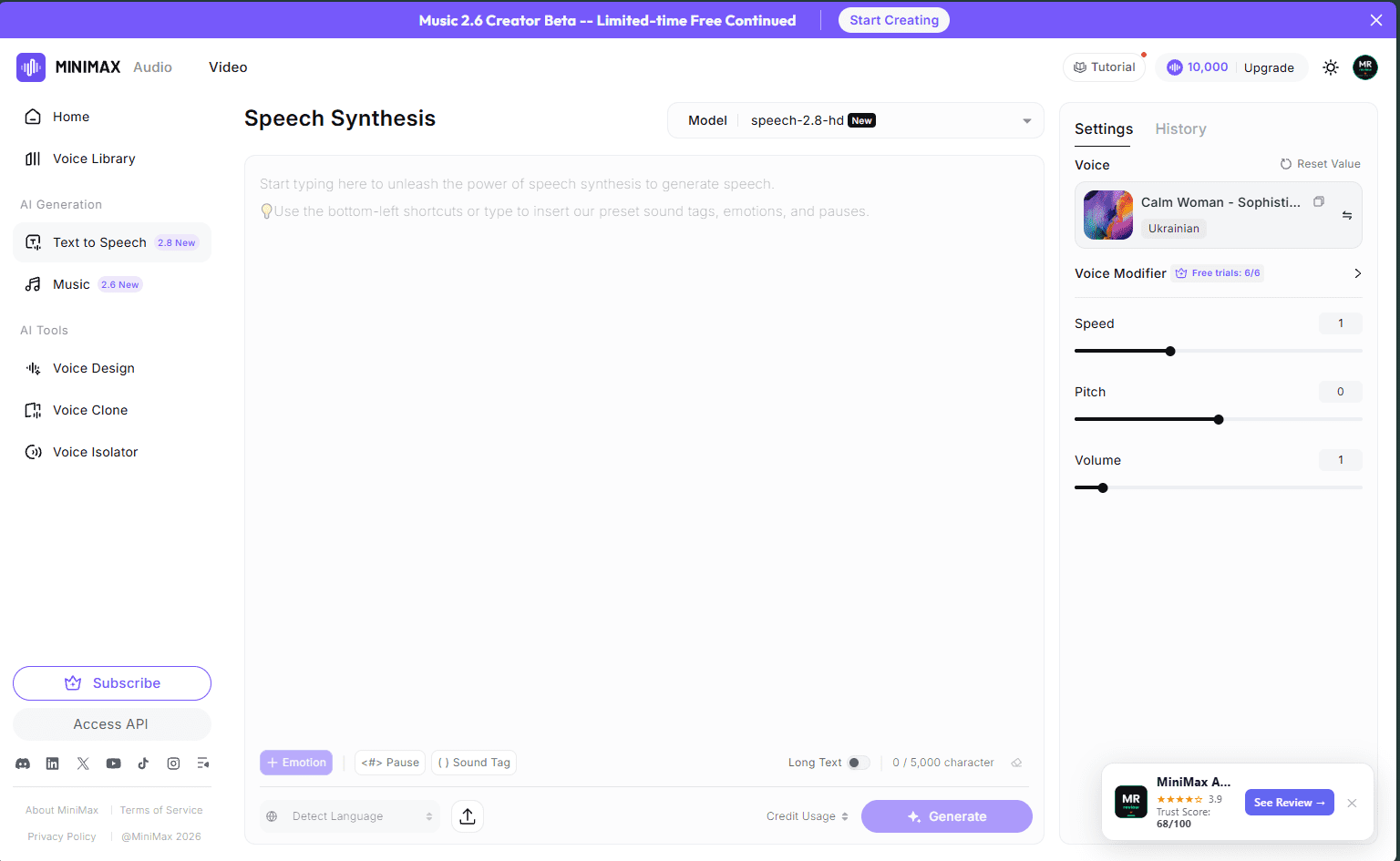
MiniMax surprised me. I expected a typical cheap alternative — what I found was a genuinely capable tool with features that even paid competitors don’t offer.
What I Tested
- Speech 2.8 HD — newest TTS model as of June 2026. Noticeably better than Speech 2.6.
- Voice Design — describe a voice in text and generate it. More style controls than ElevenLabs’ version.
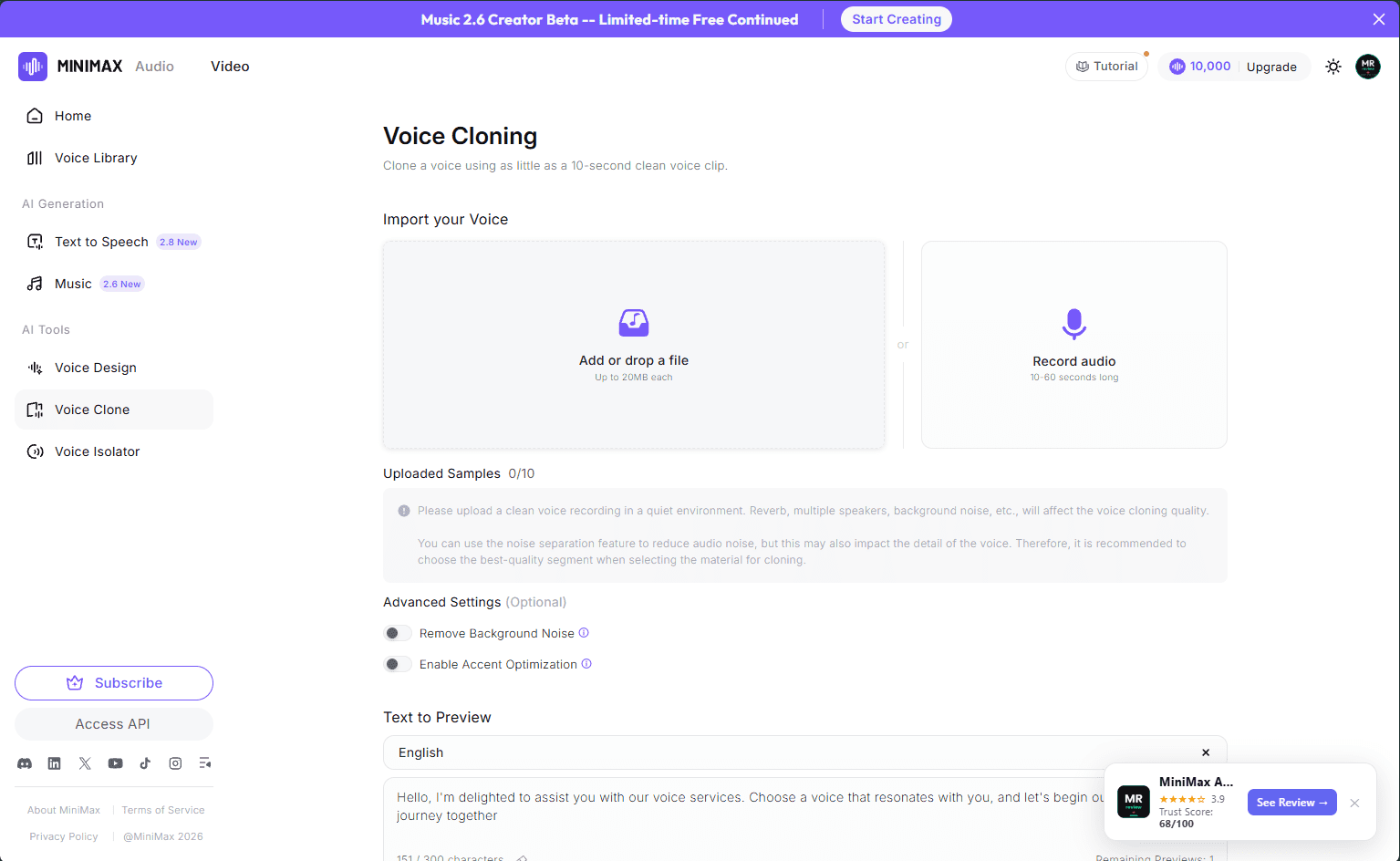
- Instant Clone — upload 10-30 seconds of audio to clone a voice. Available free.
- Music 2.6 — generate full AI music tracks. Currently free during early access. Competitive with Suno.
- Voice Isolator — separate voice from background noise in existing audio.
Plans and Pricing
| Plan | Price/Month | Credits | Audio HD |
|---|---|---|---|
| Free | $0 | 10,000/mo | ~12 mins |
| Starter | $5 | 100,000 | ~120 mins |
| Creator | $15 | 330,000 | ~400 mins |
| Standard | $30 | 750,000 | ~900 mins |
| Pro | $99 | 3,000,000 | ~3,600 mins |
Pricing verified: June 27, 2026.
As of June 2026, MiniMax is running a free early access for Music 2.6 — AI music generation with commercial use rights from text prompts. If you need background music for videos or podcasts without paying for Suno or Udio, this is currently the best free option. Labeled “limited-time” — capture it while available.
What I Don’t Love
- 10,000 free credits goes fast on Speech 2.8 HD — I used 5,121 credits for a single 5:53 audio file, leaving 4,879 credits. That means roughly 2 full article audio summaries per month on the free plan
- No Studio-level production workflow like ElevenLabs
- Voice Modifier locked to paid plans
- Less brand recognition than ElevenLabs or Murf
One thing other reviews miss: MiniMax audio files are hosted on a public CDN after generation. This means the entire workflow — generate, upload to your site, embed in article — can be fully automated without manual file handling. ElevenLabs requires you to download, rename, and re-upload each file yourself. For high-volume content operations, MiniMax wins on workflow efficiency even where ElevenLabs wins on voice quality.
Who Should Use MiniMax
Budget-conscious content creators who want real TTS plus music generation without paying. Also strong for developers — transparent per-credit API pricing ($0.45/10K on Creator plan).
🎧 Listen: Real MiniMax Audio Voice Sample — Deep Storyteller voice, Speech-2.8-HD, tested June 2026 by mrreviewai.com
One practical advantage I did not expect: MiniMax is significantly easier to integrate into a publishing workflow than ElevenLabs. After generating audio, MiniMax stores files on a public CDN — which means the file can be fetched and uploaded directly to WordPress without any manual steps. With ElevenLabs, you have to download the file yourself, rename it, then upload it manually. For a content operation where you produce audio summaries regularly, this workflow difference adds up.
3. Murf AI — Best for Voiceover + Visual Content Workflows
My verdict: Solid tool, best if your workflow involves Canva or PowerPoint. Free plan is too limited for serious use. See Murf AI pricing →
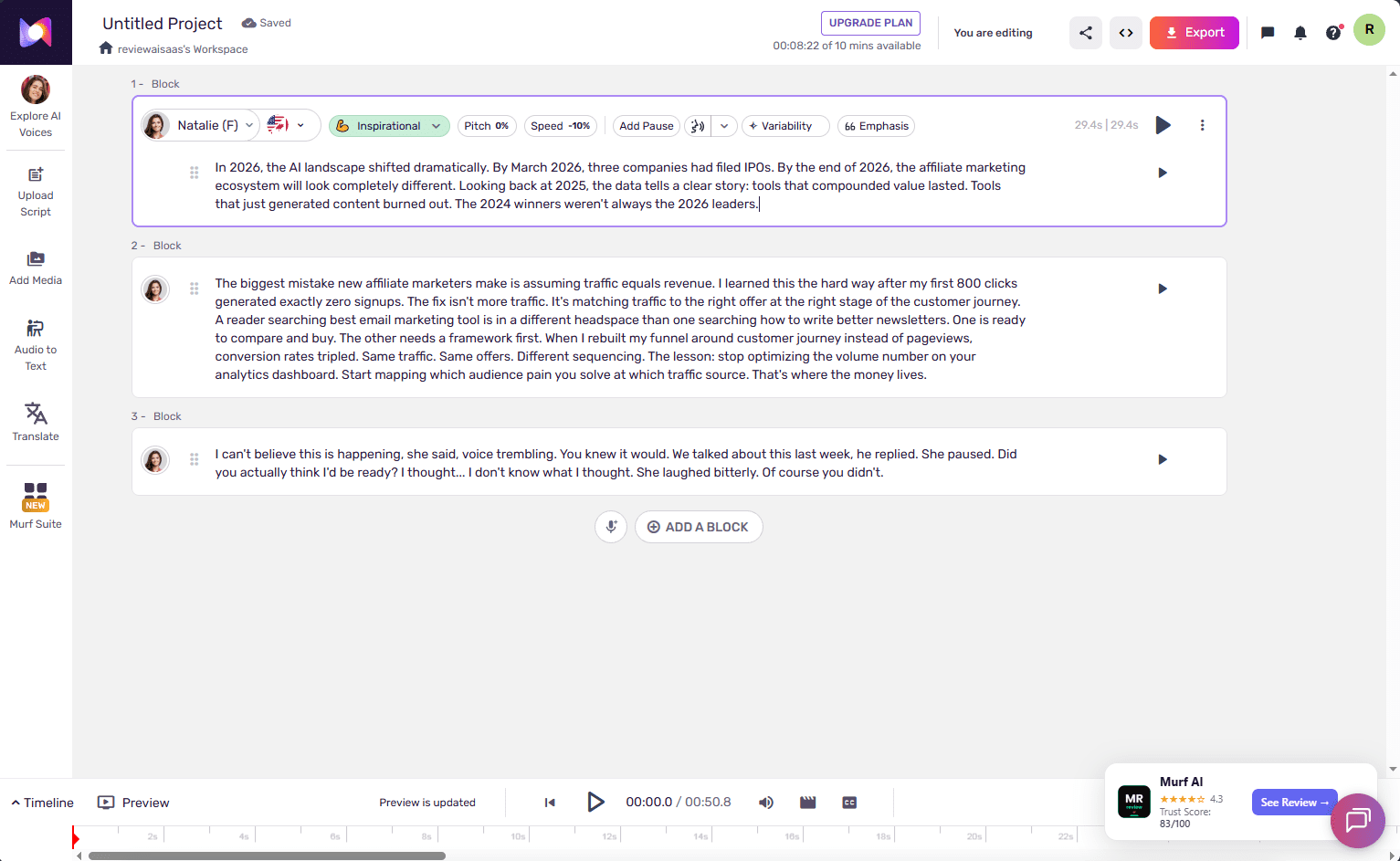
Murf has been around since 2020 with a strong reputation in the voiceover space. Best suited for marketing teams, e-learning creators, and anyone needing voiceover integrated with visual content workflows.
What I Tested
I have a free account (reviewaisaas workspace, 9/10 free projects available). I tested the studio editor, browsed the 200+ voice library, explored the Pronunciation Library, and tested the Canva integration workflow.
Plans and Pricing
| Plan | Price | Voice Gen/Year | Projects |
|---|---|---|---|
| Free | $0 | ~10 mins (watermarked) | 10 |
| Creator | $19/mo ($228/yr) | 24 hours | 100 |
| Business | $66/mo ($792/yr) | 96 hours | 500 |
| Enterprise | Custom | Unlimited | Custom |
Pricing verified: June 27, 2026.
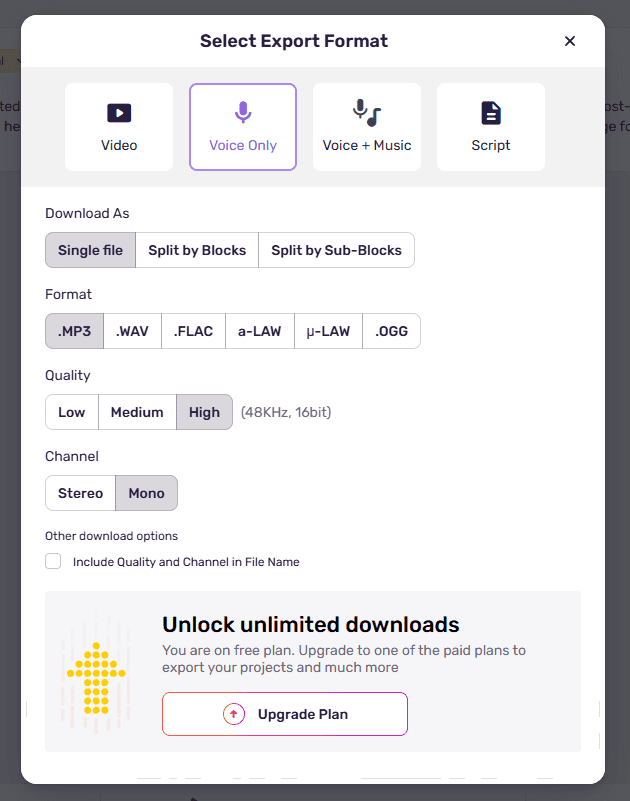
Important free plan limitation confirmed June 2026: Murf AI free plan does not allow downloading or exporting audio files. You can generate voice and listen inside the editor, but the Export button is locked behind a paid plan. This is a significant restriction — you cannot take your generated audio anywhere without upgrading.
What Makes Murf Different
Pronunciation Library (Enterprise only): Define custom pronunciations for brand names and technical terms — useful for AI tool reviewers who need “ElevenLabs,” “Anthropic,” or product names said consistently. Note: this feature is locked to Enterprise plan only. Free and Creator plan users do not have access.
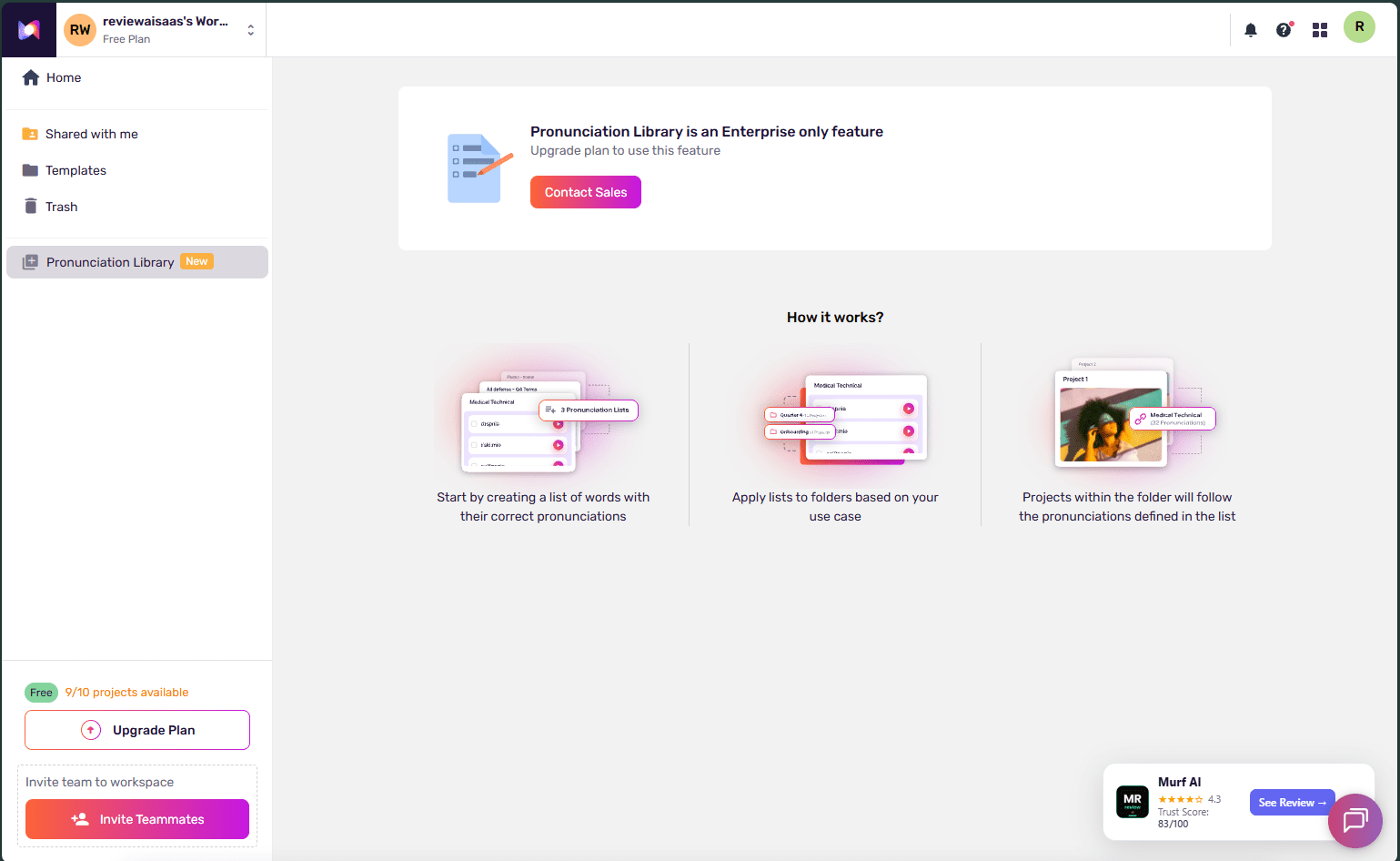
Canva Integration: Add voiceover directly inside Canva without leaving the app. Real workflow win for social graphics and presentations.
Multi-Native Voices: Voices recorded by real voice actors and enhanced with AI — gives naturalness that pure synthesis sometimes misses.
What I Don’t Love
- No voice cloning below Enterprise — Custom Voice Clones are a paid add-on
- Free plan watermark makes publishing impossible without upgrading
- Free plan does not allow downloading audio files — you can preview inside the editor but cannot export anything. I have been using this account since signup and have never been able to download a single audio file without upgrading
- At $19/mo for Creator, costs more than ElevenLabs Creator ($11/mo) for less flexibility
- No music generation — pure TTS and voiceover only
Who Should Use Murf
E-learning creators, marketing teams, and content creators embedded in the Canva or PowerPoint ecosystem. If visual content plus voiceover is your core workflow, Murf’s integrations are the best in class.
4. Descript — Best for Podcast Editors Who Want TTS as a Bonus
My verdict: A video/podcast editor first, AI voice tool second. If you record yourself, this is more useful than ElevenLabs. If you want to skip recording entirely, it’s not. See Descript pricing →
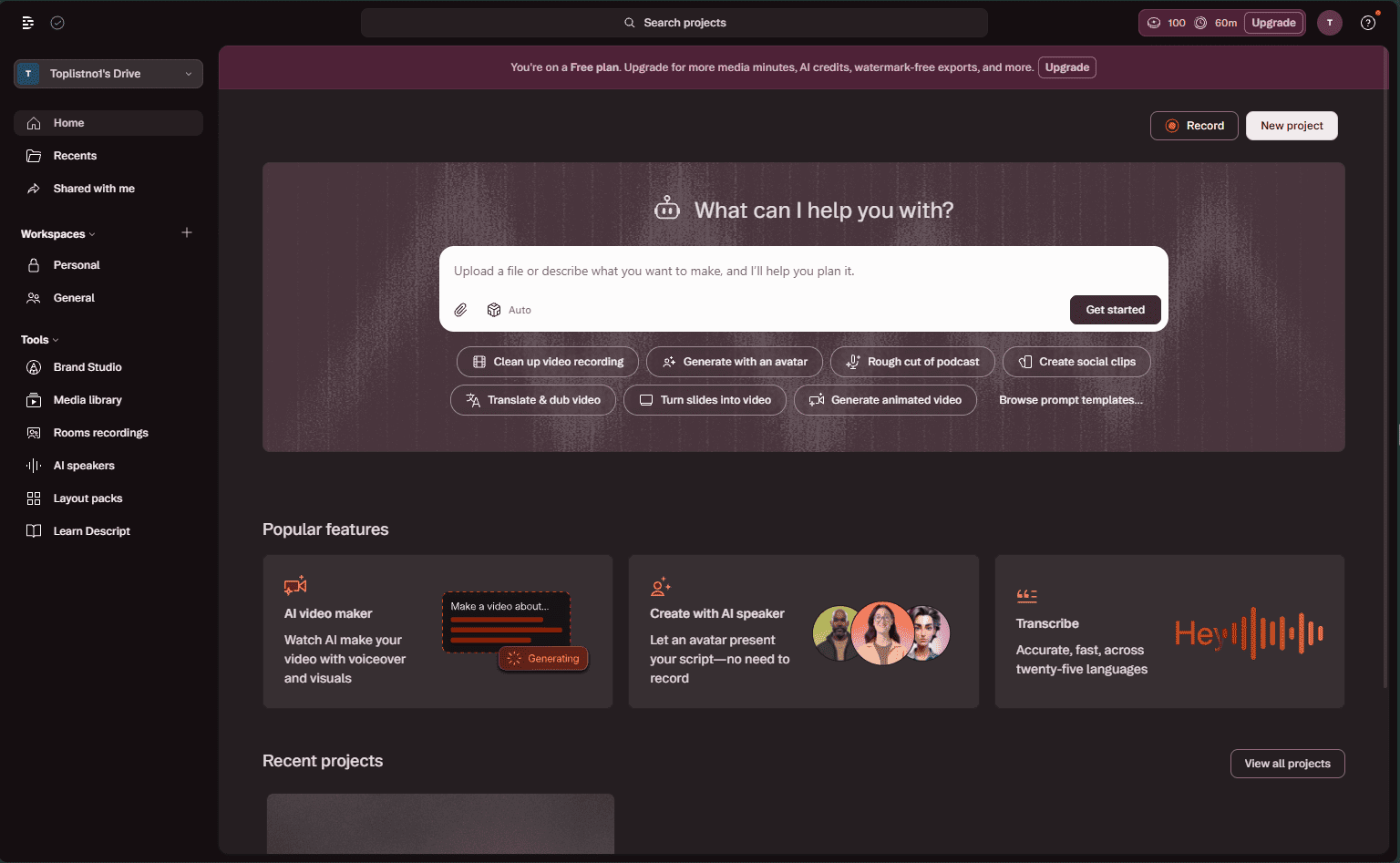
Descript is fundamentally different from the other three tools. It’s not a TTS generator — it’s a full video and podcast editor that uses AI voice as one feature among many. Over 6 million creators use it. The core concept: edit audio and video by editing a transcript. Delete a word from the script, it disappears from your recording.
Pricing verified: June 27, 2026.
I tested the free plan (account: Toplistno’t Drive) — 100 AI credits and 60 minutes of media processing included.
What I Found Inside the Free Plan
The editor opens with an AI co-editor called Underlord — a sidebar assistant that suggests smart edits for your project. More than 20 AI tools are available, grouped into categories:
Sound good: Edit for clarity (remove digressions and filler), Studio Sound (remove background noise and enhance voice), Remove filler words (deletes “um,” “uh,” repeated words automatically), Shorten word gaps, Remove retakes, Add chapters.
Look good: Eye Contact AI (fixes your eyes so you appear to look at the camera even when reading a script — genuinely impressive), Center active speaker, Green screen, Automatic multicam, Generate media, Blur speaker background.
Repurpose: Create clips, Create highlight reel, Find highlights, Translate (re-voice video in another language).
Publish: Draft YouTube description, Draft show notes, Draft a title, Summarize.
The Write AI Speech mode lets you type a script and generate voiceover using stock AI speakers — Cedric is the default, but the library covers 25+ languages: Spanish, French, Italian, German, Swedish, Japanese, Polish, Portuguese (Brazil and Portugal), and more. Each speaker has style tags like Conversational, Creator, Young Adult, Masculine/Feminine.
Plans and Pricing
| Plan | Price/Month | Media Hours | AI Credits |
|---|---|---|---|
| Free | $0 | 60 mins | 100/mo |
| Hobbyist | $16 | 10 hrs/mo | 400/mo |
| Creator | $24 | 30 hrs/mo | More |
| Business | $50 | 40 hrs/mo | More |
What Makes Descript Different
Eye Contact AI: This is the most impressive free feature I tested. It corrects your eye direction in video so you appear to be looking at the camera even when reading from a script below the lens. No other tool on this list has this.
Generate with an AI Avatar: New in 2026 — Descript lets you generate a video where an AI avatar presents your script on screen. You write the script, pick an avatar, and get a talking-head video without recording anything. For faceless content creators who want video output without appearing on camera, this is a significant differentiator. None of the other three tools on this list (ElevenLabs, MiniMax, Murf) produce video output — only audio.
Remove filler words: Automatically detects and removes “um,” “uh,” and repeated words across your entire recording in one click. Saves hours of manual editing.
Translate: Re-voice an entire video in another language. Experimental but functional.
Overdub (paid): Fix recording mistakes using your own cloned voice — record once, fix flubs forever without re-recording.
What I Don’t Love
- Free plan watermarks all exports — nothing publishable without upgrading
- 100 AI credits is very limited — Studio Sound and filler word removal both consume credits
- Only 60 minutes of media processing on free — one decent podcast episode fills this
- Not a standalone TTS tool — if you want to generate voice from scratch without recording, ElevenLabs or MiniMax are better choices
Who Should Use Descript
Podcasters and video creators who already record themselves and want AI to clean it up, fix mistakes, and speed up editing. The Eye Contact AI alone is worth testing. If you’re a content creator who records talking-head videos or podcasts, Descript does things ElevenLabs simply cannot.
🎧 Listen: Real Descript Voice Sample — Cedric AI Speaker (June 2026)
The bottom line on Descript vs the others: ElevenLabs, MiniMax, and Murf are for creators who want to skip recording entirely. Descript is for creators who record themselves and want AI to make that recording better.
Is best-ai-voice right for you?
- ✓ Want best voice quality — choose ElevenLabs ($6/mo Starter)
- ✓ Need commercial rights free — choose MiniMax Audio
- ✓ Do structured multi-voice scripts — choose Murf AI
- ✓ Edit podcasts with transcription + TTS — choose Descript
- ✓ Just testing before buying — all 4 have free plans
- ✕ Don't choose based on marketing claims alone — test the free plan
- ✕ Don't use ElevenLabs free for monetized content — no license
- ✕ Don't use Murf free to deliver files — no downloads
- ✕ Don't pick Murf if you regenerate often — eats lifetime cap
- ✕ Don't skip reading individual reviews — each tool has hidden limits
The Real Test: Same Script, Three Tools
I ran the same 500-word script through ElevenLabs, MiniMax, and Murf.
ElevenLabs: Natural, publication-ready audio. Technical terms, pauses at punctuation, tonal variation — handled perfectly with no manual adjustment.
MiniMax: Better than expected. Speech 2.8 HD handles English with natural rhythm. Technical terms occasionally needed pronunciation guidance. Overall: publishable quality for a free tool.
Murf: Clean and professional, but the 10-minute free limit meant one short test clip only. Good voice quality; watermark is a real limitation.
Winner: ElevenLabs — not close. MiniMax is the legitimate free alternative when budget is the constraint.
Credit Usage — The Numbers Other Reviews Don’t Show
Real data from my ElevenLabs Creator Plan testing:
- 1,000-word article audio summary: ~5,500-6,000 credits
- 500-word short summary: ~2,800-3,200 credits
- Voice cloning setup (30 sec sample): ~0 credits (one-time)
- Sound effects generation (5 sec): 50-200 credits
With 121,267 credits per month on Creator Plan, I can produce 20+ article audio summaries per month with credits left over. At $11/month, that works out to roughly $0.50 per audio piece.
MiniMax free plan — real numbers from this review: I started with 10,000 credits and generated a 5-minute 53-second audio summary for this article using the Speech 2.8 HD model with the Deep Storyteller voice. That single file consumed 5,121 credits, leaving 4,879 credits remaining. So one ~6-minute HD audio file = roughly half your monthly free allowance. With 10,000 credits per month, you can realistically produce two 5-6 minute HD audio pieces, or about eight to ten 60-second clips. Enough for a real content workflow — not enough for high-volume production.
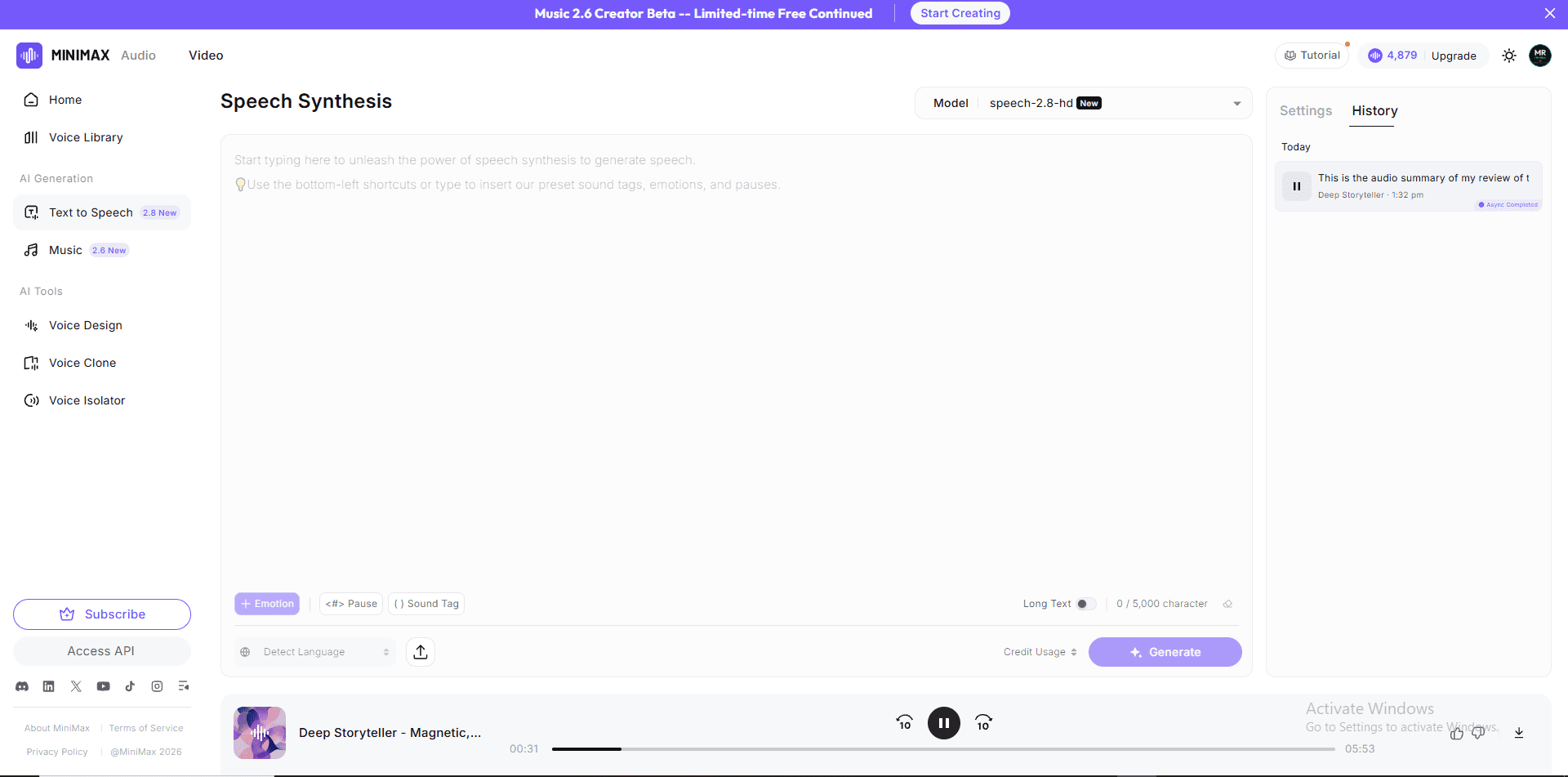
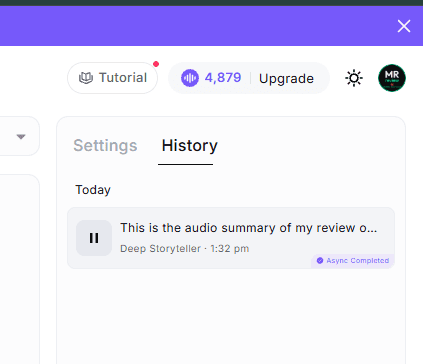
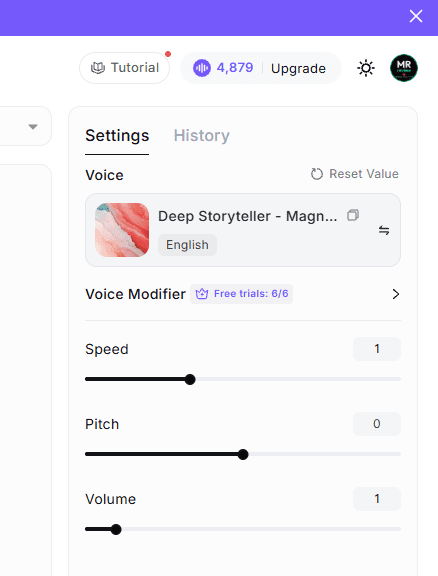
Started: 10,000 credits → After one 5:53 HD audio file: 4,879 credits remaining → 5,121 credits consumed
Which AI Voice Tool Is Right for Your Workflow?
Deep-dive reviews of every tool — hands-on tested with real accounts, real scripts, real results.
Frequently Asked Questions
What is the best free AI voice generator in 2026?
MiniMax Audio offers the most generous free tier — 10,000 credits per month with no watermark on TTS output, plus Voice Clone and Music generation. ElevenLabs’ free plan also gives 10,000 credits but with more restrictions on voice cloning quality.
Is ElevenLabs worth $11/month for content creators?
Yes, if you publish audio content regularly. The Creator Plan’s 121,267 monthly credits, Pro Voice Clone slot, Speaker Boost, and 192kbps export quality make it the most capable option at this price point. If you produce fewer than 5 pieces per month, the free plan may be sufficient.
Can I use MiniMax for commercial content?
Yes. MiniMax’s free plan includes commercial use rights for TTS audio. Music generated during the Music 2.6 free early access period also includes commercial use rights.
Does Murf AI have a free plan?
Yes — 10 projects, approximately 10 minutes of voice generation per month, with a watermark on exports. Sufficient for evaluating the tool but not for publishing content. Creator plan at $19/month removes the watermark and gives 24 hours of generation per year.
Which AI voice generator is best for podcasters?
Descript is best if you record your own voice and want AI to fix mistakes and enhance quality. ElevenLabs is better if you want to produce a fully AI-voiced podcast from scratch without recording anything yourself.
Does ElevenLabs support voice cloning?
Yes. The free plan includes Instant Voice Clone (lower quality). The Creator Plan ($11/month) includes one Pro Voice Clone slot, producing significantly more realistic results from 30 seconds of sample audio.
What is the difference between ElevenLabs Free and Creator plan?
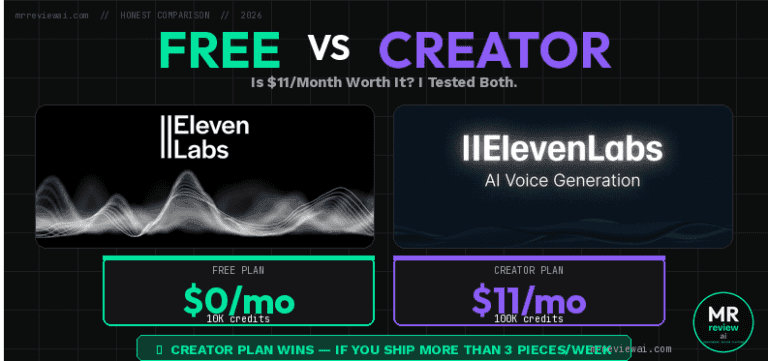
Creator gets 121,267 credits vs 10,000 free; Pro Voice Clone vs Instant Clone; 192kbps MP3 vs 128kbps; Speaker Boost; commercial license; and full Studio access. See our full ElevenLabs Free vs Creator Plan comparison.
Does ElevenLabs have a Voice Changer?
Yes. ElevenLabs added a Voice Changer feature in 2026 that lets you transform voice input in real time using any voice from their library. It appears in the main sidebar and works alongside the existing Text-to-Speech and Voice Clone tools. Available on all plans.
Can Descript generate a video without me appearing on camera?
Yes. Descript’s “Generate with an AI Avatar” feature lets you create a talking-head video using an AI avatar instead of recording yourself. You write the script, select an avatar, and Descript generates the video. This makes Descript the only tool on this list that produces video output — ElevenLabs, MiniMax, and Murf generate audio only. Useful for faceless content creators who want video without camera exposure.
Can AI voice tools replace a human voiceover artist?
For many content use cases — article audio summaries, explainer videos, e-learning, podcast ad reads — AI voice quality in 2026 is sufficient for professional use. For highly emotional content or brand spokesperson work requiring genuine human nuance, a real voice artist still produces better results.
The Bottom Line
ElevenLabs is the best AI voice generator for content creators in 2026. The quality difference between ElevenLabs and every free alternative is real and audible.
If budget is your constraint: MiniMax Audio’s free plan is the most generous in the category — 10,000 credits, no watermark, voice cloning, and free music generation during early access. Start there, upgrade to ElevenLabs when your content volume justifies $11/month.
My actual setup: ElevenLabs Creator Plan for production content. MiniMax free for music and audio experimentation. Murf for the occasional Canva integration project.
The days of needing a recording studio or expensive voice talent to produce professional audio content are over. Any of these tools, used thoughtfully, can produce publishable-quality audio for a content creator workflow.
AI VOICE — DEEP DIVE REVIEWS
10K credits · 3 credit pools · Instant voice clone free · Score: 4.6/5
121K credits · Commercial license · Professional voice clone
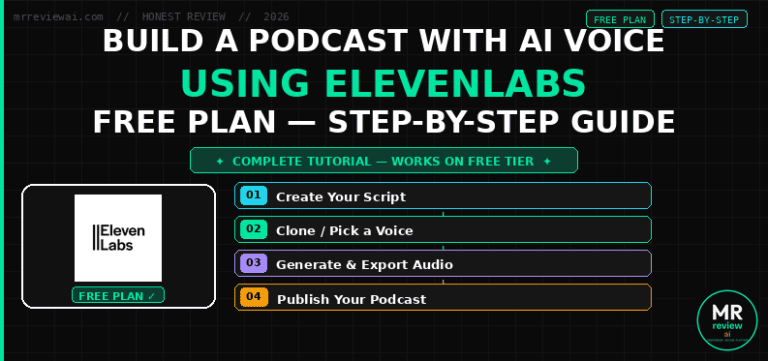
Step-by-step guide · Free plan only · Full workflow
Tested by the Mr Review AI team in June 2026. ElevenLabs Creator Plan is a paid subscription ($11/month). MiniMax and Murf AI were tested on free plans. Descript was evaluated on the free tier. We receive no compensation for these rankings.

About the Author
Mr Review AI Team
This review was researched and tested hands-on by the Mr Review AI editorial team. We create real accounts, run actual campaigns, and document every limitation we encounter — no vendor demos, no copied spec sheets. Our reviews are editorially independent: no tool pays for a score or placement, ever. Where we have affiliate relationships, we disclose them transparently on each page.
Want to know who founded this site and what drives our editorial standards? → Meet the founder on our About page