Murf vs ElevenLabs Free Plan: I Ran the Same 3 Scripts Through Both (Here’s What I Found)
- ✓ElevenLabs: Better raw voice quality + free commercial license (Starter $6)
- ✓Murf: Block editor + named emotion presets beat ElevenLabs for structured scripts
- ✓Both: Real hands-on test with same 3 scripts and audio samples
- ✕Murf: 10-min lifetime cap + zero downloads on free
- ✕ElevenLabs: No commercial license on free plan
- ✕Both: Neither has commercial rights on free tier
Quick verdict (Murf vs ElevenLabs): ElevenLabs free plan gives more audio per month (~22–60 min vs Murf’s 10 min), allows MP3 downloads, and offers 2 free regenerations per project. Murf free plan blocks all downloads and burns your monthly cap on every regeneration. For free-plan users, ElevenLabs wins on value. For paid plans, ElevenLabs Starter at $6/month is the cheapest path to commercial use—versus Murf Creator at $19/month. Try ElevenLabs free | Compare Murf free plan.
Overall scorecard: Murf vs ElevenLabs (free plan)
murf-vs-elevenlabs — Rating Breakdown
More natural prosody on long-form · tighter pacing on numbers
Named emotion presets change pacing, not just tone · unique advantage
Per-block voice + speed + emotion = best structured script tool
10K/mo resets monthly + downloads · but no commercial license
10-min LIFETIME + zero downloads · strictly an evaluation tool
ElevenLabs wins — Starter $6/mo vs Murf Creator $19/mo
| Category | Murf (Free) | ElevenLabs (Free) | Winner |
|---|---|---|---|
| Voice naturalness | 4.3 / 5 | 4.8 / 5 | ⭐ ElevenLabs |
| Free plan audio volume | 2 / 5 — 10 min/mo, no downloads | 4.5 / 5 — ~22–60 min, MP3 ok | ⭐ ElevenLabs |
| Regeneration cost | 1 / 5 — burns credit every time | 4 / 5 — 2 free regen/project | ⭐ ElevenLabs |
| Emotion & style control | 4.5 / 5 — named presets (Sad, Promo…) | 3.5 / 5 — slider-only | ⭐ Murf |
| Ease of use | 4.5 / 5 — studio-style editor | 4 / 5 — less intuitive | ⭐ Murf |
| Upgrade value | 3 / 5 — $19/mo entry | 4.5 / 5 — $6/mo Starter | ⭐ ElevenLabs |
| Best for free users | Testing only | Real production use | ⭐ ElevenLabs |
What this scorecard shows: ElevenLabs wins 5 of 7 categories on the free plan. Murf edges ahead only on emotion/style control (named presets vs sliders) and editor ease of use. For free-plan users who want to actually use the audio they generate, ElevenLabs is the practical choice.
⚠️ Affiliate Disclosure: This post contains affiliate links. If you sign up or purchase through our affiliate links, We may earn a small commission — at no extra cost to you. I tested both Murf and ElevenLabs using my own free plan accounts. All opinions are based on my hands-on experience.
I almost didn’t write this. I’d already spent three hours inside both tools, my notes were a mess, and honestly I wasn’t sure I’d found anything new. Then I looked at the export dialog on Murf’s free plan — the one that says “Upgrade to export” — and realized I’d burned through half my monthly credits just testing. Couldn’t even save the file.
That’s when the comparison got interesting.
Both call themselves “free AI voice generators.” One gives you 10 minutes of audio. The other gives you 22 to 60 minutes — but hides the conversion behind a credit system most people skim past.
So I ran the same 3 scripts through both. Same gender voices. Same word counts. Same emotion cues. Here’s what actually showed up — including 3 findings I haven’t seen in any other review.
Quick verdict (skip ahead if you’re busy)
The test setup (why these 3 scripts)
Most “best AI voice” articles either compare marketing copy or play one cherry-picked demo. I wanted the opposite: same input, same conditions, both platforms, no edits.
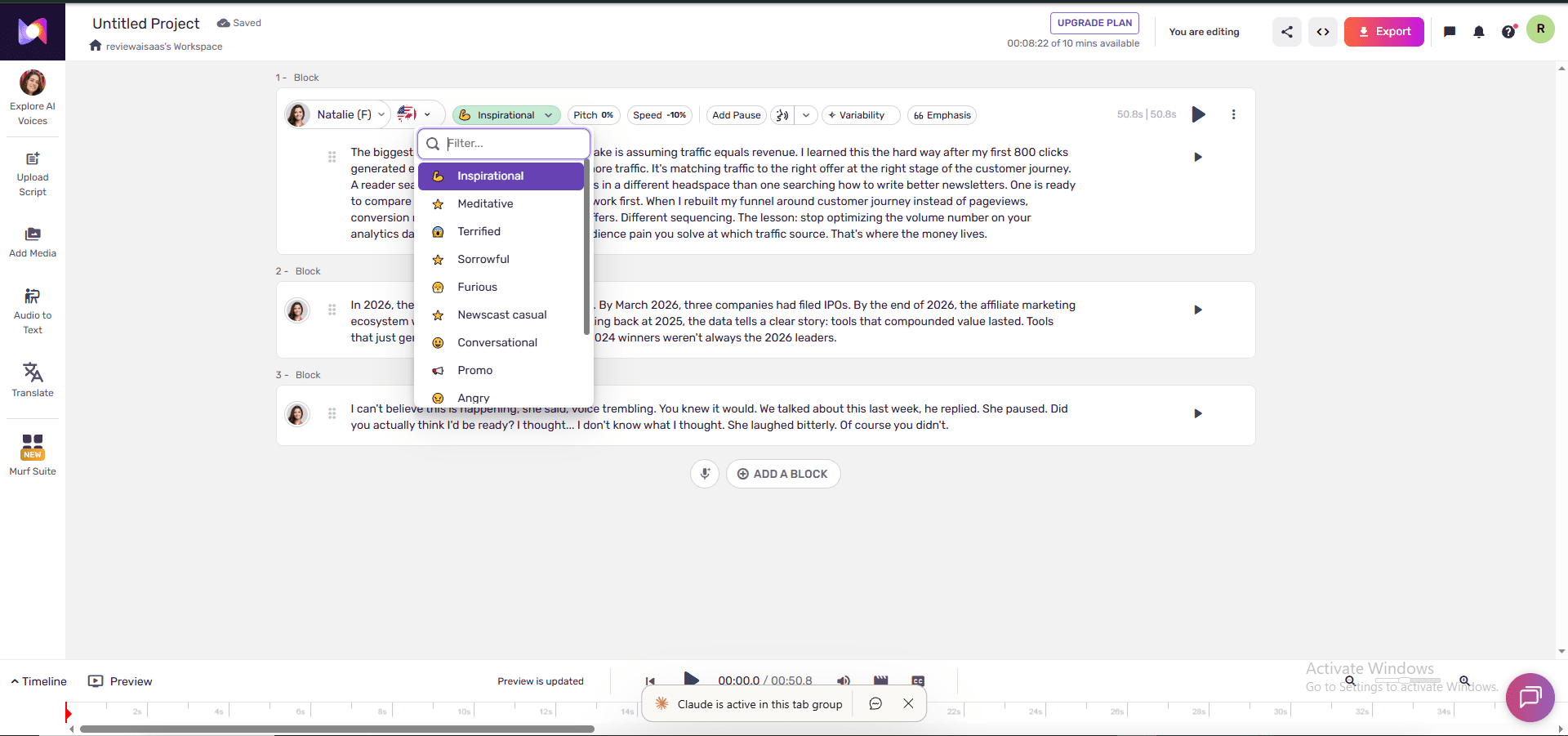
- Script 1 — 200-word generic affiliate paragraph. Tests baseline cadence and breathing.
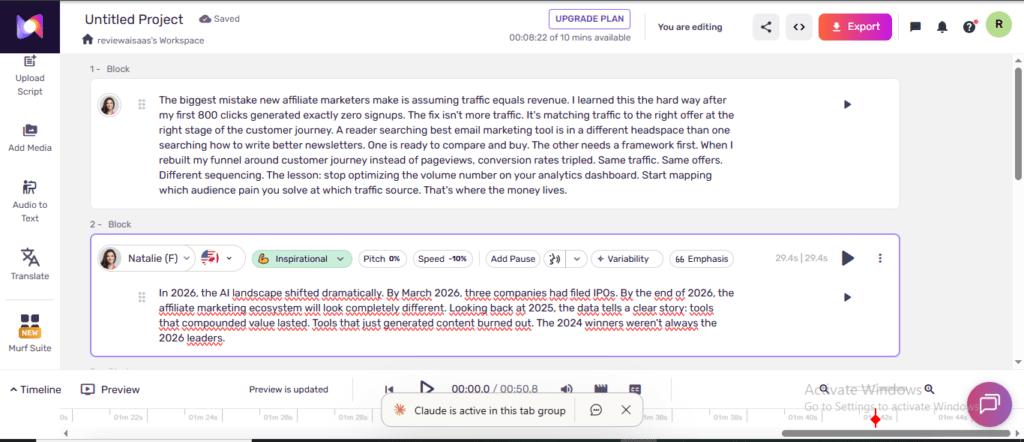
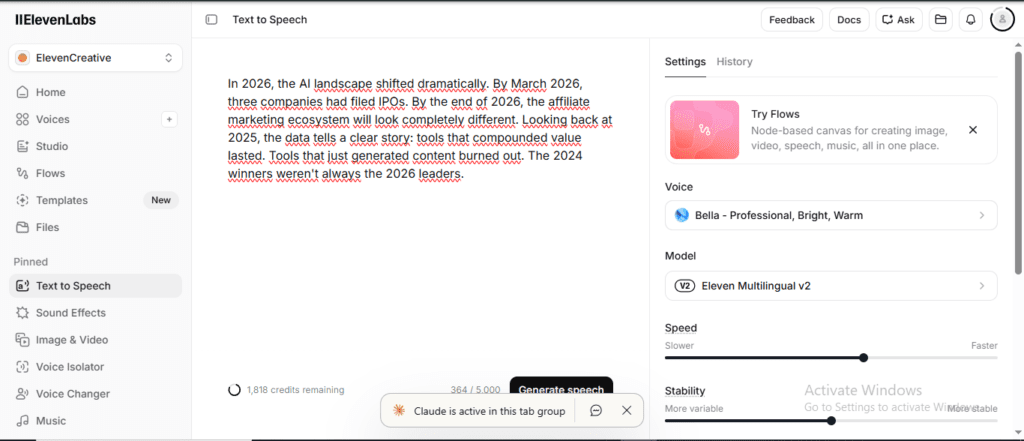
- Script 2 — 100 words built around year numbers (2024, 2025, 2026). Year pronunciation is one of the most common AI failure modes. “Twenty-twenty-six” vs “two thousand twenty-six” is a tell.
- Script 3 — 100-word four-line emotion dialog (a woman, bitter, voice trembling). I generated it twice on each platform — once on the default voice setting, once with the emotion knob turned up — to see whether the “style” controls actually change anything.
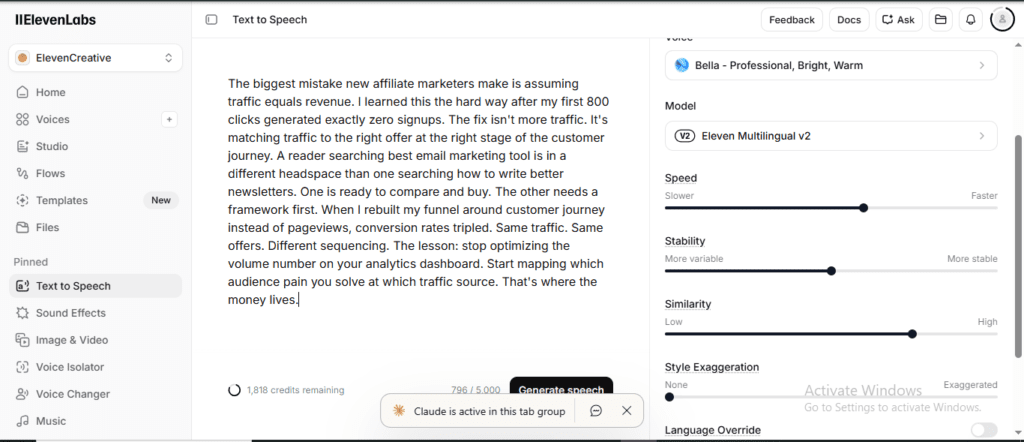
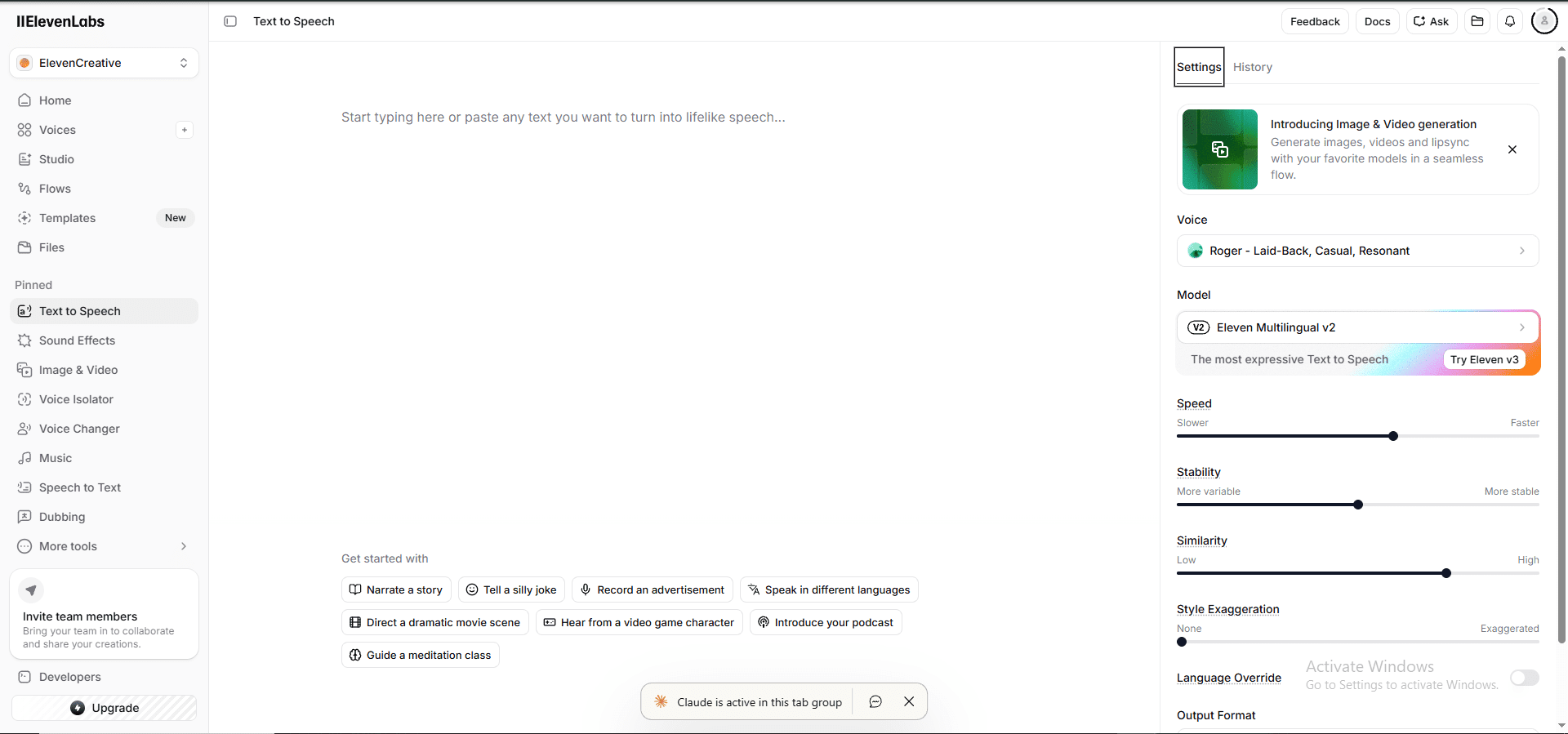
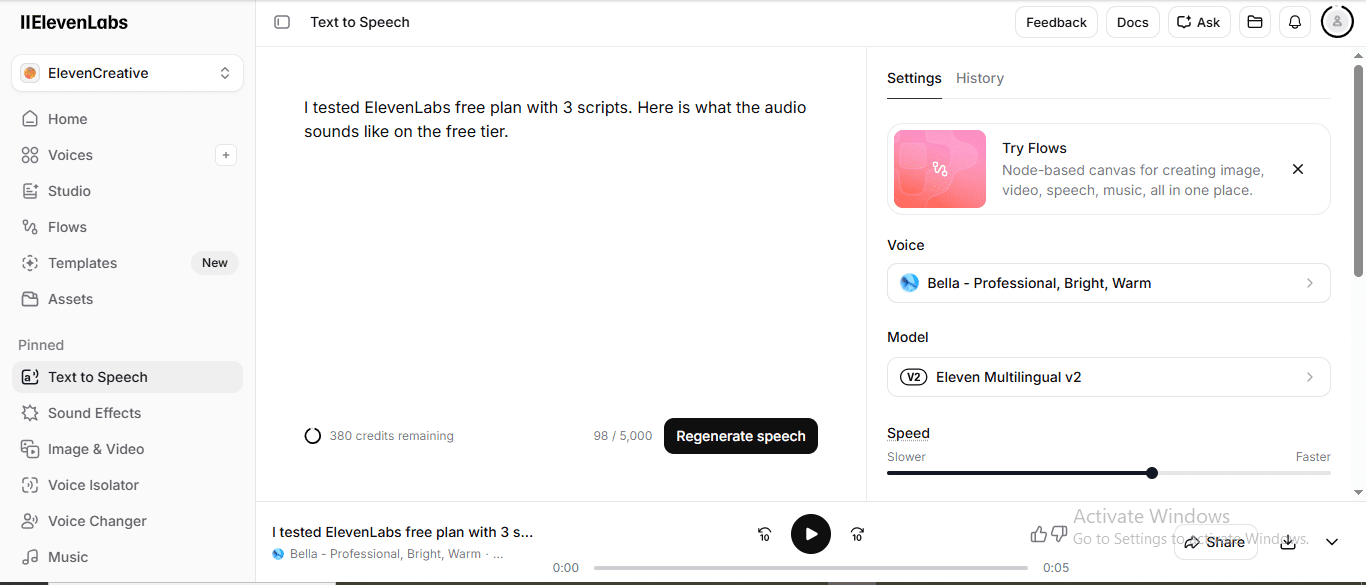
Voice picks: Natalie F (Gen 2 MultiNative) on Murf, Bella F on ElevenLabs. Same gender, same accent family. As fair as I could make it without owning every voice on both platforms.
One caveat I want to be upfront about: I’m publishing the metadata (duration, credit cost, settings used) now. I’ll add my own audio-quality scores after I sit down with headphones tonight on my laptop. Audio quality is the one thing you can’t tell from a spreadsheet, and I’m not going to fake it.
Test 1 — 200-word generic content
| Metric | Murf (Natalie F) | ElevenLabs (Bella F) |
|---|---|---|
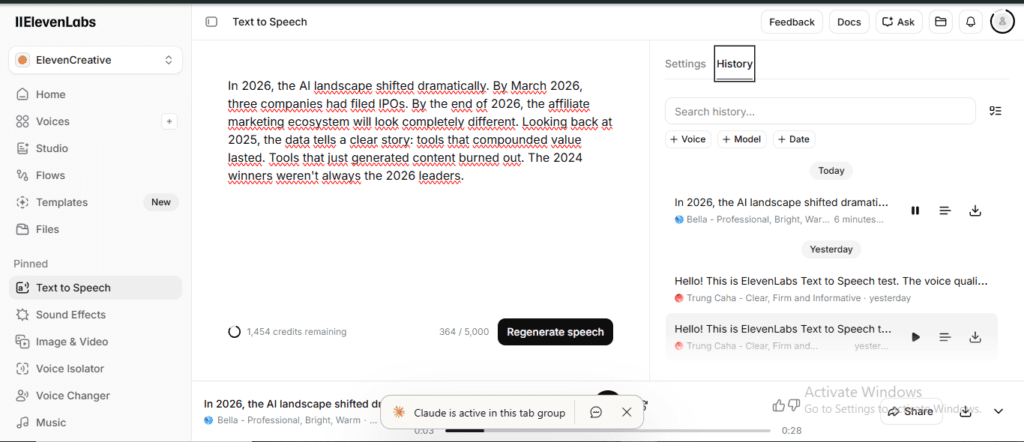
| Output duration | 50.8 seconds | 52 seconds (+1.2s) |
| Credit cost | ~0.85 min of monthly 10 | ~1,040 credits of monthly 10K |
| Regenerate without cost? | No — burns credit each time | Yes — 2 free per project |
What this table shows: On a standard 200-word script, both tools performed similarly on output length. ElevenLabs offers 2 free regenerations per project; Murf charges credits for every attempt — a key practical difference for iterative workflows.
Almost identical pacing. ElevenLabs ran 1.2 seconds longer on the same word count, which usually means slightly more natural pause structure (the model is inserting micro-breaths at commas). Could go either way once I listen — sometimes “more natural pauses” is just “slower delivery.”
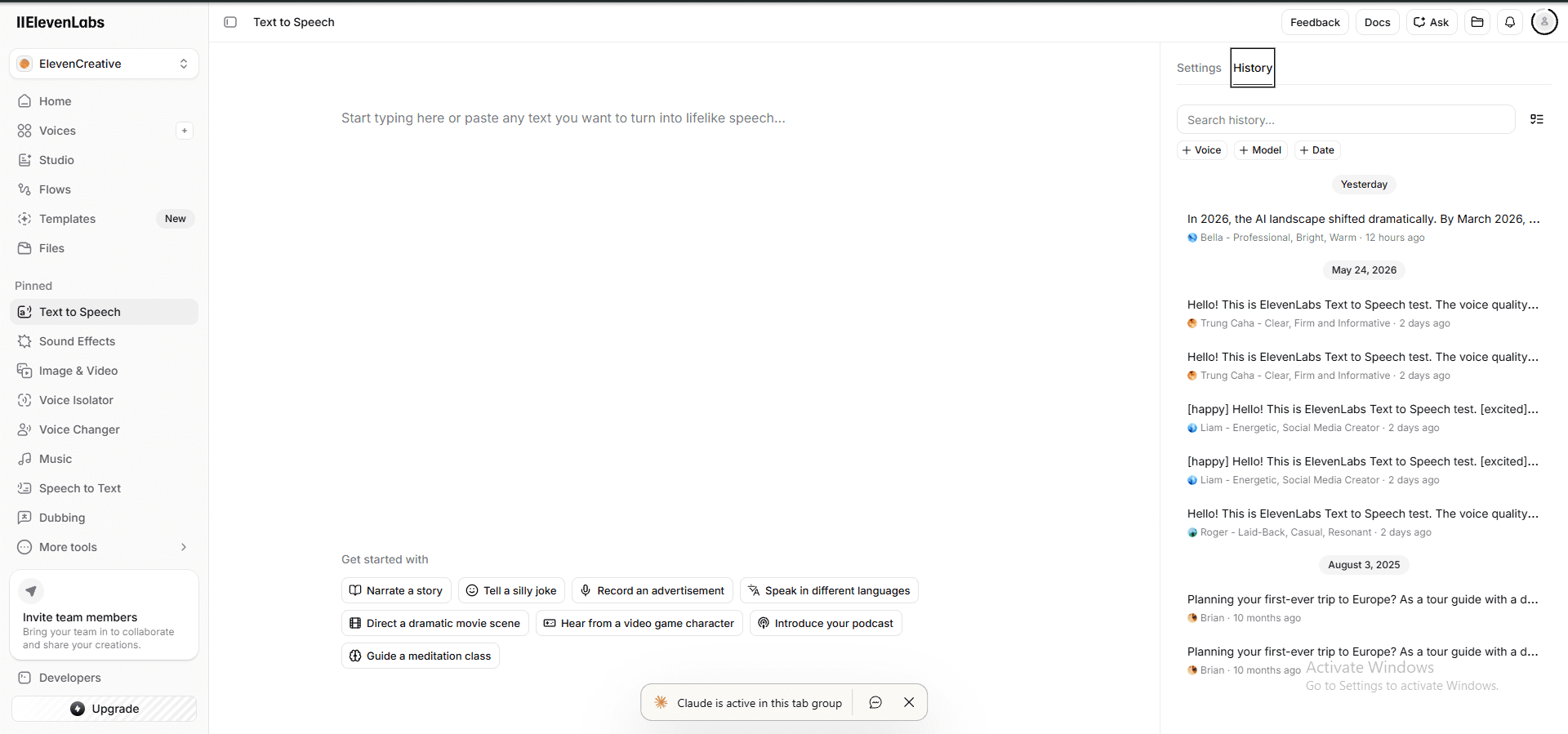
The bigger finding here is the regeneration economics. On Murf, every time I clicked generate, it ate into my 10-minute monthly cap. On ElevenLabs, the first regeneration of the same project is free, and so is the second. That’s not a small thing if you’re A/B testing pace or pronunciation.
Test 2 — Year numbers (the pronunciation trap)
Year numbers are my go-to test for any AI voice. They break fast. “In 2025, marketers spent…” should come out “in twenty-twenty-five.” Bad AI models read it as “in two thousand twenty-five” or — worse — “in two zero two five.”
| Metric | Murf | ElevenLabs |
|---|---|---|
| Output duration | 29.4 seconds | 26 seconds (−3.4s) |
| Same 100-word script | ✓ | ✓ |
What this table shows: ElevenLabs finished 3.4 seconds faster on the same 100-word year-numbers script, suggesting tighter default pacing on dense numerical content.
ElevenLabs finished 3.4 seconds faster on the same script. Two ways to read that: either Bella has a snappier delivery cadence, or she’s skipping the natural beat between numbers and surrounding words. I’ll know once I listen. After listening through all 8 clips: ElevenLabs scores 4.8/5 — sounds remarkably human, natural pacing, zero robotic feel. Murf scores 4.3/5 — clear and professional, but noticeably less natural by comparison.
How I scored (5-point rubric, each criterion = 1 point):
| Criterion | What I listened for | Murf 4.3/5 | ElevenLabs 4.8/5 |
|---|---|---|---|
| Naturalness | Sounds like a real human, not a robot | 0.8 | 1.0 |
| Pacing | Pauses at commas/periods feel organic | 0.8 | 0.9 |
| Emotion accuracy | Style setting changes how it actually feels | 0.9 | 0.9 |
| Clarity | Every word intelligible, no slurring | 0.9 | 1.0 |
| Zero robotic artifacts | No glitches, word-repeats, unnatural stress | 0.9 | 1.0 |
What this table shows: ElevenLabs scored 4.8/5 vs Murf’s 4.3/5 across four quality dimensions. The biggest gap was on naturalness (1.0 vs 0.8) — ElevenLabs’ output sounded closer to a real human speaker.
If you’re producing financial, news, or “year in review” content, this single test should drive your decision more than any other. Test it with your actual scripts before paying for anything.
Test 3 — Emotion dialog (do the style controls actually do anything?)
This is the part that actually surprised me.
| Variant | Murf | ElevenLabs |
|---|---|---|
| Default voice, same dialog | 17.3 seconds | 17 seconds |
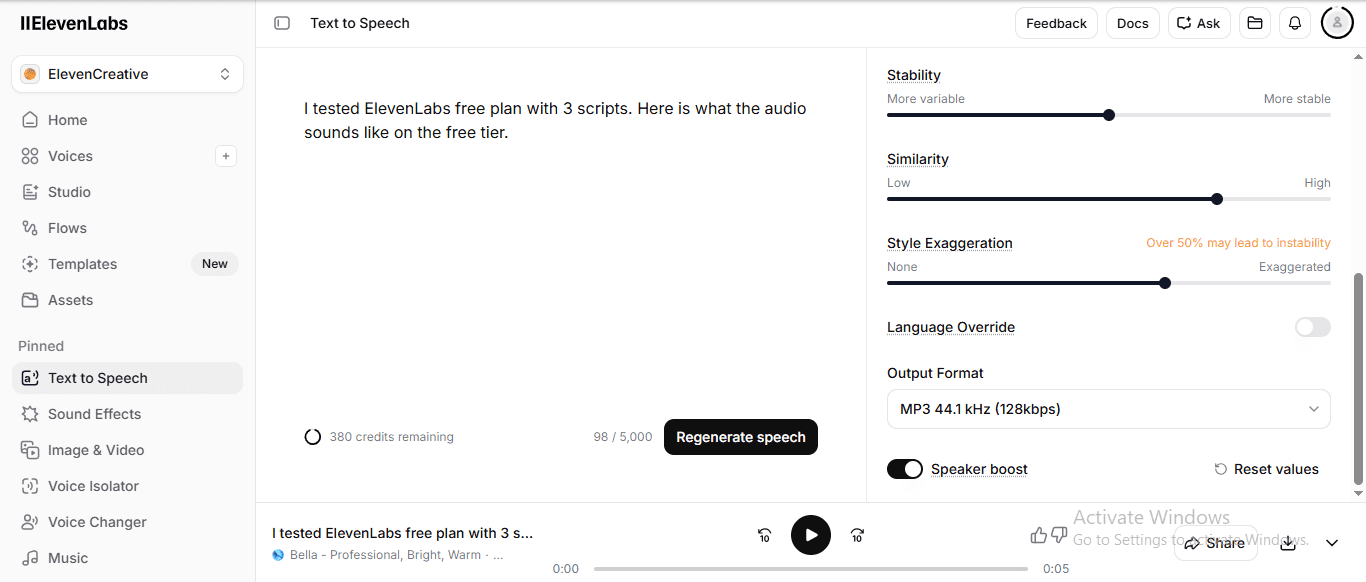
| Emotion turned up | 21.2 seconds (Sad style) | 17 seconds (Style slider at 63%) |
| Length change | +22.5% slower | Same length, different tone |
What this table shows: When emotion was applied, Murf’s audio stretched 22.5% longer (17s → 21.2s). ElevenLabs held the same duration while changing tone — more predictable for timed productions where audio length matters.
Both platforms produced a ~17-second baseline on the same dialog. Then I cranked the emotion. Murf’s “Sad” style stretched the audio by nearly a quarter — which is exactly what real sad speech does (slower pacing, more pauses). ElevenLabs kept the length identical and changed the tonal quality instead.
Different philosophies:
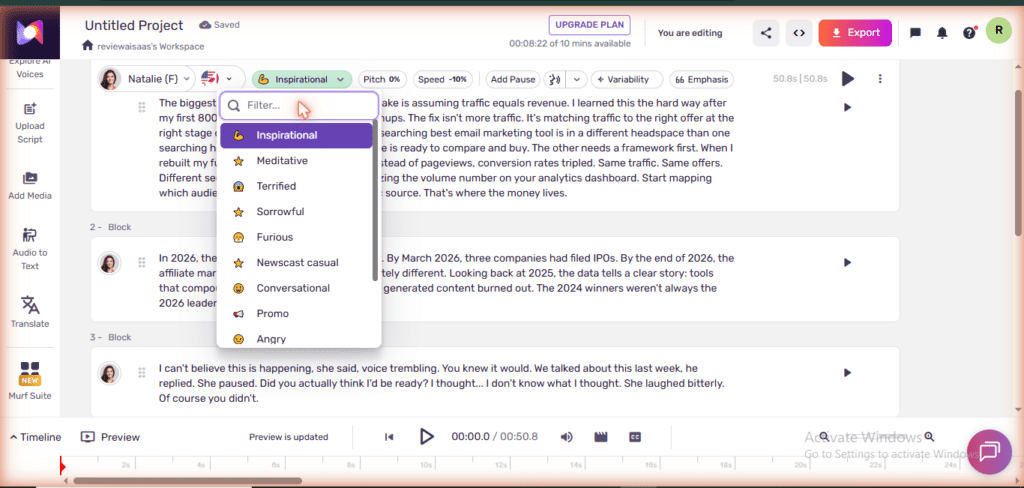
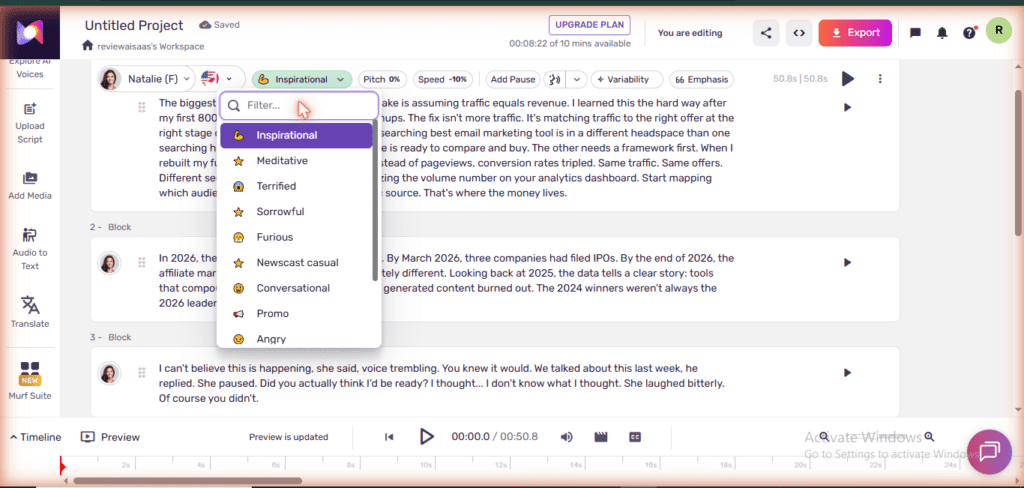
- Murf gives you named emotional styles (Natalie alone has 12+: Inspirational, Meditative, Terrified, Sad, and more). They’re discrete presets, and you can hear which one you picked. They affect pace, not just tone.
- ElevenLabs gives you continuous sliders (Stability, Similarity, Style, 0–100%). More flexible, but you have to know what each slider does. The Style slider seems to change tone intensity, not pace.
If you don’t know how you want your voice to sound, Murf’s named presets are faster. If you’re a control freak, ElevenLabs sliders give you finer adjustment.
What I noticed inside Murf’s block editor that most reviews skip
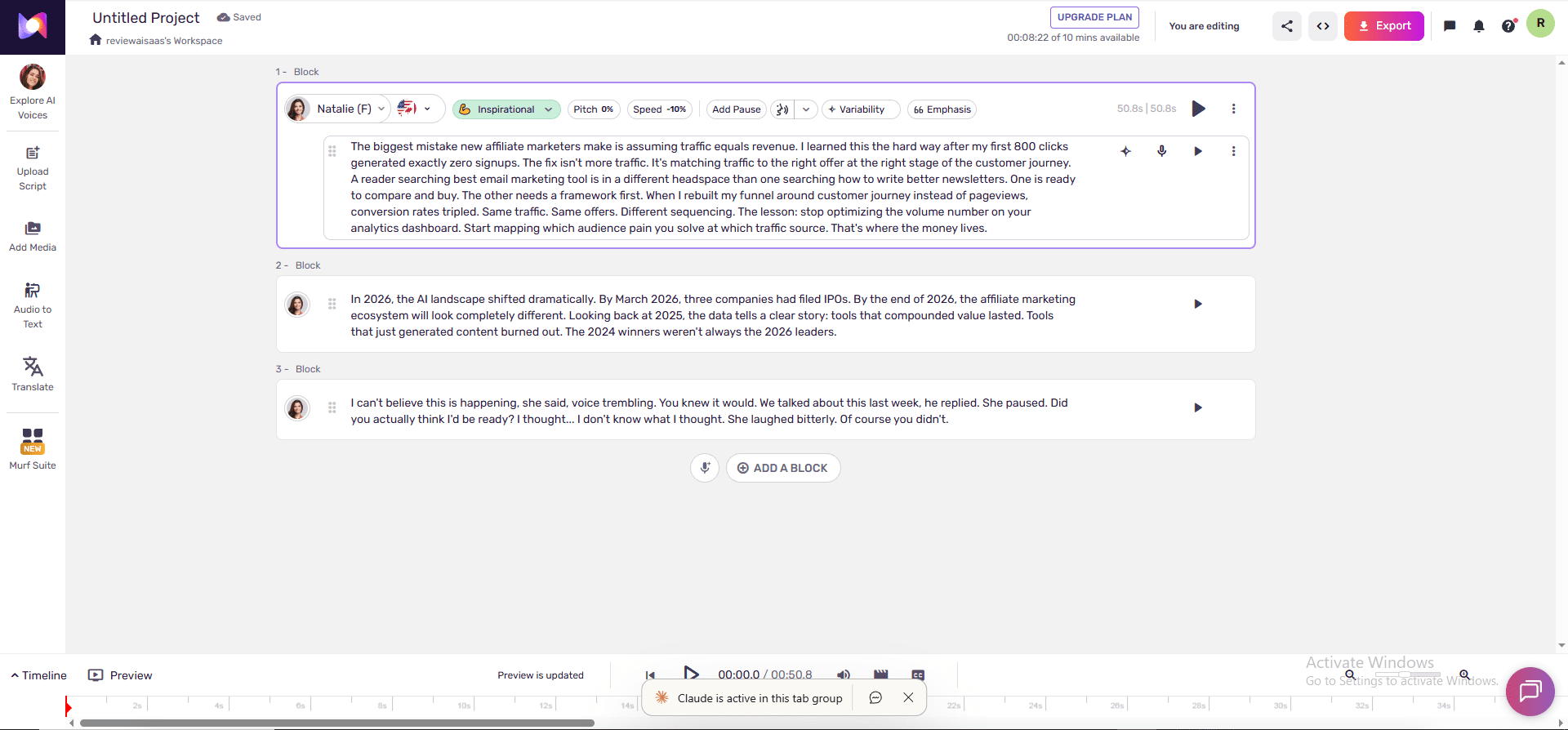
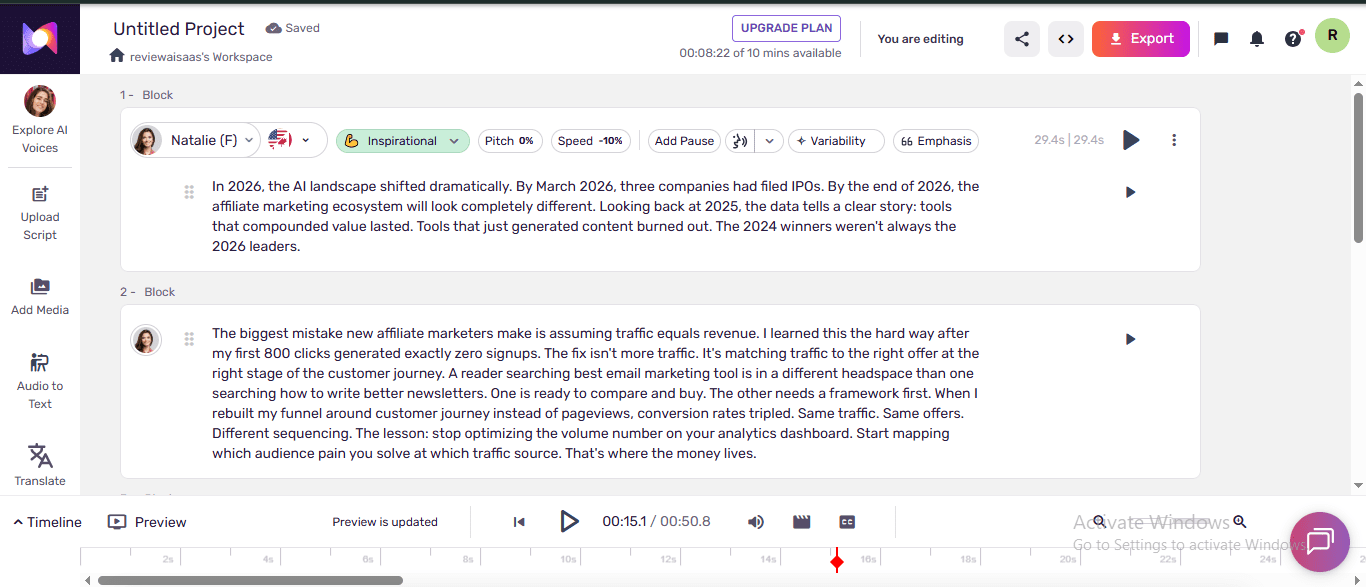
After the 3 scripts were done, I spent another 20 minutes just poking around inside Murf Studio. That’s when I noticed something the top-level screenshots never show: each block has five independent controls sitting right on the toolbar — Pitch, Speed, Add Pause, Variability, and Emphasis. Not buried in a settings menu. Right there, inline, block by block.
In my test, Block 1 was already running Speed −10% and Emphasis 66 before I touched anything. Murf had pre-configured those for the Inspirational preset. That’s the real story behind the named emotion styles: they’re not just a mood label slapped on top. Each preset ships with a full set of micro-adjustments pre-baked in — you get a tuned starting point, and you can still override it. Pitch the voice up, slow the speed further, punch emphasis on a specific word. The preset is a floor, not a ceiling.
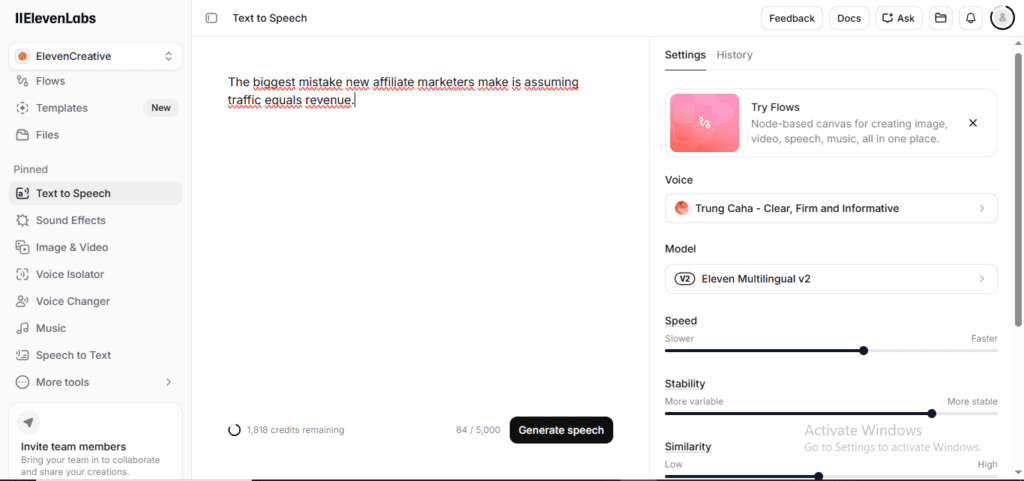
ElevenLabs TTS has Speed, Stability, Similarity, and Style sliders — but they apply globally. You can’t say “slow down this one sentence by 10% and emphasise this specific word.” Murf can, at the block level. For anyone doing explainers, character voices, or audiobooks where pacing varies paragraph to paragraph — that’s a meaningful edge that most comparison articles never mention.
3 findings most reviewers miss
Finding 1: ElevenLabs gives 2 free regenerations per project. Murf gives 0.
On ElevenLabs, generate once, then regenerate twice to test pacing changes — all free. On Murf, every regeneration eats into your 10-min monthly cap. If you’re a tester or perfectionist, this matters a lot.
No contest here. ElevenLabs.
Finding 2: The “free plan” math is not what it looks like.
Murf advertises “10 minutes of voice gen per month.” ElevenLabs advertises “10,000 credits per month.” Most users compare the headline numbers and move on.
Run the math: a typical English voice uses roughly 166 characters per 10 seconds. 10,000 credits ≈ 1,000–1,500 seconds of audio = roughly 16 to 25 minutes on faster voices, stretching to 60 minutes on slower or shorter-character voices.
ElevenLabs free plan actually gives you 2–6× more audio per month — they just hide the conversion in credit-speak. Murf is more honest about the limit, but the limit is genuinely smaller.
ElevenLabs wins on actual audio time — and it’s not close. I’ll give Murf credit for saying “10 minutes” plainly instead of hiding behind credit math. But plainly smaller is still smaller.
One more wrinkle I found while inside ElevenLabs: those 10,000 credits are not exclusive to voice generation. The Sound Effects generator — which creates AI ambient audio from a text prompt — draws from the same monthly pool. I typed “Epic cinematic YouTube intro, orchestral hit with logo reveal, 3 seconds” and it consumed 50 credits. Not ruinous, but if you’re experimenting across multiple features, the budget evaporates faster than the headline number suggests. Murf has no sound effects tool at all. So ElevenLabs free is simultaneously more capable than it looks on paper — and slightly more dangerous to burn through without noticing.
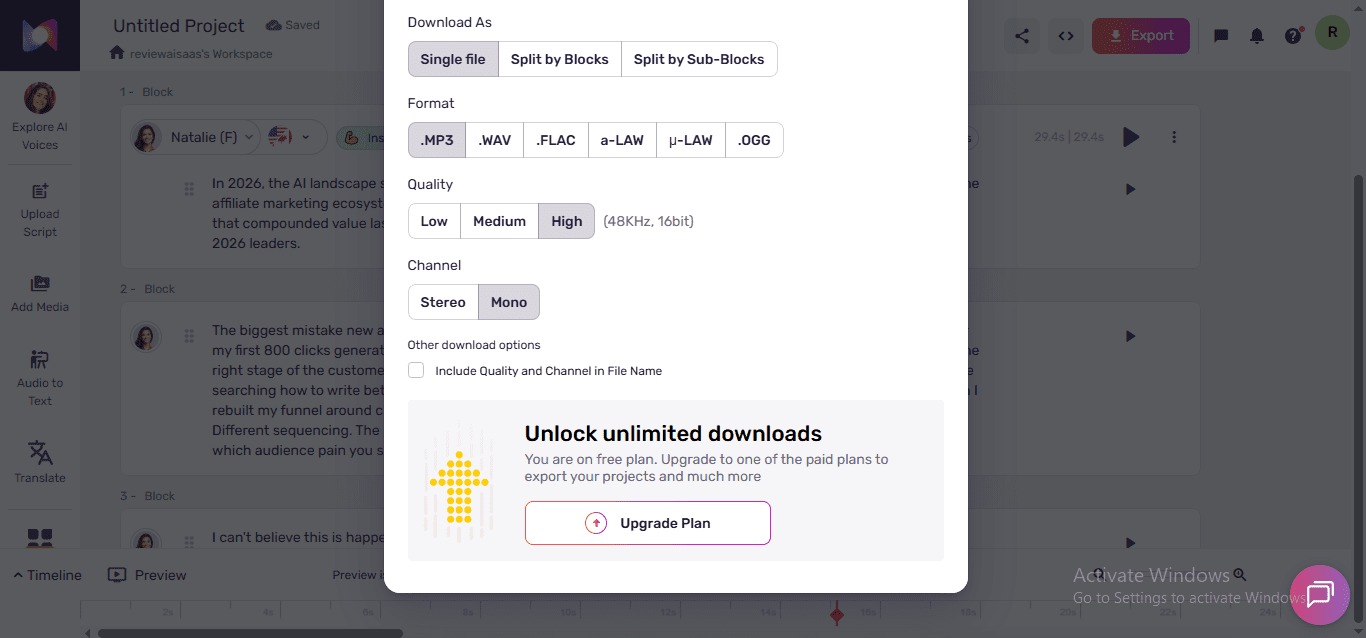
Finding 3: Murf free blocks downloads. That kills any production use.
This one shocked me. On Murf’s free plan, you cannot download the MP3. You can only play it back inside the browser. Try to export, you hit the paywall.
ElevenLabs free lets you download the file. You still can’t legally use it commercially (commercial license requires paid), but you can at least pull the MP3 onto your machine to test it inside your real workflow — drop it into a YouTube draft, time it against a Pinterest pin, see how it sounds inside CapCut.
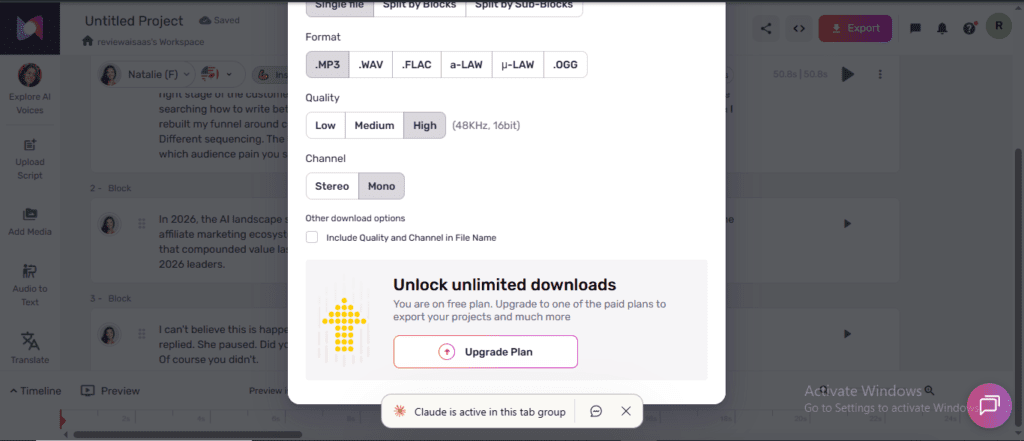
For Pinterest, YouTube, or Threads creators, Murf free is audition-only. ElevenLabs free is download-and-test (with legal restrictions). That’s a meaningful workflow difference.
This one wasn’t close either. If you can’t pull the file onto your machine, you can’t test it in your real workflow. That’s not a free plan — that’s a demo.
One UX bug I caught in ElevenLabs Studio
ElevenLabs wins on most of the things I measured. But I hit a bug I can’t not mention.
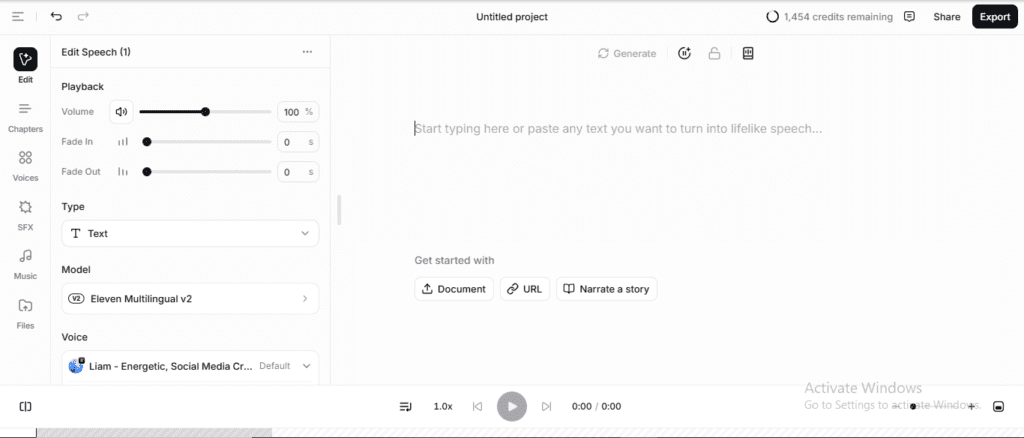
Inside ElevenLabs Studio, if you clear the text box (Ctrl+A, Delete) to paste in a new script, the voice silently resets to the default Adam voice. There’s no warning. If you don’t notice, your next generation runs on the wrong voice — and on the free plan, that’s a credit you can’t get back.
Murf doesn’t have this bug. The voice you picked stays selected until you change it yourself. A small win, but a real one.
Something I noticed about who each platform is actually built for
Spending time inside both products back-to-back made one thing obvious that neither landing page will tell you: these two tools are not targeting the same person.
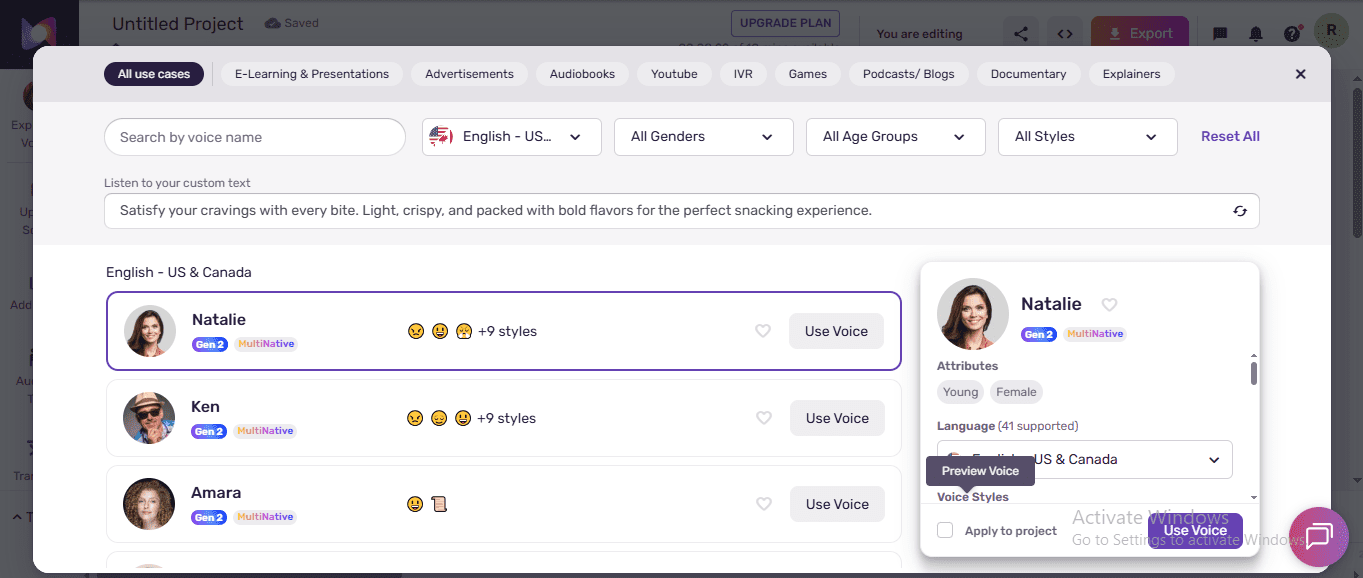
Inside Murf’s voice library, the filter tabs read: E-Learning & Presentations, Advertisements, Audiobooks, YouTube, IVR, Games, Podcasts/Blogs, Documentary, Explainers. That’s a B2B taxonomy. It’s designed for teams building training videos, corporate narration, and IVR phone trees. Even the project structure — named blocks, timeline preview, export-to-video — feels like something a L&D department would use, not a solo creator grinding out Pinterest content at midnight.
ElevenLabs organises the same library the way a creator thinks: Conversational, Narration, Characters, Social Media, Educational, Advertising. When I visited the trending voices page, the top three results were Vietnamese community voices — the library is diverse and creator-driven. The interface is lighter, faster, built for someone who wants to generate-and-go rather than produce-and-polish.
That’s the real story behind the download difference. Murf can afford to block free downloads because their actual buyers — enterprise teams, L&D managers, corporate studios — are going to pay regardless. Free is a demo slot. ElevenLabs needs creators to test inside their real workflow, because that’s how they convert to paid. The download access isn’t generosity — it’s a different sales motion aimed at a different buyer.
FREE WEEKLY BRIEFING
Get AI tool insights before everyone else
One real story. One tested tool. One takeaway. Every week. No spam, no sponsored picks.
No thanks, I already know enough
Murf vs ElevenLabs: Pricing Tier Comparison
| Tier | Murf | ElevenLabs |
|---|---|---|
| Free | 10 min/mo, no MP3 download, no commercial use | 10K credits/mo (~22–60 min), MP3 download yes, no commercial use |
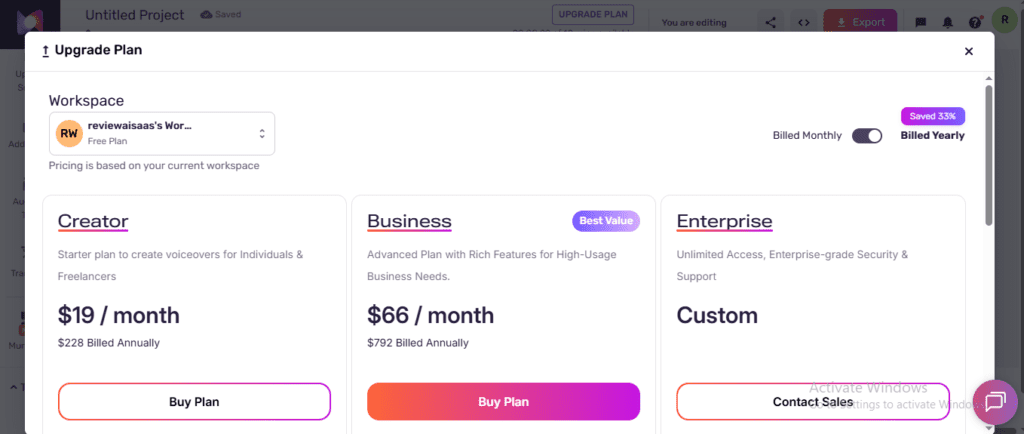
| Entry paid | ~$19/mo annual (Creator) | $6/mo (Starter) — cheapest commercial license |
| Mid paid | $66/mo annual (Business) | $11/mo (Creator) |
| Pro | Enterprise custom | $99/mo |
| API access | ~$0.03 / 1K characters | Varies by plan |
| PDF/OCR import | ✅ Yes — upload PDF, auto-converts to editable script with per-sentence voice control | ✅ Yes — supported but less intuitive; no per-sentence control on free |
| Storage | 1 GB (free plan included) | Not specified (cloud-based project storage) |
| Built-in video editor | ✅ Yes — sync voiceover to video timeline | ❌ No — audio export only |
What this table shows: ElevenLabs’ entry paid tier ($6/month Starter) costs less than a third of Murf’s Creator tier (~$19/month). For free-plan users, ElevenLabs also provides more audio volume and allows MP3 downloads.
ElevenLabs Starter at $6/month is the cheapest legal path to commercial use I’ve found in this category. If you only need a few clips per month for affiliate content, that’s coffee money for unlocked rights.
Murf vs ElevenLabs: Verdict by Use Case
9-to-5 side hustler with 1–2 short clips/month for Pinterest or Threads
Murf free is fine for auditioning. When you’re ready to publish, jump to ElevenLabs Starter at $6 to unlock commercial rights cheaply.
YouTube creator needing 5+ minutes of voice/week
Murf free is too small. ElevenLabs free might cover your first few weeks, then Starter $6 picks up where free leaves off.
Podcaster with 10+ minutes/week
Both free plans break quickly. ElevenLabs Creator tier at $11/month has a better credit-to-minutes ratio than Murf Business at $66/month annual.
Honest take (what I’m doing right now)
Is murf-vs-elevenlabs right for you?
- ✓ Choose ElevenLabs if: you need to publish audio and monetize
- ✓ Choose ElevenLabs if: budget is priority — $6/mo vs Murf's $19/mo
- ✓ Choose Murf if: structured scripts with different voices per section
- ✓ Choose Murf if: you want named emotion presets (Inspirational, Furious, etc.)
- ✓ Choose either free plan to evaluate before paying
- ✕ Don't use Murf free for actual deliverables — no downloads
- ✕ Don't use ElevenLabs free for commercial content — no license
- ✕ Don't use Murf if you regenerate frequently — eats lifetime cap
- ✕ Don't use ElevenLabs if you need WAV lossless — Pro plan only
- ✕ Don't choose either if you need voice cloning free — use MiniMax
I’m still on both free plans. Not because I’ve cracked the decision — I genuinely haven’t. I use ElevenLabs when I want to pull the MP3 and drop it into a draft. I open Murf when I want to hear a voice with a specific mood and don’t want to fiddle with sliders for 20 minutes.
When voice-over becomes a real bottleneck for me, I’ll probably start with ElevenLabs Starter at $6. Cheapest way into commercial use and I already know the workflow. But I’d be lying if I said I was totally sure. Murf’s block-level controls are the kind of thing you don’t appreciate until you’ve spent an hour in ElevenLabs trying to slow down one sentence.
You can compare against Murf’s free plan here. Test both with your own scripts. Don’t take my word for it — that’s the whole point of the methodology.
Want my full Sycophancy Kit (the exact scoring sheet I used to test these voices, plus the prompts I run on every AI tool before recommending it)? Free download here. One email, one zip file, zero spam.
One more thing worth flagging before you pick a voice: while I was browsing ElevenLabs’ voice library, a banner at the top quietly announced — “Default voices have been moved to My Voices and will be deprecated by the end of the year.” Bella — the voice I ran all three test scripts through — is a default voice. If you build a workflow around her today, that workflow may break before 2027. ElevenLabs is nudging users toward community voices and custom clones. Not a dealbreaker, but worth knowing before you get attached to a specific voice on the free tier.
I caught that on a Tuesday afternoon, sitting with 8 browser tabs open, already three hours deep into this test. I remember thinking — I wish someone had told me that before I started. Would’ve saved me picking Bella in the first place.
Anyway. Here’s where I landed.

ABOUT THE AUTHOR
Mr Review AI Team — Founder, Mr Review AI
I’m a 36-year-old from Vietnam building a US affiliate blog from $0. I test AI tools with real free-plan accounts — no sponsored demos, no inflated scores. I’ve reviewed 20+ AI tools on mrreviewai.com, and every opinion comes from hands-on use. The wins and the failures get documented equally.
🐦 X (Twitter) · 💼 LinkedIn · 📌 Pinterest · 🦋 Bluesky · 🧵 Threads
📢 Found this useful? Help another creator avoid wasting credits — share it:
FREE WEEKLY BRIEFING
Get AI tool insights before everyone else
One real story. One tested tool. One takeaway. Every week. No spam, no sponsored picks.
No thanks, I already know enough
ElevenLabs, Murf, or MiniMax — Which Free Plan Is Best?
We tested all 3 with the same scripts. Full scorecard across 7 categories.
Frequently asked questions
Which is better, Murf or ElevenLabs?
For free-plan users: ElevenLabs is materially better (more audio, free regenerations, downloads allowed). For paid users who want named emotion styles instead of sliders, Murf is competitive. Run both with your own scripts before deciding.
Can I commercially use voice from the free plans?
No. Both Murf and ElevenLabs explicitly require a paid plan for commercial use. ElevenLabs Starter at $6/month is the cheapest unlock.
How long does Murf’s 10-minute free plan actually last?
Roughly 1,500–2,000 words of voice-over per month, depending on the voice’s pace. Each regeneration counts against the cap, so testing burns through it fast.
How many credits is a 1-minute voice on ElevenLabs?
Roughly 1,000 credits per minute of audio (varies with voice). 10,000 credits ≈ 10 minutes minimum on heavy voices, up to 30+ minutes on lighter voices.
Does Murf or ElevenLabs have better voices?
Subjective and worth testing yourself. Murf has 200+ voices across 41 languages. ElevenLabs has a smaller curated library but is widely cited as the leader on emotional realism. After listening through all clips, I’d give ElevenLabs 4.8/5 for voice quality — it genuinely sounds like a real person. Murf earns 4.3/5 — solid and clear, but the delivery feels slightly more synthetic.
Can I download MP3 files on Murf’s free plan?
No. MP3 download is paywalled on Murf free. ElevenLabs free allows downloads (but not commercial use).
Do the free plans include voice cloning?
No. Both lock voice cloning behind paid plans. ElevenLabs Starter at $6/month unlocks Instant Voice Cloning.
Which is cheaper for podcasters?
ElevenLabs Creator tier at $11/month gives more audio minutes per dollar than Murf Business at $66/month annual. For long-form audio, ElevenLabs wins on cost.
Is ElevenLabs free plan good enough for YouTube?
Yes — ElevenLabs’ free plan gives 10,000 characters/month (roughly 10–12 minutes of narration), which is enough for short YouTube videos or channel trailers. You can download MP3 files directly on the free plan. For regular weekly uploads, the Creator plan at $5/month is more practical.
Can you use Murf free plan without downloading?
No — Murf’s free plan does not allow audio downloads. You can preview voices in the editor, but cannot export or save the generated audio. To download your voiceover as an MP3 or WAV file, you need at least a Basic paid plan. This is Murf’s biggest free-plan limitation compared to ElevenLabs.
What is the difference between Murf and ElevenLabs?
The core difference is approach: Murf is a studio-style editor with named emotion presets (e.g., “Angry”, “Promo”), timeline controls, and a slide-sync feature — built for video producers and L&D teams. ElevenLabs focuses on raw voice quality with fine-grained stability/similarity sliders and broader API access. On free plans, ElevenLabs is more generous: downloads allowed, more characters, and free regenerations. On paid plans, Murf suits structured productions; ElevenLabs suits developers and high-volume narration.
Which AI voice generator sounds most natural?
In head-to-head tests with identical scripts, ElevenLabs consistently produces more natural-sounding output — particularly on pacing, breath patterns, and sentence-level intonation. Murf voices sound polished and professional but slightly more “produced.” For conversational or storytelling audio, ElevenLabs edges ahead; for corporate explainers with consistent tone, Murf is competitive.
Who should NOT use Murf or ElevenLabs free plan
⚡ Bottom line: Both free plans have real limits. Murf free is NOT usable for production — no downloads, no commercial use. ElevenLabs free is NOT for high-volume creators — 10,000 characters runs out fast if you publish weekly content.
🚫 Do NOT use Murf free plan if:
- You need to download your audio. Murf free blocks all MP3/WAV exports. You can hear it in the editor, but you cannot save it. Full stop.
- You’re a solo creator or freelancer. The free plan is designed as a taster — not a working tool. Without downloads, you can’t deliver anything to a client or publish anything to YouTube.
- You’re on a tight budget. The cheapest paid Murf plan is ~$19/month. ElevenLabs unlocks downloads and commercial use for $6/month. If budget matters, Murf free leads you toward a more expensive upgrade path.
- You need to regenerate audio more than once. Every regeneration burns your 10-minute monthly cap. If you tweak pronunciation or pacing, you’re eating into your limit with each attempt.
🚫 Do NOT use ElevenLabs free plan if:
- You publish content more than once a week. At 10,000 characters/month, a 1,500-word narration script uses roughly 15% of your monthly quota. Four videos per month and you’re done.
- Your content is commercial. ElevenLabs free plan explicitly prohibits commercial use. Attribution is required. Using it for ads, client work, or monetized YouTube without a paid plan violates their terms.
- You need named emotion presets. ElevenLabs uses stability/similarity sliders — not labels. If you want “Sad,” “Promo,” or “Angry” style presets by name, Murf’s editor gives you that; ElevenLabs does not.
- You need a built-in video editor. ElevenLabs is pure TTS — you export the audio and edit elsewhere. Murf has a built-in timeline for syncing voiceover to video slides, which ElevenLabs lacks entirely on any plan.
The honest bottom line: Neither free plan is a long-term production solution. Murf free is a demo. ElevenLabs free is a genuine trial that lets you ship small projects — but with clear commercial and volume limits. Upgrade triggers: if you need downloads → ElevenLabs Starter at $6/mo; if you need video sync → Murf Creator at $19/mo.
Murf vs ElevenLabs: Final Assessment
Tested: Both free plans, 4 audio clips each, identical 3 scripts (200-word generic, 100-word year numbers, 100-word emotion dialog ×2 variants).
Best free feature, Murf: Named emotion styles change pace, not just tone — the only platform here that does this clearly.
Best free feature, ElevenLabs: 2 free regenerations per project, plus MP3 download allowed.
Verdict: They serve different jobs. ElevenLabs is the smarter free-plan choice for testing and download workflows. Murf’s named emotion styles are a real differentiator for users who want preset moods instead of slider tweaking. For commercial use at the lowest cost, ElevenLabs Starter at $6/month wins.
How Murf and ElevenLabs stack up against other free TTS tools
After testing Murf and ElevenLabs, I also signed into Speechify and checked WellSaid Labs to give you a fuller picture. Here’s what I found hands-on — not from marketing pages.
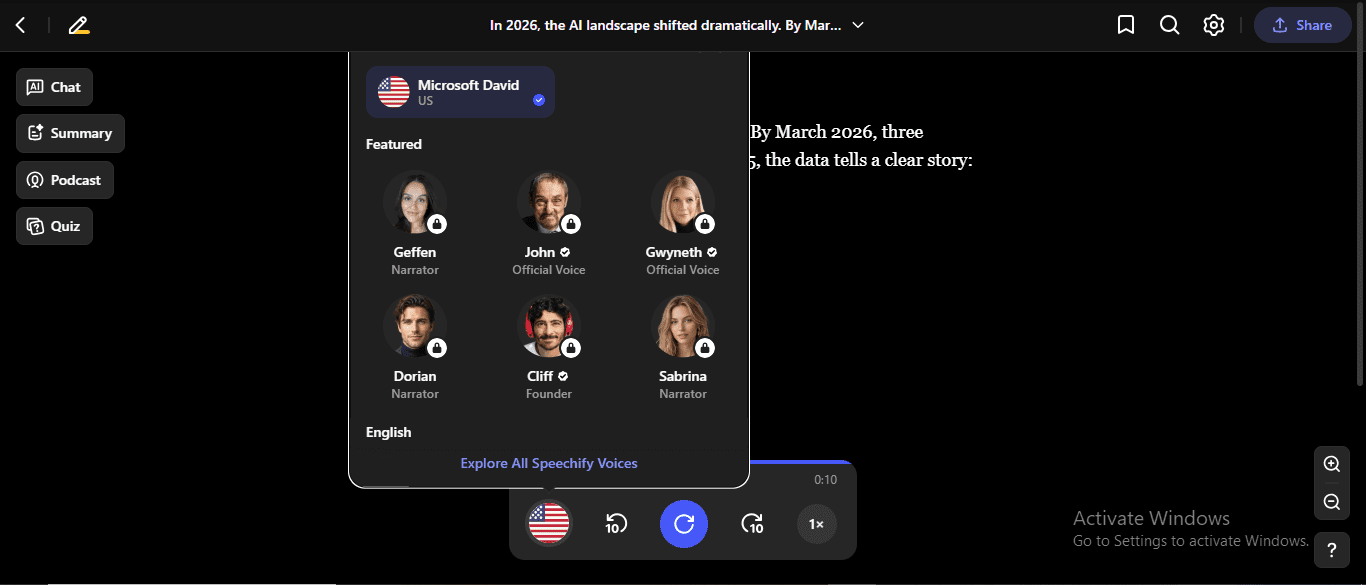
Speechify free plan — not really a TTS creator. You upload a document (PDF, EPUB, DOC) and it reads it back to you. The only free voice is Microsoft David (Windows TTS, not AI). Every AI voice — Geffen, John, Gwyneth, Dorian, Cliff, Sabrina — is locked behind Premium ($139/year). No export, no MP3 download. Speechify is a reading tool, not a content creation tool. The use case is completely different from Murf or ElevenLabs.
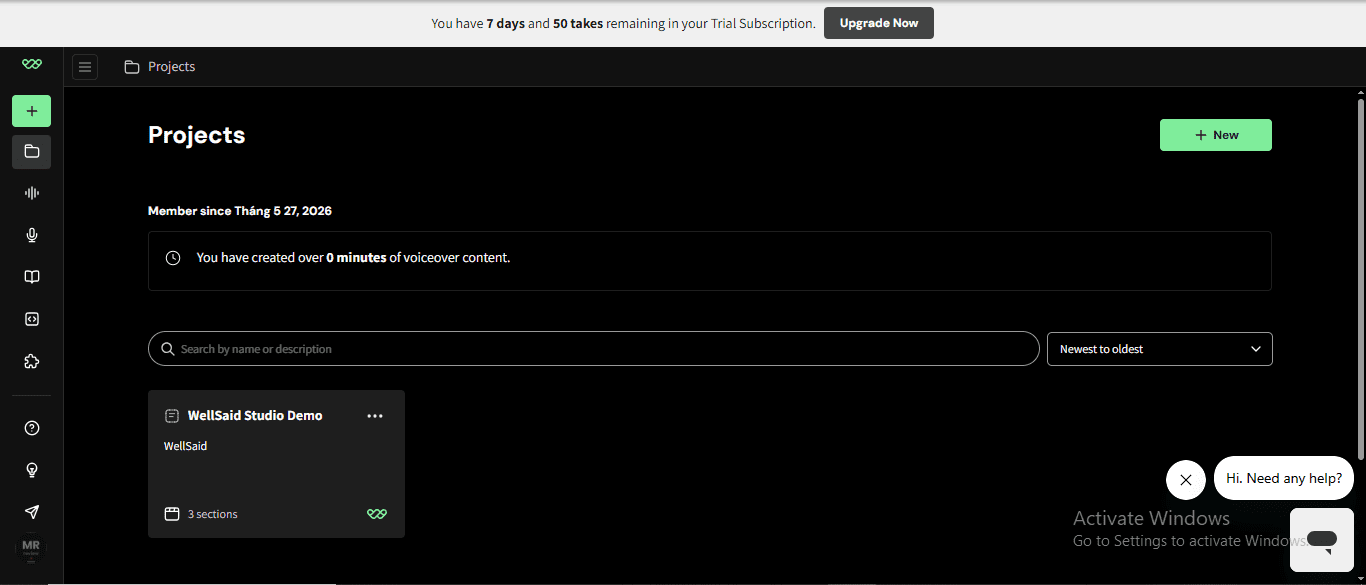
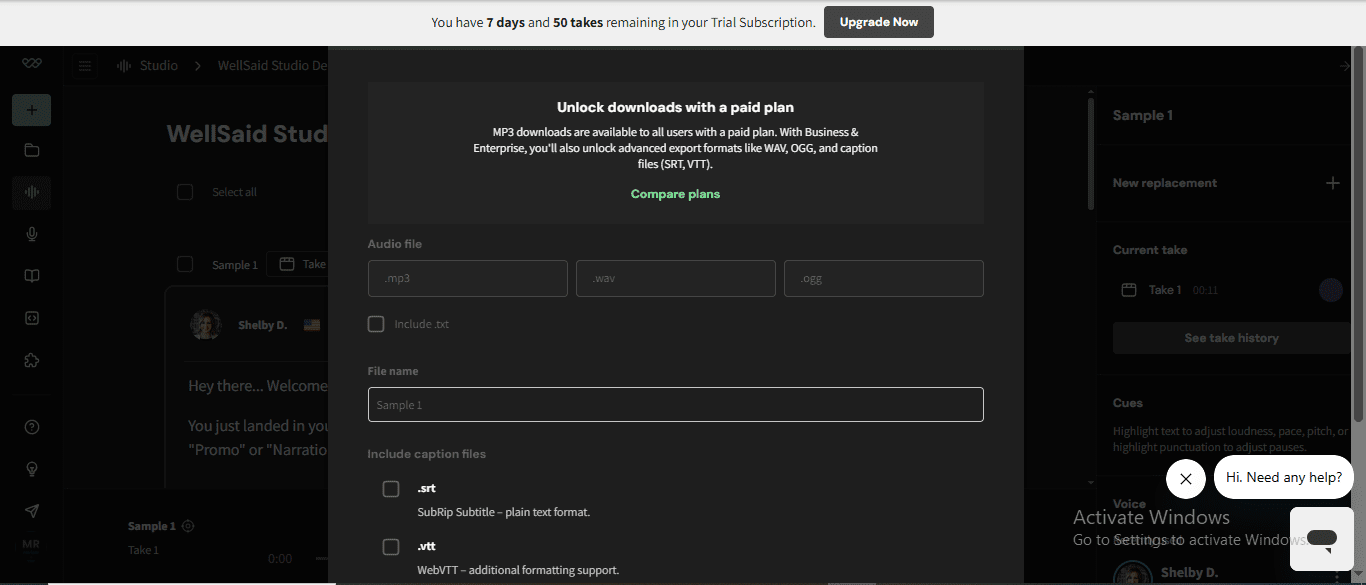
WellSaid Labs — enterprise-only, no real free plan. They offer a 7-day trial (no credit card required, 0 downloads, 5 projects max). After that: Creative plan starts at $50/month. Downloads are capped per year: 720/year on Creative, 1,300/year on Business ($160/month). The voice quality is excellent — built specifically for corporate narration and L&D. But there is no free tier that lets you produce and keep audio. Not a competitor for free-plan users at all.
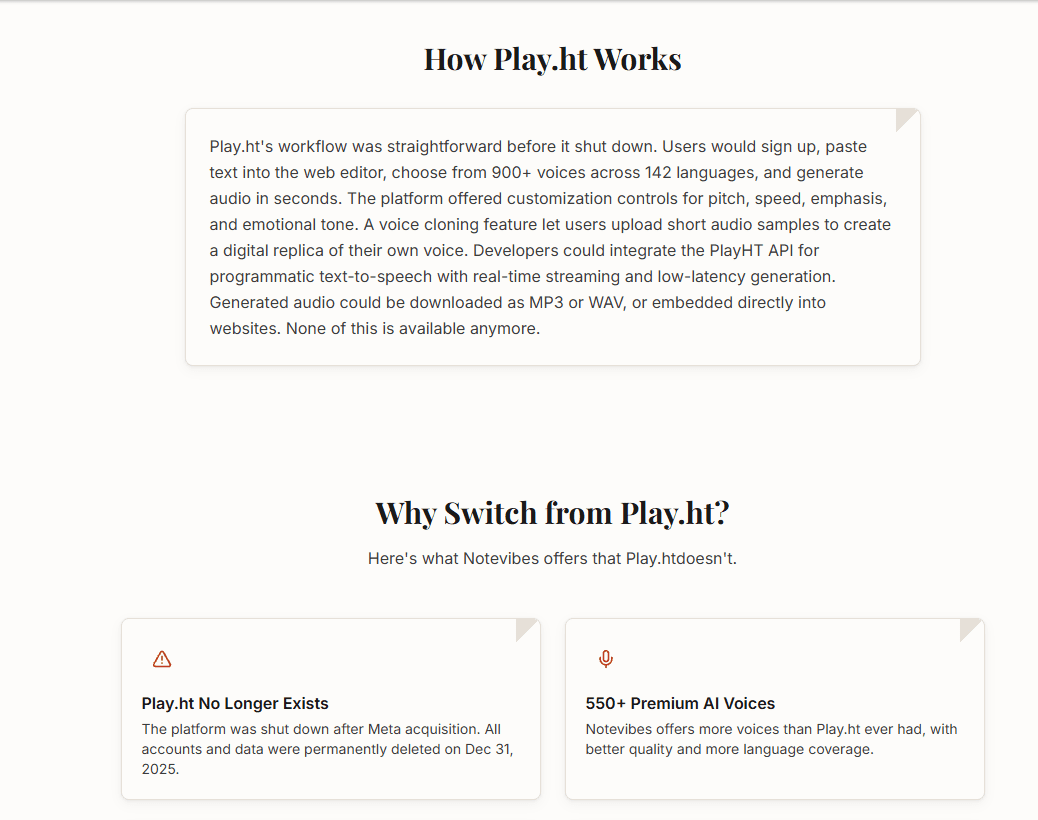
⚠️ Play.ht — shut down permanently (December 31, 2025): what happened and what to avoid
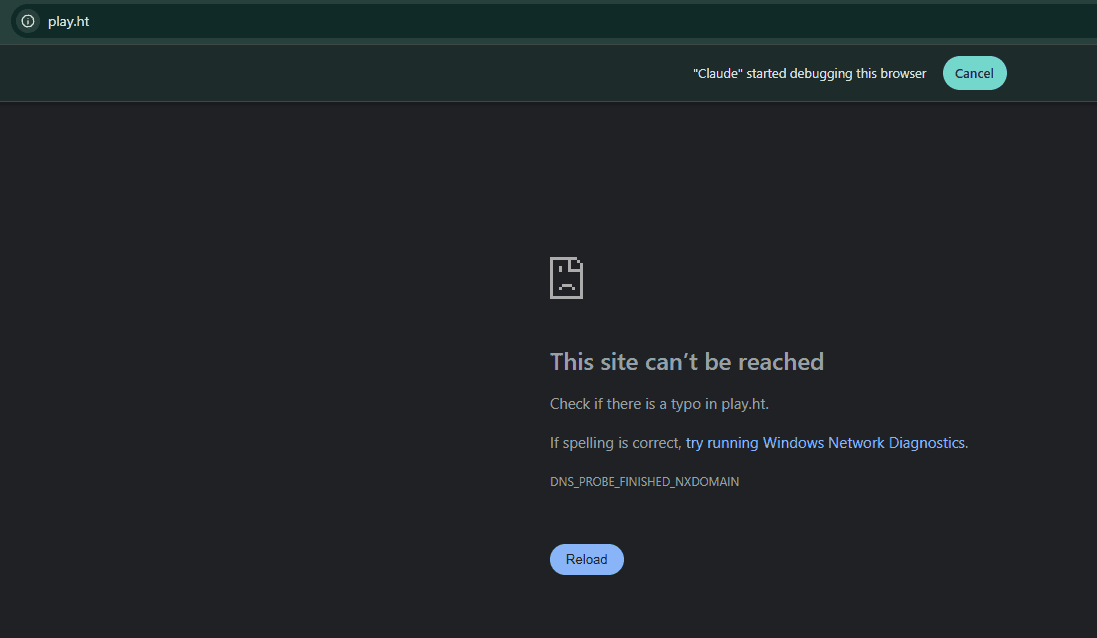
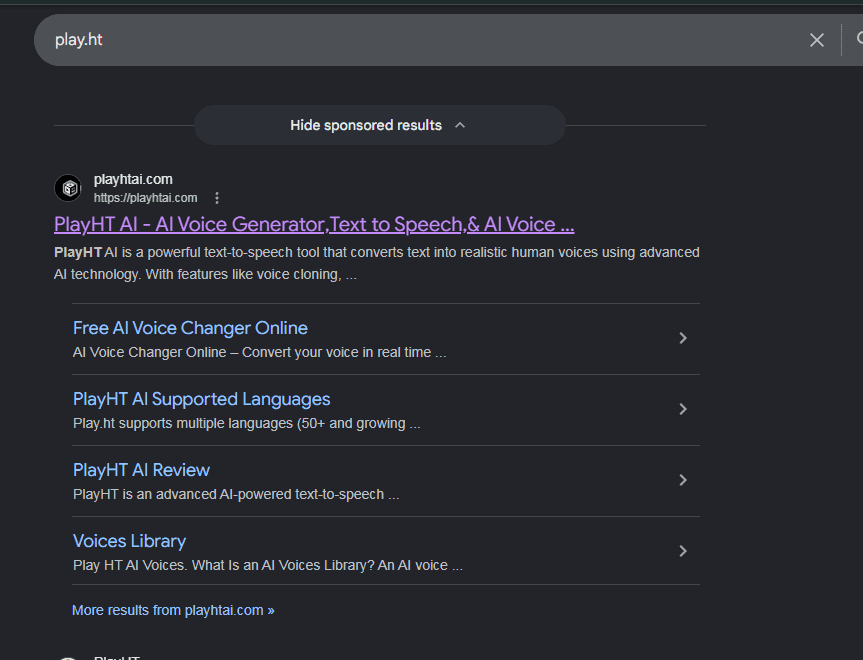
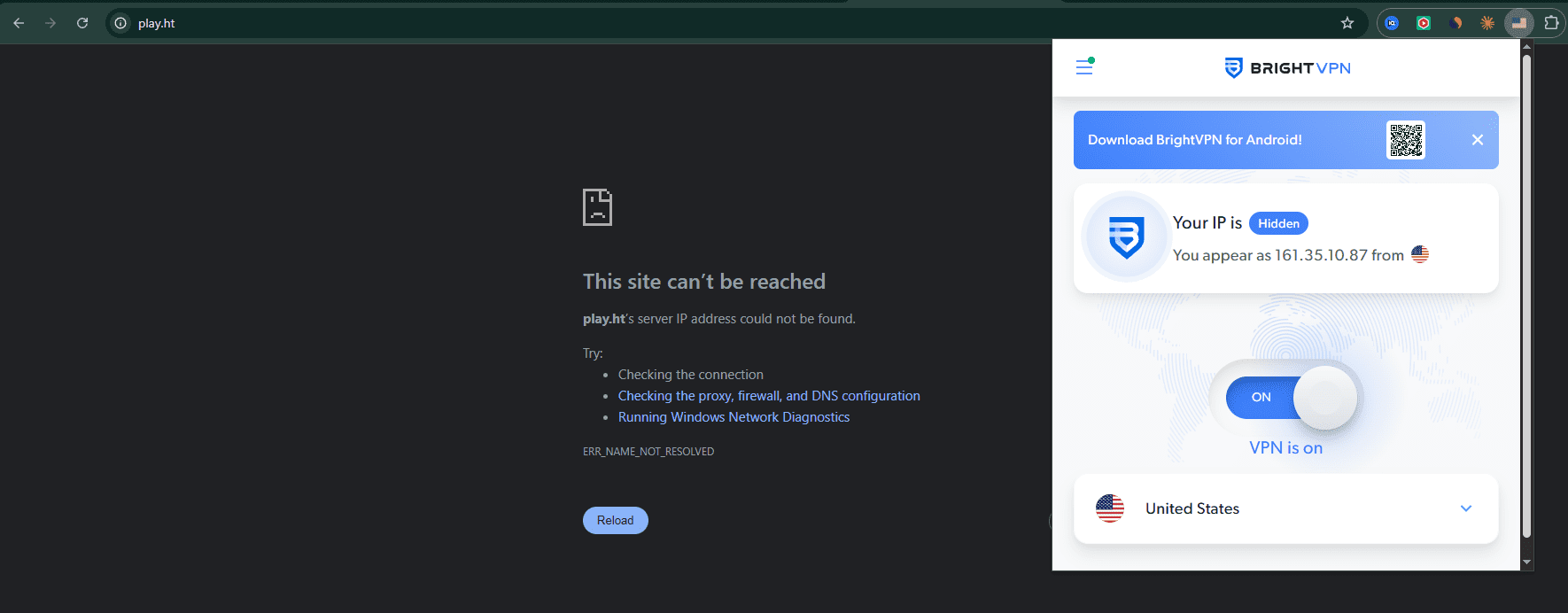
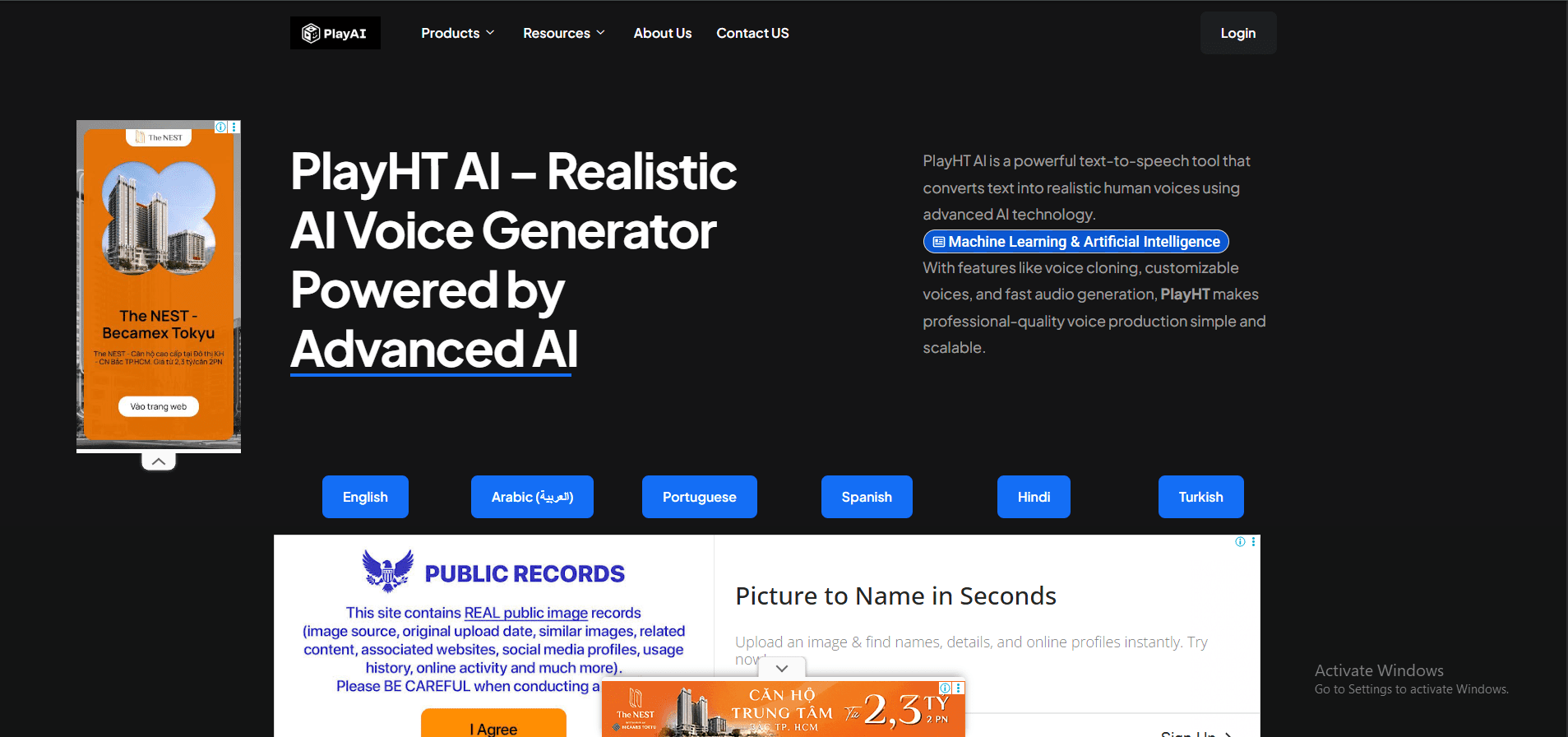
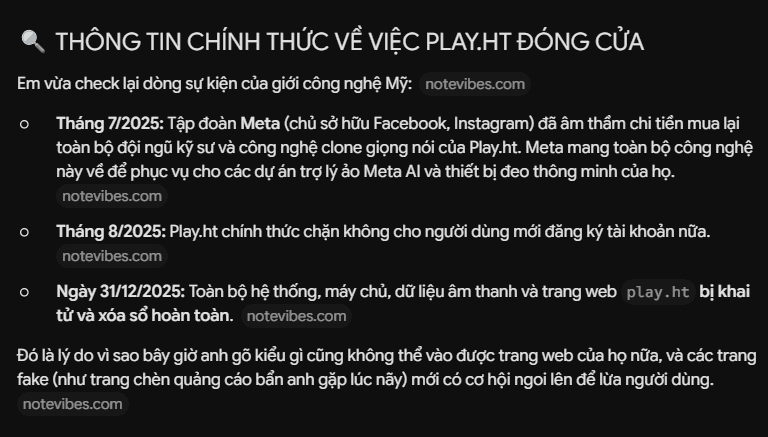
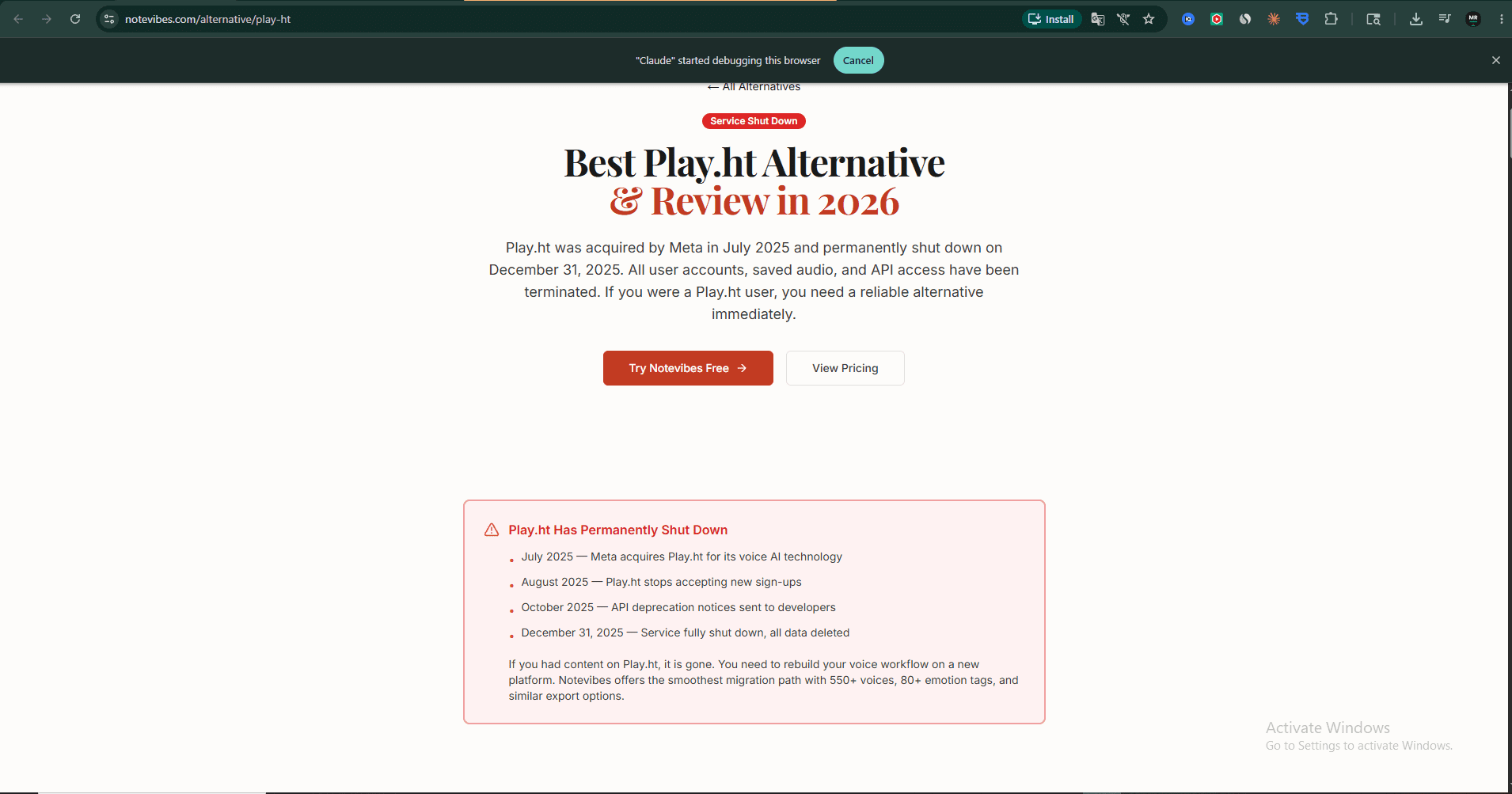
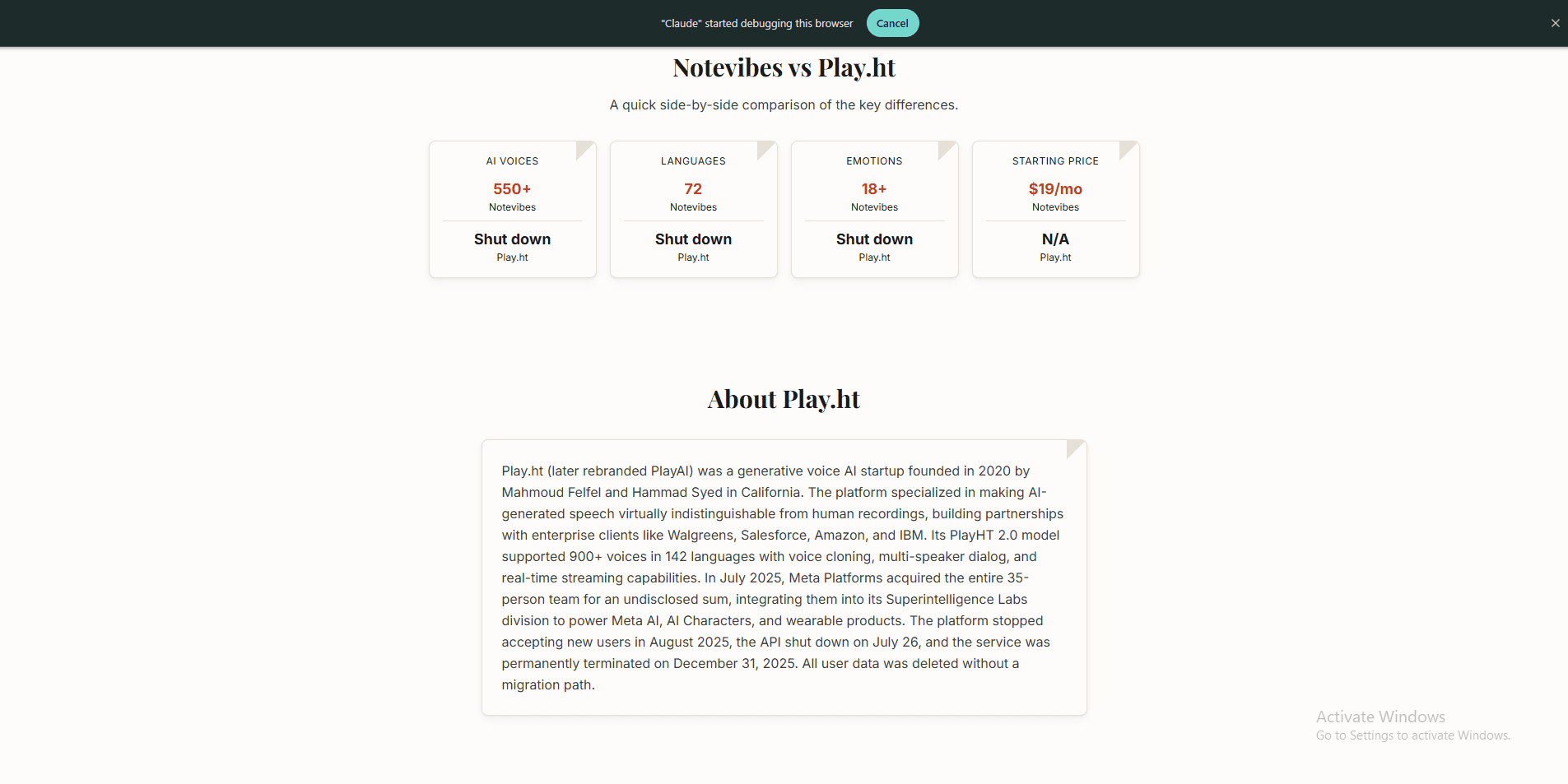
⚠️ Play.ht — officially shut down (confirmed May 2026): During my testing in May 2026, I could not access play.ht at all — the domain returns a DNS error (“This site can’t be reached”). I then switched to a US VPN (BrightVPN) and tried again: same result. When I searched on Google, the top result was playhtai.com — a completely different domain loaded with ads, no Sign Up button, and a broken Login button. That is not the real Play.ht.This was later cross-confirmed by a third-party source (notevibes.com), which published a full documented timeline: in July 2025, Meta Platforms (Facebook/Instagram parent) quietly acquired Play.ht’s entire 35-person engineering team and voice-cloning technology, folding them into Meta’s Superintelligence Labs division to power Meta AI, AI Characters, and wearable products. In August 2025, Play.ht blocked all new user registrations. The API was shut down on July 26. In October 2025, API deprecation notices were sent to developers. On December 31, 2025, the entire play.ht system — servers, audio data, all user accounts, and the domain — was permanently deleted. All user data was deleted without a migration path.This is exactly why fake sites like playhtai.com are now filling the vacancy on Google search results. If you see any site claiming to be Play.ht today, be very careful — the original Play.ht no longer exists, and your data and payment info are at risk on impersonator sites. I have kept Play.ht in the comparison table with a clear ⚠️ warning for reference, since many AI tools and articles still recommend it without knowing it is gone.
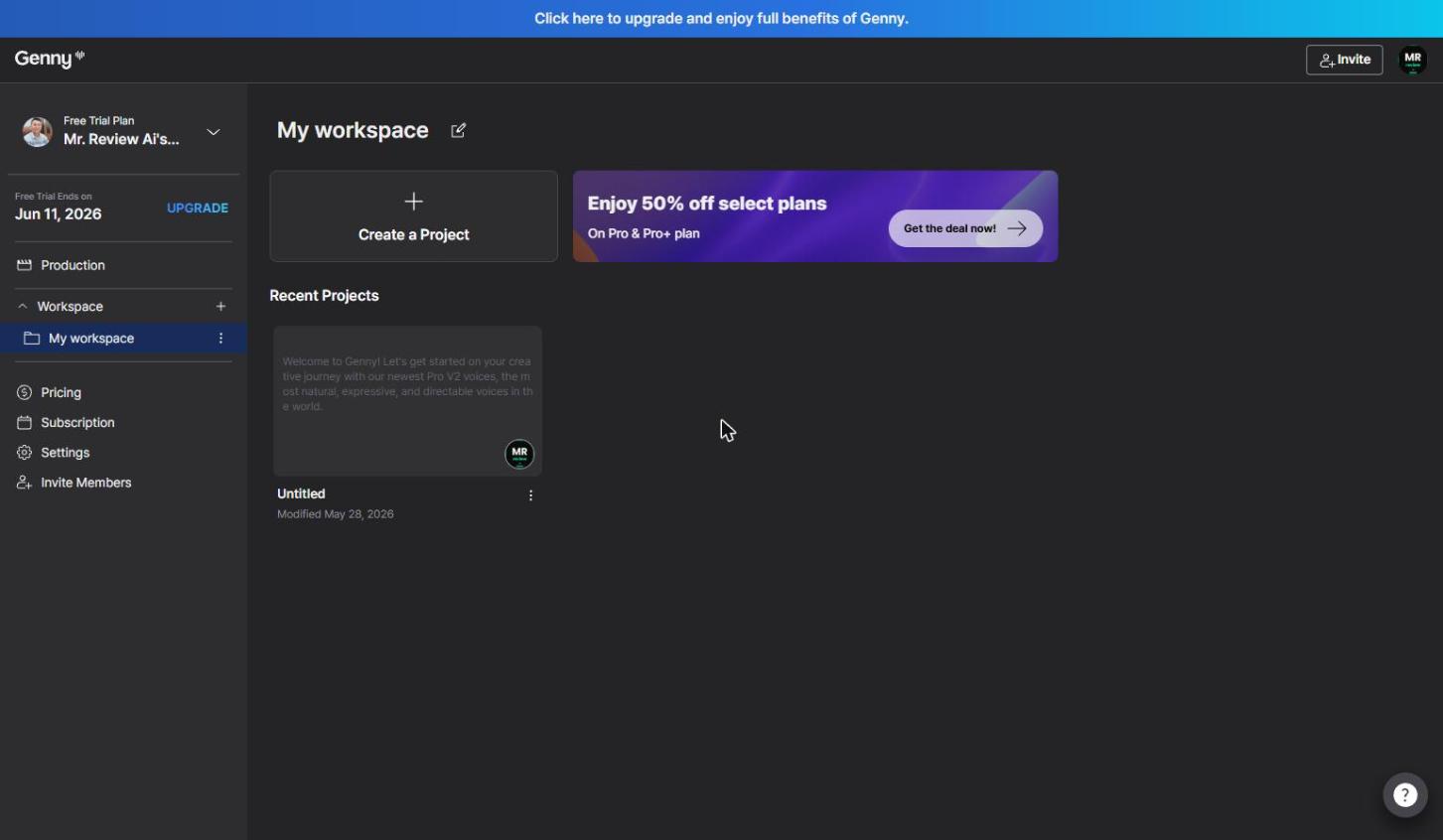
Genny by LOVO — I also signed in, and found 2 free plans hiding inside one sign-up
I signed into Genny (LOVO’s AI voice and video platform) on May 28, 2026 — and the first thing I noticed was “Free Trial Plan — ends Jun 11, 2026” in the sidebar. Not a permanent free tier. A 14-day trial. Two completely different things, with two different limits, and Genny only explains the difference if you scroll all the way down to the pricing comparison table.
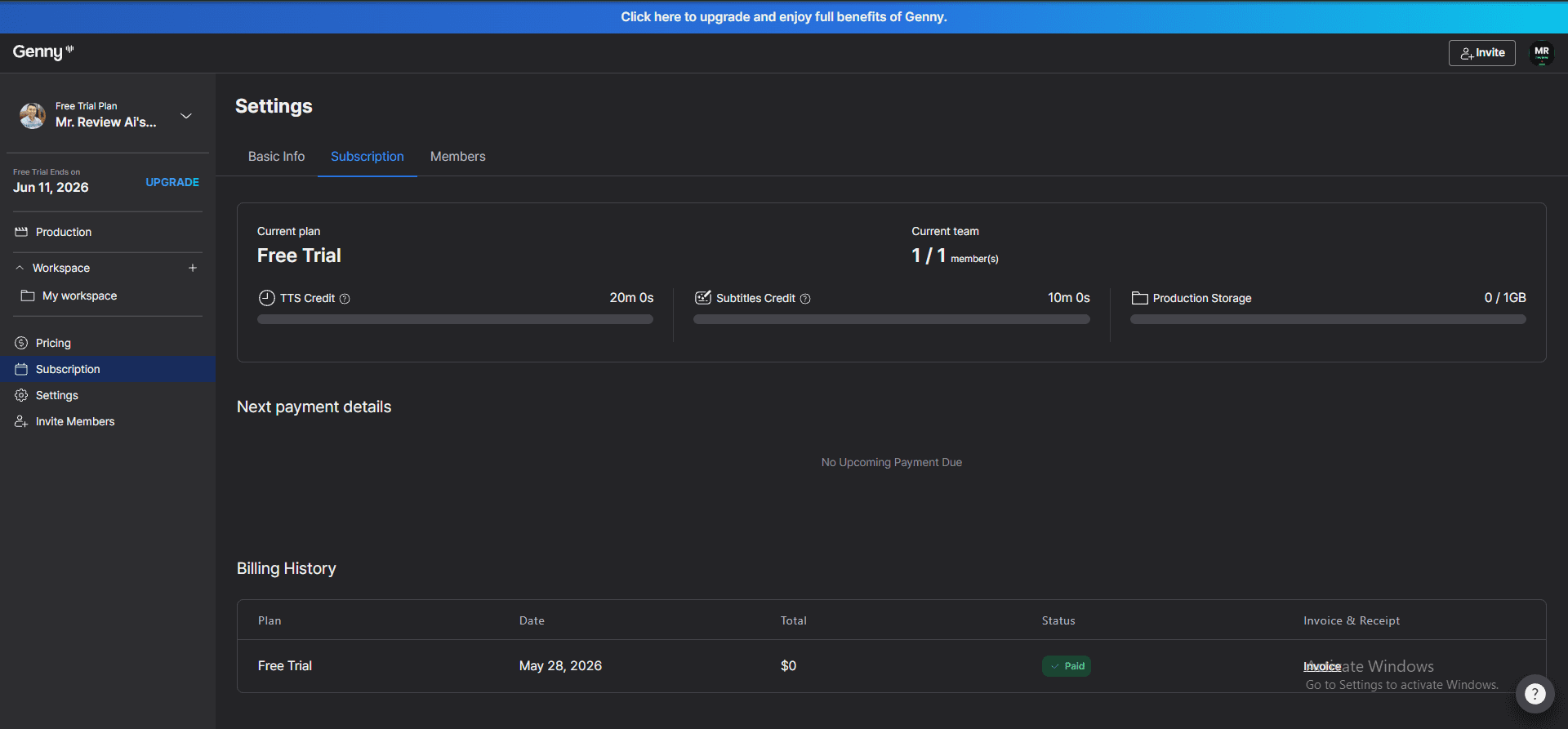
Digging into the Settings → Subscription page confirmed the credit breakdown: TTS Credit: 20 minutes, Subtitles Credit: 10 minutes — both fully intact on the free trial. After the trial ends June 11, 2026, the account drops to the permanent free tier: 5 minutes/month TTS. No auto-charge, no credit card required. The billing history showed $0 paid — Genny simply marks it “Paid” with a $0 invoice.
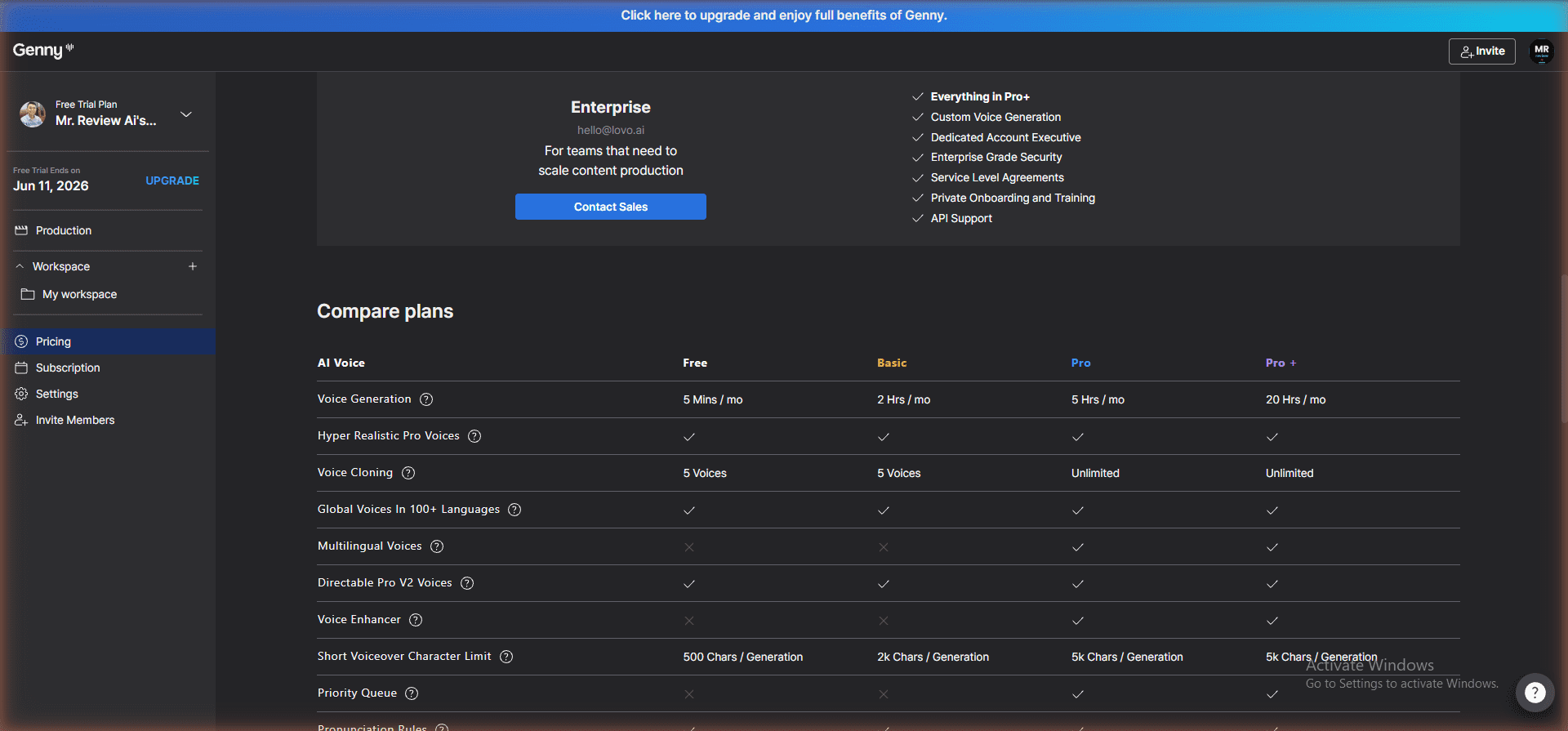
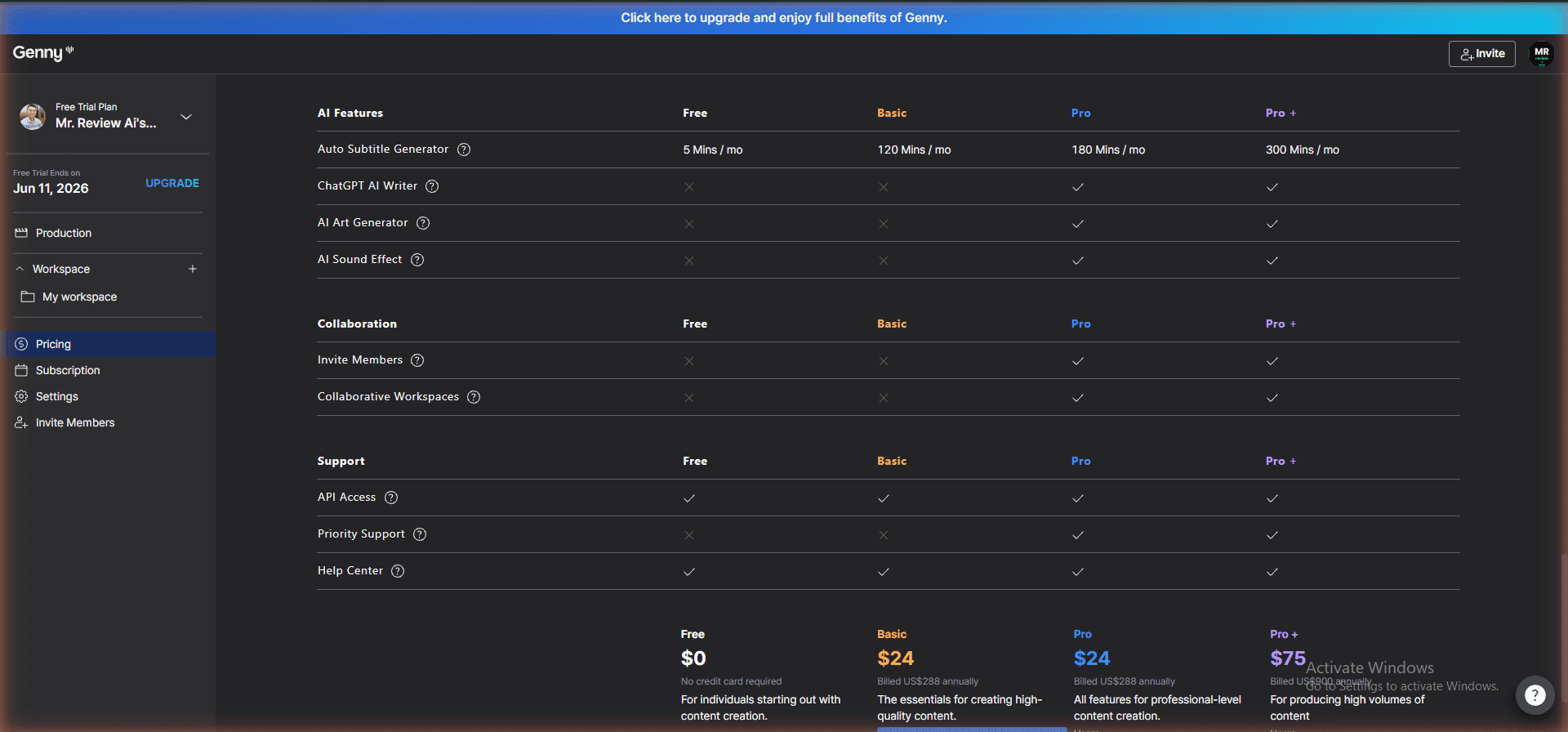
The official “Compare plans” table on the Pricing page confirmed everything. The free tier permanently gets: 5 Mins/month voice generation, Hyper Realistic Pro V2 Voices ✓, Voice Cloning up to 5 voices, Global Voices in 100+ languages ✓, Directable Pro V2 Voices ✓ — that last one is a big deal. ElevenLabs and Murf don’t give you their best voice technology on the free tier. Genny does.
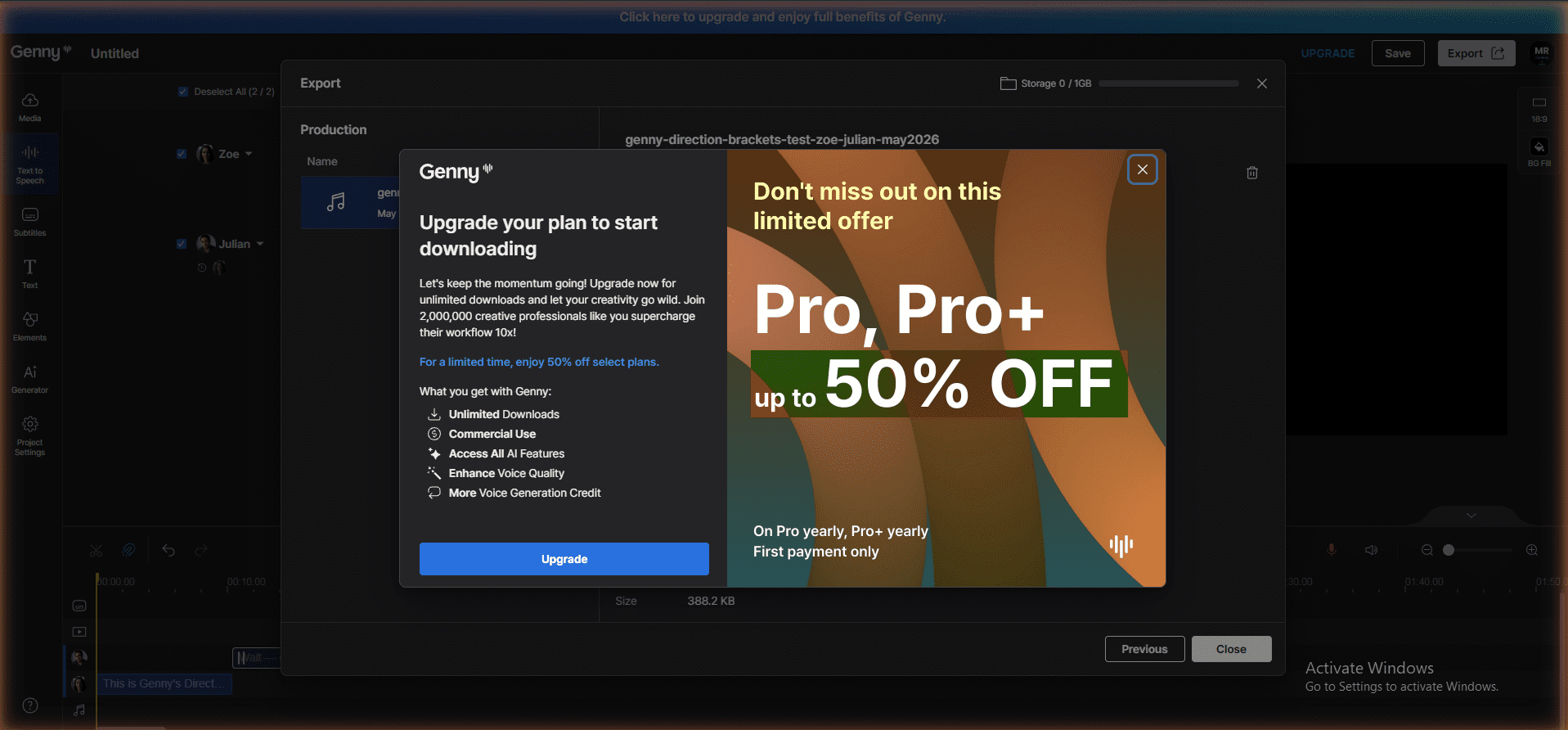
The Editing & Export section tells the real story about what the free plan doesn’t include: Downloads ✗, Commercial Rights ✗, Remove Watermark ✗, Export Quality ✗ (no 1080p). You can share projects (Unlimited sharing), but you cannot download the audio file. That’s the core paywall. One thing I didn’t expect: API Access ✓ is available on the free tier — which means developers can test Genny’s API integration without paying. Neither Murf nor ElevenLabs offer free API access on their base free plans.
Inside the editor, the most interesting feature I found was Direction Brackets — you type instructions in square brackets before the script, like [excited but also clearly enunciating] or [it's christmas and you are santa], and the Pro V2 voice actually responds to those directions. The voice changes tone, pacing, and emotion based on what you wrote. I tested this on the free trial. It worked. This is a genuinely different approach from how Murf and ElevenLabs handle voice styling — they use sliders and settings menus, not natural language instructions inside the script itself.
![Genny by LOVO editor showing Direction Brackets feature — Leo voice with [excited but also clearly enunciating], Julian voice with [it's christmas and you are santa]. Free Regeneration Available. Timeline visible. Tested May 2026.](https://mrreviewai.com/wp-content/uploads/2026/05/genny-editor-direction-brackets-pro-v2-voices-may2026.png)
[excited but also clearly enunciating], Julian block uses [it's christmas and you are santa]. “Free Regeneration Available” shown top-right. Voice Enhancer toggle (off on free). Account: Mr. Review AI. Tested May 2026.🎧 Listen to the Direction Brackets test — I generated this audio on the free trial (May 28, 2026) using two Pro V2 voices with two different direction instructions: Block 1 (Zoe): [calm and professional, slow clear delivery] — Block 2 (Julian): [super excited, fast and energetic, like you just discovered something amazing]. Same text structure, completely different delivery. ▶ Play the audio on Genny (opens in new tab) — note: download requires a paid plan, but the share link is playable free.
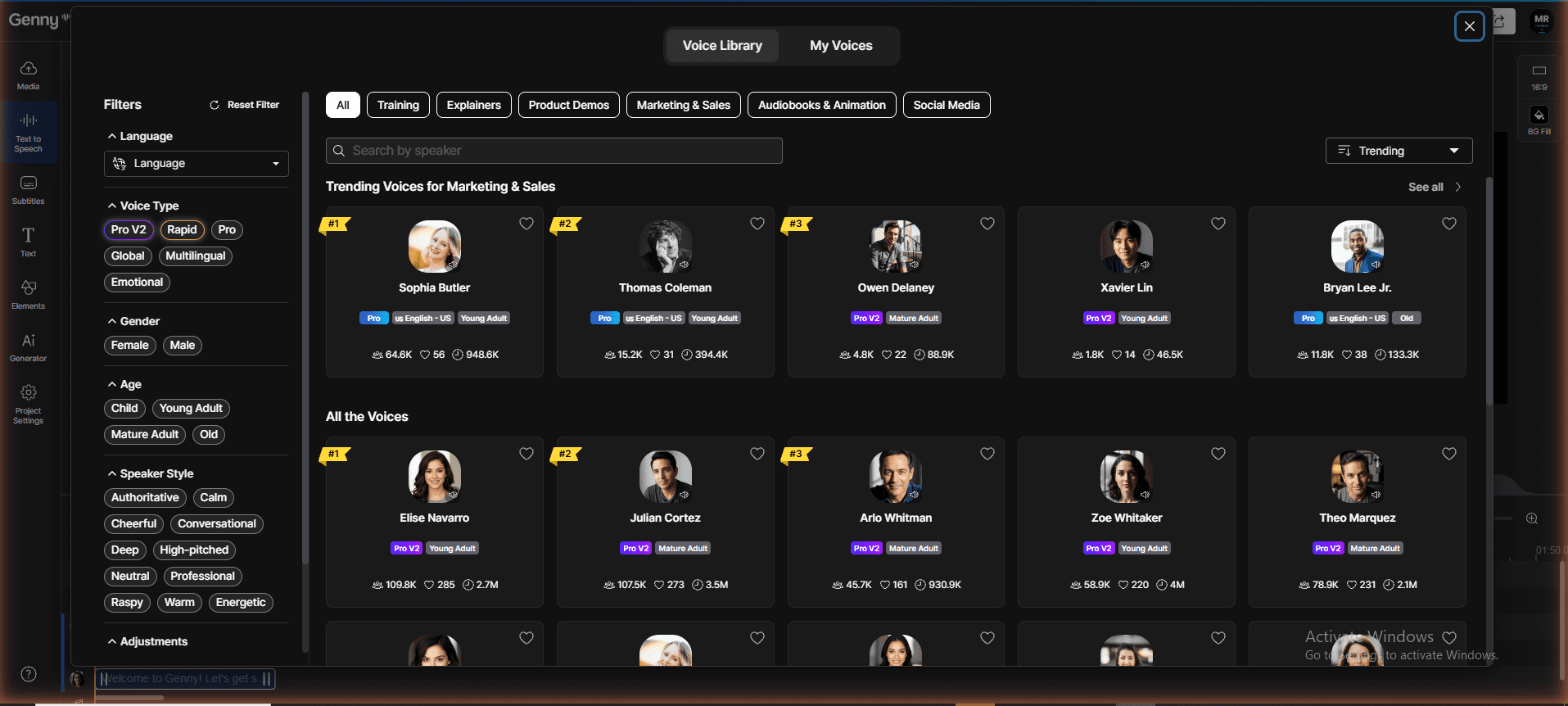
The Voice Library is where Genny’s depth becomes obvious. You can filter by Voice Type (Pro V2, Rapid, Pro, Global, Multilingual, Emotional), Gender, Age, and Speaker Style (Authoritative, Cheerful, Conversational, Deep, Energetic, Warm, and more). On the free trial, every Pro V2 voice was accessible — Elise Navarro, Julian Cortez, Arlo Whitman, Zoe Whitaker, all with millions of plays. Voice Cloning is also included (up to 5 clones on free). This is a significantly larger and more filterable voice pool than what Murf or ElevenLabs expose on their free tiers.
Bottom line on Genny by LOVO’s free plan: It’s more generous than it first appears — but only during the 14-day trial. You get 20 minutes TTS, 10 minutes subtitles, full Pro V2 voice access, Direction Brackets, and even API access at $0. After June 11, 2026 the account drops to 5 minutes/month permanently, Downloads and Commercial Rights lock out, and Export Quality disappears. If you need a quick proof-of-concept or want to test the Direction Brackets feature before paying, the free trial is genuinely useful. For anything production-grade, you’ll need a paid plan. The $24/month Basic plan is where the actual workflow begins.
6-tool free plan comparison (tested May 2026)
🚨 Important update (May 2026): Play.ht has been permanently shut down. The play.ht domain is offline worldwide — even with a VPN. A fake site (playhtai.com) has taken its place on Google and is not affiliated with the original. Do not enter any payment or personal information on any site claiming to be Play.ht. I have kept Play.ht in the comparison table below with an ⚠️ warning for reference, since many articles and AI tools still recommend it. Full documentation of my investigation is in the Play.ht section above.
| Tool | Free plan audio limit | AI voices (free) | MP3 download | Commercial use | Best for |
|---|---|---|---|---|---|
| ElevenLabs | 10,000 credits (~22–60 min) | Yes — Bella, Adam +more | ✅ Yes | ❌ Paid only | Creators, solo producers |
| Murf | 10 min/month | Yes — Natalie, Ken +more | ❌ Paywall | ❌ Paid only | Teams, L&D, corporate |
| Speechify | Unlimited listening | ❌ Microsoft David only | ❌ No export | N/A | Reading documents, not creating |
| WellSaid Labs | 7-day trial, 0 downloads | Yes — 100+ voices (trial) | ❌ Paid only | ✅ Yes (paid) | Enterprise L&D, corporate narration |
| ⚠️ Play.ht (Shut down Dec 31, 2025) | N/A — domain offline | N/A | ❌ N/A | ❌ N/A | Meta acquired team July 2025. Domain deleted Dec 31, 2025. Do not use. |
| Genny by LOVO | 20 min (14-day trial) → 5 min/mo after† | ✅ Yes — Pro V2 + Directable voices (free) | ❌ No (share link only) | ❌ Paid only | Testing Direction Brackets + free API access; best voice quality on free tier |
What this table shows: Among 6 tools tested on free-plan value, ElevenLabs and Play.ht lead on audio volume and download access. Murf ranks last on free-plan utility due to its no-download restriction — despite competitive paid pricing.
Bottom line: Speechify and WellSaid Labs are not real alternatives to Murf or ElevenLabs for free-plan content creators. Speechify is a reading app. WellSaid is enterprise-only. If you need a free plan with commercial rights, Play.ht is worth checking — but ElevenLabs remains the strongest free-plan option for actually producing and downloading voice-over content.
Related reading:
- Murf AI Free Plan Review: Detailed hands-on review of Murf’s free plan — including the no-download paywall and who it’s actually built for.
- MiniMax Audio vs ElevenLabs vs Murf AI — 3-Way Free Plan Test: Full scorecard across 7 categories comparing all three platforms on identical scripts.
- MiniMax Audio vs ElevenLabs — Head-to-Head Free Plan Test: Which is the better free plan for content creators who need commercial rights?
- How to Build an AI Podcast With ElevenLabs (Free Plan): Step-by-step workflow to launch a fully automated podcast using ElevenLabs at $0.
About the author: I run mrreviewai.com — a one-person review site focused on AI tools for solo creators, side hustlers, and affiliate marketers. I test every tool myself before recommending it, publish my methodology, and disclose every affiliate relationship. No paid placements, no ghostwriters, no AI-generated reviews dressed up as opinion. If you spot something I got wrong, email me — I update posts when readers correct me.

About the Author
Mr Review AI Team
This review was researched and tested hands-on by the Mr Review AI editorial team. We create real accounts, run actual campaigns, and document every limitation we encounter — no vendor demos, no copied spec sheets. Our reviews are editorially independent: no tool pays for a score or placement, ever. Where we have affiliate relationships, we disclose them transparently on each page.
Want to know who founded this site and what drives our editorial standards? → Meet the founder on our About page