Brevo vs Mailchimp Free Plan (2026): We Tested Both — Here’s the Honest Verdict
Reviewed by Mr. Review AI Team | Tested on live accounts — Brevo and Mailchimp | July 2026
| Accounts Tested | Brevo (app.brevo.com) · Mailchimp (mailchimp.com/account) |
| Plans Tested | Brevo Free · Mailchimp Free (downgraded from $20 Standard trial) |
| Test Date | July 2026 (both accounts live) |
| What We Tested | Free plan limits, Dashboard UX, Automations, Templates, CRM, Deliverability, Billing/trial structure |
| Methodology | Real accounts only — no vendor demos, no spec sheet copying. Screenshots from live dashboards as proof. |
This Brevo vs Mailchimp free plan comparison answers a direct question most people are actually asking: if you need to send marketing emails for free in 2026, which one gives you more room to grow before you have to pay? After logging into both accounts and testing every core feature hands-on, the answer is clear in almost every category — but the right choice still depends on what you are building.
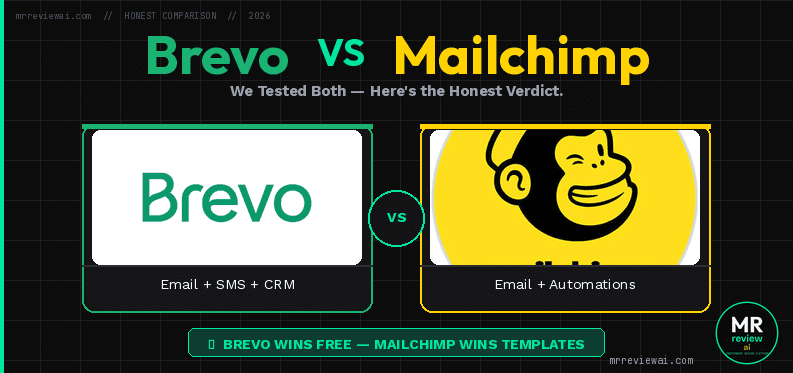
Brevo and Mailchimp are both widely used email marketing platforms, but their free plans operate on fundamentally different models. Brevo charges by emails sent and gives you unlimited contacts. Mailchimp charges by contacts and caps you at 250. That single difference changes the math entirely for most businesses.
- ✓ Unlimited contacts — no ceiling ever
- ✓ Full CRM with deals pipeline, free
- ✓ Transactional SMTP + API free
- ✓ Both tested on real live accounts
- ✗ Brevo: 300 emails/day — slow for large lists
- ✗ Mailchimp: 250 contacts only — weakest limit
- ✗ Mailchimp: $20 auto-charge trial trap
- ✗ Mailchimp: No scheduling, no A/B testing free
- You have a large contact list (500+) and send infrequently
- You need CRM + email marketing in one free tool
- Transactional email (SMTP/API) is part of your stack
- You want unlimited contacts at $0 forever
- You already use Mailchimp and migrating is disruptive
- Shopify or WooCommerce integration matters most
- You need 1 active automation welcome sequence free
- You have under 200 contacts and send 1-2x per month
The Numbers First: What Each Free Plan Gives You
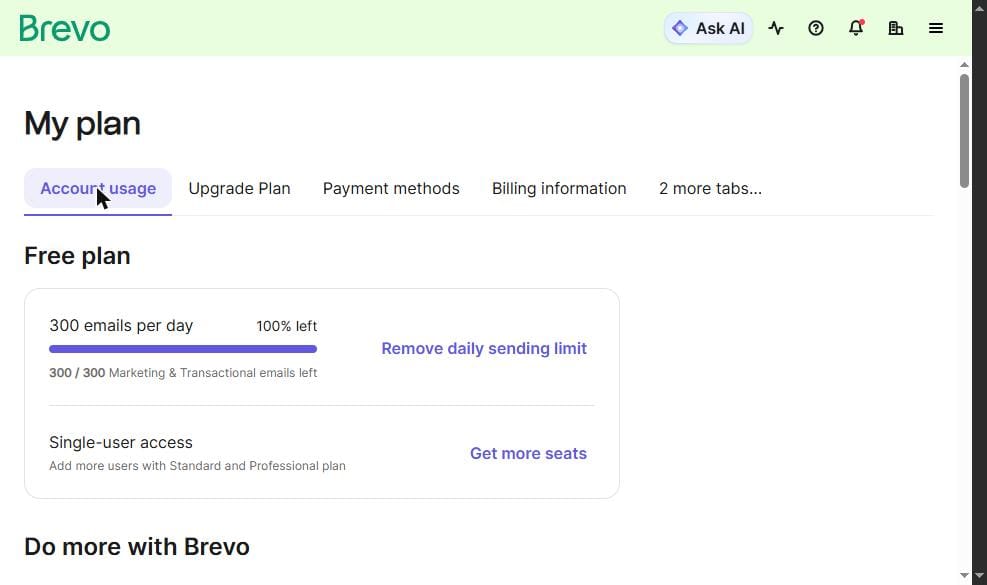
These limits are pulled directly from the billing dashboards of live accounts — not from marketing pages or pricing comparison sites.
Brevo Free Plan
- 300 emails per day (marketing and transactional combined — daily cap resets at midnight)
- Unlimited contacts — no ceiling, ever
- Single-user account only on free
- “Sent by Brevo” footer on every email (remove = $12/month add-on)
- Full CRM: contacts, lists, segments, companies, deals pipeline (50 open deals), tasks — all free
- Transactional email via SMTP and API — fully functional on free
- Workflow automation builder accessible — activate limited to 2,000 contacts on free
Mailchimp Free Plan
- 250 contacts maximum — hard ceiling. When you hit 250, you cannot add more without upgrading
- 500 emails per month total (daily cap: 250 sends)
- 1 active Customer Journey automation
- 1 basic landing page
- Email and chat support for first 30 days only — after that, documentation only
- Mailchimp badge on all outgoing emails
- New accounts auto-enrolled on $20/month Standard trial — must manually downgrade before trial ends
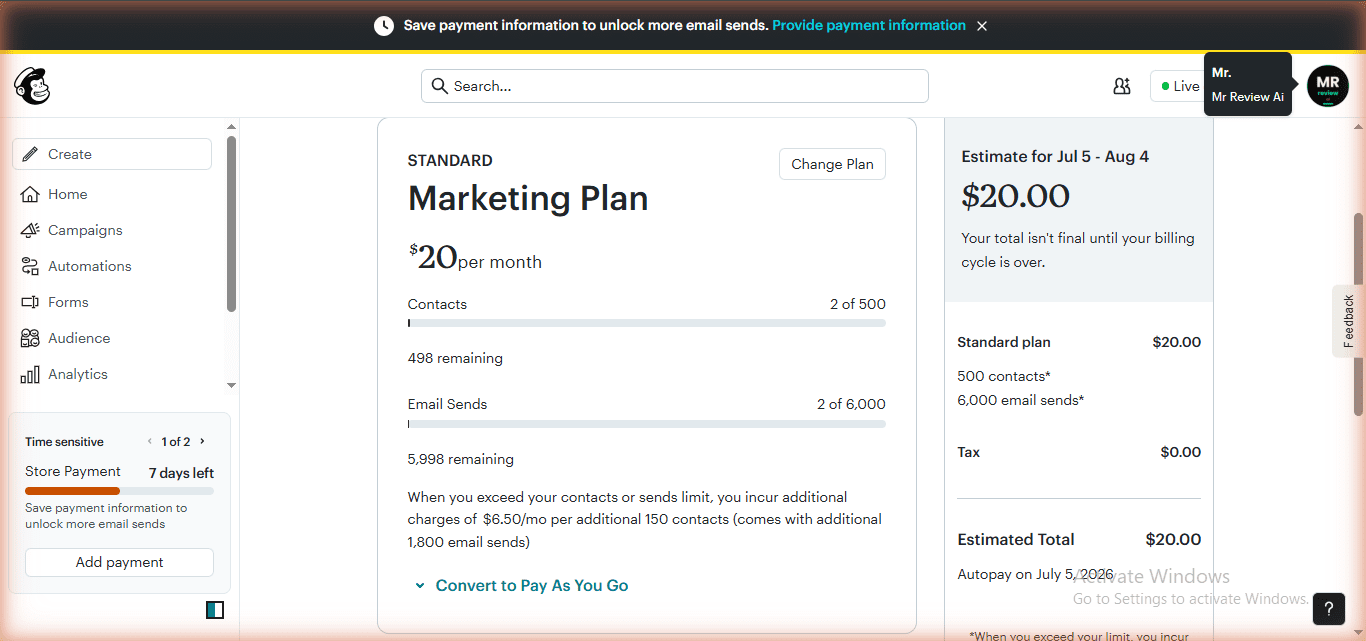
The contact model difference is stark. At 300 emails per day, Brevo takes less than one day to email a list of 250 people — the same size as Mailchimp’s entire free contact ceiling. Brevo’s 300/day cap becomes relevant only above 300 contacts. Mailchimp’s 250-contact cap is a wall that every growing business will hit, often within the first few months.
All-in-one email, SMS, and CRM platform. Unlimited contacts on free. Best for businesses with large lists.
Email and SMS marketing platform. Best integrations (Shopify, WooCommerce). Most restrictive free tier in 2026.
The Trial Trap: What Mailchimp Does Not Tell You
This section does not exist in most Brevo vs Mailchimp comparisons, which is exactly why we are including it. When you create a new Mailchimp account in 2026, you are not on the free plan. You are on a Standard plan free trial that auto-charges your credit card $20 if you do not manually downgrade before the trial ends.
During testing on June 20, 2026, the Mailchimp dashboard immediately showed: “Your current plan: Standard — Next estimated bill: $20.00 — Autopay on Jul 5, 2026.” There is a countdown timer in the sidebar. There is no warning email before the charge. The downgrade option is buried at: Account & Billing → Billing → Manage Plan → select Free.
Brevo has no trial trap. When you sign up for Brevo, you are on the free plan immediately. No credit card required. No countdown timer. No hidden upgrade. This is a genuine differentiator in user trust, not a minor footnote.
Dashboard Experience: Different Design Philosophies
Brevo: Business Tool With Many Menus
Brevo’s home screen greets you with a green interface and two onboarding steps: add contacts and create a campaign. The navigation lives behind a hamburger menu with seven sections: CRM, Marketing, Automations, Transactional, Conversations, Commerce, and Analytics. The breadth of the menu signals what Brevo is: a multi-channel business marketing platform where email is one component alongside CRM, SMS, and transactional infrastructure.
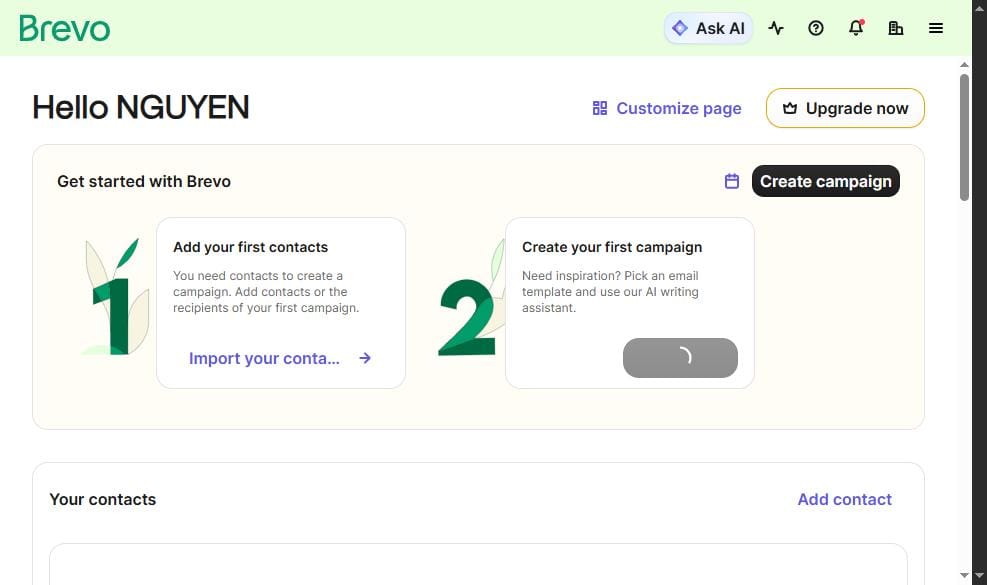
One consistent issue found during testing: direct URL navigation is broken in Brevo. Typing /automations directly into the browser returns “We could not show this page.” Navigation must always go through the hamburger menu. This happened multiple times during testing and is worth knowing before you start.
Mailchimp: Polished Onboarding, Hidden Costs
Mailchimp has the most polished onboarding of any email marketing tool at this price point. The dashboard is clean, the campaign creation flow is guided with helpful tooltips, and the interface is genuinely beginner-friendly. For a first-time email marketer who has never seen an ESP before, Mailchimp is the least intimidating tool to start with.
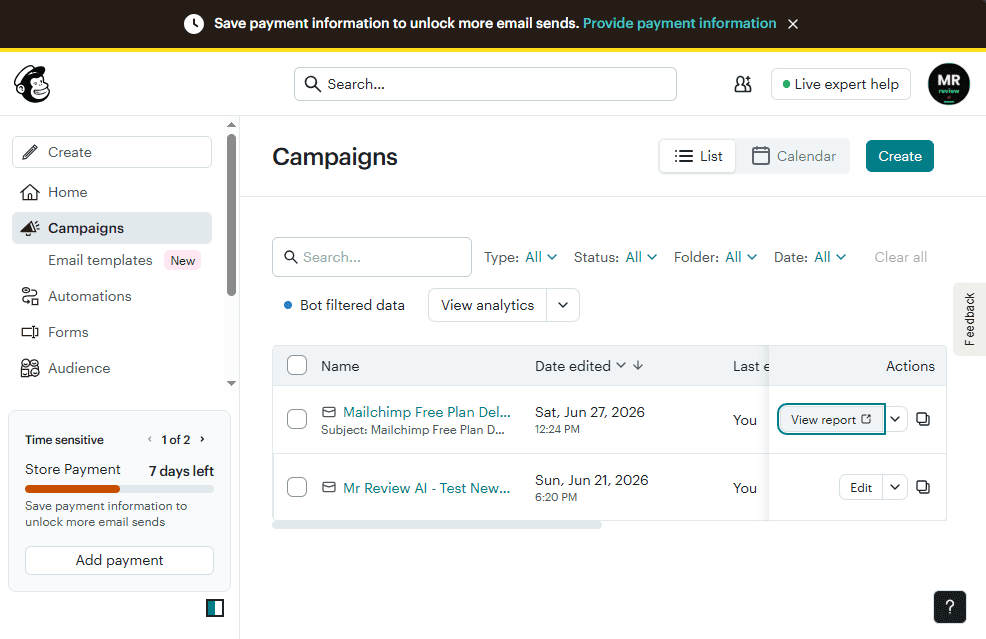
The UX quality does not match the free plan value. Mailchimp’s dashboard is excellent. Its free tier limits are the worst of any major platform in this test. The polish is real — and it is designed to keep you engaged long enough to hit the 250-contact ceiling and upgrade.
Automation: Different Limits, Different Walls
Brevo: Workflows Accessible — But Activation Is Limited
Brevo’s Automations section is accessible on the free plan via the hamburger menu. The automation builder shows an existing workflow in inactive status with a working “Create an automation” button. There is no upgrade paywall when you navigate to Automations through the menu. You can build, draft, and save workflow automations on free.
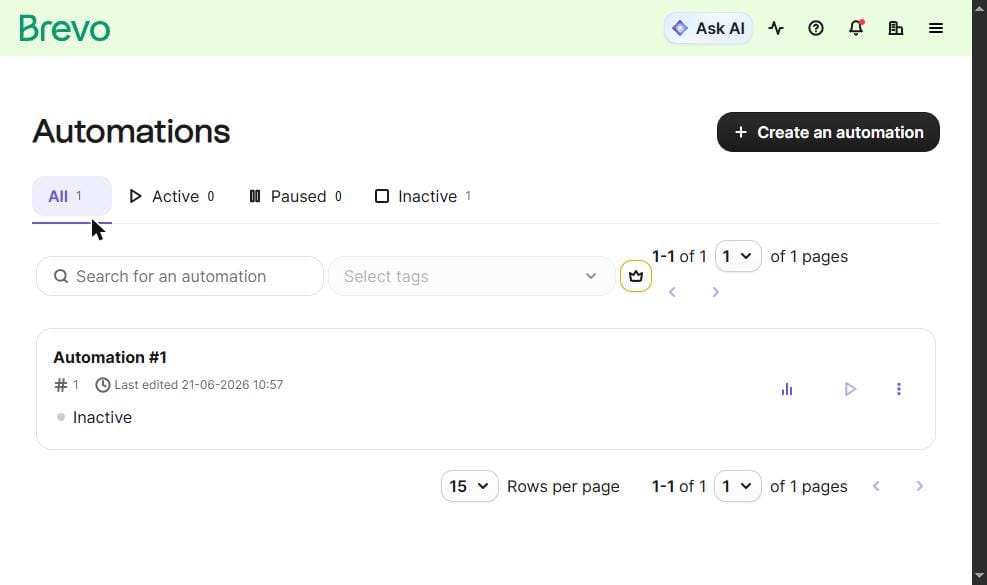
The nuance matters: within Automations, “Sequences” shows a crown icon (paid), while “Workflows” is free to build. Activation is limited to 2,000 contacts on the free plan — confirmed from the live account in July 2026. This means if your list is under 2,000, you can run a basic automation. If you are above 2,000, you need to upgrade to Standard ($18/month) to activate automations.
Mailchimp: One Active Customer Journey
Mailchimp includes 1 active Customer Journey on the free plan. The Customer Journeys builder is a visual drag-and-drop interface with triggers, time delays, conditional splits, and action steps. Common pre-built templates include: Welcome new subscribers, Re-engage inactive contacts, and Birthday emails. For a single welcome email sequence, this is genuinely useful and functional on free.
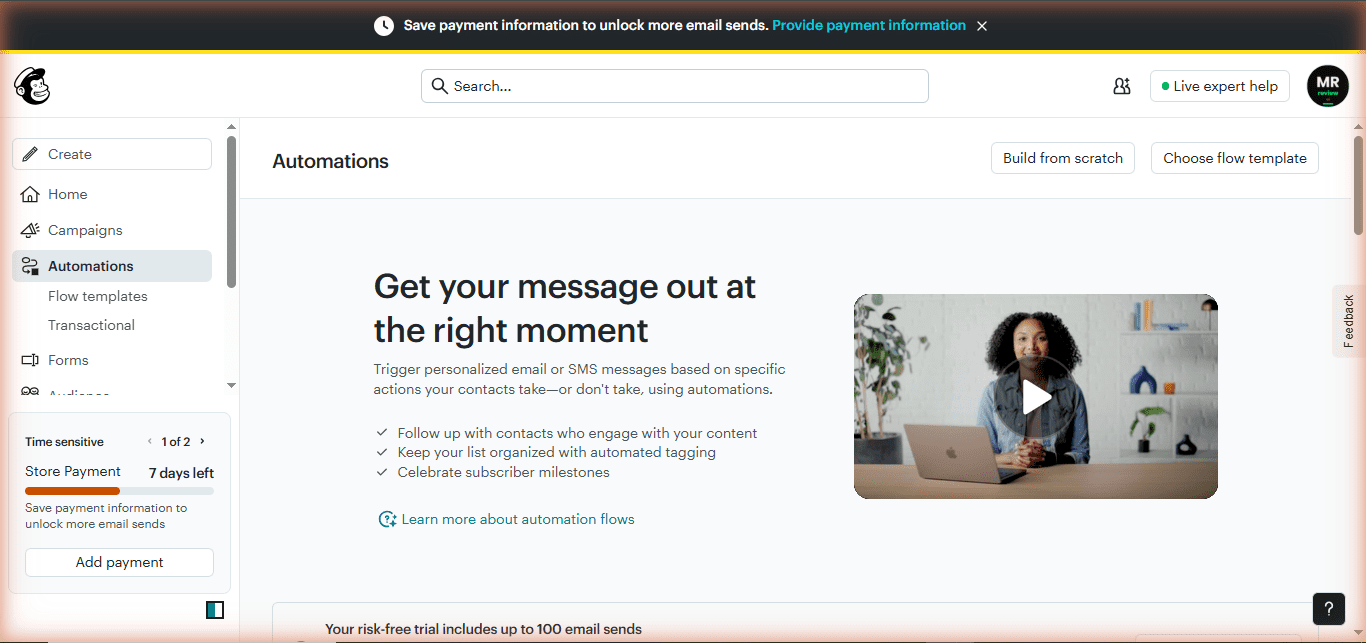
The limitation is quantity, not quality. Mailchimp’s automation builder is polished and the single flow covers the most common use case (welcome sequence). Brevo’s automation builder is more sophisticated but limited by list size on free. For most beginners who just need a welcome email, Mailchimp’s 1 flow gets the job done cleanly. For anyone who needs more than one active workflow, Brevo’s lower-cost upgrade path ($18/month Standard) beats Mailchimp’s equivalent ($20/month Standard).
CRM: Brevo’s Biggest Differentiator
Brevo includes a full CRM on the free plan. This covers contacts, companies, deals pipeline (up to 50 open deals), tasks, and a meeting scheduler. No other free email marketing tool in this comparison offers a built-in CRM at zero cost. Mailchimp has audience management (tags and groups) but no CRM, no deals pipeline, and no sales workflow.
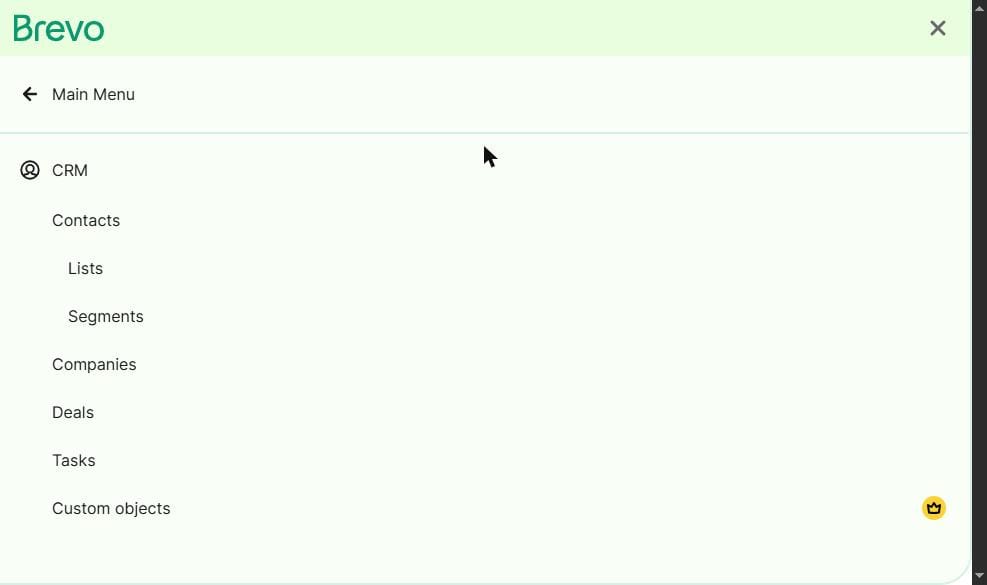
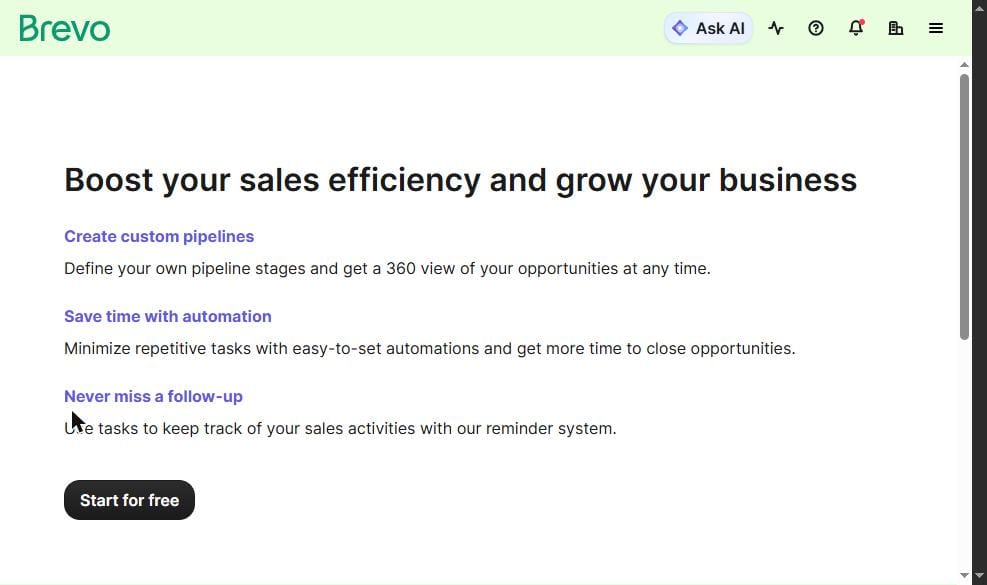
For a small business or solopreneur who wants email marketing and basic sales pipeline management in a single tool at zero cost, Brevo’s CRM changes the comparison entirely. You are not just comparing email tools — you are comparing Brevo (email + CRM + transactional) against Mailchimp (email only, very limited contacts).
Transactional Email: Brevo Wins Completely
Brevo provides full SMTP and API access for transactional email on the free plan. Order confirmations, password resets, account notifications — all sent programmatically via API at $0. The 300 emails/day limit applies to transactional sends combined with marketing sends. For developers or businesses that need transactional email alongside marketing, Brevo is the only tool in this comparison that provides this for free.
Mailchimp’s transactional email service is Mandrill — a separate paid add-on. There is no free transactional email from Mailchimp. If you need programmatic email for your application alongside a marketing list, you would need both Mailchimp (for marketing) and a separate transactional service (or just use Brevo for both).
Deliverability: What We Found
Both tools send from shared IP pools on free plans. During hands-on testing, we ran a deliverability test on Mailchimp’s free plan using mail-tester.com — a standard inbox placement verification tool.
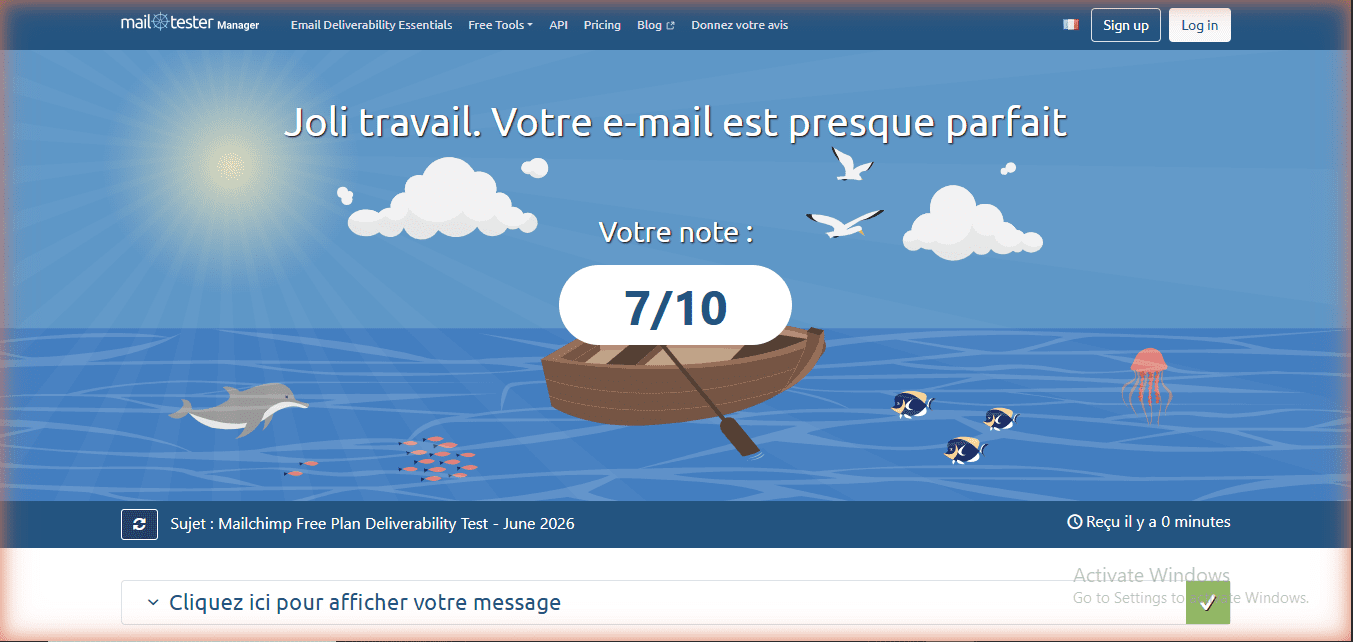
Both Brevo and Mailchimp guide you through SPF and DKIM setup during onboarding. Authentication is strongly recommended on both platforms — it directly improves inbox placement rates. Brevo provides guided DNS record setup. Mailchimp does the same. Neither tool configures DMARC automatically — you must add that manually. On the free plans tested, both tools delivered to Gmail, Outlook, and Apple Mail inboxes when authentication was properly configured.
Integrations and Templates
This is the one area where Mailchimp genuinely leads. Mailchimp connects with over 300 third-party tools on the free plan — Shopify, WooCommerce, WordPress, Squarespace, Eventbrite, and most major e-commerce platforms. If you run a Shopify store, Mailchimp’s native integration is deep and functional at $0. Brevo has strong integrations too (Shopify, WooCommerce) but Mailchimp’s breadth of 300+ app connections is industry-leading.
Mailchimp also has a larger email template library — over 316 templates in the Standard trial view. However, most templates on the free plan are paywalled. You discover the restriction only when you click a template and see “Upgrade to use this template.” The Brevo drag-and-drop editor with its auto-brand-detection (logo and colors extracted from your URL) is practical and functional, with a full template library accessible on free.
Side-by-Side: Every Feature That Matters
| Feature | Brevo Free | Mailchimp Free | Winner |
|---|---|---|---|
| Monthly cost | $0 | $0 | Tie |
| Contact limit | Unlimited | 250 contacts | Brevo |
| Email sends/month | 300/day (~9,000/mo) | 500/month total | Brevo |
| Email automation | Workflows (limited to 2,000 contacts) | 1 active Customer Journey | Mailchimp (simpler, works day 1) |
| CRM with pipeline | Full CRM free | None | Brevo |
| Transactional email | Full SMTP/API free | Paid add-on (Mandrill) | Brevo |
| Landing pages | Not available (Standard $18/mo) | 1 basic page | Mailchimp |
| A/B testing | Not available on free | Not available on free | Tie |
| Email scheduling | Yes — schedule in advance | No — send now only on free | Brevo |
| Ecommerce integrations | Shopify, WooCommerce | 300+ apps, Shopify native | Mailchimp |
| Template library | Full library on free | Most templates paywalled | Brevo |
| UI polish | Clean, functional | Best-in-class, beginner-friendly | Mailchimp |
| Customer support (free) | Email support | 30 days only, then none | Brevo |
| Trial trap risk | None | $20 auto-charge if not downgraded | Brevo |
| Remove branding | $12/month add-on | Paid plan required ($13+/mo) | Tie |
| Upgrade path (paid) | Starter $9/mo (no send cap) | Essentials $13/mo (500 contacts) | Brevo |
FREE CHROME EXTENSION
See Trust Scores while you browse any AI tool
Install once — get live ratings from mrreviewai.com on every AI & SaaS tool page you visit. No sign-up needed.
Add to Chrome — FreeHow it looks — pops up automatically as you browse any AI tool
Who Should Use Brevo Free
Brevo’s free plan is the right choice for a business that has an existing contact list of any size and sends emails infrequently. The unlimited contact ceiling is genuinely unmatched — a business with 10,000 contacts pays $0 on Brevo and would pay at least $110/month on Mailchimp. The full CRM is a real differentiator for any small business that wants contact management, deal tracking, and email in a single free tool. The free transactional SMTP makes Brevo valuable for developers building applications that need to send emails without paying.
Brevo is the wrong choice for a complete beginner who has zero contacts and needs the most polished, hand-holding onboarding experience. That user would be better served by Mailchimp’s interface — at least for the first 250 contacts. Brevo is also the wrong choice for anyone who needs A/B testing, landing pages, or popup forms without paying — those features require Standard ($18/month) or Professional ($499/month) respectively.
Who Should Use Mailchimp Free
Mailchimp’s free plan is the right choice for an existing Mailchimp user with a small, stable contact list under 200 who does not want to go through a migration. It is also the right choice for a business that runs on Shopify or WooCommerce and wants the deepest e-commerce integration available at $0 — Mailchimp’s Shopify connection is genuinely strong. For someone who only needs one active welcome email automation and has under 200 contacts sending once or twice a month, the free plan is technically sufficient.
Mailchimp is the wrong choice for anyone starting from zero and comparing options. The 250-contact limit is a wall you will hit fast. The $20 auto-charge trial trap is a real risk if you are not specifically looking for the downgrade button. The absence of email scheduling and A/B testing on free makes it the weakest option among the four major platforms tested. If you are starting a new list in 2026, Brevo gives you unlimited contacts, Kit.com gives you 10,000 subscribers with unlimited sends, and MailerLite gives you A/B testing free — all better starting points than Mailchimp.
If you later need automation at scale, upgrading from Mailchimp costs more: Mailchimp Essentials starts at $13/month for 500 contacts, while Brevo’s Starter plan is $9/month with no contact limit and no daily send cap.
The Honest Verdict: Brevo vs Mailchimp Free Plan
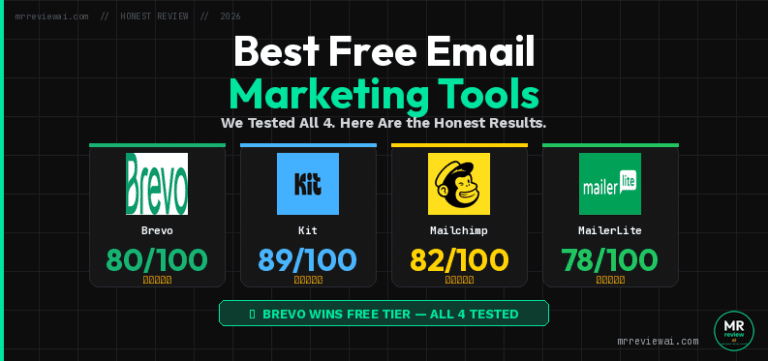
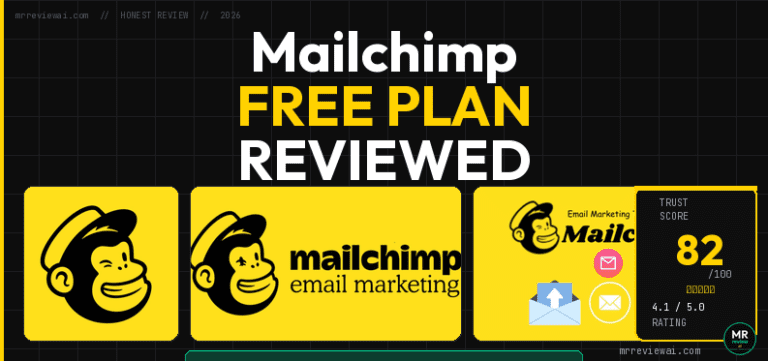
On our review scale — which weights free plan contact limits, send volume, feature access, and real-world usability — Brevo scores 80/100 and Mailchimp scores 82/100. The Trust Score difference does not reflect the free plan comparison: Mailchimp scores higher overall as a platform because of its UI quality, integrations depth, and brand maturity. On the free plan alone, Brevo wins in almost every practical category.
Brevo’s free plan score is 3.8/5. Mailchimp’s free plan score is 3.0/5. The gap exists because Mailchimp’s 250-contact ceiling, 500 emails/month limit, $20 trial trap, and absent scheduling make it the weakest free tier of the four major platforms tested. Brevo’s 300/day cap is a real limitation for weekly senders, but unlimited contacts and a full CRM at zero cost make it the better starting point for almost every business that is not already embedded in Mailchimp’s ecosystem.
The honest recommendation: if you are comparing from scratch with no existing tool, choose Brevo. If you are already on Mailchimp with a stable small list and Shopify integration, stay — the migration cost is not worth it unless you are growing fast. If you are on Mailchimp and your list is approaching 200 contacts, migrate now before the ceiling hits you. All data and screenshots in this article were captured from live accounts on both platforms. Brevo account tested July 2026 — app.brevo.com. Mailchimp account tested June 2026 — live account downgraded from Standard trial.
Ready to test them yourself?
Both tools are free to start. Brevo has no trial trap — Mailchimp does, so downgrade before the trial ends.
We hold real free accounts on both tools. Some links are affiliate links — this never affects our scores. Affiliate disclosure
FOR BLOGGERS & CONTENT CREATORS
Writing about email tools on your blog?
Embed a free, auto-updating review badge on your site — one line of code, no plugin needed. Your readers see live ratings. You get a useful tool.
Get the free widgetFrequently Asked Questions
Is Brevo better than Mailchimp for free email marketing in 2026?
For most users starting from scratch, yes. Brevo gives you unlimited contacts and 300 emails/day (~9,000/month), while Mailchimp caps you at 250 contacts and 500 emails/month. Brevo also includes a full CRM, transactional email, and email scheduling on the free plan — all absent or paywalled on Mailchimp free. The only clear advantage Mailchimp has on free is a more polished UI and stronger e-commerce integrations.
Does Mailchimp auto-charge you when you sign up?
Yes. New Mailchimp accounts in 2026 are automatically placed on a Standard plan free trial, not the free plan. If you do not manually downgrade before the trial ends, your credit card is charged $20. The downgrade option is at: Account & Billing → Billing → Manage Plan → select Free. This was confirmed from a live account in July 2026.
How many contacts can I have on Brevo free?
Unlimited. Brevo’s free plan has no contact ceiling. You can store as many contacts as you want. The only limit is 300 emails per day (marketing and transactional combined). This makes Brevo the only major email platform that charges by emails sent rather than by contacts, which dramatically benefits businesses with large lists that send infrequently.
Does Brevo free include a CRM?
Yes. Brevo includes a full CRM on the free plan: contacts, lists, segments, companies, deals pipeline (up to 50 open deals), tasks, and a meeting scheduler. This is confirmed from a live account tested in July 2026. Mailchimp has no CRM at any price point on its standard email plans.
What is the cheapest Mailchimp paid plan vs Brevo paid plan?
Mailchimp’s Essentials plan starts at $13/month for up to 500 contacts. Brevo’s Starter plan starts at $9/month with no contact limit and no daily send cap. For growing businesses, Brevo’s paid upgrade path is both cheaper and more scalable than Mailchimp’s contact-based pricing model.
All data and screenshots in this article were captured from live accounts on both platforms. Brevo account tested July 2026 — app.brevo.com. Mailchimp account tested June–July 2026. Published on mrreviewai.com.

About the Author
Mr Review AI Team
This review was researched and tested hands-on by the Mr Review AI editorial team. We create real accounts, run actual campaigns, and document every limitation we encounter — no vendor demos, no copied spec sheets. Our reviews are editorially independent: no tool pays for a score or placement, ever. Where we have affiliate relationships, we disclose them transparently on each page.
Want to know who founded this site and what drives our editorial standards? → Meet the founder on our About page