Best Free Email Marketing Tools 2026: We Tested All 4 (Honest Results)
Last updated: June 26, 2026 | Tested by: Mr Review AI Team | Accounts tested: Brevo, MailerLite, Mailchimp, Kit.com (all free plans, all active)
We signed up for all four of the most popular free email marketing tools, clicked through every section of every dashboard, and hit the walls where free plans stop working. This is what we actually found — no spec sheet comparisons, no affiliate-driven rankings.
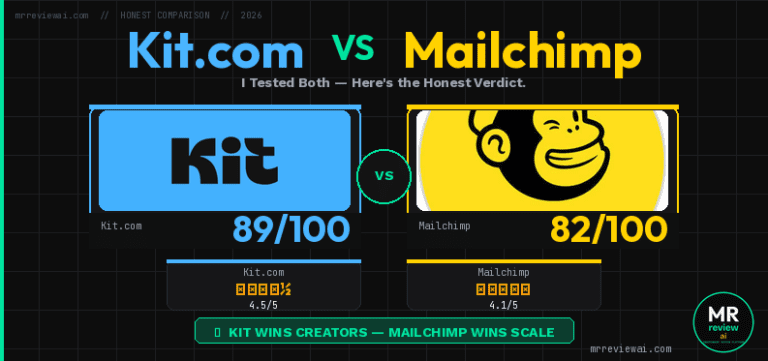
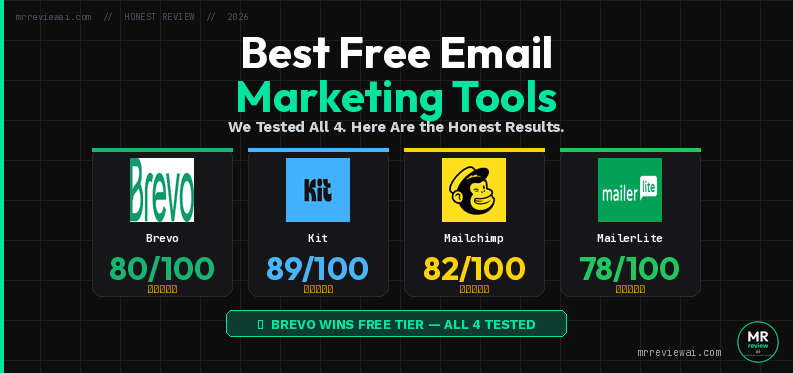
Quick verdict: If you have a large contact list and send infrequently, Brevo wins on value. If you want the most beginner-friendly experience with solid templates and landing pages, MailerLite wins — but its free plan just got cut dramatically (June 16, 2026). If you’re a content creator or blogger who only needs broadcasting, Kit.com is the cleanest tool. Mailchimp’s free plan is the weakest of the four in 2026 — the contact ceiling is too low and the “free” trial will charge you if you’re not careful.
📋 Scope of this review: This article covers only the free plans of Brevo, MailerLite, Kit.com, and Mailchimp. We did not test paid features. We do not accept payment for placement or scores — our ranking is based solely on what we found inside each dashboard during hands-on testing in May–June 2026. We have no affiliate relationship with any of the four tools covered here.
Key Findings at a Glance (June 2026)
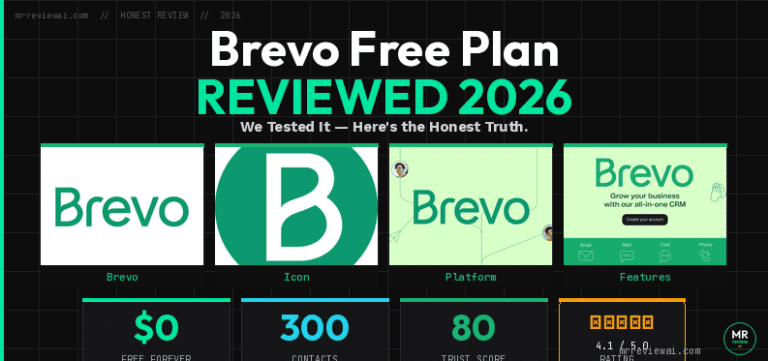
Brevo: Best free plan for large contact lists. Unlimited contacts, 9,000 emails/month (300/day), full CRM. Automation can be activated (limited to 2,000 contacts on free plan) on free.
MailerLite: Best free automation (3 workflows). New limit as of July 1, 2026: only 250 subscribers. Best UI design. A/B testing included free — rare.
Kit.com: Best for content creators. 10,000 subscribers, unlimited broadcasts. All automation (rules, sequences, workflows) locked behind paid plan.
Mailchimp: Most restrictive in 2026. 250 contacts, 500 emails/month. New users auto-enrolled on paid Standard trial — $20 charge if not manually downgraded before trial end.
How We Tested
We created real accounts on all four platforms for mrreviewai.com between May and June 2026. For each tool, we explored: dashboard setup, campaign creation flow, available form types, automation access (or lack thereof), landing page access, and where the free plan hits a hard wall. We did not send campaigns to large lists — these are fresh accounts used purely to document the UI and free-tier limitations from the inside.
The 4 Tools We Tested
#1 Brevo Free Plan — Best for Contact-Heavy
Free limits (confirmed June 2026): 300 emails/day · Unlimited contacts · Full CRM · No credit card required
Brevo’s free plan is the most unusual of the four because it charges by emails sent, not by contacts. That single pricing decision makes it dramatically more valuable for anyone with a large list who sends infrequently. We logged into the dashboard and confirmed the 300 emails/day limit displayed prominently on the home screen.
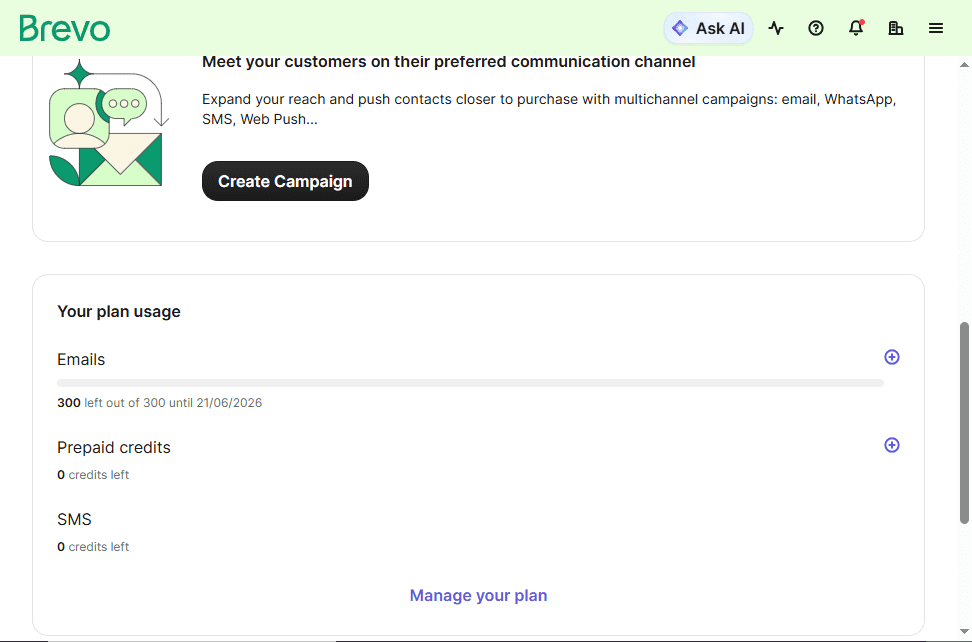
What works well on free: The dashboard is clean and well-organized. Brand library auto-detected our logo and colors from mrreviewai.com on first login. The email editor is genuinely good with responsive templates. The CRM — contacts, deals, pipeline, companies, tasks — is fully functional on free. Transactional email via SMTP and API is included at no cost, which is rare.
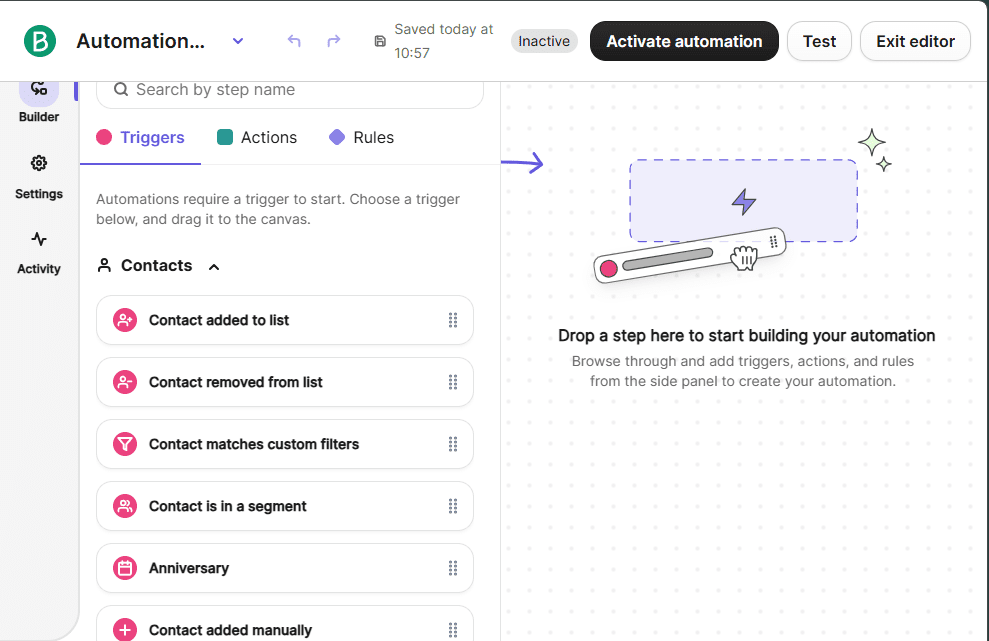
Where free hits a wall: Automations are accessible to build but limited to 2,000 contacts on free (unlimited on Standard). Popup forms require the Professional plan at $499/month — a jaw-dropping gap. Landing pages are paid. The “Sent by Brevo” footer on every email costs an additional $10.80/month to remove on top of the Starter plan ($9/month).
| Feature | Brevo Free |
|---|---|
| Emails/day | 300 (no monthly cap) |
| Contacts | Unlimited |
| Email automation | Limited to 2,000 contacts — can activate |
| Popup forms | Professional plan ($499/mo) only |
| Landing pages | Not available |
| CRM | Full CRM included |
| Branding | “Sent by Brevo” footer |
| Transactional email | SMTP/API included |
Best for: Businesses with 500+ contacts who send a monthly newsletter. Developers who need transactional email for free. Anyone who wants a combined email + CRM tool at $0.
Not ideal for: Content creators or bloggers sending weekly broadcasts — the 300/day cap means sending to 1,000 subscribers takes 4 days. Anyone who needs popups or landing pages without paying.
#2 MailerLite Free Plan — Best Design and Templates, But Just Got Cut
Free limits (confirmed June 2026, post-update): 250 active subscribers · 2,500 emails/month · Up to 3 automations · 3 forms · 1 landing page · 1 website · No credit card required
Important breaking news: On June 16, 2026 — five days before we published this review — MailerLite updated its free plan. The subscriber limit was cut from 500 to 250. The monthly send limit dropped from 12,000 to 2,500. However, MailerLite also unlocked more features: custom templates, promotional pop-ups, HTML editor, blog functionality, and a second account seat. Existing free accounts transition on July 1, 2026.
Our account, created before June 16, still shows the old limits in Plan and Billing: “Up to 500 subscribers. 12,000 emails.” This will change on July 1.

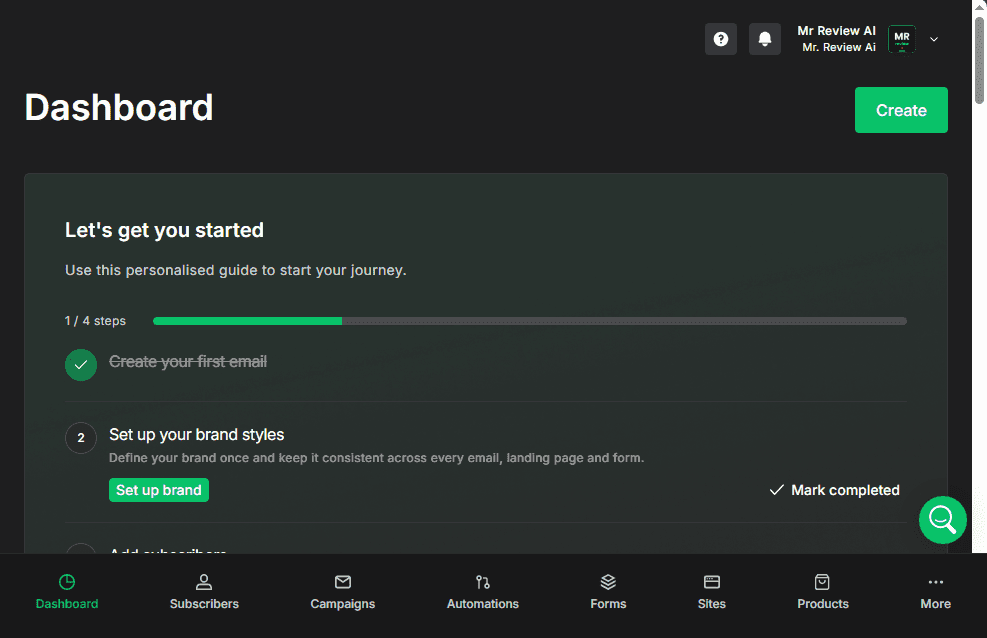
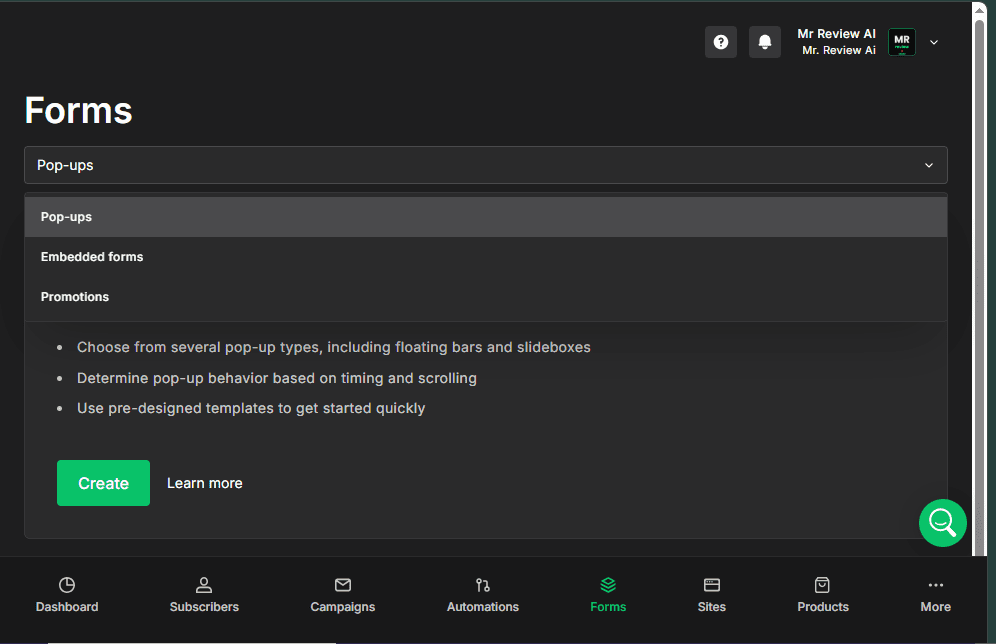
What works well on free: MailerLite has the best visual design of the four tools. The dark-themed dashboard is modern and well-organized. Campaign types on free include Regular campaigns and A/B split testing — the latter is unusual to have for free. Forms include Pop-ups, Embedded forms, and Promotions — all accessible. Automation templates include “Simple welcome email” and “Win back inactive subscribers” for free (up to 3 automations). Landing pages are available (1 on free).
Where free hits a wall: The new subscriber limit of 250 is the tightest of all four tools. For context, Brevo has unlimited contacts, Kit.com has 10,000, and Mailchimp has 500 (though Mailchimp’s plan has other problems — see below). If you grow past 250 subscribers, you must upgrade to the Comfort plan. Advanced welcome email automation (multi-channel triggers) is Premium. RSS campaigns, Auto resend, and Multivariate campaigns are also Premium.
| Feature | MailerLite Free (new, from July 1 2026) |
|---|---|
| Emails/month | 2,500 |
| Subscribers | 250 active |
| Automations | Up to 3 active workflows |
| Forms | Pop-ups + embedded + promotions (up to 3) |
| Landing pages | 1 landing page |
| A/B split testing | Included free |
| Custom templates | Now included free (new June 2026) |
| Branding | MailerLite badge on emails |
Best for: Beginners who want beautiful emails and don’t have a large list yet. Bloggers or creators with under 250 subscribers who want A/B testing and basic automation from day one.
Not ideal for: Anyone planning to grow quickly — 250 subscribers is a very low ceiling. Businesses that already have 300+ contacts will hit the wall immediately after signing up.
#3 Kit.com Free Plan — Best for Content Creators, But Less Than Advertised
Free limits (confirmed June 2026): 10,000 subscribers · Unlimited broadcasts · Landing pages and forms included · No automation (visual automations, rules, and sequences all require Creator plan upgrade)
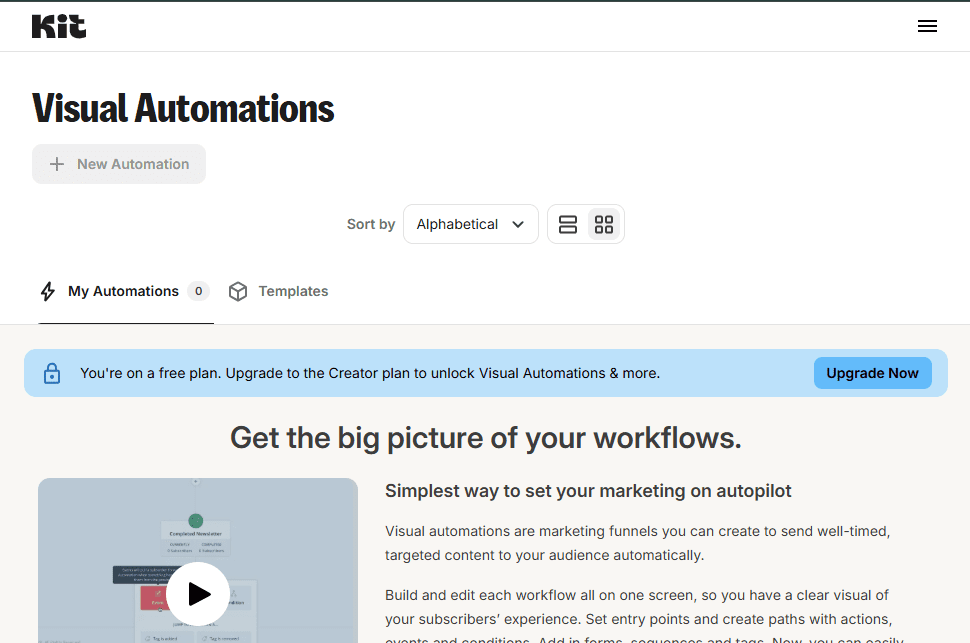
Kit.com (formerly ConvertKit) markets its free plan aggressively, and the 10,000 subscriber limit sounds impressive. But our hands-on testing revealed a critical gap that most review sites gloss over: automation is completely locked on free.
We checked three separate automation features on the free account:
- Visual Automations: “You’re on a free plan. Upgrade to the Creator plan to unlock Visual Automations & more.”
- Rules: “You’re on a free plan. Upgrade to the Creator plan to unlock Rules & more.”
- Email Sequences: “You’re on a free plan. Upgrade to the Creator plan to unlock Email sequences & more.”
Every automation pathway — visual workflows, trigger-based rules, drip sequences — requires the paid Creator plan. The free plan is genuinely broadcast-only.
What works well on free: Unlimited broadcasts with no daily or monthly sending cap (up to 10,000 subscribers). Landing pages and forms are accessible. The Creator Profile is a nice touch — a public page linking to your content and newsletter. The interface is extremely clean and minimal, making it the easiest of the four to get started with for a complete beginner. Kit MCP (AI assistant integration) is visible in the menu.
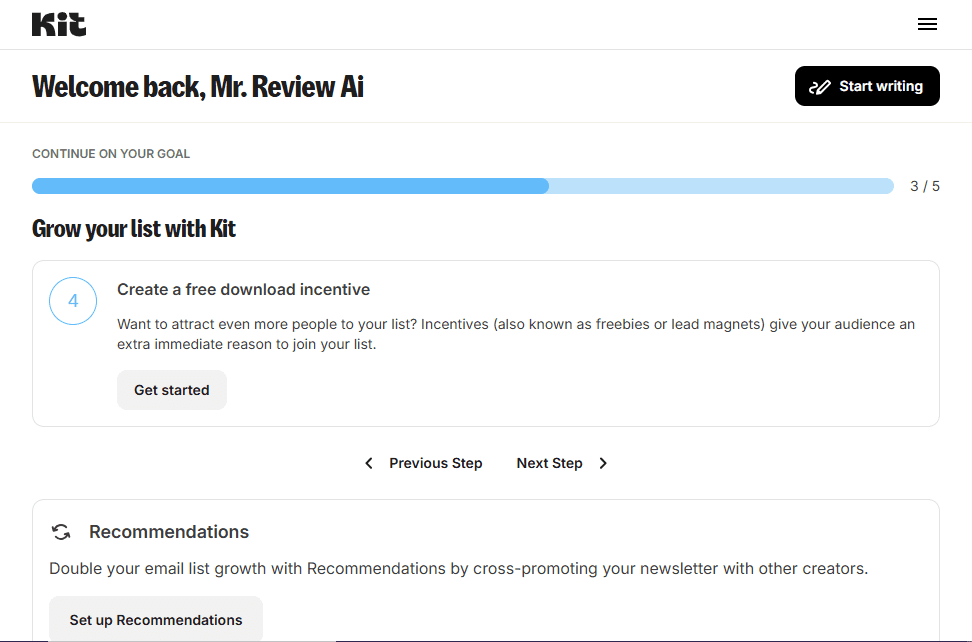
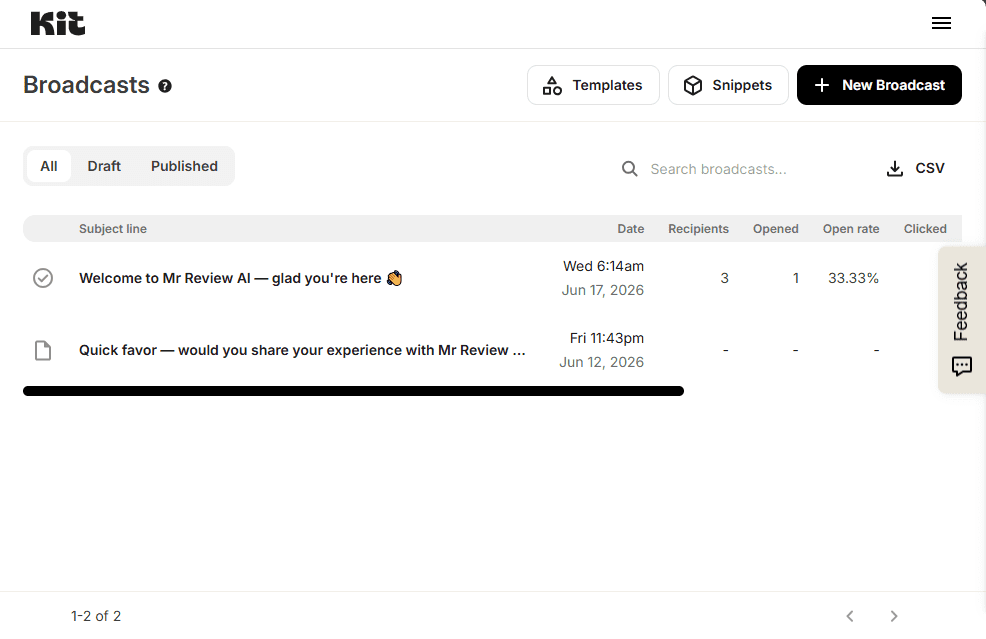
Where free hits a wall: No automation whatsoever — not even a basic welcome email sequence. Every automation feature redirects to an upgrade prompt. No CRM. No transactional email. For anyone who wants to set up a welcome sequence or any drip campaign, Kit.com free is a dead end.
| Feature | Kit.com Free |
|---|---|
| Subscribers | 10,000 |
| Email broadcasts | Unlimited |
| Email automation | None — all locked behind Creator plan |
| Landing pages | Unlimited |
| Forms | Popup, inline, slide-in, sticky bar |
| Sequences (drip) | Creator plan only |
| CRM | Not available |
| Branding | Kit branding on emails |
Best for: Newsletter writers or content creators with a growing list who only need to send broadcasts. The 10,000 subscriber ceiling is generous and the unlimited sending is a real differentiator.
Not ideal for: Anyone who needs even a basic welcome email to trigger automatically. Anyone who wants to segment or tag subscribers based on behavior. Businesses — Kit.com is built for individual creators.
#4 Mailchimp Free Plan — The Weakest in 2026
Free limits (confirmed June 2026): 500 contacts · 1,000 emails/month · 1 audience · Customer Journey automation included
Mailchimp was the dominant free email marketing tool for years. In 2026, it’s the weakest option of the four — and the most potentially confusing for new users.
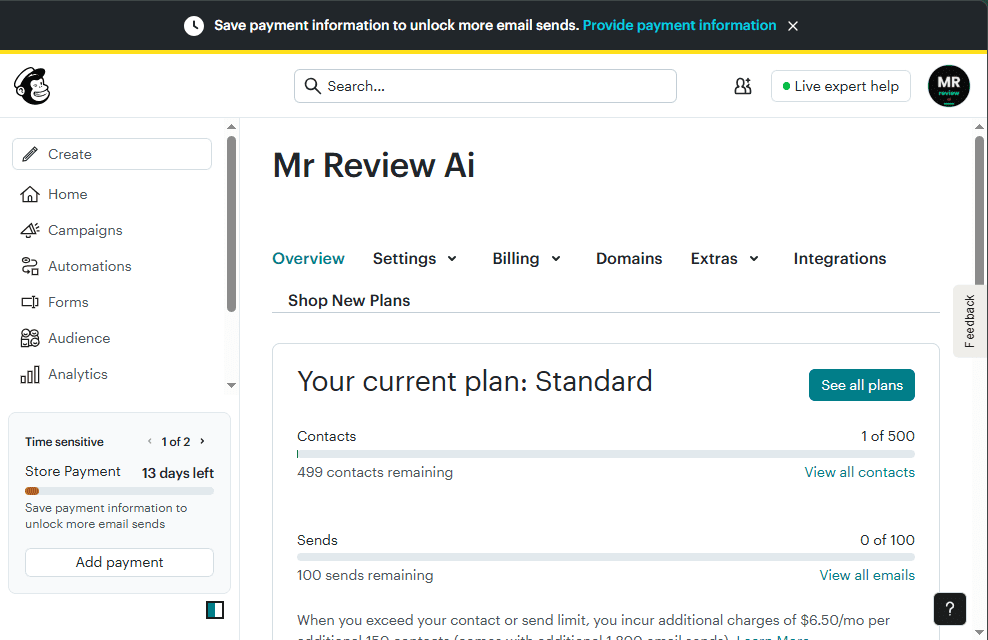
The Standard plan trial trap: When we logged into our Mailchimp account (created June 20, 2026), the dashboard showed: “Your current plan: Standard — Contacts: 1 of 500. Sends: 0 of 100. Next estimated bill: $20.00 — Autopay on Jul 5, 2026.” Mailchimp starts new accounts on a Standard plan free trial, not a free plan. If you do not downgrade before the trial ends, you are automatically charged. This is a friction point that other tools avoid entirely.
What works well on free (once properly downgraded): Mailchimp’s “Customer Journeys” automation builder is accessible and more intuitive than most tools. The template library is well-stocked. There is a basic website builder included. The interface is polished and well-documented, with Live Expert Help available from the dashboard. Integrations with Shopify, WooCommerce, and dozens of other tools are strong.
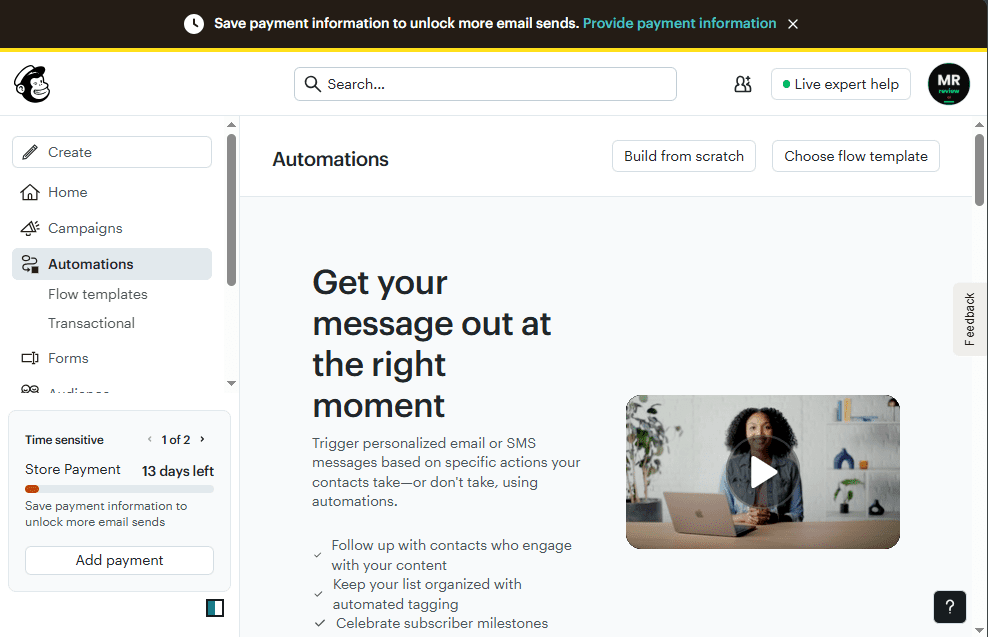
Where free hits a wall: The 500-contact ceiling is the hardest wall of any tool here. Brevo has unlimited contacts for free. Kit.com has 10,000. MailerLite now has 250 (worse than Mailchimp on this metric alone), but sends 2,500 emails/month versus Mailchimp’s 1,000. The 1,000-email/month limit means a list of just 500 people can only be emailed twice per month. Transactional email (Mandrill) is a paid add-on — not free like Brevo.
| Feature | Mailchimp Free |
|---|---|
| Contacts | 250 |
| Emails/month | 500 |
| Automation | Customer Journeys (1 active flow) |
| Landing pages | Basic (1 included) |
| Forms | Embedded only |
| Transactional email | Mandrill add-on (paid) |
| Website builder | Included |
| Branding | Mailchimp badge on emails |
| Trial warning | Auto-charges $20 if not downgraded |
Best for: Users already invested in the Mailchimp ecosystem. Small businesses that need ecommerce integrations and have under 500 contacts.
Not ideal for: Anyone starting fresh in 2026 — the contact ceiling is too low, the email volume is the most restrictive of any tool here, and the trial-to-paid transition is confusing. We would not recommend Mailchimp as a starting point over any of the other three tools.
Side-by-Side Comparison: All 4 Free Plans
| Feature | Brevo | MailerLite | Kit.com | Mailchimp |
|---|---|---|---|---|
| Contacts/subscribers | Unlimited | 250 (from July 1) | 10,000 | 250 |
| Emails/month | ~9,000 (300/day) | 2,500 | Unlimited | 500 |
| Email automation | Limited to 2,000 contacts | Up to 3 workflows | None | 1 Customer Journey |
| Popup forms | $499/mo plan | Included free | Included free | Not available |
| Landing pages | Not available | 1 page | Unlimited | 1 basic page |
| A/B testing | Not available | Included free | 2 subject line variants (free) | Not available |
| CRM | Full CRM | Not available | Not available | Basic contact mgmt |
| Transactional email | SMTP/API free | Not available | Not available | Mandrill (paid add-on) |
| Branding on emails | “Sent by Brevo” | MailerLite badge | Kit branding | Mailchimp badge |
| Trial trap risk | None | None | None | Yes — read carefully |
free-email-tools-2026 — Rating Breakdown
Best unlimited contacts & CRM free
Best design, but 250-sub limit is tight
Best for creators, 10K subs free
Weakest — avoid if starting fresh
Which Free Email Marketing Tool Should You Choose?
Choose Brevo if:
You have more than 500 contacts and send infrequently (monthly newsletters). You want email marketing plus a basic CRM in one free tool. You’re a developer who needs free transactional email. You’re building toward SMS or WhatsApp marketing. You operate in Europe or need GDPR-compliant forms built in.
Choose MailerLite if:
You’re starting from zero and have fewer than 250 subscribers. You want the best-designed emails and templates without paying. You want A/B testing and basic automation (up to 3 workflows) for free. Design quality and ease of use matter more than list size at this stage.
Choose Kit.com if:
You’re a blogger, newsletter writer, or content creator. You want to grow a large list (up to 10,000) and send unlimited broadcasts without paying. You don’t need automation — you just want a clean, simple tool to write and send newsletters. You might sell digital products eventually (Kit has commerce features).
Choose Mailchimp if:
You’re already on Mailchimp and don’t want to migrate. You have an existing Shopify or WooCommerce store deeply integrated with Mailchimp. You have under 500 contacts and send less than 1,000 emails per month. Even then, make sure you downgrade from the Standard trial before the billing date.
Is free-email-tools right for you?
- ✓ You need to compare free email tools before committing
- ✓ You want unbiased side-by-side data on all 4 platforms
- ✓ You have a new list under 10,000 subscribers
- ✓ You want to avoid Mailchimp's $20 auto-charge trap
- ✓ You care about automation availability on free plans
- ✕ You already have a paid plan and love it
- ✕ Your list exceeds 10,000 (consider paid plans)
- ✕ You need advanced features like dedicated IPs
- ✕ You want SMS or WhatsApp marketing included
- ✕ You need white-label or enterprise features
The One Thing Each Tool Gets Right (And Wrong)
Brevo: Gets unlimited contacts exactly right — a genuinely differentiated free offer. Gets automation completely wrong by blocking it behind a paid plan rather than offering even a basic welcome email.
MailerLite: Gets design and templates exactly right — the best-looking emails of the four. Gets subscriber limits wrong by cutting them to 250 in June 2026, making the free plan only useful for the very earliest stage of list building.
Kit.com: Gets the content creator use case exactly right — clean, minimal, focused on writing and growing. Gets automation completely wrong by locking every automation feature (including basic rules and sequences) behind a paid upgrade, contrary to what many comparison articles claim.
Mailchimp: Gets ecommerce integrations right. Gets everything else wrong in 2026 — the 500-contact ceiling, the 1,000-email/month limit, and the auto-charging trial structure make it the weakest free option we tested.
Mr Review AI Verdict
If we had to pick one free email marketing tool in June 2026, it would be Brevo for most businesses and Kit.com for content creators. MailerLite is worth considering if you’re starting from scratch and prioritize design — but the June 2026 limit cuts make it less compelling than it was. Mailchimp is the tool we’d avoid unless you’re already locked into its ecosystem.
The honest truth: all four tools are free because they want you to upgrade. Each one is specifically designed to hit a wall that pushes you toward a paid plan. Understanding exactly where those walls are — which is what this hands-on test documents — is the only way to choose the right starting point for your situation.
Not Sure Which Free Email Tool to Pick?
Get our free 1-page cheat sheet: which tool wins for YOUR use case in 2026.
Frequently Asked Questions
Which free email marketing tool allows the most contacts?
Brevo allows unlimited contacts on its free plan — the most generous of any major email marketing tool in 2026. Kit.com allows up to 10,000 subscribers. Mailchimp limits you to 500 contacts, and MailerLite (as of July 1, 2026) limits you to 250 active subscribers. If contact list size is your primary concern, Brevo is the clear winner.
Does any free email marketing plan include automation in 2026?
Yes — MailerLite includes up to 3 active automation workflows on its free plan, including a welcome email sequence. Brevo allows you to build automation workflows on free, but can activate (limited to 2,000 contacts on free) them without a paid plan. Mailchimp includes 1 Customer Journey automation flow on free. Kit.com has zero automation on its free plan — all three automation features (Visual Automations, Rules, Sequences) require the paid Creator plan.
What happened to Mailchimp’s free plan in 2026?
Mailchimp has repeatedly reduced its free plan limits since being acquired by Intuit. In early 2026 (effective February 17, 2026), the free plan was cut from 500 contacts to 250 contacts, and from 2,500 emails to 500 emails per month (with a 250 daily limit). As of June 2026, Mailchimp also starts new accounts on a paid Standard trial that auto-charges $20 if not manually downgraded — a pattern that confuses many first-time users.
Is MailerLite really free? What are the limits?
MailerLite has a genuine free plan with no credit card required. As of July 1, 2026, the free plan allows up to 250 active subscribers and 2,500 emails per month. It includes up to 3 automation workflows, 3 forms (including pop-ups), 1 landing page, A/B split testing, and a website. The June 2026 update also added custom templates and an HTML editor to the free tier. However, the 250-subscriber ceiling is the tightest of all four tools tested.
Is Kit.com (ConvertKit) automation free?
No. Despite Kit.com’s free plan allowing up to 10,000 subscribers, automation is completely locked. All three automation pathways — Visual Automations, Rules, and Email Sequences — redirect to an upgrade prompt for the paid Creator plan. The free Newsletter plan is broadcast-only: you can send emails manually to your list, but cannot set up any automated sequences or triggered emails.
How do I downgrade Mailchimp from the Standard trial to the free plan?
To downgrade Mailchimp before the trial charges you: log into your Mailchimp account → click your account name (top right) → go to Account & Billing → Billing → Manage Plan → select the Free plan. You must complete this before your trial end date. Note: Mailchimp only allows one downgrade to the free plan over the lifetime of your account. If your contact list exceeds 250, you will not be able to downgrade — you must remove contacts first.
Which free email marketing tool is best for beginners?
For absolute beginners, MailerLite is the best starting point in 2026. Its dashboard is the most modern and intuitive of the four, the onboarding process is guided step-by-step, and the drag-and-drop email editor produces professional results with no design experience. The limitation is the 250-subscriber ceiling — but for someone just starting a list, this is not a problem. Brevo is better if you already have a list or need a CRM alongside email marketing.
Thinking About Switching From Mailchimp? Here’s What to Know
If you are currently on Mailchimp’s Standard trial or free plan and are considering a switch, the most common migration paths in 2026 are to Brevo (for larger lists) or MailerLite (for better design and automation on free). Both allow CSV contact imports from Mailchimp directly. Before exporting, go to Mailchimp → Audience → Manage Contacts → Export Audience — this gives you a CSV file with your subscriber data including tags, merge fields, and subscription status. Both Brevo and MailerLite accept this format without modification.
One thing to confirm before canceling: if you have Mailchimp Customer Journey automations set up for live customers (e.g., welcome series, purchase follow-ups), those will stop when you deactivate your account. Rebuild your automation workflows in the new tool before switching to avoid gaps in your sequence.
Update log — June 23, 2026: Brevo automation data corrected. Brevo free plan includes marketing automation workflows limited to 2,000 contacts — not blocked entirely as previously stated. Table updated to reflect accurate data. Verified from brevo.com/pricing on June 23, 2026.
Available Widgets — Copy & Paste:
<script src="https://mrreviewai.com/widget.js" data-tool="beehiiv"></script><script src="https://mrreviewai.com/widget.js" data-tool="mailerlite"></script><script src="https://mrreviewai.com/widget.js" data-tool="kit"></script><script src="https://mrreviewai.com/widget.js" data-tool="brevo"></script><script src="https://mrreviewai.com/widget.js" data-tool="mailchimp"></script>✨ Free forever · Auto-updates when we update scores · Links back to full review on mrreviewai.com
📚 Free Email Marketing — Full Review Series

About the Author
Mr Review AI Team
This review was researched and tested hands-on by the Mr Review AI editorial team. We create real accounts, run actual campaigns, and document every limitation we encounter — no vendor demos, no copied spec sheets. Our reviews are editorially independent: no tool pays for a score or placement, ever. Where we have affiliate relationships, we disclose them transparently on each page.
Want to know who founded this site and what drives our editorial standards? → Meet the founder on our About page