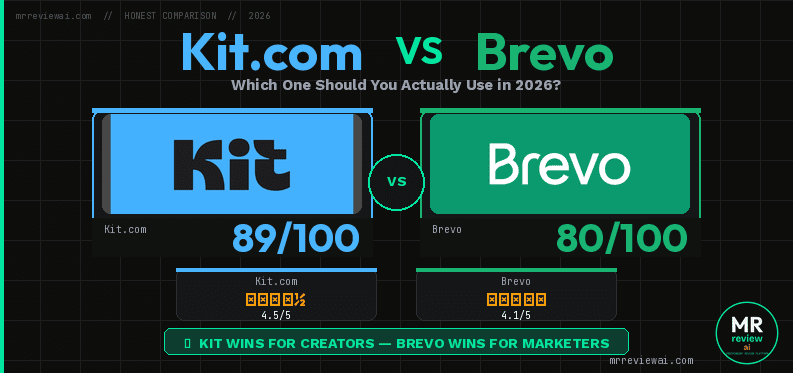
Kit.com vs Brevo Free Plan: Which One Should You Actually Use in 2026?

- ✓Kit.com: 10K free subscribers + unlimited sends
- ✓Brevo: Unlimited contacts + full CRM free
- ✓Brevo: Automation works on free (2K contacts)
- ✓Kit.com: Cleanest beginner interface
- ✕Kit.com: Zero automation on free plan
- ✕Brevo: 300 emails/day cap — slow for large lists
- ✕Brevo: No landing pages on free
- ✕Kit.com: No CRM, no transactional email
Last updated: June 23, 2026 | Tested by: Mr Review AI Team | Both accounts: active free plans
We use both Kit.com and Brevo on free plans at mrreviewai.com. This comparison is not based on spec sheets — it is based on what we actually found inside each dashboard after signing up, clicking through every section, and hitting the walls where free ends. We are a new site with a tight budget, so we review what we can test. When we upgrade, we will update this article.
Quick Verdict
🏆 Kit.com wins if you are a content creator or newsletter writer who wants a clean, simple tool and a generous 10,000-subscriber free tier — and does not need automation.
🏆 Brevo wins if you already have a larger contact list, need a built-in CRM, need transactional email (SMTP/API), or want automation workflows that can actually run (limited to 2,000 contacts on free).
Neither tool is perfect on free. This article documents exactly where each one stops working.
How We Tested
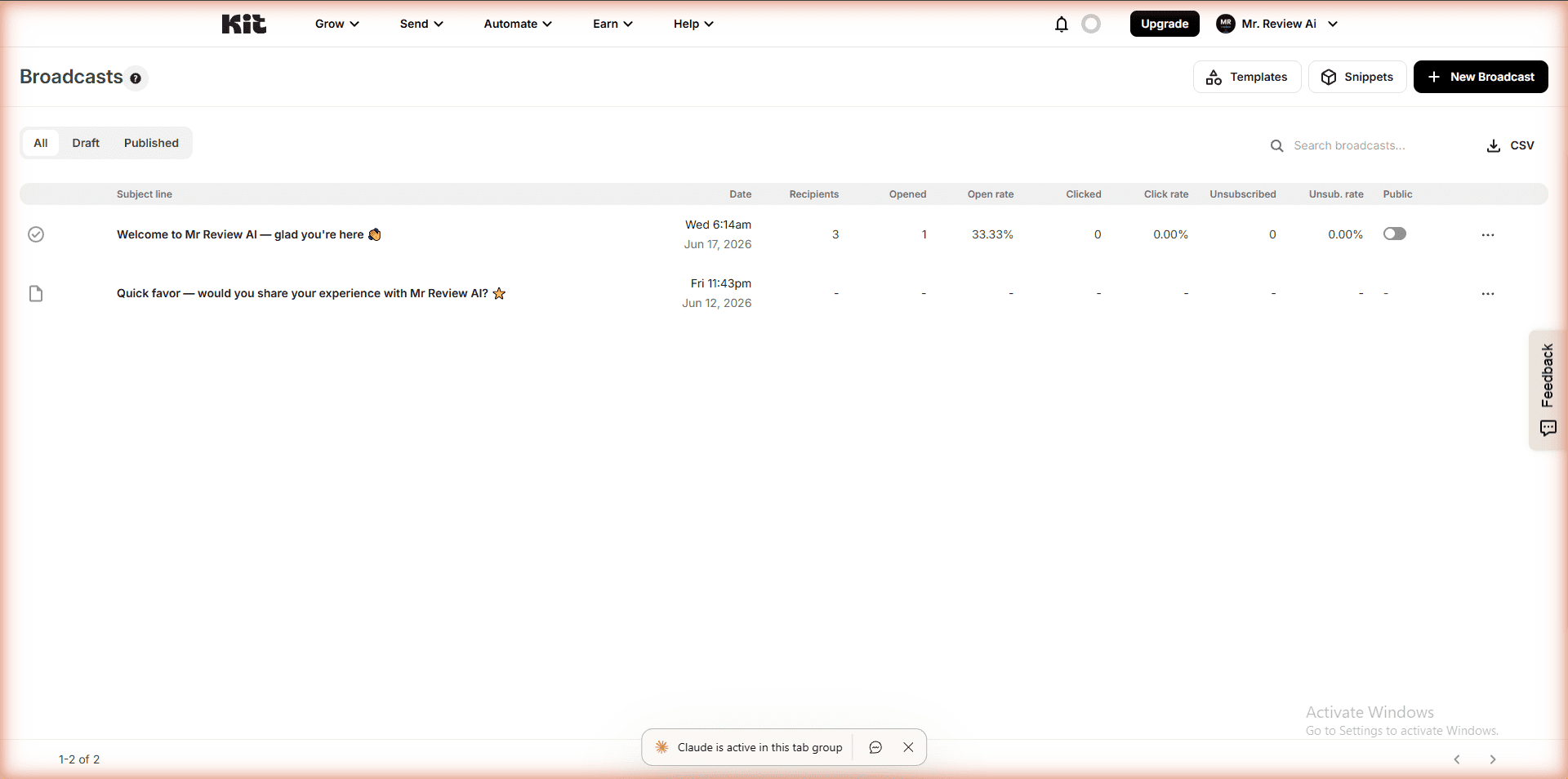
We created real accounts on both platforms for mrreviewai.com — Kit.com in May 2026, Brevo in June 2026. For each tool, we explored every menu item, attempted to create campaigns and automations, tested forms and landing pages, and documented every upgrade prompt we encountered. We sent actual broadcasts from Kit.com. We built and saved an automation workflow on Brevo. These are not demo accounts — they are the same accounts we use to grow the mrreviewai.com newsletter.
Side-by-Side: What You Actually Get for Free
| Feature | Kit.com Free | Brevo Free |
|---|---|---|
| Subscribers / Contacts | 10,000 subscribers | Unlimited contacts |
| Emails per day / month | Unlimited broadcasts | 300 emails/day (~9,000/mo) |
| Automation | ❌ None — all locked | ✅ Limited to 2,000 contacts |
| Email sequences / drip | ❌ Creator plan only | ✅ Included (2,000 contact limit) |
| Landing pages | ✅ Unlimited | ❌ Paid plan only |
| Forms / Popups | ✅ Included free | ⚠️ Sign-up forms free; popups need Professional ($449/mo) |
| CRM | ❌ Not available | ✅ Full CRM (contacts, deals, tasks, companies) |
| Transactional email (SMTP/API) | ❌ Not available | ✅ Free — full SMTP and API |
| Creator profile / public page | ✅ Included | ❌ Not available |
| Branding on emails | Kit branding | “Sent by Brevo” footer |
| A/B testing | ❌ Not available | ❌ Not available |
| Paid plan starts at | $25/mo (Creator) | $9/mo (Starter) |
kit-vs-brevo — Rating Breakdown
10,000 free — most generous ceiling of any tool
Unlimited contacts — no ceiling at all
Zero automation on free — all locked behind $25/mo
Works on free but limited to 2,000 contacts
Cleanest interface — fastest to learn and use
CRM + SMTP + email builder all free — best for businesses
Kit.com Free Plan — What We Found Inside
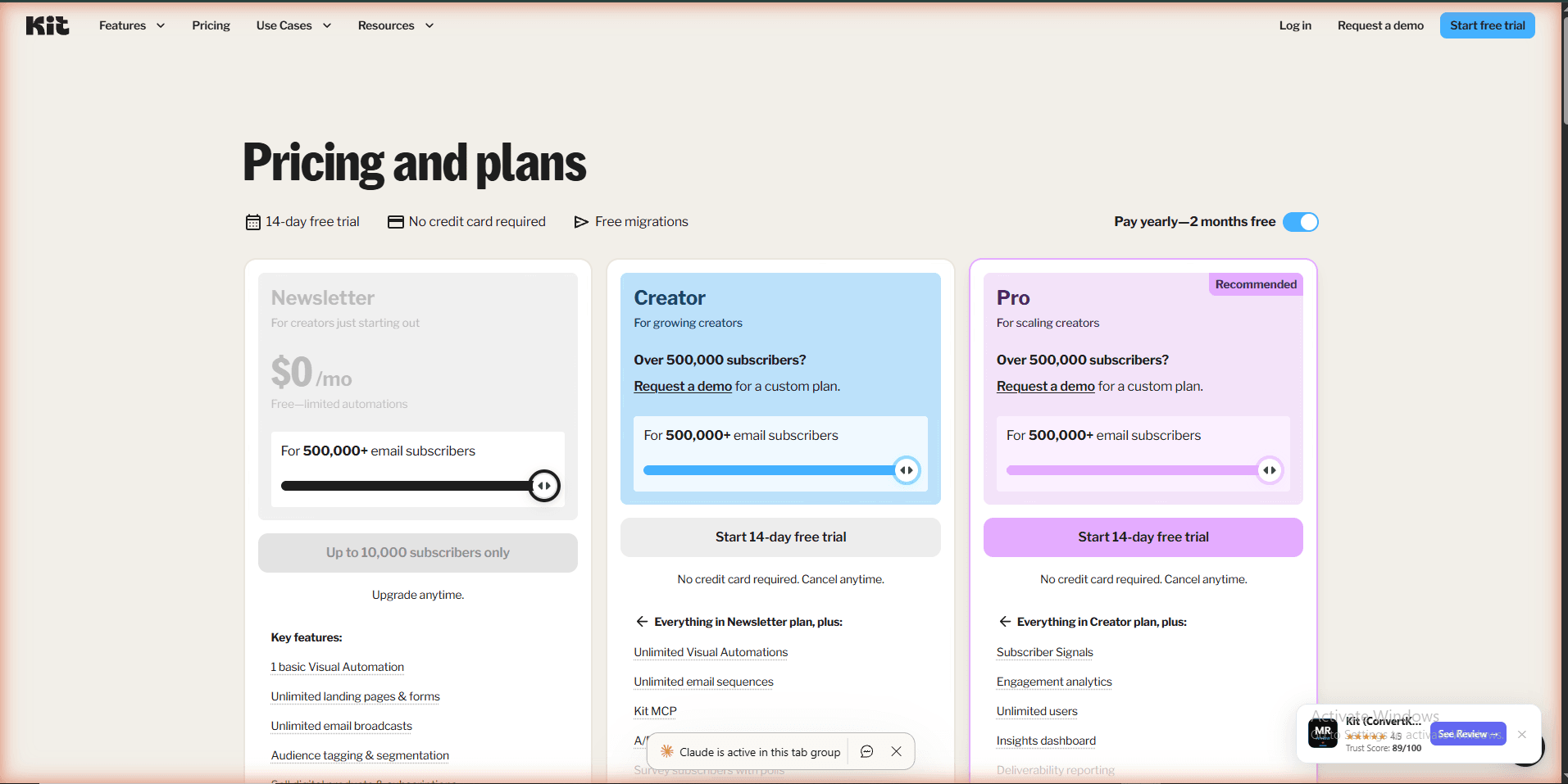
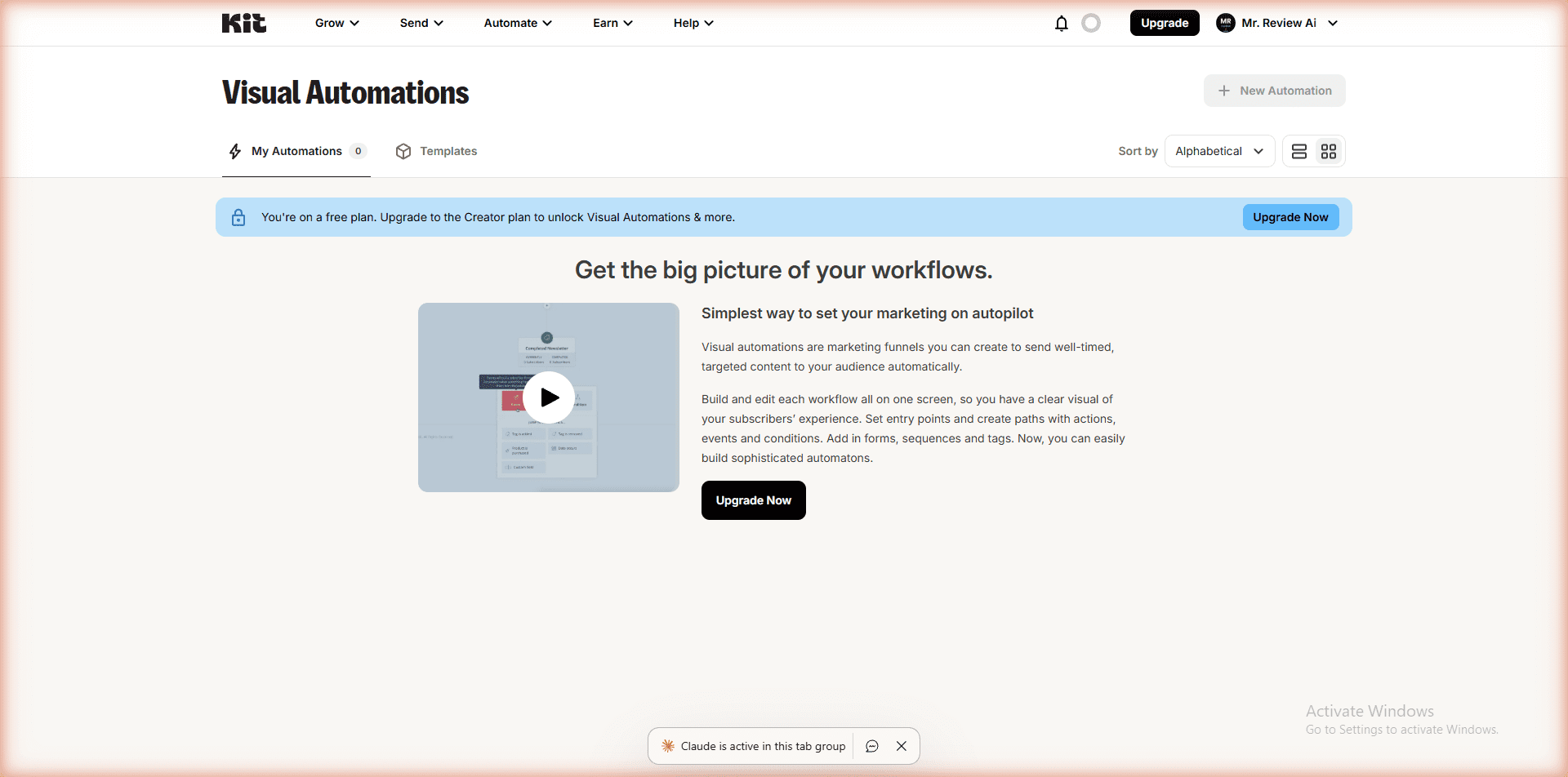
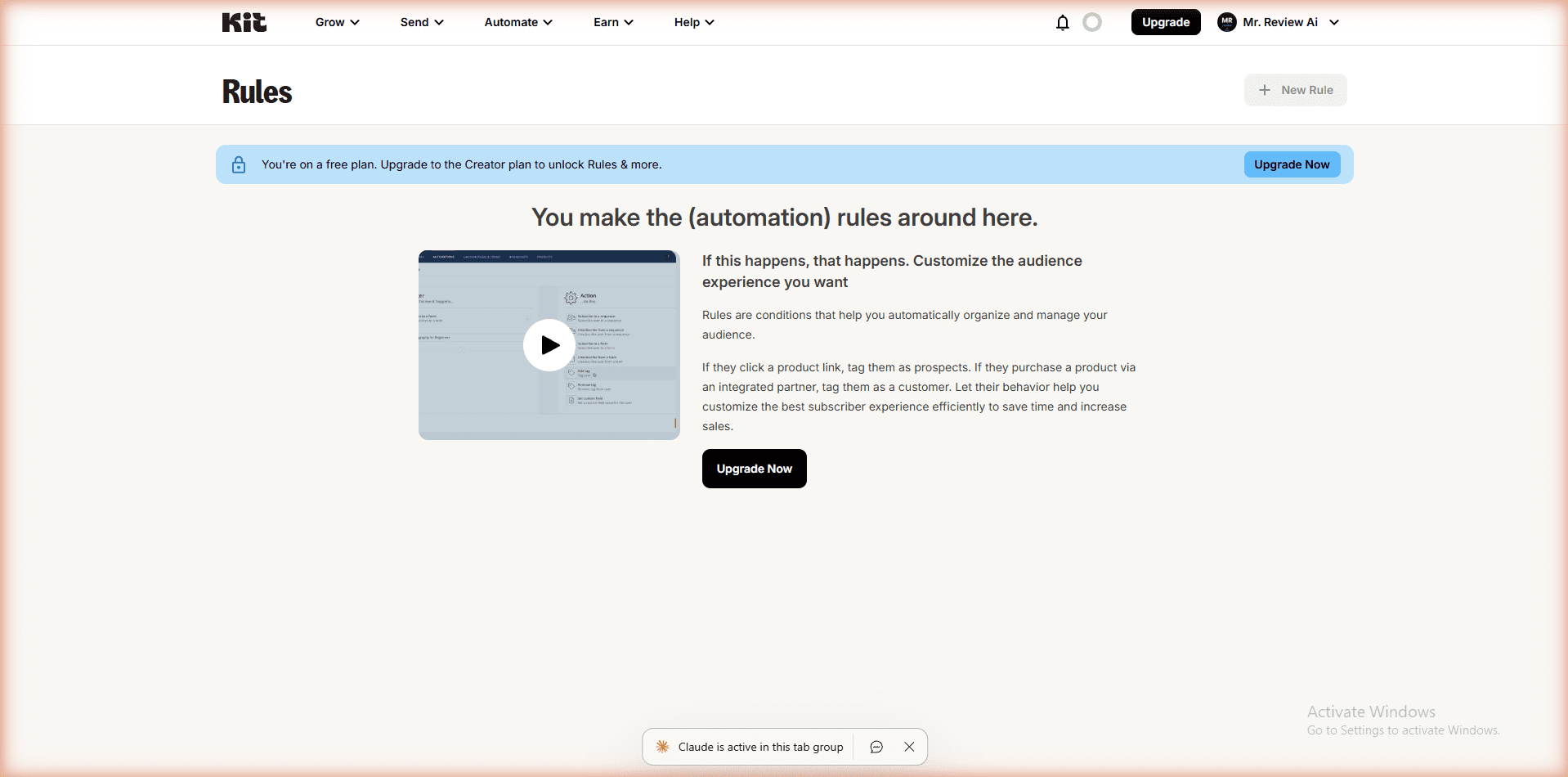
Kit.com (formerly ConvertKit) markets its free plan on the 10,000-subscriber limit — and that number is real. We confirmed it on the live pricing page.What is not prominently advertised: automation is completely locked on the free plan. Every automation pathway we tried showed the same message: “You are on a free plan. Upgrade to the Creator plan to unlock.”
We tested three automation paths on our free Kit.com account:
- Visual Automations: “You’re on a free plan. Upgrade to the Creator plan to unlock Visual Automations & more.”
- Rules (trigger-based automation): Same upgrade prompt.
- Email Sequences (drip campaigns): Same upgrade prompt.
The free plan is genuinely broadcast-only. You can write a newsletter and send it to your list. That is the feature set. If you want a welcome email to fire automatically when someone subscribes, you need to pay $25/month.
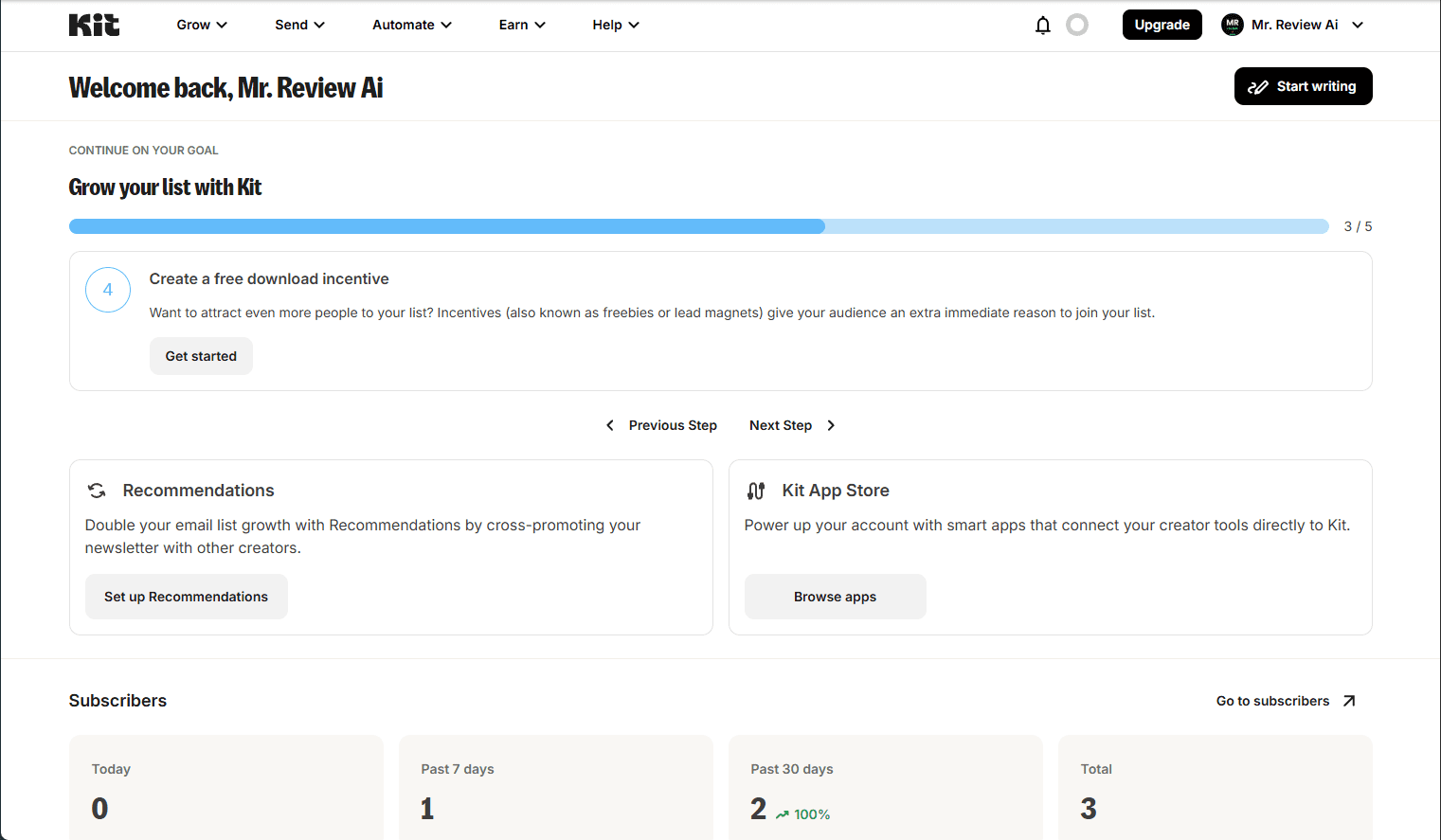
Where Kit.com free plan genuinely shines: the interface is the cleanest and most beginner-friendly of any tool we tested. Writing a broadcast takes less than five minutes from a fresh login. Landing pages are unlimited and functional. The Creator Profile — a public page linking to your newsletters and content — is a unique feature not found in Brevo. The Recommendations feature lets you cross-promote with other Kit creators to grow your list, which is free and works well.
We also spotted Kit MCP (an AI assistant integration) in the dashboard menu — this appears to be a new feature in the Creator plan, not accessible on free.
Kit.com Free Plan — Where the Wall Is
The wall is automation. If your email strategy involves anything beyond manually sending broadcasts, you will hit it immediately. No welcome sequence. No tag-based triggers. No drip campaigns. No segmented automations. The 10,000-subscriber ceiling is generous — but there is little point having 10,000 subscribers if you cannot automate a basic onboarding email.
Brevo Free Plan — What We Found Inside
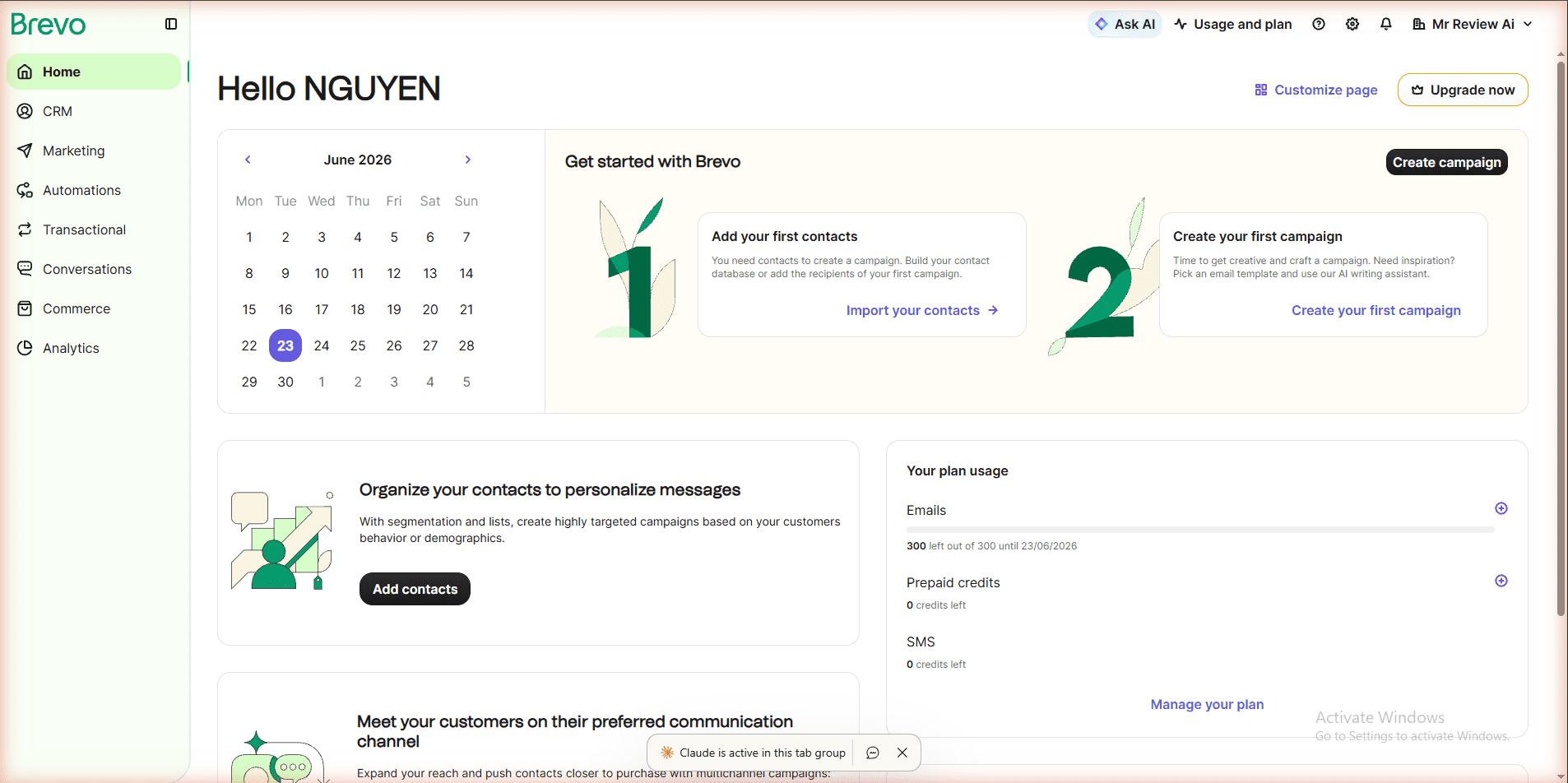
Brevo’s free plan structure is fundamentally different from Kit.com. It charges by emails sent — not by number of contacts. The limit is 300 emails per day (approximately 9,000 per month). Contacts are unlimited. We confirmed this on our dashboard: “300 left out of 300 until 23/06/2026.”
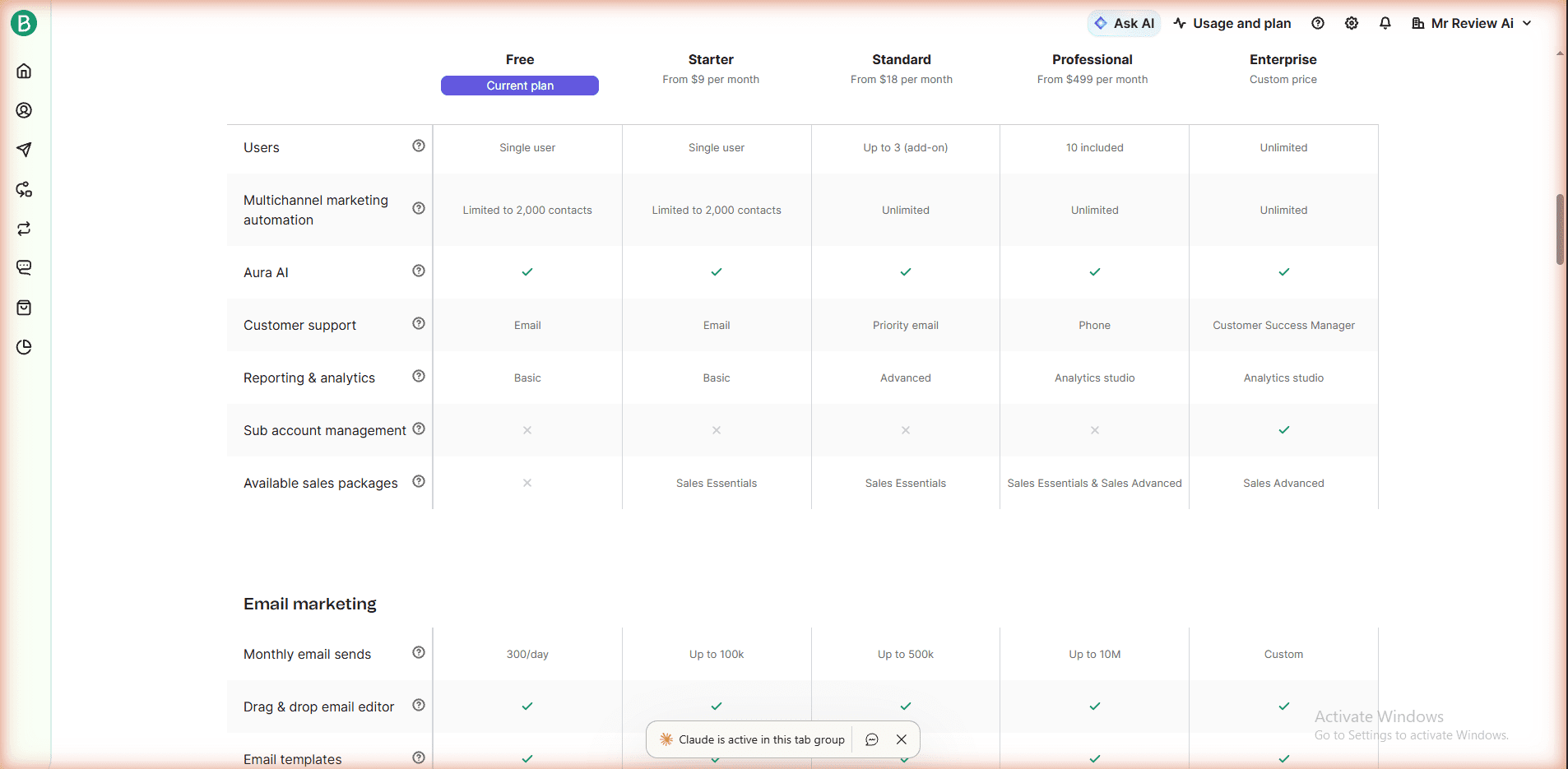
Automation on Brevo free is more nuanced than most review sites report — including what we originally wrote. After testing the workflow builder directly in our account and verifying against the official Brevo pricing comparison table (brevo.com/pricing/see-all-features), the accurate picture is: Brevo free plan does include marketing automation workflows, but they are limited to 2,000 contacts. Real-time event triggers and multiple-entry points are included. Multi-branch testing is not. This is a meaningful free automation tier — not a full block like Kit.com.
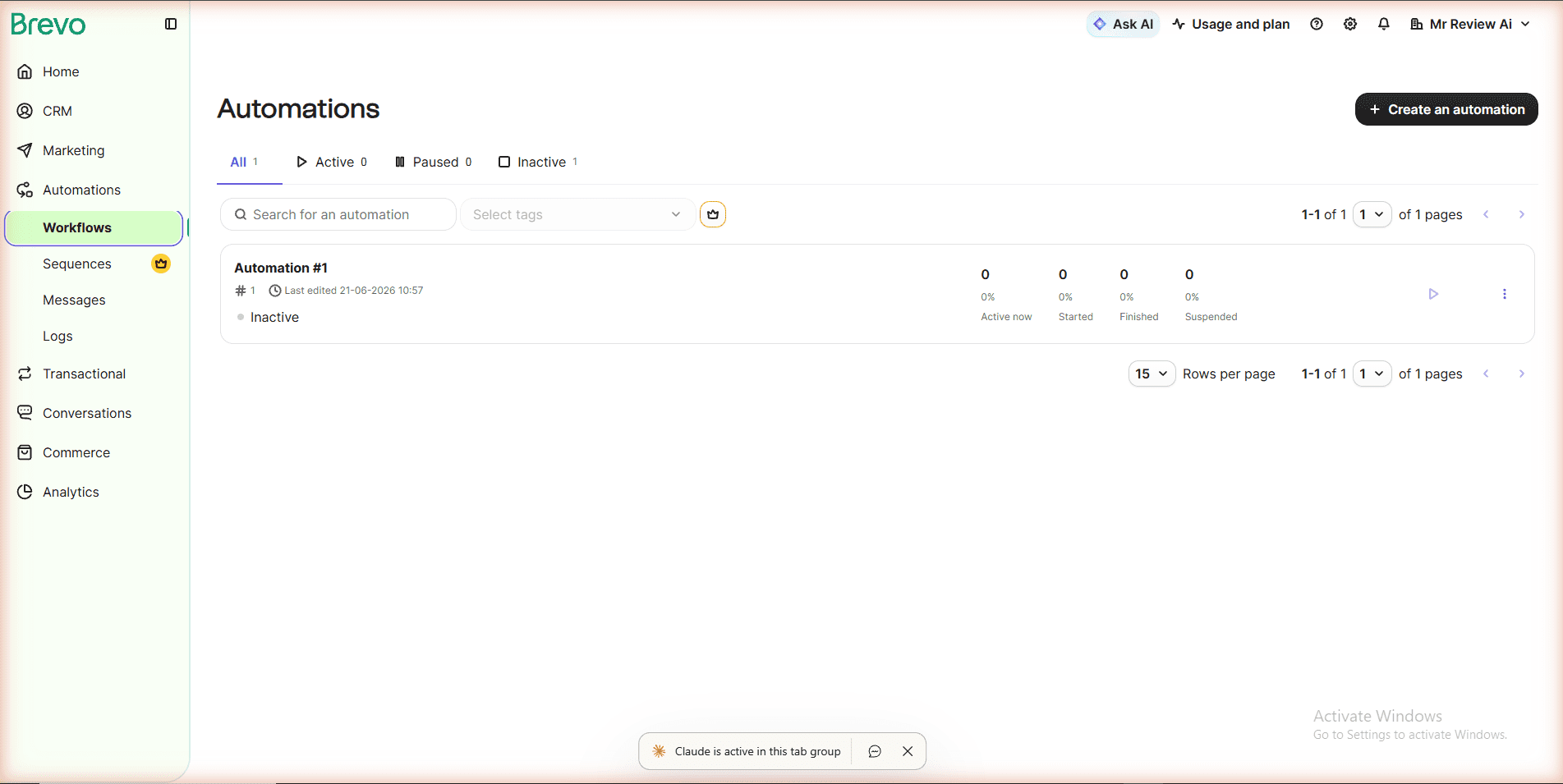
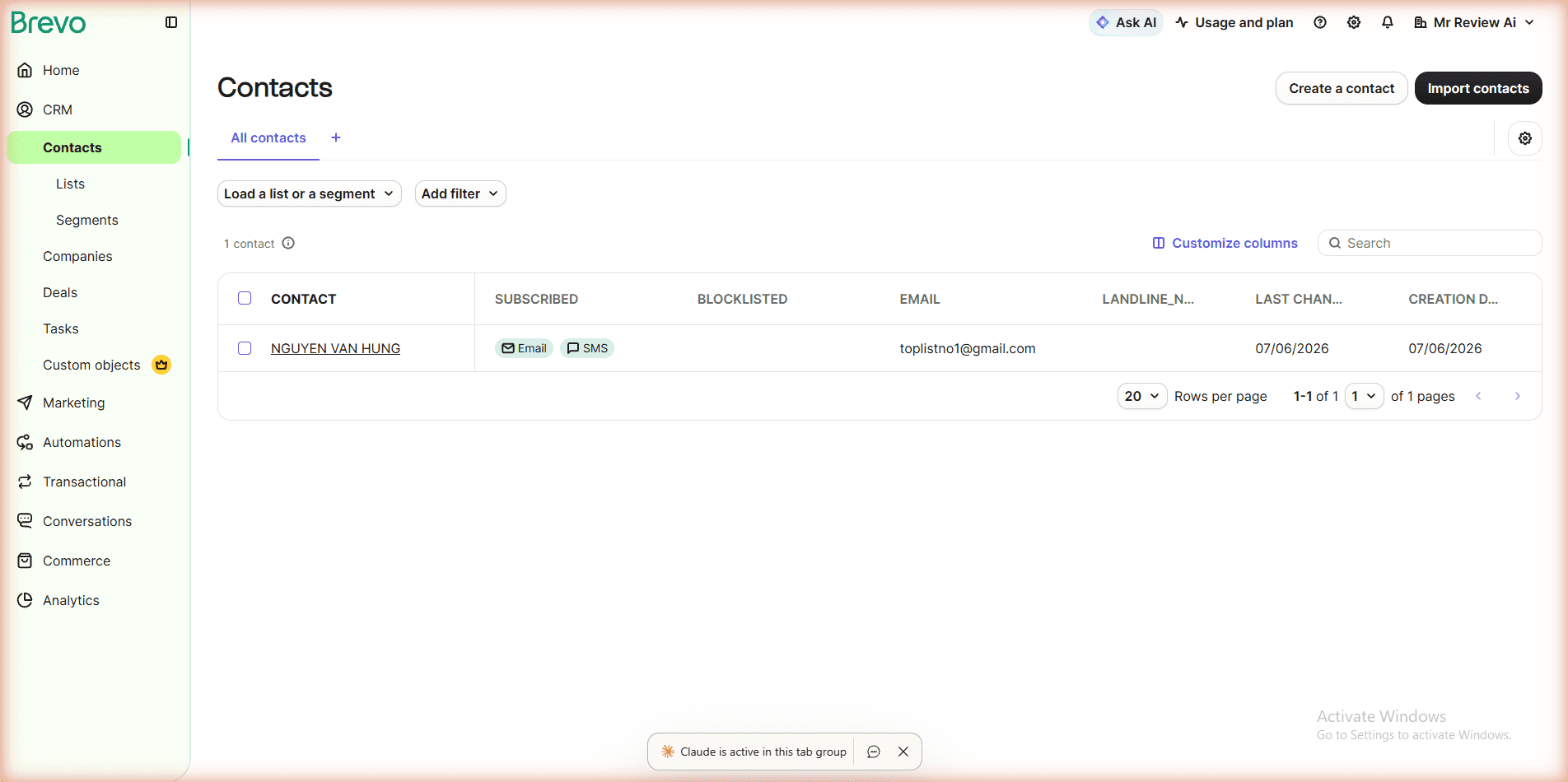
The CRM on Brevo free is genuinely functional: contacts, lists, segments, companies, deals, and tasks are all available at no cost. For a business that wants email marketing and a basic sales CRM in one free tool, there is no better option among the four tools we tested.
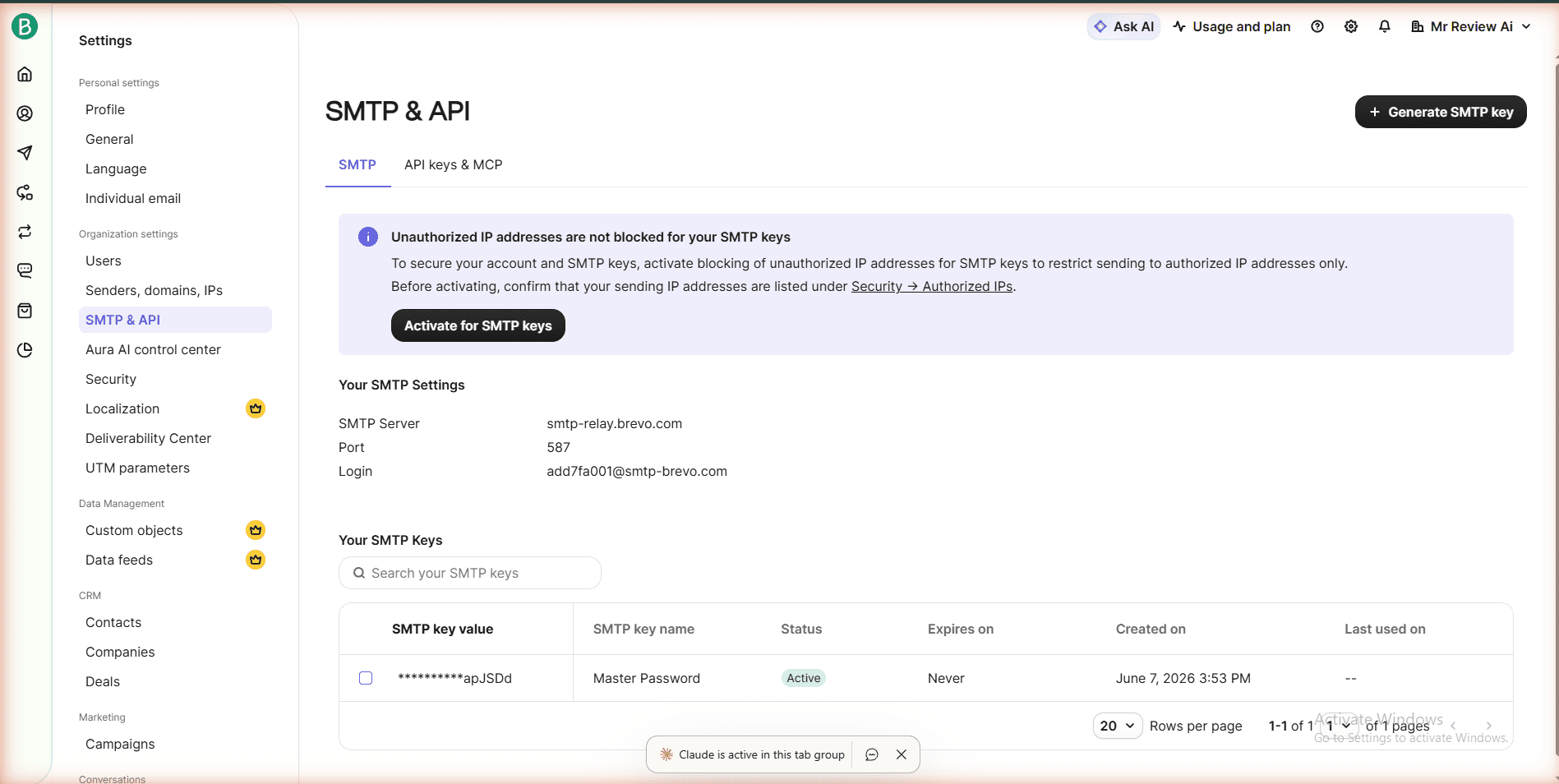
Transactional email via SMTP and API is free on Brevo — a feature that typically costs extra on other platforms. For a developer or small business that sends password resets or order confirmation emails, this is a significant differentiator.
Brevo Free Plan — Where the Wall Is
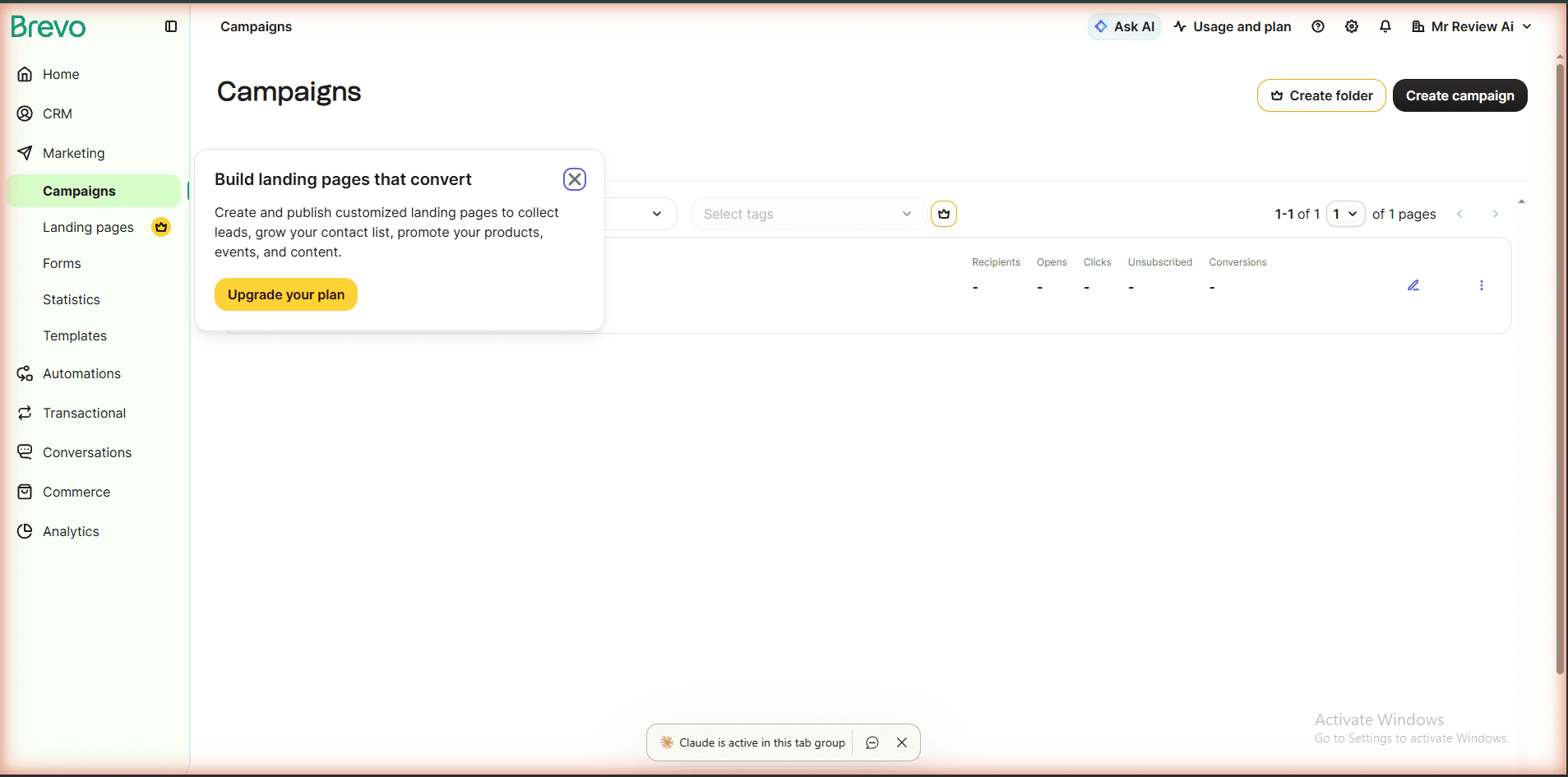
Two hard walls on Brevo free: landing pages are not available (paid plan only), and popup forms require the Professional plan at $499/month — a jaw-dropping gap. If you need popups to capture leads, Brevo free is not the right tool. The 300 emails/day cap also becomes a real constraint for larger lists: sending to 2,000 subscribers takes more than six days if you send daily. The “Sent by Brevo” footer is on every email and costs an additional $10.80/month to remove on top of the Starter plan.
Email Design & Templates: Kit.com vs Brevo
This is one of the most practically important differences between the two tools — and one that most comparison articles gloss over. Kit.com is built around plain-text email. By design, their philosophy is that plain text converts better for creator-style newsletters. On the free plan, you write your email in a simple editor: text, links, maybe an image. There are no drag-and-drop blocks, no color pickers, no layout columns. The email looks like it came from a real person, because visually, it does.
Brevo is the opposite. Even on the free plan, Brevo gives you access to a full drag-and-drop email builder with pre-built templates, color customization, image blocks, button blocks, dividers, and multi-column layouts. For a small business or marketer who needs branded emails — a promotional campaign, a product announcement, a transactional email with a logo — Brevo wins this category cleanly.
In our own testing on the Mr Review AI free account, sending a broadcast in Kit.com took under five minutes: write, add a subject line, hit send. There is no template to configure. In Brevo, creating a designed email took closer to 20 minutes the first time — but the result looked like a real marketing email, with our logo, a banner image, and a styled CTA button. Both approaches are valid. The question is which one matches what you actually need to send.
Kit.com free plan email editor verdict: plain-text only, no drag-and-drop, no templates. Fast to write, but limited design control. Ideal for newsletter-style content where personality matters more than branding.
Brevo free plan email editor verdict: full drag-and-drop builder with templates included. Slower to set up, but outputs professional branded emails. Ideal for small businesses sending promotional or transactional content.
The Honest Use-Case Breakdown
✅ Choose Kit.com if:
- You are a blogger, newsletter writer, or content creator
- You want to grow a list up to 10,000 and send broadcasts
- You do not need automation right now
- You want unlimited landing pages for free
- You might sell digital products later (Kit has commerce features)
- You want the cleanest, simplest writing experience
✅ Choose Brevo if:
- You already have more than 500 contacts and send infrequently
- You need a basic CRM alongside email marketing
- You need transactional email (SMTP/API) for free
- You want to run automation workflows with under 2,000 contacts
- You are building toward SMS or WhatsApp campaigns
- You operate in Europe and need GDPR-compliant tools
Is kit-vs-brevo right for you?
- ✓ You're a blogger or newsletter creator — choose Kit.com
- ✓ You want 10,000 free subscribers + unlimited sends
- ✓ You need unlimited free landing pages — choose Kit.com
- ✓ You have 500+ contacts and send infrequently — choose Brevo
- ✓ You need a free CRM alongside email — choose Brevo
- ✓ You need free transactional email/SMTP — choose Brevo
- ✕ You need automation on a free plan — neither is ideal (Kit=0, Brevo=2K limit)
- ✕ You need popup forms free — both lock this feature
- ✕ You want the simplest single answer — use Kit.com for creators, Brevo for businesses
- ✕ You need more than 300 emails/day on free — consider MailerLite or Mailchimp
- ✕ You need landing pages on Brevo free — not available
The One Thing Each Gets Right — And Wrong
Kit.com gets right: the content creator experience. If you want to write, grow, and send newsletters — nothing is simpler or cleaner at $0. The 10,000-subscriber free tier is the most generous subscriber ceiling of any email tool we tested.
Kit.com gets wrong: the complete absence of automation on free. Not even a basic welcome email. For a modern email marketing tool, this is a significant gap that many competing articles fail to mention clearly.
Brevo gets right: the unlimited contacts plus full CRM plus transactional email combination at $0. For a small business or developer, this is genuinely rare and valuable.
Brevo gets wrong: the popup form paywall ($499/month Professional plan) and the lack of landing pages on free. These are two core lead generation tools that most creators need — and both are behind a very expensive wall.
Integrations: What Each Tool Connects To
Neither Kit.com nor Brevo is an island — how well they connect to the rest of your stack matters, especially for a small startup with limited budget and existing tools. Kit.com integrates natively with WordPress, Squarespace, Shopify, Teachable, Gumroad, Podia, and most major course and membership platforms. For content creators who sell digital products, these native integrations are a genuine strength. Kit.com also has a public API and a Zapier integration, which means you can connect it to nearly anything. On the free plan, all integrations are available — there is no integration paywall.
Brevo integrates with WordPress (official plugin), WooCommerce, Shopify, Magento, and Salesforce. It also connects to Zapier and has a well-documented REST API. Brevo’s transactional email infrastructure means it works particularly well as an SMTP relay for websites and apps — something Kit.com does not offer at all. For developers or small businesses running a website that needs to send automated transactional emails (order confirmations, password resets), Brevo is the clear winner in this category. Both tools are free-plan integration-friendly: neither restricts API access or Zapier connections behind a paid tier.
GDPR and Data Privacy: Brevo Has a Real Advantage Here
If you are based in Europe, or if your subscribers are EU residents, GDPR compliance is not optional — it is a legal requirement. This is an area where Brevo has a structural advantage over Kit.com that most comparison articles do not address directly. Brevo (formerly Sendinblue) is a French company headquartered in Paris, operating under EU data protection law. Your contact data is stored on EU servers by default, and Brevo is certified under the EU-U.S. Data Privacy Framework. For European businesses, this simplifies GDPR compliance significantly: your email marketing platform is already operating under the same legal framework as your subscribers.
Kit.com is a US-based company (ConvertKit LLC, headquartered in Boise, Idaho). Data is stored on US servers. Kit.com does have a Data Processing Agreement (DPA) available and claims GDPR compliance, but transferring EU subscriber data to US servers adds legal complexity — particularly after the Schrems II ruling in 2020, which invalidated the previous Privacy Shield framework. For a bootstrapped startup or solo creator based outside the EU, this is unlikely to be a deciding factor. But for a European small business handling subscriber data at scale, Brevo’s EU data residency is a genuine practical advantage worth considering.
Both tools offer double opt-in functionality (required for GDPR compliance) and unsubscribe link management. Both allow you to export and delete contact data on request. From a pure feature-checklist perspective they are equivalent. The difference is where the data lives and which legal framework governs it by default.
Mr Review AI Verdict
For mrreviewai.com, we use Kit.com as our primary newsletter tool because our use case is exactly what the free plan supports: writing newsletters, growing a subscriber list, and sending broadcasts. We do not yet need automation — and when we do, we will evaluate whether the $25/month Creator plan is worth it at that stage.
If we were a small business with existing contacts and needed a CRM and basic automation, we would use Brevo. The 300 emails/day cap would be a constraint, but the unlimited contacts and functional automation (up to 2,000 contacts) would outweigh that for a monthly newsletter sender.
These are not tools competing for the same user. Kit.com is for creators and writers. Brevo is for businesses and developers. If you are reading this as a content creator, Kit.com wins. If you are reading this as a business owner or developer, Brevo wins.
We tested both on free plans only, in June 2026, using real accounts at mrreviewai.com. We are a new site with a limited budget — we review what we can test. Our scores and recommendations are not influenced by affiliate relationships or sponsorships. When we upgrade to paid plans, we will update this comparison with paid plan data.
Kit.com vs Brevo — Not Sure Which Wins for You?
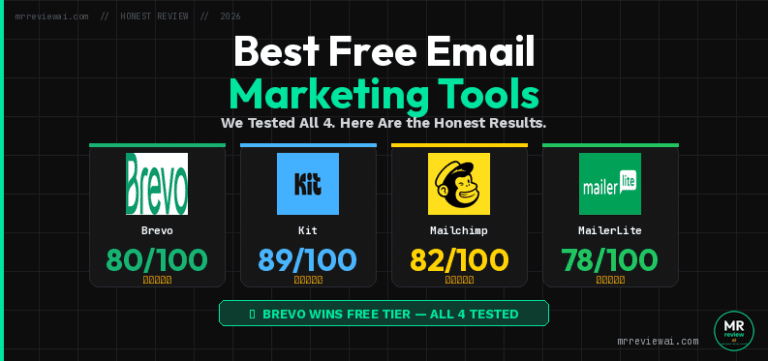
We tested all 4 free email plans: MailerLite, Kit.com, Brevo, and Mailchimp. See the full side-by-side results.
Frequently Asked Questions
Does Kit.com have automation on the free plan?
No. Kit.com’s free plan has zero automation. All three automation features — Visual Automations, Rules, and Email Sequences — require the paid Creator plan at $25/month. The free Newsletter plan is broadcast-only.
Does Brevo have automation on the free plan?
Yes, with limits. Brevo free plan includes marketing automation workflows — you can build and activate them — but the contact limit for automations is 2,000. Real-time event triggers and multiple entry points are included. For contacts beyond 2,000, you need to upgrade to the Standard plan ($18/month), which offers unlimited automation.
How many contacts can I have for free on Kit.com vs Brevo?
Kit.com allows up to 10,000 subscribers for free — the most generous subscriber ceiling of any major email tool. Brevo allows unlimited contacts for free, but limits email sending to 300 per day. For very large lists with infrequent sending, Brevo is better. For active newsletter senders with lists up to 10,000, Kit.com is better.
Which tool is easier to use for beginners?
Kit.com is simpler and more beginner-friendly. The dashboard is minimal and focused. Writing and sending a broadcast takes under five minutes. Brevo has more features, which means a more complex dashboard — but it is still well-organized and the onboarding process is guided.
Can I switch from Kit.com to Brevo later?
Yes. Both tools allow contact export via CSV. From Kit.com: go to Subscribers → Export. From Brevo: go to CRM → Contacts → Export. Both accept CSV imports. You will need to rebuild your forms and landing pages in the new tool. Automation workflows also need to be rebuilt manually.
Update log — June 23, 2026: Article published. Brevo automation data based on verified brevo.com/pricing/see-all-features — free plan includes automation limited to 2,000 contacts. Kit.com automation data verified inside our live free account dashboard.
🤝 Win-Win Partnership
Running a blog about email marketing comparisons?
Embed a free, auto-updating review badge on your site — no maintenance needed. Your readers get live ratings pulled from mrreviewai.com. You get a useful tool. We get a backlink. Both win.
Preview
Available Widgets — Copy & Paste:
<script src="https://mrreviewai.com/widget.js" data-tool="beehiiv"></script><script src="https://mrreviewai.com/widget.js" data-tool="mailerlite"></script><script src="https://mrreviewai.com/widget.js" data-tool="kit"></script><script src="https://mrreviewai.com/widget.js" data-tool="brevo"></script><script src="https://mrreviewai.com/widget.js" data-tool="mailchimp"></script>✨ Free forever · Auto-updates when we update scores · Links back to full review on mrreviewai.com
📚 Free Email Marketing — Full Review Series

About the Author
Mr Review AI Team
This review was researched and tested hands-on by the Mr Review AI editorial team. We create real accounts, run actual campaigns, and document every limitation we encounter — no vendor demos, no copied spec sheets. Our reviews are editorially independent: no tool pays for a score or placement, ever. Where we have affiliate relationships, we disclose them transparently on each page.
Want to know who founded this site and what drives our editorial standards? → Meet the founder on our About page